Features

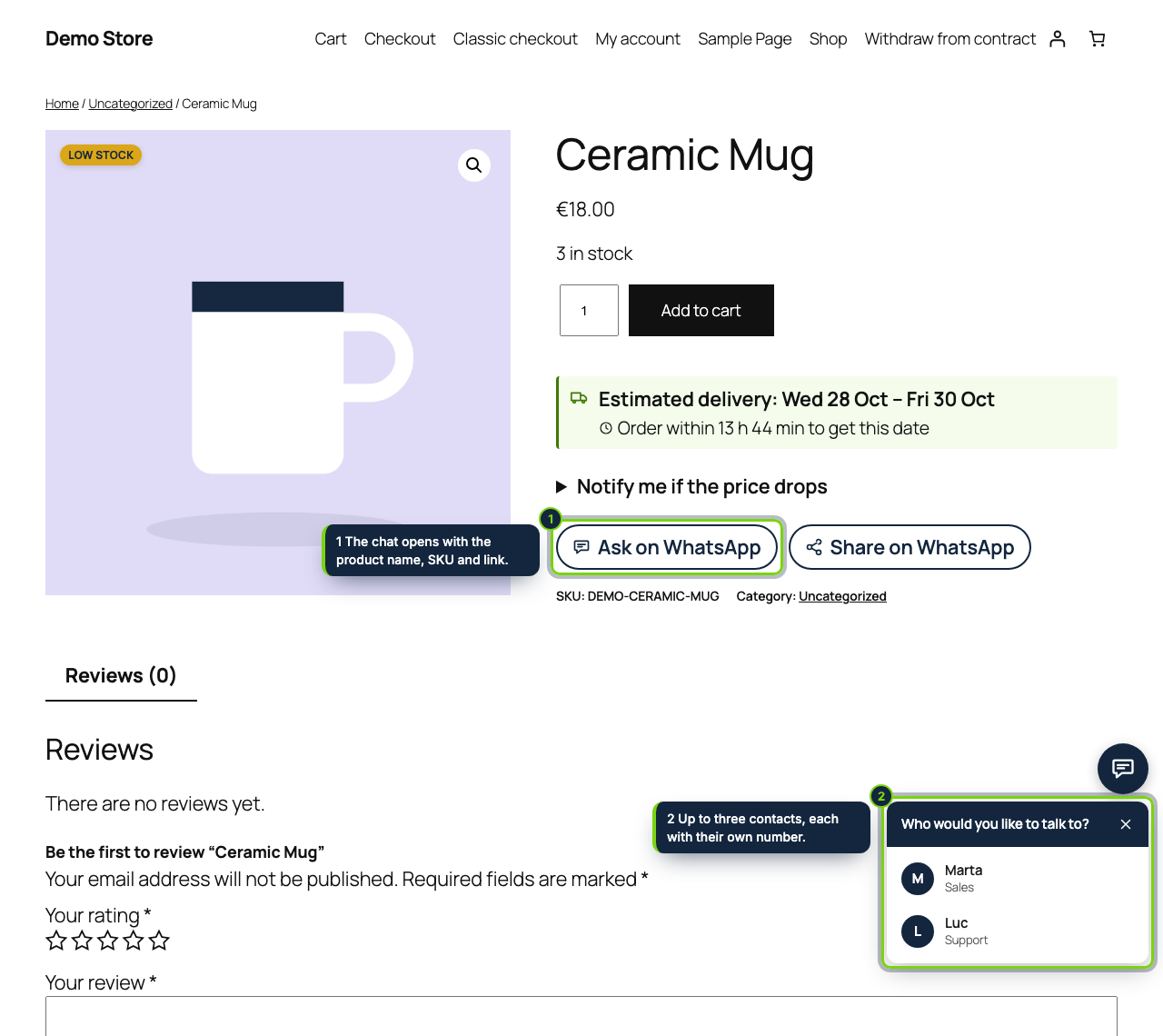
  • Corner chat bubble on every storefront page, with one number or a menu of up to three colleagues (name and job title) and a greeting written per WordPress language
  • Office hours per weekday in the time zone of Settings › General: when nobody is around the bubble tells shoppers the day and hour you will answer, or disappears
  • Placed after the add-to-cart form of the Single Product block (or the classic template hook): an “Ask” link carrying the title, SKU and permalink, and a “Share” link for friends
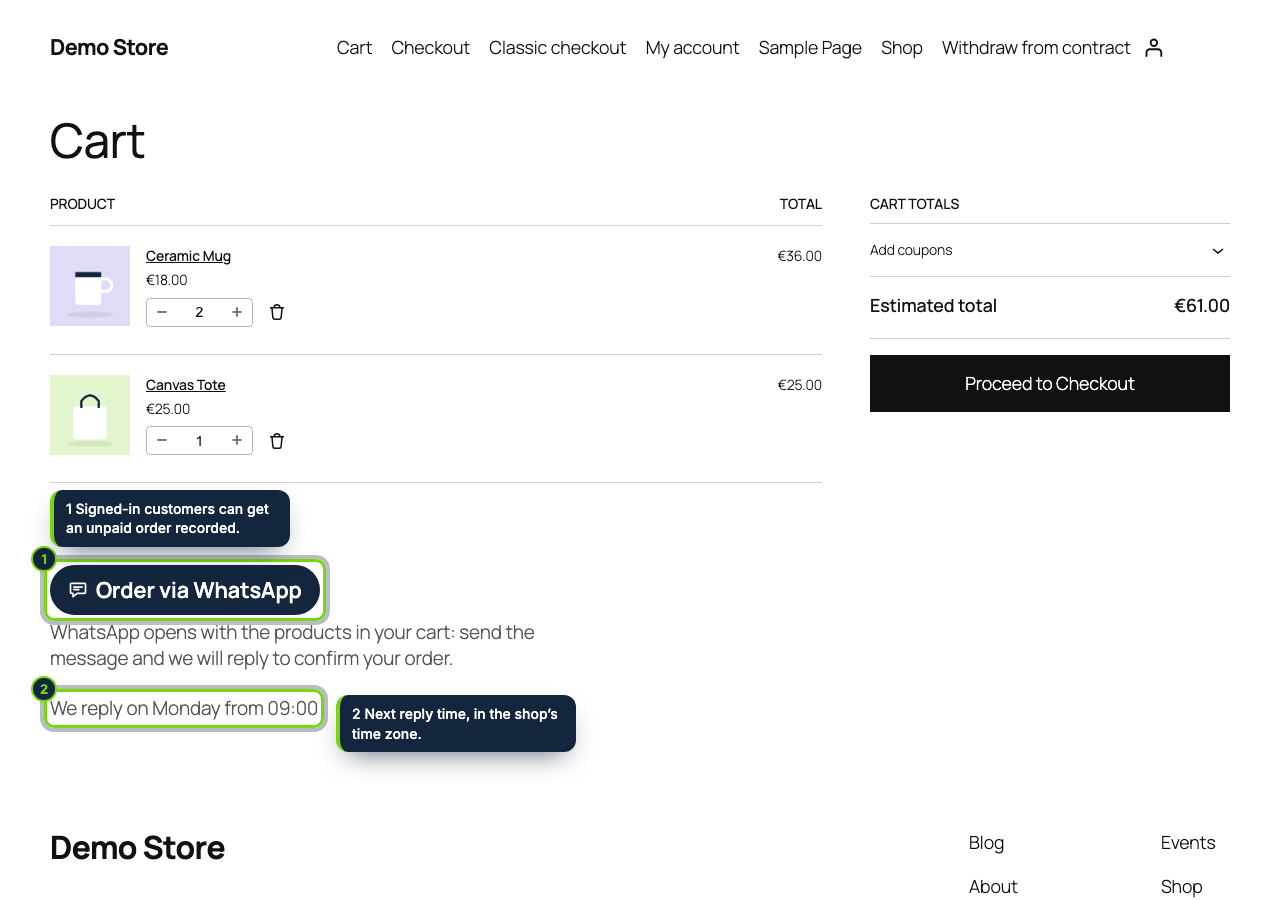
  • “Order via WhatsApp” under the Cart block or the classic cart totals: quantity, product, variation attributes and line total for every item, read at click time
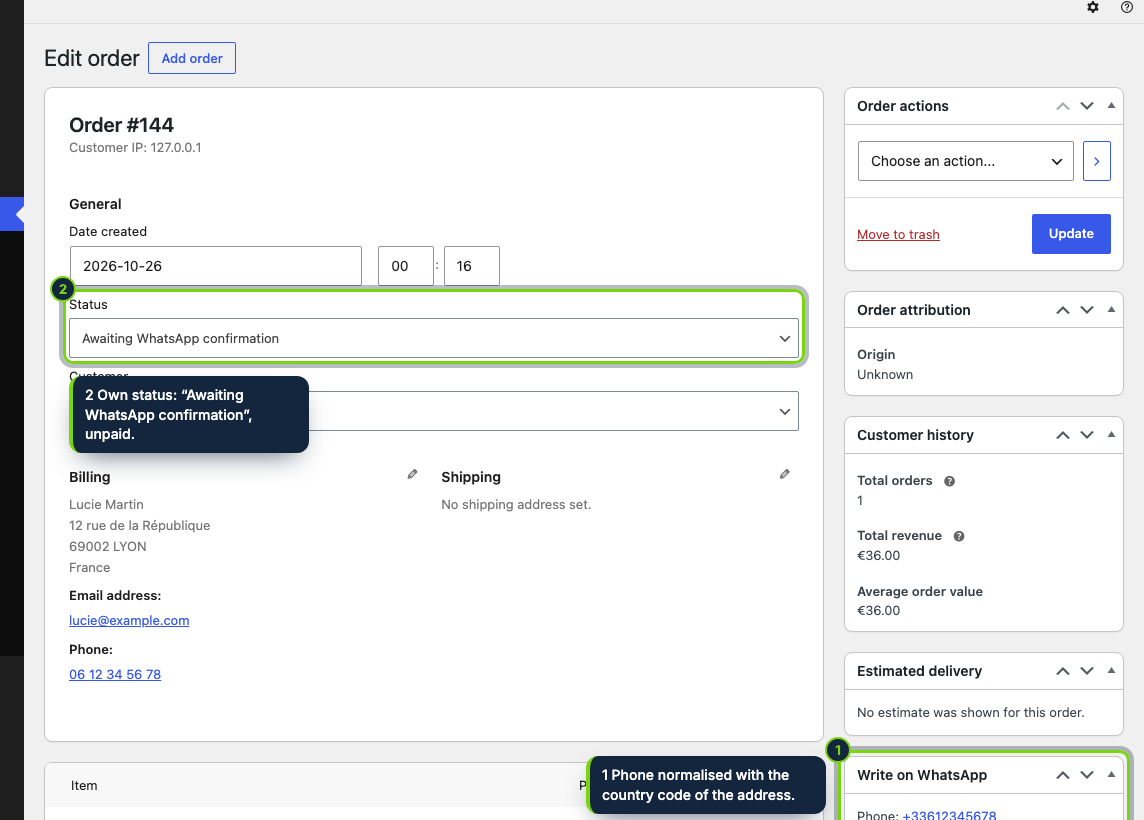
  • Optional: logged-in customers with a billing address get a real WooCommerce order built by the checkout code, in a registered status “Awaiting WhatsApp confirmation”, unpaid, with the shipping rate selected in the cart, and its number in the chat
  • Meta box on the order edit screen, HPOS and legacy storage alike: received, shipped and free-text templates with {firstname}, {order}, {total}, {tracking} and {shop}, phone completed with the calling code of the address country
  • Click tally per button for 30 and 90 days through a tiny REST endpoint: button and date only, no cookie, IP or user
  • Plain wa.me links: no WhatsApp script, no API key, no Business account; same HTML for all visitors, so caching plugins keep working; English, Spanish and French

Many WooCommerce shoppers, above all in Spain and Latin America, would rather send a WhatsApp than fill in a contact form or go through checkout. A bare “WhatsApp us” link loses the context: you get “hi, is it available?” and have to ask which product, which size, how many. This plugin opens the chat with the product, the cart lines or the order already written, tells shoppers when you will answer and, if you want, files the cart as an unpaid order in WooCommerce so nothing gets lost in the chat.

How it fits into WooCommerce

Tested with
WordPress 7.1, WooCommerce 11.2, PHP 8.3; Twenty Twenty-Five (block theme) and Storefront (classic theme).
wp-admin
WooCommerce › WhatsApp chat & order, for users who can manage WooCommerce: contacts, greeting per language, side and distance from the bottom, office hours, the four buttons with their devices, product categories chosen in WooCommerce’s own searchable category list, order creation and the staff templates, plus a clicks table.
Storefront
The bubble is printed in wp_footer; the product links follow the woocommerce/add-to-cart-form block in block themes and woocommerce_after_add_to_cart_form in classic ones; the cart button follows the woocommerce/cart block or woocommerce_after_cart_totals.
Orders
A status registered with register_post_status and wc_order_statuses, so it shows in WooCommerce › Orders, its filters and bulk actions, with HPOS or posts storage. The order comes from WC_Checkout::create_order(), so products, coupons, fees, taxes and shipping are WooCommerce's own. It is not payable from My account and stock moves when you change it to Processing or On hold.
Order screen
A “Write on WhatsApp” meta box with the phone normalised and one link per template, in the language the order was placed in (WPML or Polylang too).
Compatibility declarations
HPOS and the Cart and Checkout blocks.

Installation

  1. Step 1

    Download the zip from My account › Downloads on ecom-addons.com.

  2. Step 2

    In wp-admin go to Plugins › Add New Plugin › Upload Plugin, pick the zip, then Install Now and Activate.

  3. Step 3

    Open WooCommerce › WhatsApp chat & order, type your number with its country code and save. The buttons appear right away; order creation stays off until you tick it.

Download the step-by-step guide (PDF)

FAQ

Do I need WhatsApp Business or the Cloud API?

No. Any WhatsApp number, personal or Business, and no Meta developer account. There are no per-message fees.

Does it load a WhatsApp script or track visitors?

No. The buttons are ordinary links; nothing goes to WhatsApp until the shopper taps one. Mention WhatsApp in your privacy policy as a contact channel.

Will WP Rocket or LiteSpeed Cache break it?

No. Every visitor gets the same HTML and the opening hours are checked in the browser. The cart page, where orders are created, is never cached.

Where do the WhatsApp orders show up?

In WooCommerce › Orders with the status “Awaiting WhatsApp confirmation”. Change it to Processing, Completed or Cancelled as usual once you have talked to the customer.

Can guests order?

They can send their cart by WhatsApp; only signed-in customers with a billing address get an order recorded.

WhatsApp is a trademark of Meta Platforms, Inc.; this plugin is not affiliated with Meta.

Version history

  1. Loading…

Reviews

Loading…