
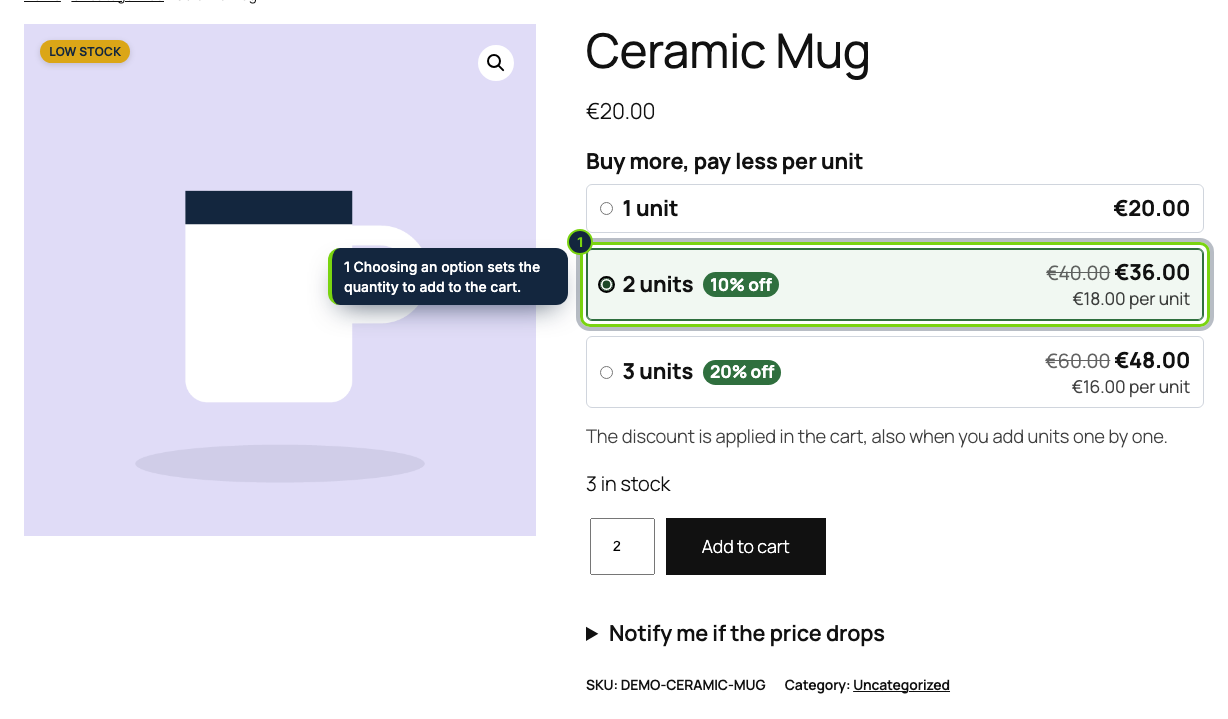
 Above the Add to cart button: one option per quantity, with the total, the price per unit and the saving.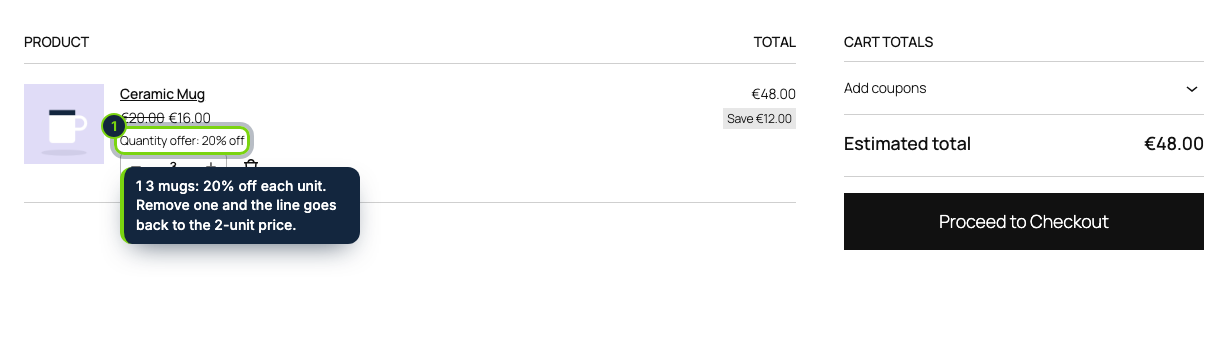
 +1
+1Features
- Works in block themes, before the Add to cart with Options block, and in classic themes through woocommerce_before_add_to_cart_form
- The tier price is the cart item price, so the Cart and Checkout blocks, taxes, coupons, orders and emails all use it
- The Cart block shows the struck regular price, the saving and a "Quantity offer: 20% off" detail on the line
- Variations of a variable product count together towards a tier
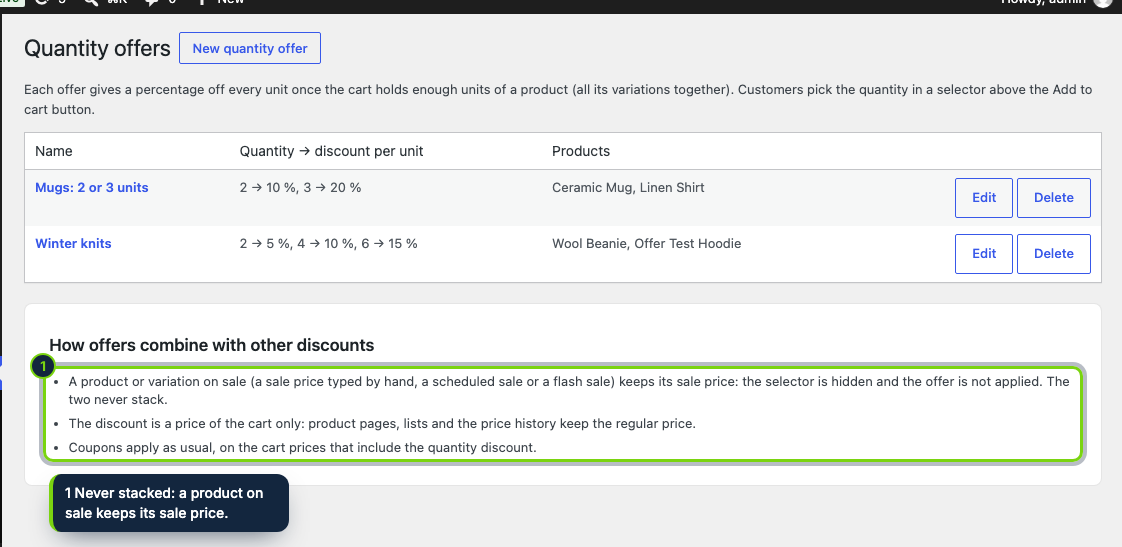
- Products or variations on sale (by hand, scheduled or by a flash sale) keep their sale price, with no tier on top
- Offers managed in Marketing › Quantity offers, with WooCommerce product search
- Declares HPOS and Cart/Checkout blocks compatibility
Many WooCommerce shops sell items people buy in pairs or sets, yet the product page only offers a quantity box. This plugin adds a short list of options above the button: one unit, two units at 10 % off each, three at 20 % off each, with the totals already worked out. The shopper clicks one and adds it to the cart, where the price per unit matches what was promised.
How it fits into WooCommerce
- Versions
- WordPress 7.0+, WooCommerce 11.2, PHP 8.1+. Tested with Twenty Twenty-Five; classic themes use the standard add-to-cart form hook.
- Admin
- Marketing › Quantity offers lists the offers and their products; each offer has a name, up to four tiers and a product search box. A plugin row link leads there.
- Cart
- On
woocommerce_before_calculate_totalseach line of an offer's product gets the price of the tier reached. Lines keep a "Quantity offer" detail that the order item stores and shows in the admin and in emails. - Sales
- Anything
is_on_sale()keeps its own price, including our Flash Sales Countdown plugin, so the two never add up. Coupons apply on top as usual. - Caching
- The selector is the same HTML for every visitor; the price per line is worked out in the cart.
Installation
- Step 1
Download the zip from My account › Downloads on ecom-addons.com.
- Step 2
In WordPress, open Plugins › Add New › Upload Plugin, install the zip and activate it.
- Step 3
Open Marketing › Quantity offers and create an offer.
FAQ
Does it work with the Cart and Checkout blocks?
Yes. The discounted price is the cart item price, which the blocks display with the regular price struck through.
What about variable products?
All variations count together. When they have different prices, the selector lists quantities and savings without amounts, and the cart prices each variation correctly.
Will customers get the tier price on a product already on sale?
No. A sale price always wins; the offer comes back when the sale ends.
Version history
- Loading…
Reviews
Loading…
Bought it? Leave a review from your account.