
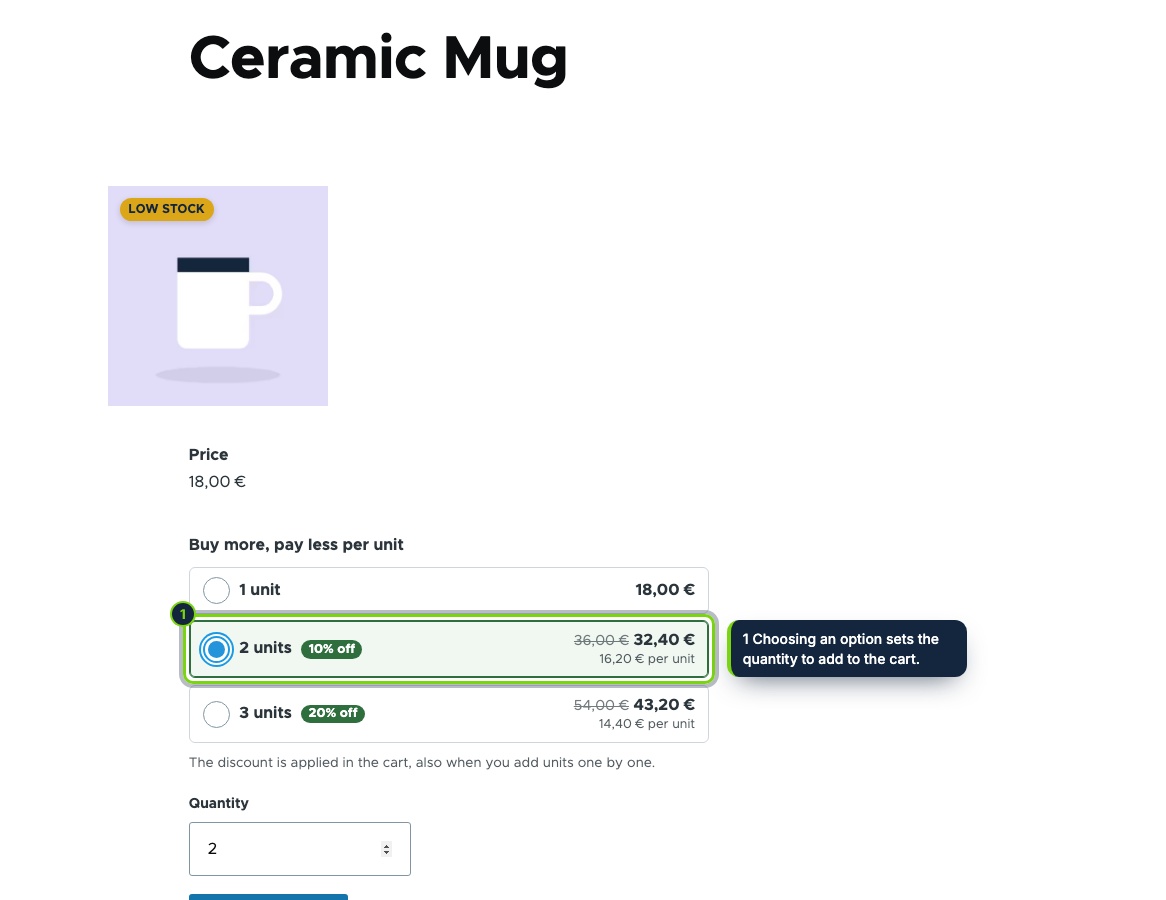
 In the add-to-cart form: one option per quantity, with the total, the price per unit and the saving.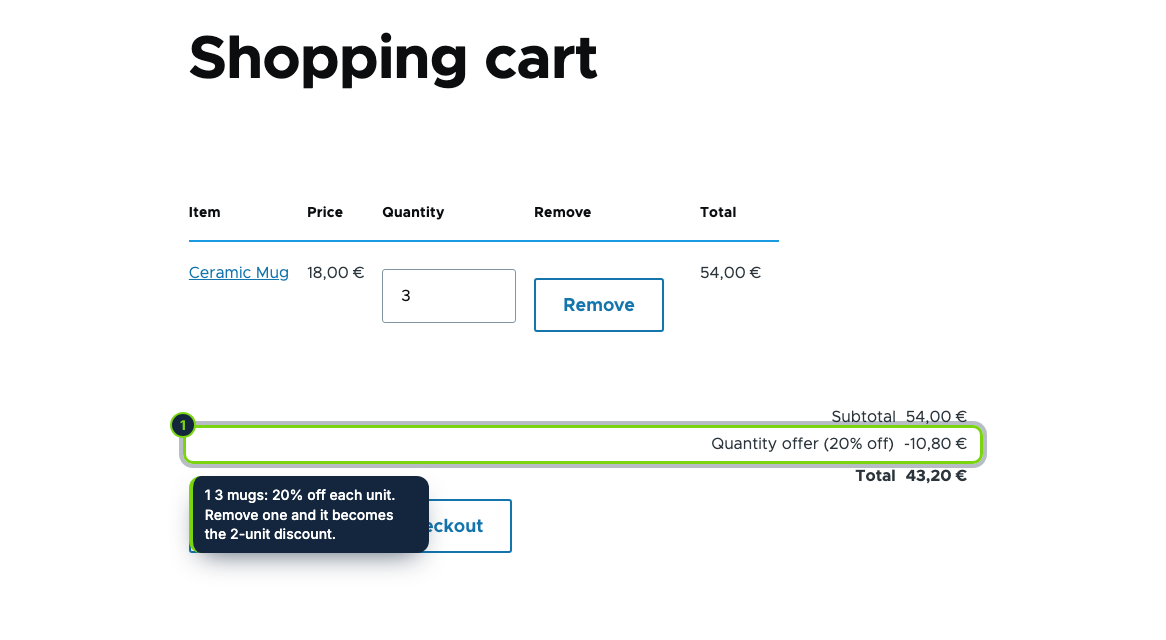
 +1
+1Features
- Alters the add-to-cart form: the selector sits above the Quantity field and follows the selected variation
- An order processor adds a "Quantity offer (20% off)" promotion adjustment to the order item, before Commerce promotions and taxes
- The order summary, the placed order and its emails show the discount like any Commerce promotion
- Variations of a product add up towards a tier
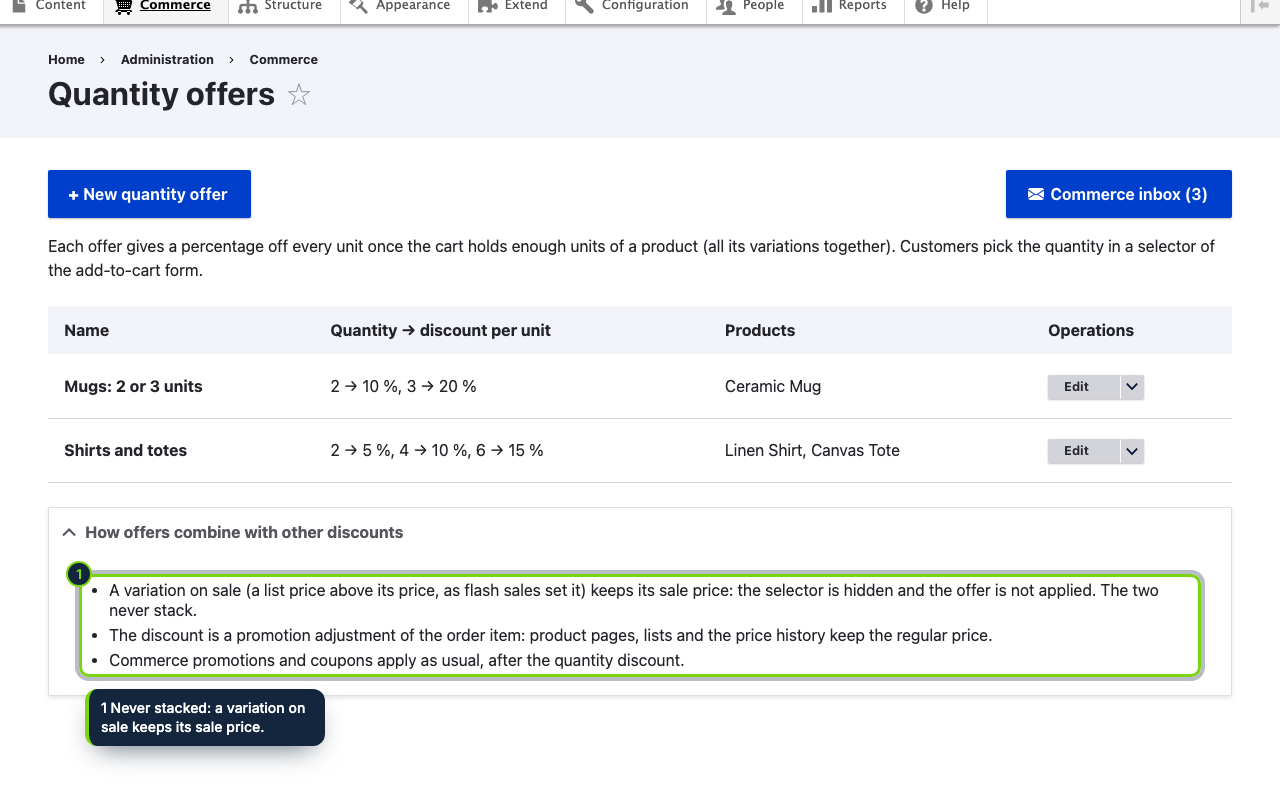
- Variations with a list price above their price, as flash sales set it, keep their sale price and get no tier on top
- Commerce › Quantity offers, behind its own "Administer quantity offers" permission, with product autocomplete
- Shows the Quantity field that Commerce hides by default in the add-to-cart form display
In Drupal Commerce, a lower price for larger quantities usually means writing a promotion per product and hoping customers find out about it. This module puts the deal where the decision is made: in the add-to-cart form, one option per quantity with its total and its saving. The order then carries the same discount as an adjustment.
How it fits into Drupal Commerce
- Versions
- Drupal 11.3 with Commerce 3, tested with Olivero and Claro.
- Admin
- Commerce › Quantity offers lists the offers; the form asks for a name, up to four tiers and the products (autocomplete). Access is limited by the "Administer quantity offers" permission.
- Storefront
- A form alter on
commerce_order_item_add_to_cart_formadds the selector above Quantity. The form is rebuilt when the customer switches variation, so the amounts stay right. Cache tags follow the variation and the offers. - Orders
- An order processor (priority 150) adds a promotion adjustment to each order item of an offer's product, based on all its units in the order. Items with an overridden unit price are left alone.
- Sales
- A variation with a list price above its price keeps it, which covers our Flash Sales Countdown module, so the two never add up. Commerce promotions and coupons run afterwards as usual.
Installation
- Step 1
Download the zip from My account › Downloads on ecom-addons.com.
- Step 2
Extract it to
modules/custom/ecom_addons_quantity_offersand enable it in Extend or withdrush en ecom_addons_quantity_offers. - Step 3
Grant Administer quantity offers, then open Commerce › Quantity offers.
FAQ
A Quantity field appeared in my add-to-cart form. Why?
The selector sets it, so enabling the module shows it once in the Add to cart form display. You can move it there.
Where does the customer see the discount?
In the order summary of the cart and checkout, as "Quantity offer (20% off)", and in the placed order.
Does it work with coupons?
Yes. Commerce promotions apply after the quantity discount.
Version history
- Loading…
Reviews
Loading…
Bought it? Leave a review from your account.