
Features
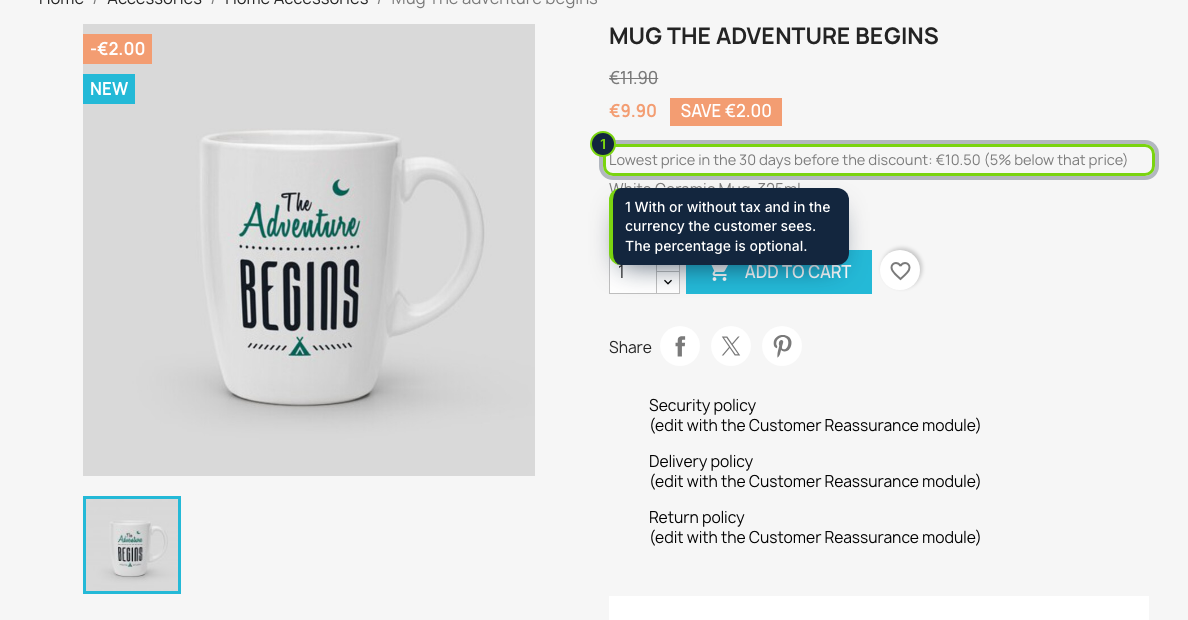
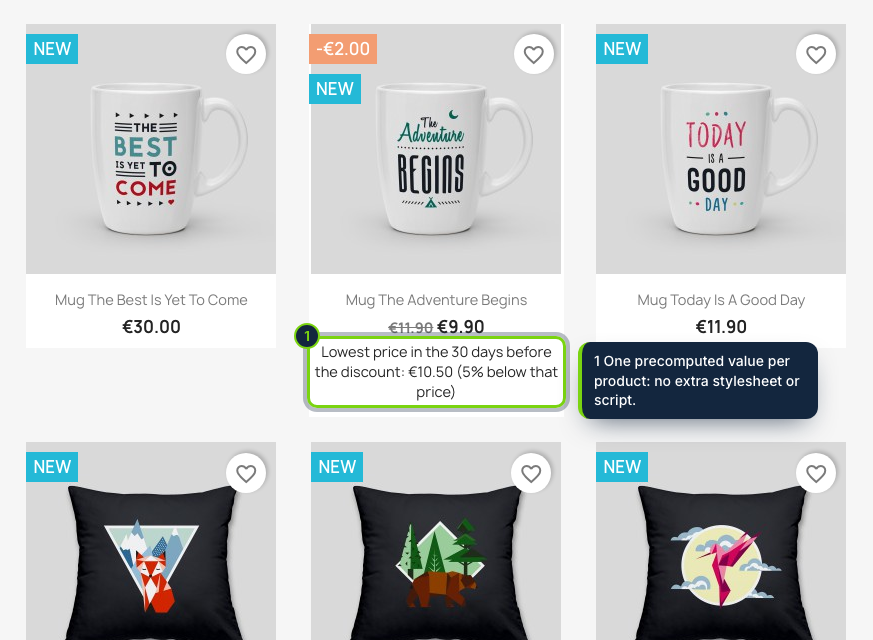
- Plugs into displayProductPriceBlock: the line sits below the price on the product page and in the product miniatures of category, search and other lists
- Follows the combination the shopper selects, for discounts made with specific prices or catalog price rules
- History per product, combination and shop, written when you save a product, a combination or a specific price in the back office
- A daily cron URL, shown on the Configure page, catches scheduled specific prices and catalog rules that start without any save
- Prices kept tax excluded in the default currency, then converted for the visitor, with tax added when the shop displays prices tax included
- Configure page: lookup by product ID, reference or name, plus a "Check all prices now" button that records the whole catalogue
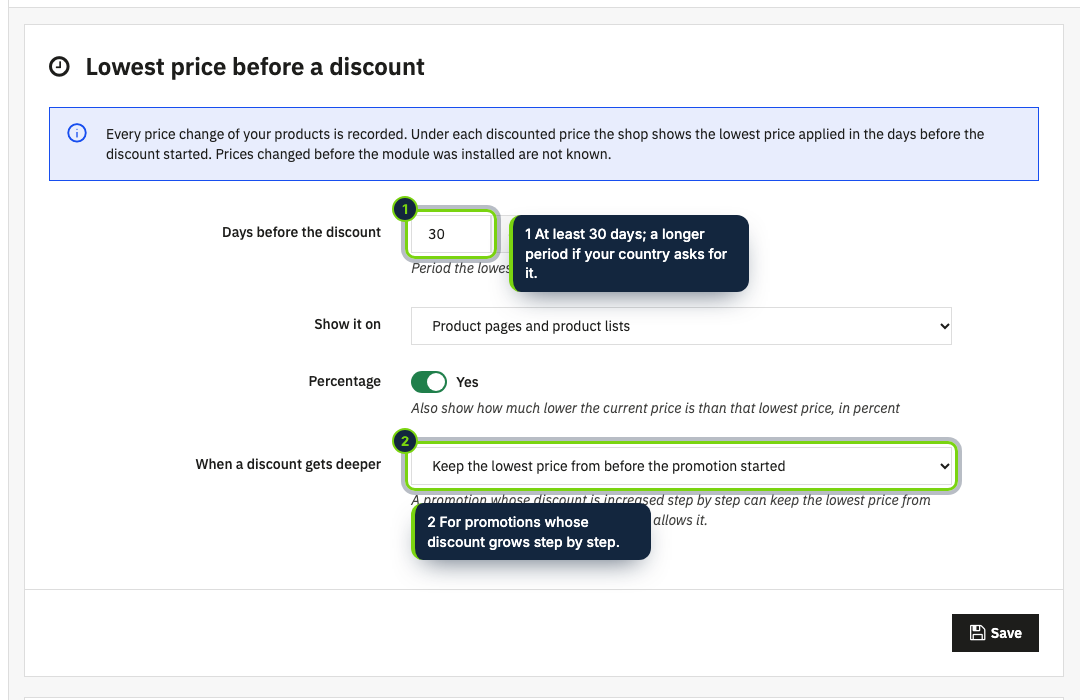
- Reference period of 30 days or longer, an optional percentage and a rule for promotions that get deeper
In PrestaShop a reduction is a specific price or a catalog price rule, and neither remembers what the product cost the weeks before. The law asks for exactly that figure: since 28 May 2022, article 6a of Directive 98/6/EC, inserted by the Omnibus Directive (EU) 2019/2161, makes every announced reduction state the prior price, the lowest one applied over a period of at least 30 days before it. This module starts a price log the moment you install it and prints the prior price for you.
How it fits into PrestaShop
- Versions
- PrestaShop 8.2 and 9.0 on PHP 8.1 or later. Tested with the Classic theme; another theme works as long as it keeps the standard price hooks.
- Front office
- One line under the price through
displayProductPriceBlock, on the product page (it changes with the chosen combination) and in miniatures. A setting limits it to product pages if you prefer. - Recording
- The object hooks of products, combinations and specific prices write a row when the price or the regular price changes; the cron URL and every display of a discounted product fill the gaps.
- Back office
- Modules › Module Manager › Configure holds four settings (days, where to show it, percentage, deeper discounts) and the price history of any product, with the date its current discount started.
- Footprint
- No extra CSS or JavaScript, no external service, no personal data. The cron also deletes rows older than a year, keeping those a running discount still needs.
Installation
- Step 1
Get the zip from My account › Downloads on ecom-addons.com.
- Step 2
In the back office, open Modules › Module Manager, click Upload a module and drop the zip. Installation records the current price of every product and combination.
- Step 3
Click Configure and add the cron URL shown there to your hosting's cron jobs, once a day.
FAQ
Some products were already discounted when I installed the module. What do customers see?
No line at all, because no earlier price was recorded; the history on the Configure page says so. A product that goes on sale before 30 days of history exist shows the lowest price known so far.
I advertise "-20%". What is that percentage based on?
If you turn the option on, it is counted from the prior price, as the Court of Justice of the EU ruled in case C-330/23, and it only appears when the current price really is lower.
Are prices per customer group tracked, and is my struck-through price replaced?
Not yet: histories per customer group and replacing the crossed-out price are planned for a later version.
The module supplies the history and the line. Which national options your country chose, and how the rule applies to your store, is for you to check; none of this is legal advice.
Version history
- Loading…
Reviews
Loading…
Bought it? Leave a review from your account.