
Features
- On activation, creates a "Withdraw from contract" page holding the [ecom_withdrawal_form] shortcode, and recreates it if it gets deleted
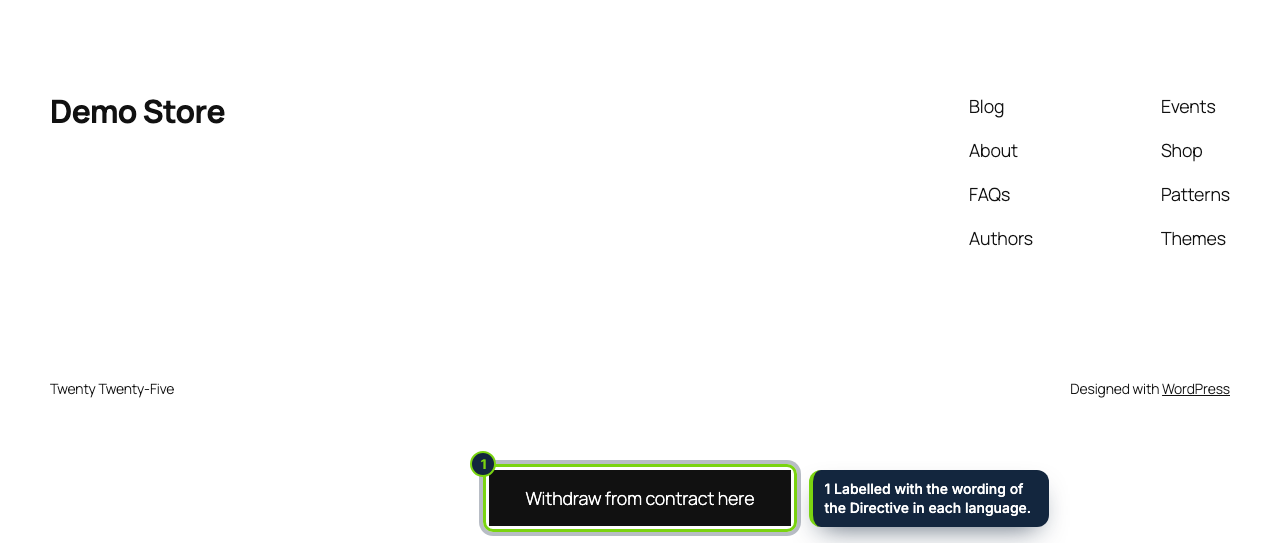
- Footer button inside the footer template part on block themes, appended through wp_footer on classic themes
- An action next to every order still within the period in My account › Orders
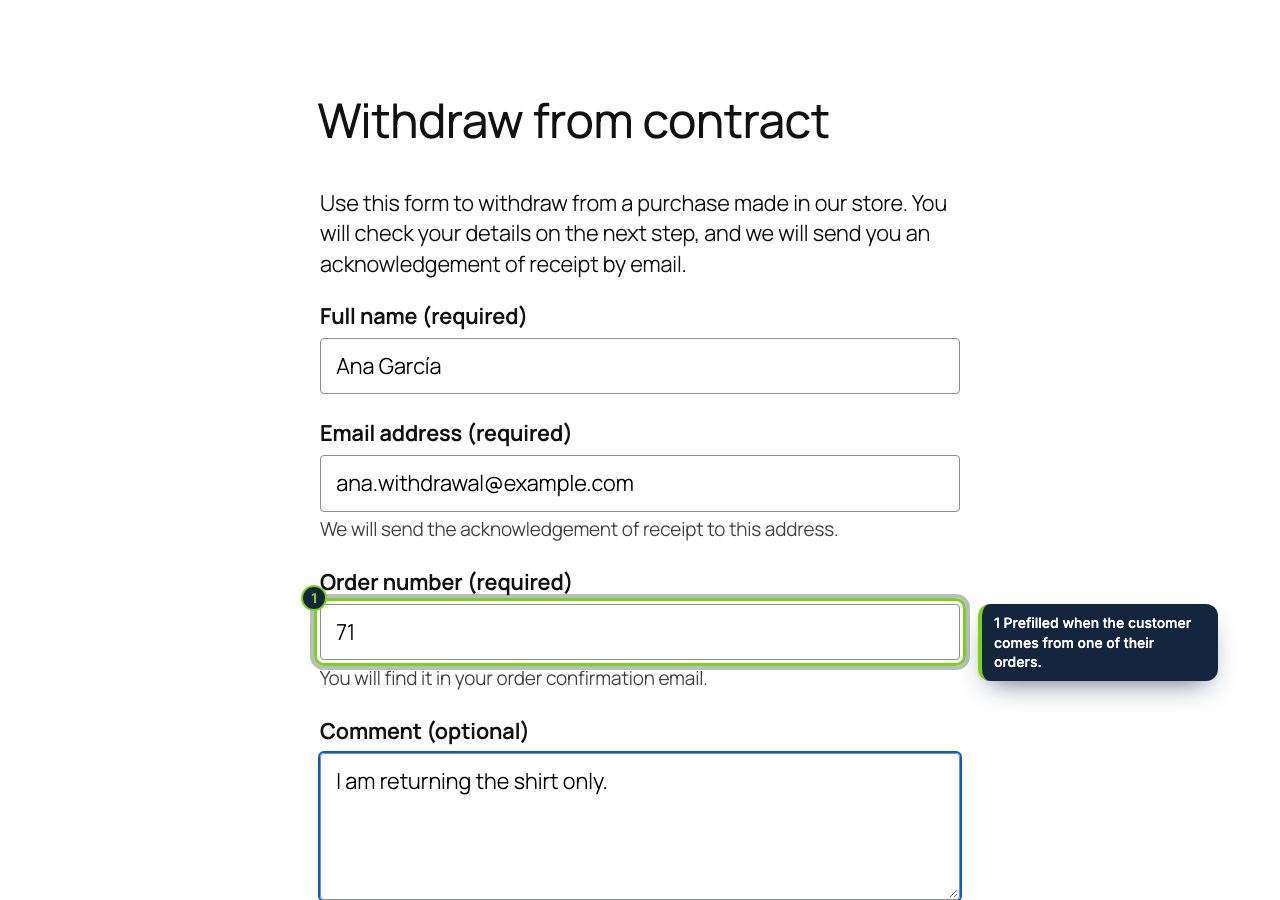
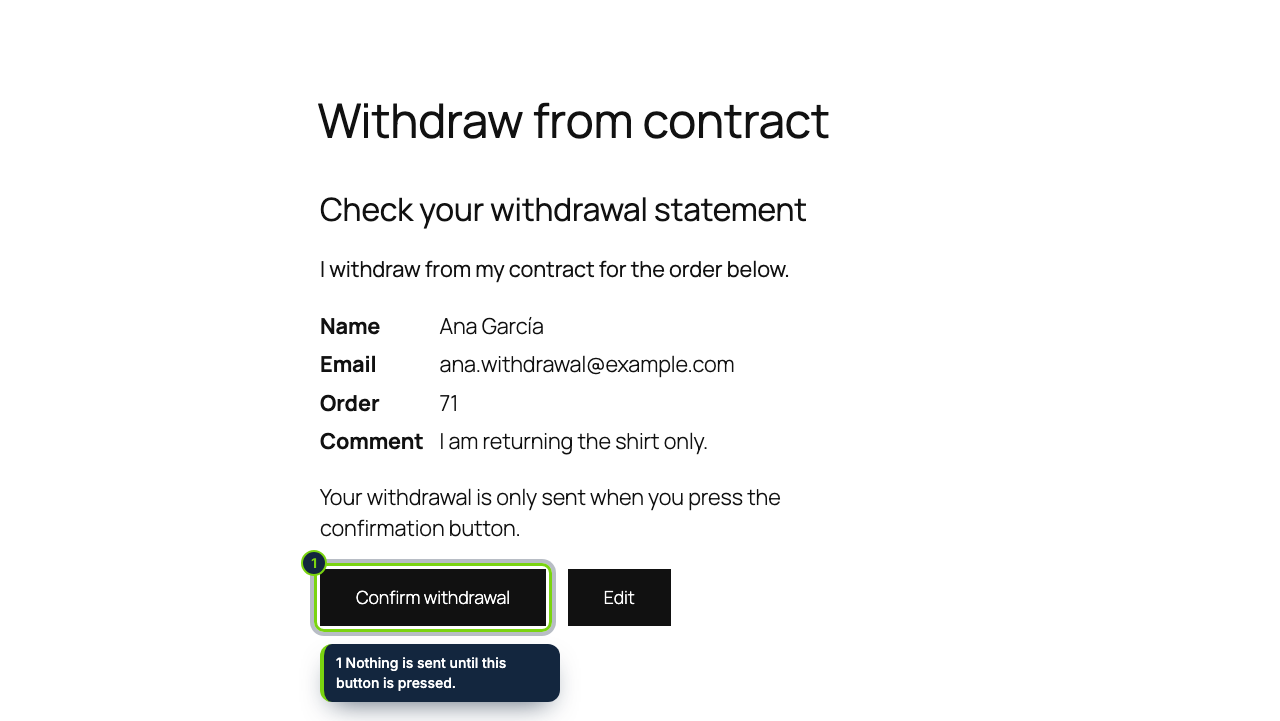
- Two steps, then a receipt by email with a number and the date and time; works for guest checkouts too
- WooCommerce › Withdrawals screen with a menu bubble for statements not yet processed, a deadline counted from the Completed status, a processed flag and CSV export
- An order note on the matching order, and an email to the site administrator or the address you choose
- Declares HPOS compatibility; the ecom_withdrawal_received action lets developers hook in
Since Directive (EU) 2023/2673 added article 11a to the Consumer Rights Directive 2011/83/EU, a WooCommerce store selling to EU consumers has to offer, from 19 June 2026, an online withdrawal function: a link labelled "withdraw from contract here" (or something equivalent), a short form for name, contract and confirmation email, a "confirm withdrawal" button, and an acknowledgement on a durable medium stating the content, date and time. WordPress and WooCommerce do not ship one; this plugin does.
How it fits into WooCommerce
- Requirements
- WooCommerce 11.x, WordPress 7.0 or later, PHP 8.1 or later, and outgoing email that actually delivers (an SMTP plugin is a quick way to test it).
- The page
- Activation creates the withdrawal page in the site language. Rename it, translate it with your multilingual plugin, or point the setting to another page that contains the shortcode.
- The button
- On block themes it sits inside the footer template part; on classic themes it is printed at the end of the page. Customers also find it beside each recent order in My account › Orders, with the order number filled in when they come from there.
- wp-admin
- Statements are listed under WooCommerce › Withdrawals; options live in WooCommerce › Settings › Advanced › Withdrawal (page, footer button, period in days, notification email).
- Deadline
- Counted from the day the order was marked Completed, or from the order date if it never was, plus your period (14 days by default, 14 at least). The start day is excluded and a weekend end moves to Monday, after Regulation (EEC, Euratom) No 1182/71. Public holidays are ignored: extend those cases by hand.
Installation
- Step 1
Download the zip from My account › Downloads on ecom-addons.com.
- Step 2
In wp-admin, open Plugins › Add New Plugin › Upload Plugin and choose the zip.
- Step 3
Click Install Now, then Activate. The page is created and the button appears in your footer.
- Step 4
Check the options in WooCommerce › Settings › Advanced › Withdrawal and submit a test statement.
FAQ
Does it issue the refund or change the order status?
No. It records the statement and adds a note to the order; you refund as you always do in WooCommerce, then mark the statement processed. Picking single items, PDF receipts and automatic returns are planned for a later version.
I run a multilingual site. Does the form follow the language?
The plugin ships in English, Spanish and French with the Directive's wording in each. The customer's receipt uses the language they browsed in; your notice uses the default store language.
What happens to the data if I delete the plugin?
Deleting it removes its settings, the page it created and the table of statements, so export the CSV first if you need to keep them.
Your own part: name the function and where it is in the information you give before purchase (the withdrawal section of your terms) and check the national law where you sell. Nothing here is legal advice.
Version history
- Loading…
Reviews
Loading…
Bought it? Leave a review from your account.