
Features
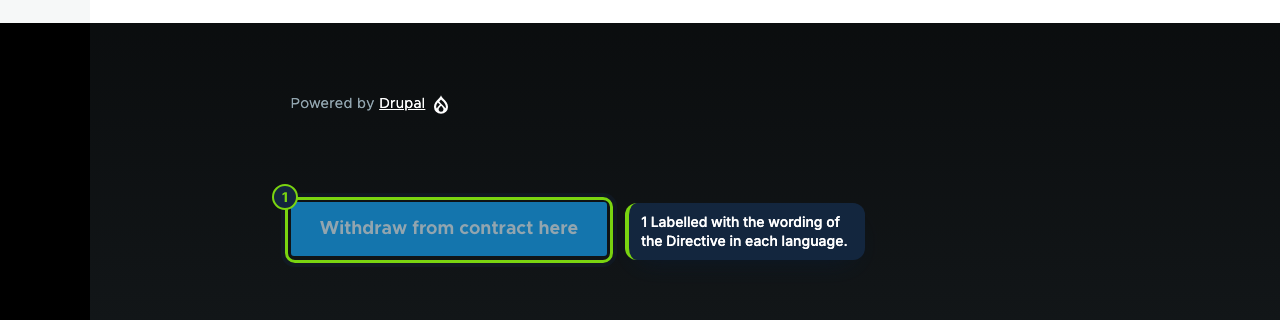
- Enabling the module places a "Withdrawal button" block in the footer region of the default theme; move it in Structure › Block layout
- Button on the customer order page under My account › Orders while that order is within the period
- Form route /withdrawal, prefixed by language (/es/withdrawal, /fr/withdrawal), and a receipt page reached through a token URL
- Commerce › Withdrawals at /admin/commerce/withdrawals: deadline counted from the order date, processed toggle, CSV export
- One permission, "Administer withdrawal statements", for the list and the settings form at Commerce › Configuration › Withdrawal
- Email notice for each statement, sent to the site email unless you set another address
- hook_ecom_withdrawal_received($id, $statement, $order) for custom modules
Article 11a, added to the Consumer Rights Directive 2011/83/EU by Directive (EU) 2023/2673, applies from 19 June 2026 to distance contracts concluded on a website or in an app. The consumer must find a function labelled "withdraw from contract here" (or similar), give or confirm their name, the contract and a confirmation email, press a "confirm withdrawal" button and get an acknowledgement on a durable medium with its content and the date and time. Commerce has no such feature out of the box; this module supplies it as a block, a route and an admin list.
How it fits into Drupal Commerce
- Versions
- Drupal 11.3, Commerce 3.x and PHP 8.3 or later. Mail goes through the core mail system or whichever mailer module you use.
- Block and order page
- The button is a regular block, so you can move it to another region, restrict it by visibility rules or drop it if your theme already links the form. A hook on order view adds it to each recent order.
- Form
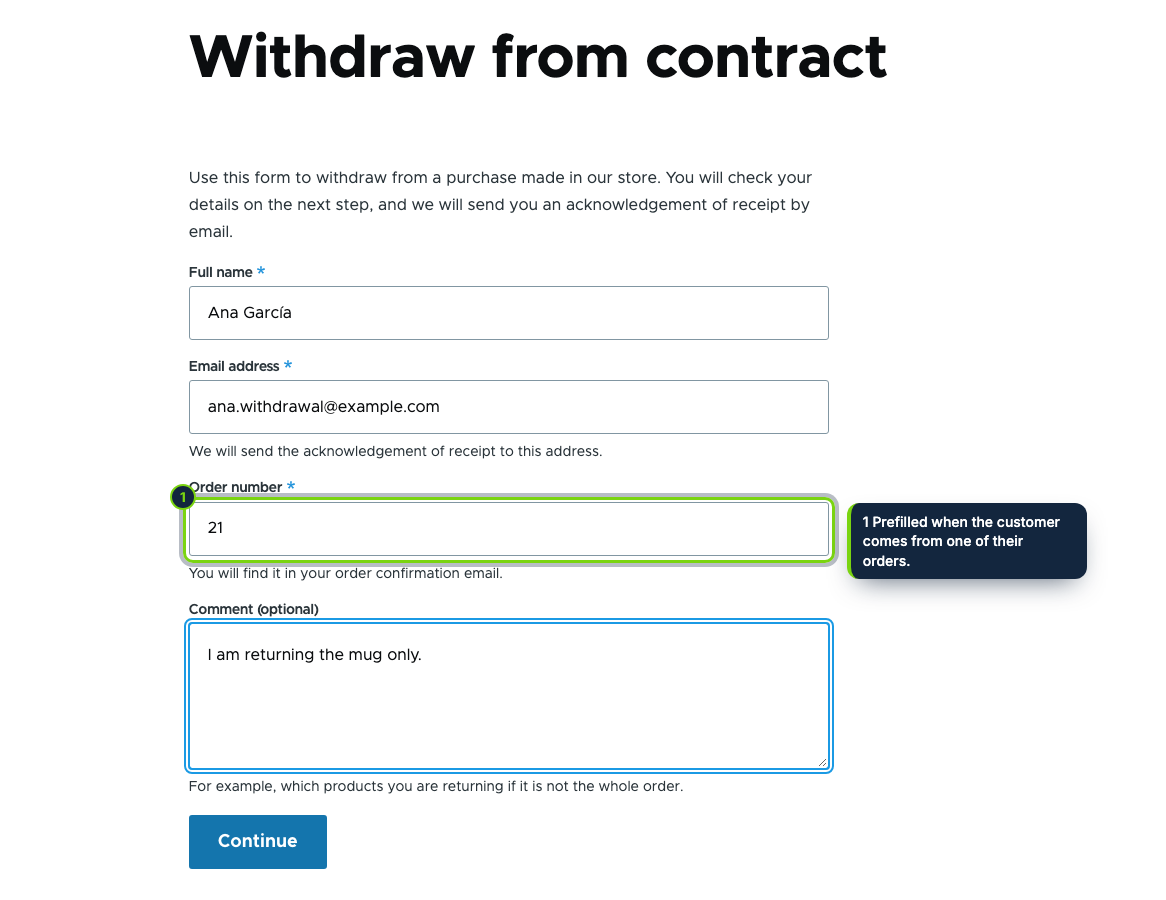
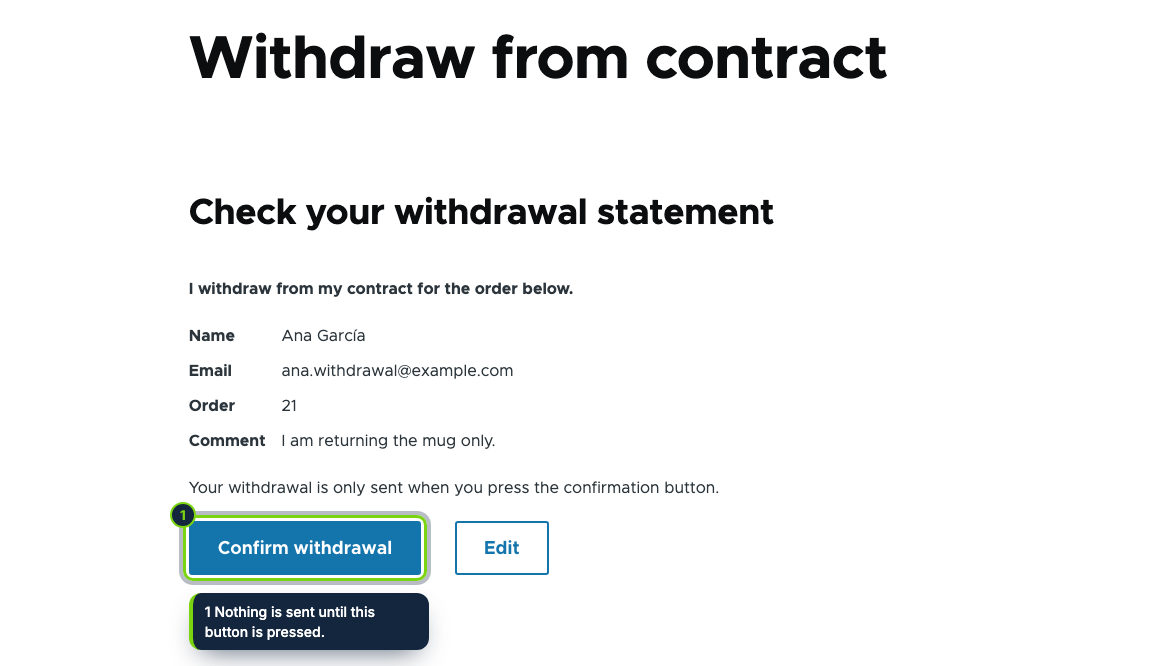
- Step one asks for name, email and order number plus an optional comment; step two shows the statement until the customer presses Confirm withdrawal. Signed-in customers find their details filled in, guests need no account, and reloading the receipt never submits twice.
- Store admin
- The list shows receipt number, arrival time, customer, order and status (within the period, after it, or order not found). The deadline is the order date plus your period, 14 days by default and no fewer, with the start day skipped and weekend ends pushed to Monday, as in Regulation (EEC, Euratom) No 1182/71. Holidays are not counted, so extend those by hand.
- Configuration
- Footer block on or off, period in days, notification address.
Installation
- Step 1
Download the zip from My account › Downloads on ecom-addons.com.
- Step 2
Unpack it so the code sits in
modules/custom/ecom_addons_withdrawal_button. - Step 3
Enable Online Withdrawal Button under Extend, or run
drush en ecom_addons_withdrawal_button. The block is placed in the footer of your default theme. - Step 4
Grant Administer withdrawal statements to the roles that handle returns, and submit a test statement.
FAQ
I use a custom theme with no footer region. Where does the button go?
Place the Withdrawal button block in any region through Structure › Block layout. The button on order pages works independently of it.
Can other modules react to a new statement?
Yes. Implement hook_ecom_withdrawal_received(); it receives the statement id, the statement and the order, or
NULL when no order matched.
Does it refund or cancel the order?
No. Returns and refunds stay in your usual Commerce workflow; mark the statement processed once done. Picking individual products, PDF receipts and automatic returns are planned for a later version. Uninstalling removes the settings, the block and the statements table, so export the CSV first.
You still need to describe the function and where to find it in your pre-contract information (the withdrawal part of your terms) and to check national law in your markets. This is not legal advice.
Version history
- Loading…
Reviews
Loading…
Bought it? Leave a review from your account.