
Features
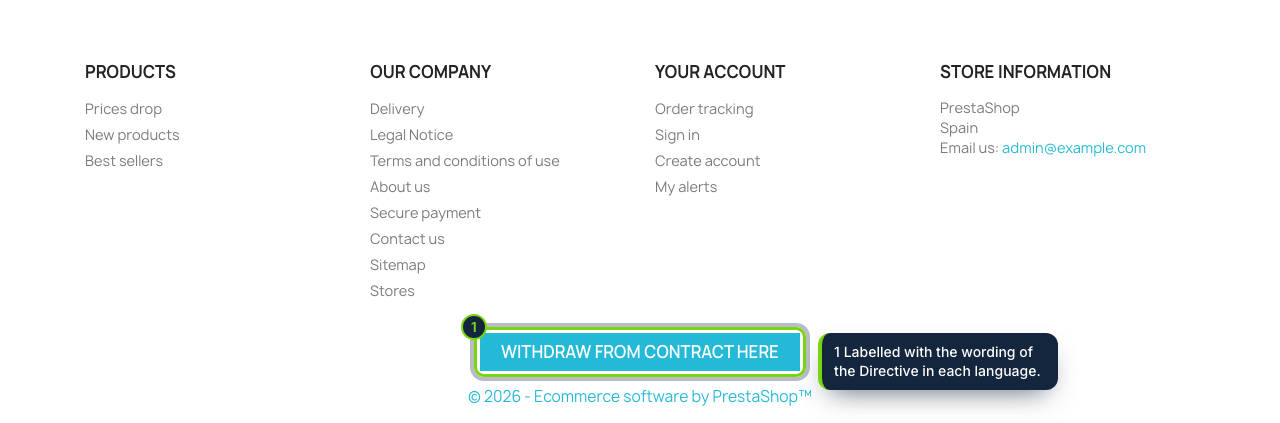
- Registers displayFooter, displayCustomerAccount and displayOrderDetail: a footer button, a tile in My account and a button on every order still inside the period
- Own front controller at /withdrawal, with the language prefix of multilingual shops (/es/withdrawal, /fr/withdrawal)
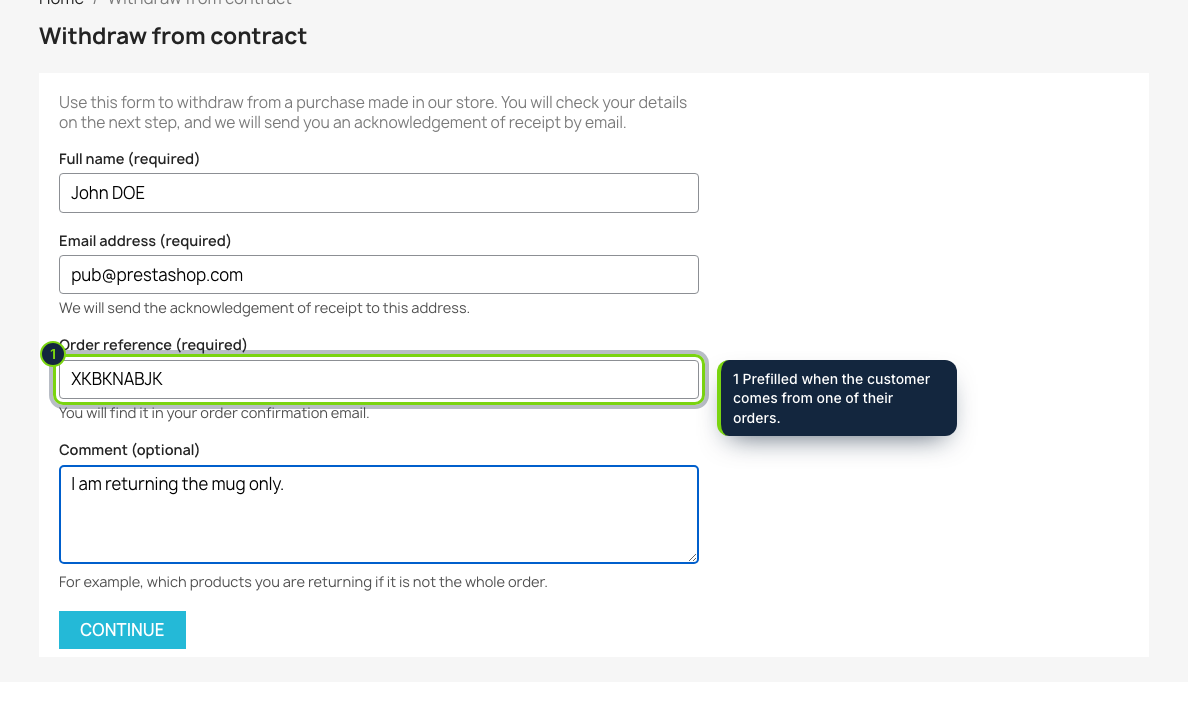
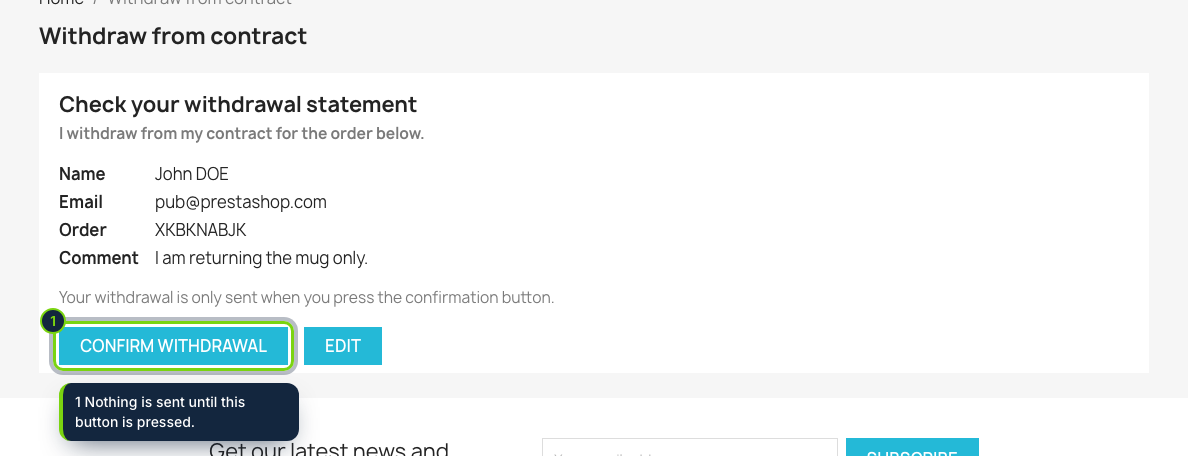
- Name, email and order reference, then "Confirm withdrawal"; guests need no account, signed-in customers find their details filled in
- Receipt on screen and by email with a receipt number and the date and time; a page reload never sends the statement twice
- Orders › Withdrawals: deadline counted from the Delivered status, processed flag and CSV export
- A private message lands on the matched order, and a notice goes to the shop email or the address you set
- actionEcomWithdrawalReceived hook for your own modules
Directive (EU) 2023/2673 inserts article 11a into the Consumer Rights Directive 2011/83/EU. From 19 June 2026, anyone who bought from your PrestaShop store through its website must be able to withdraw the same way: a function labelled "withdraw from contract here" (or equivalent), their name, the contract and an email address to confirm, a "confirm withdrawal" button, and an acknowledgement on a durable medium with the content, date and time. A stock PrestaShop install has none of that; this module adds it.
How it fits into PrestaShop
- Versions
- PrestaShop 8.2 and 9.0 with PHP 8.1 or later. Friendly URLs are recommended, and outgoing mail must work in Advanced Parameters › E-mail.
- Front office
- The button comes from the
displayFooterhook, the My account tile fromdisplayCustomerAccountand the per-order button fromdisplayOrderDetail. Coming from an order, the reference is filled in for the customer. - Back office
- Installation adds Orders › Withdrawals, the list you work from. Each row shows the receipt number, arrival time, customer, order and whether it came in time.
- Deadline
- The day the order reached Delivered (or the order date if it never did) plus the period you set, 14 days by default and never less. The first day is not counted and a weekend end moves to Monday, as Regulation (EEC, Euratom) No 1182/71 provides; public holidays are not, so extend those cases yourself.
- Settings
- On the Configure page, the footer button switch, the period in days and the notification address.
- Languages
- English, Spanish and French, with the Directive's wording in each. Customers get their receipt in the language they used; your notice uses the shop's default language.
Installation
- Step 1
Download the zip from My account › Downloads on ecom-addons.com.
- Step 2
Go to Modules › Module Manager, click Upload a module and pick the zip.
- Step 3
The button shows up in the footer and Orders › Withdrawals appears in the menu. Send yourself a test statement to check your email settings.
FAQ
Does the module refund the order or create a return?
No. It collects and timestamps the statement; you handle the return and the refund as usual, then tick the statement as processed. Choosing single products, PDF receipts and automatic returns are planned for a later version.
What if the customer types a wrong reference or writes after the deadline?
The statement is accepted anyway and flagged "Order not found: check it" or "After the period", so you decide.
My theme already links the withdrawal page somewhere visible. Can I hide the footer button?
Yes, there is a switch for it. The My account tile and the button on orders remain.
What remains on your side: mention the function and where to find it in your pre-purchase information (the withdrawal section of your terms), and check the national rules of the countries you ship to. This is not legal advice.
Version history
- Loading…
Reviews
Loading…
Bought it? Leave a review from your account.