
Features
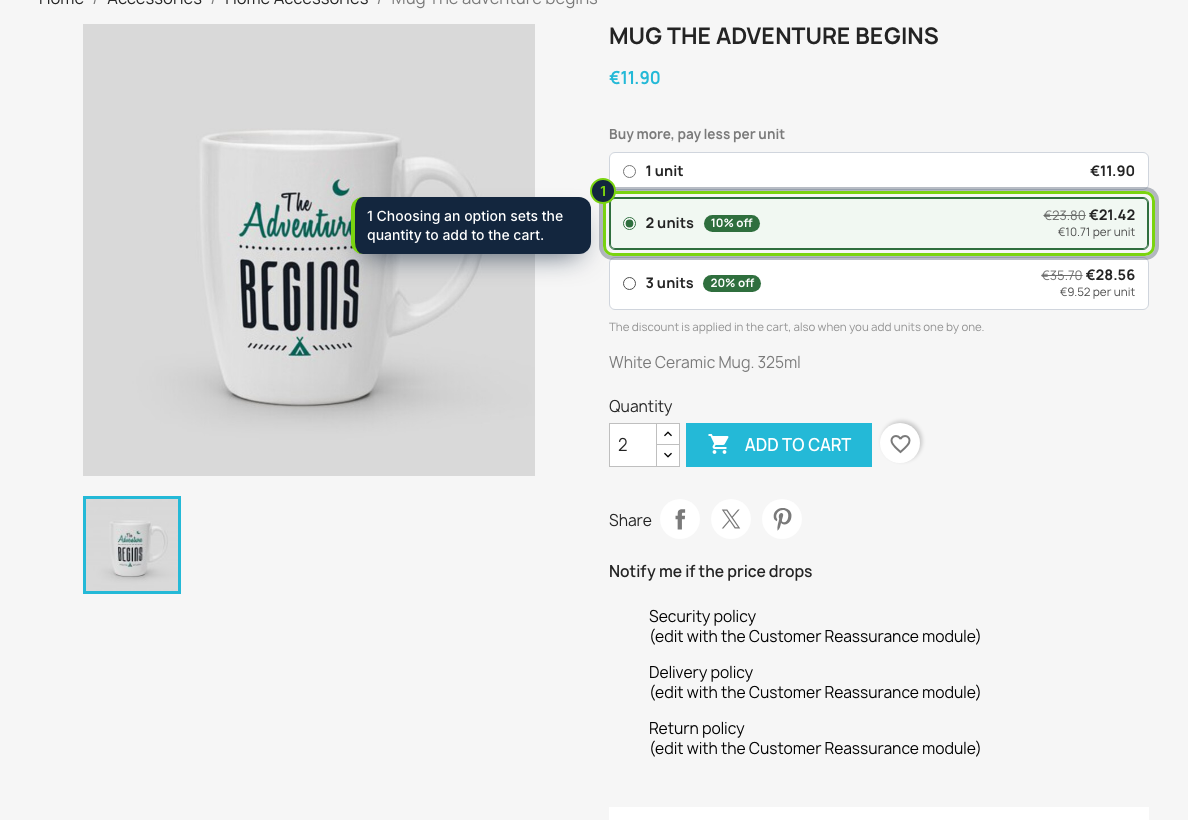
- Hooks into displayProductPriceBlock: the selector sits under the price of the product page and follows the combination the shopper picks
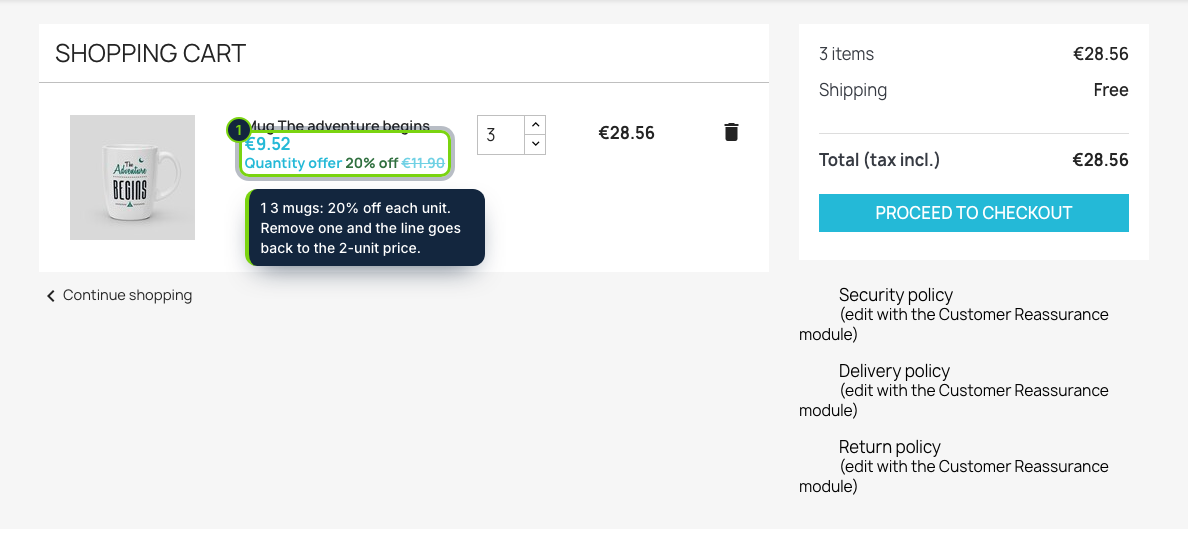
- Each tier becomes a cart-specific price (specific price with id_cart and a from quantity), so the cart, the order and the invoice are priced by PrestaShop itself
- Up to four tiers per offer, such as 2 units at 10 % off each and 3 units at 20 % off each
- Every option shows the total, the struck-through regular total, the price per unit and the saving
- Combinations add up: one S and two M shirts reach the 3-unit tier, following the "quantity discounts based on" setting
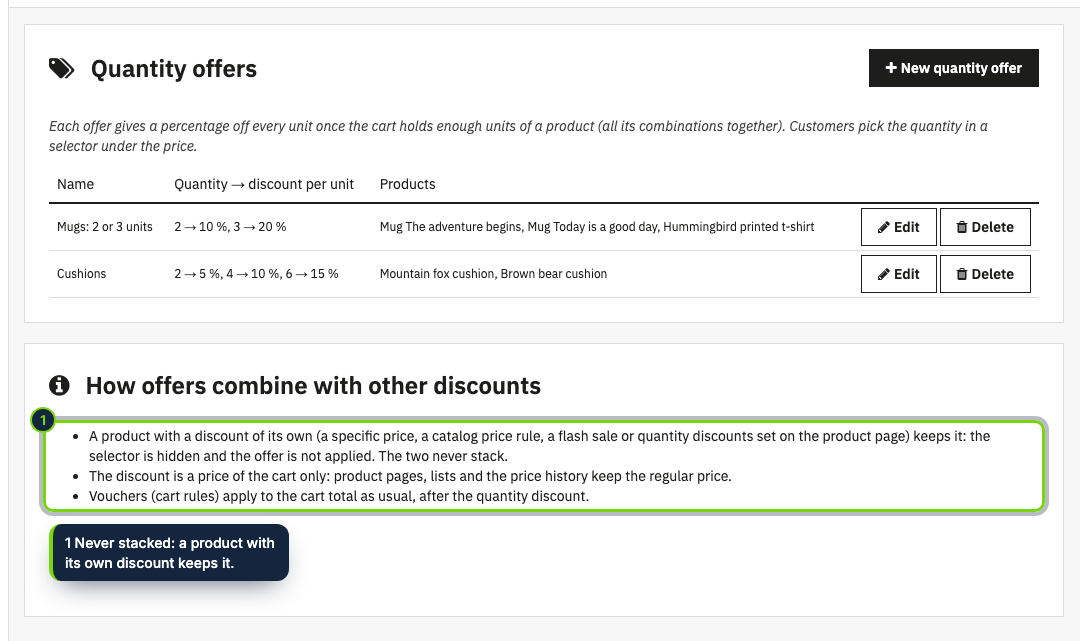
- Products with a specific price, a catalog price rule or a flash sale of their own keep it: no selector and no tier price on top
- No override; works on PrestaShop 8.2 and 9.0
PrestaShop can store quantity discounts on a product, but shoppers rarely notice them and nothing tells them what they would pay for two or three units. This module turns your volume pricing into a clear choice right under the price: one box per quantity with its total and its saving. Picking a box sets the quantity, and the cart charges exactly the amount shown.
How it fits into PrestaShop
- Versions
- PrestaShop 8.2 and 9.0 on PHP 8.1 or later, Classic theme tested. Any theme that keeps the
displayProductPriceBlockhook works. - Back office
- Modules › Module Manager › Configure lists the offers (name, tiers, products) and opens the form: a name, up to four rows of "from units / discount per unit" and the product IDs.
- Front office
- The selector under the price, refreshed by PrestaShop when the combination changes; in the cart, each discounted line says which offer applies and shows the regular price struck through.
- Prices
- The discount is a specific price of the customer's cart only. It never shows on product pages, in lists or in other carts, and it is written only for products without a reduction of their own, so it never stacks on a specific price, a catalog rule or a flash sale. Vouchers apply on top as usual.
- Footprint
- One small stylesheet and script on product pages, no external service, no personal data.
Installation
- Step 1
Get the zip from My account › Downloads on ecom-addons.com.
- Step 2
In the back office, open Modules › Module Manager, click Upload a module and drop the zip.
- Step 3
Click Configure and create your first offer.
FAQ
Does it use overrides?
No. It relies on PrestaShop's own cart prices and on standard hooks.
What happens with a product that is already on sale?
It keeps its sale price; the selector is hidden and no tier price is added. When the sale ends, the offer works again at the next visit to the cart.
Can I combine it with a voucher?
Yes. Cart rules apply to the cart total after the quantity discount.
Can I target a whole category?
Not yet: v1 works with product IDs. Categories, dates and fixed amounts per unit are planned.
Version history
- Loading…
Reviews
Loading…
Bought it? Leave a review from your account.