The Studio, screen by screen
Your real shop, with every setting beside it
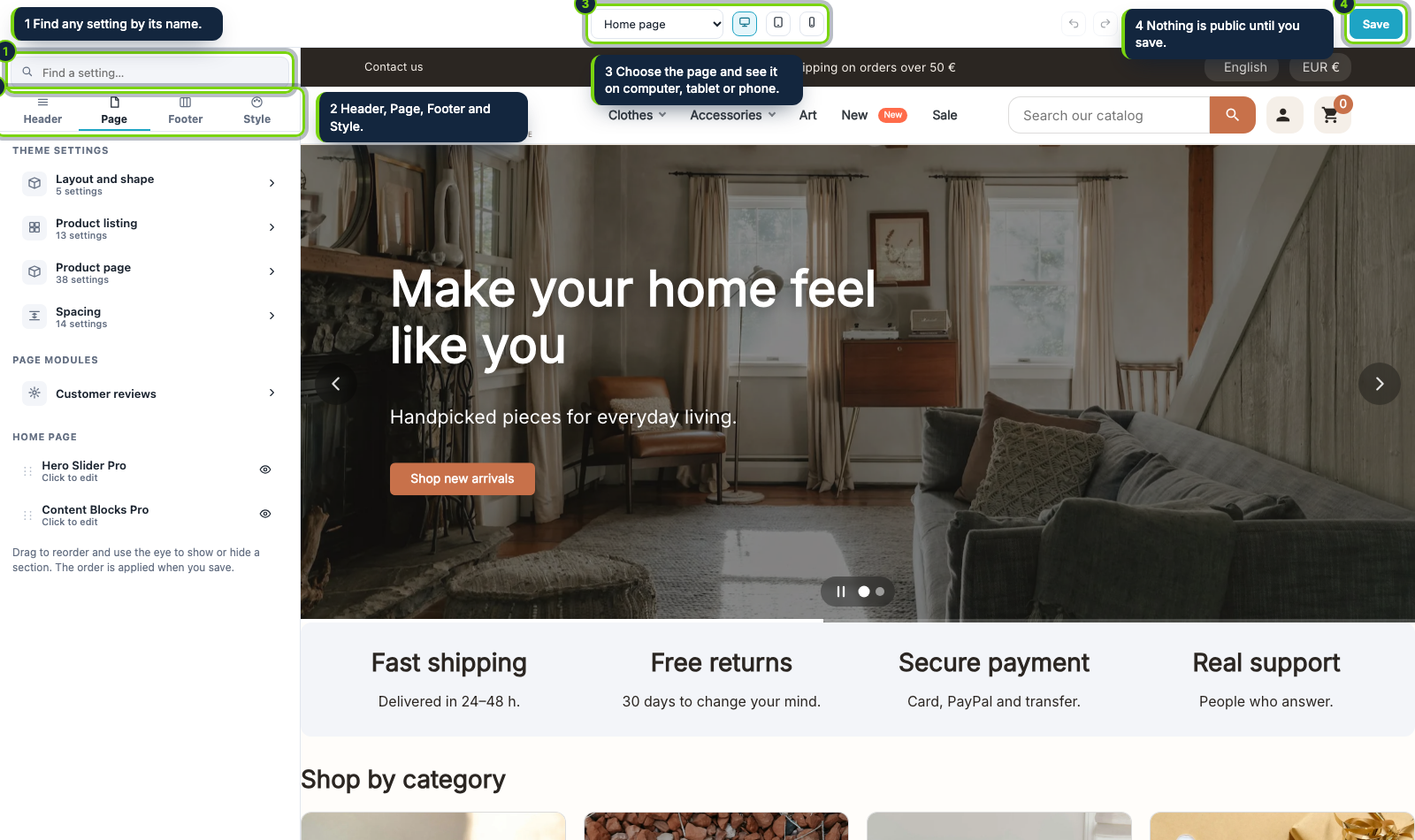
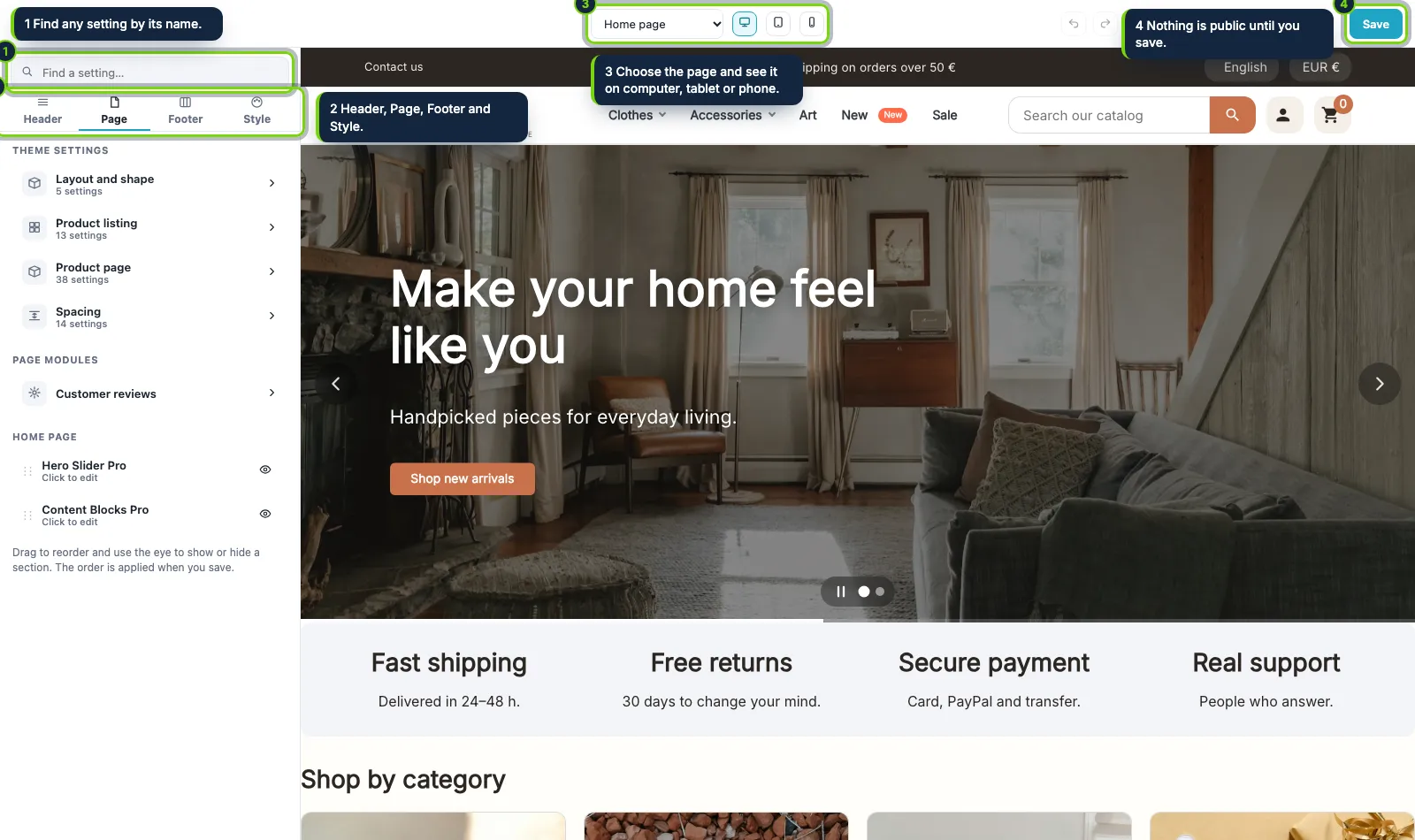
The Studio opens full screen: the settings on the left in four areas (Header, Page, Footer, Style), a search box that finds any setting by its name, and your real shop live on the right.
Computer, tablet and phone
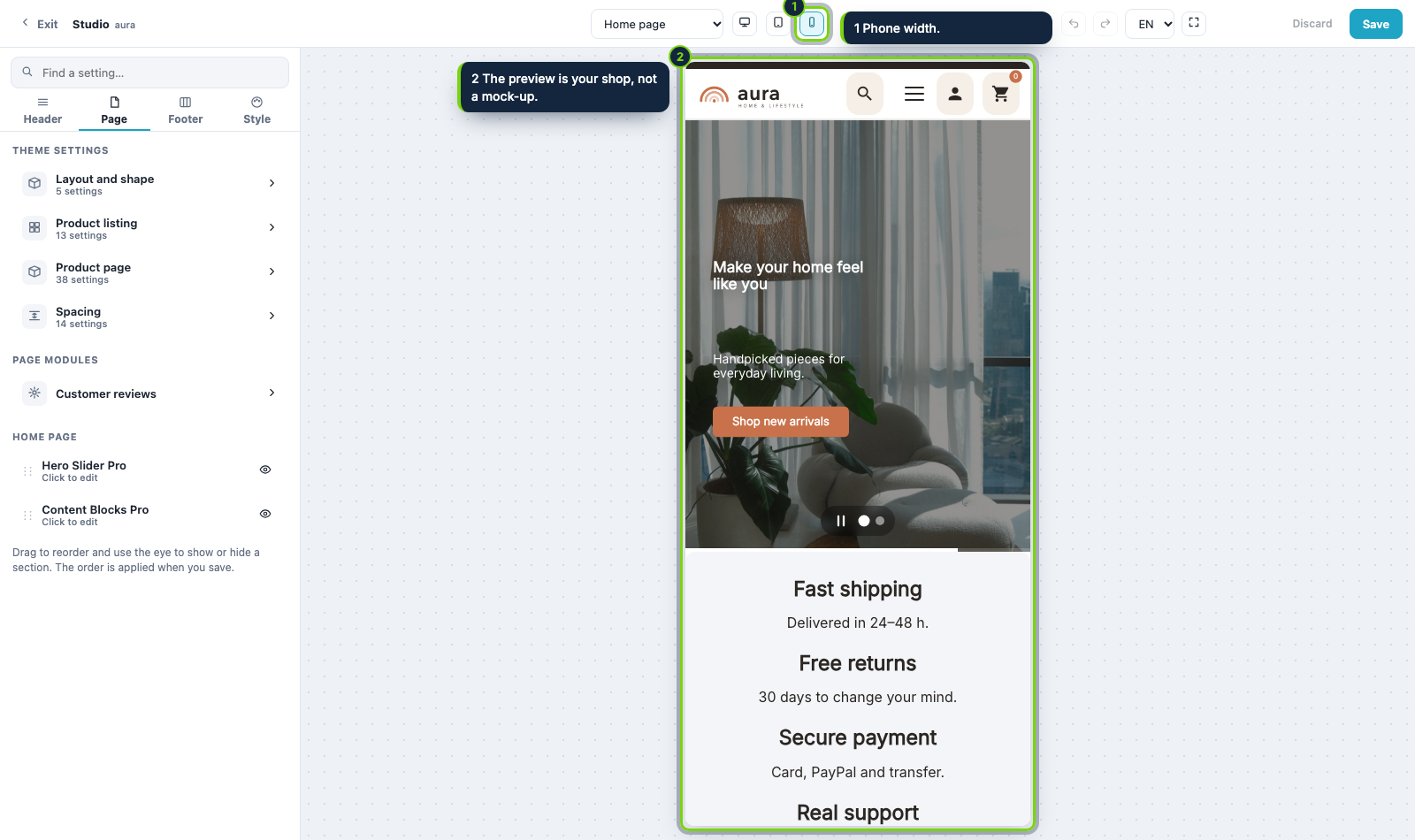
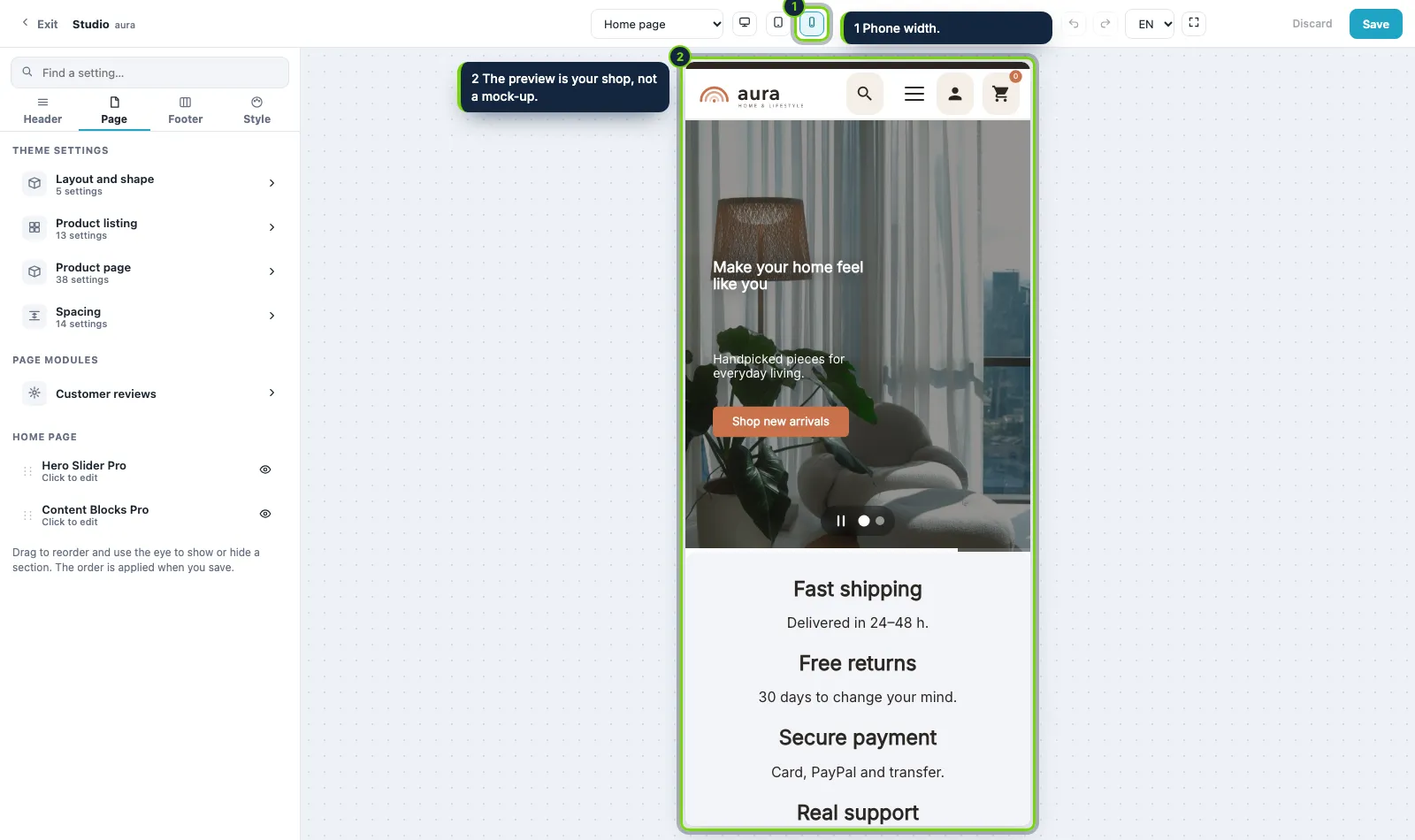
Switch the width with one click and see what each visitor sees. What you change is a draft only you see until you press Save, and every step can be undone and redone.
Order your home page
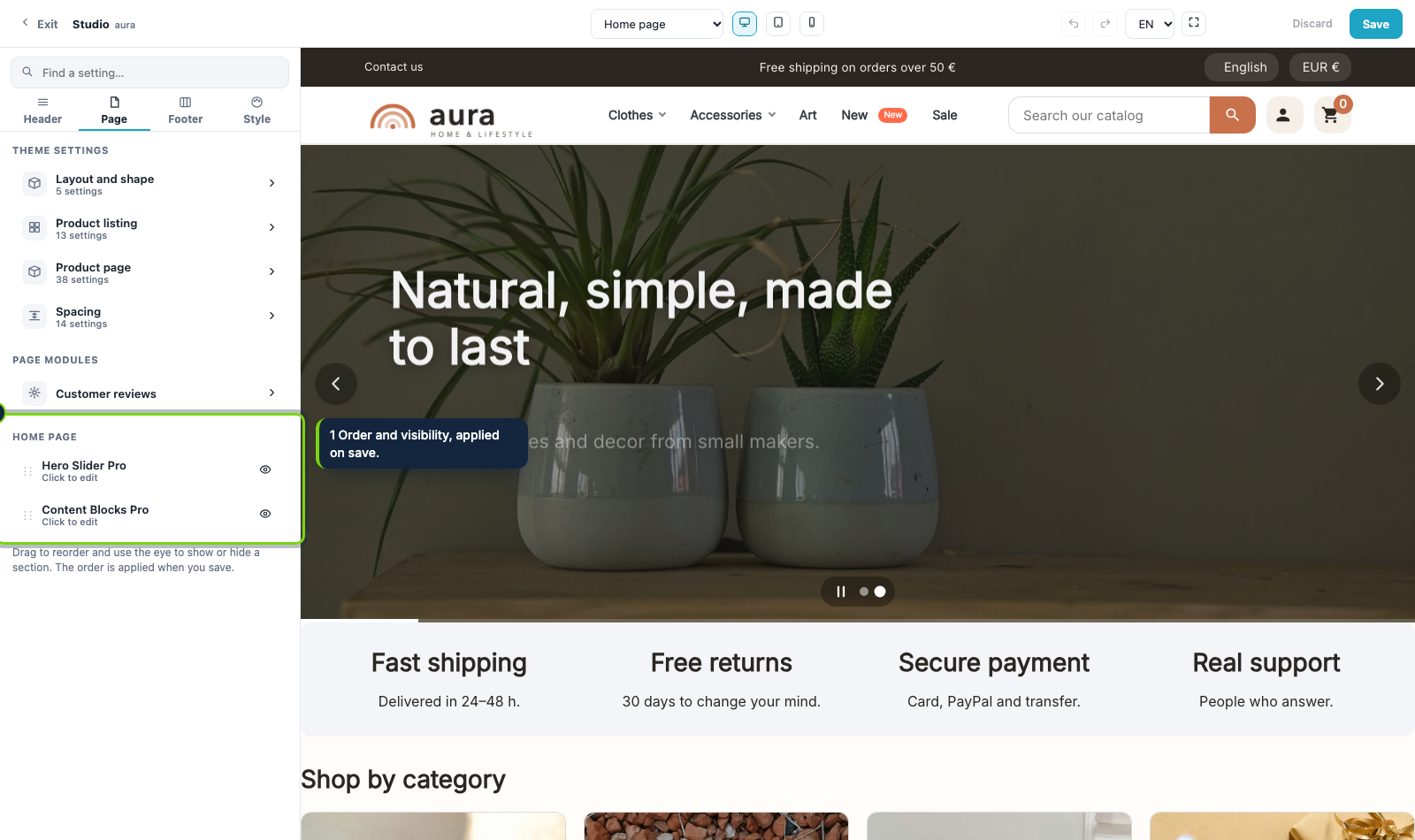
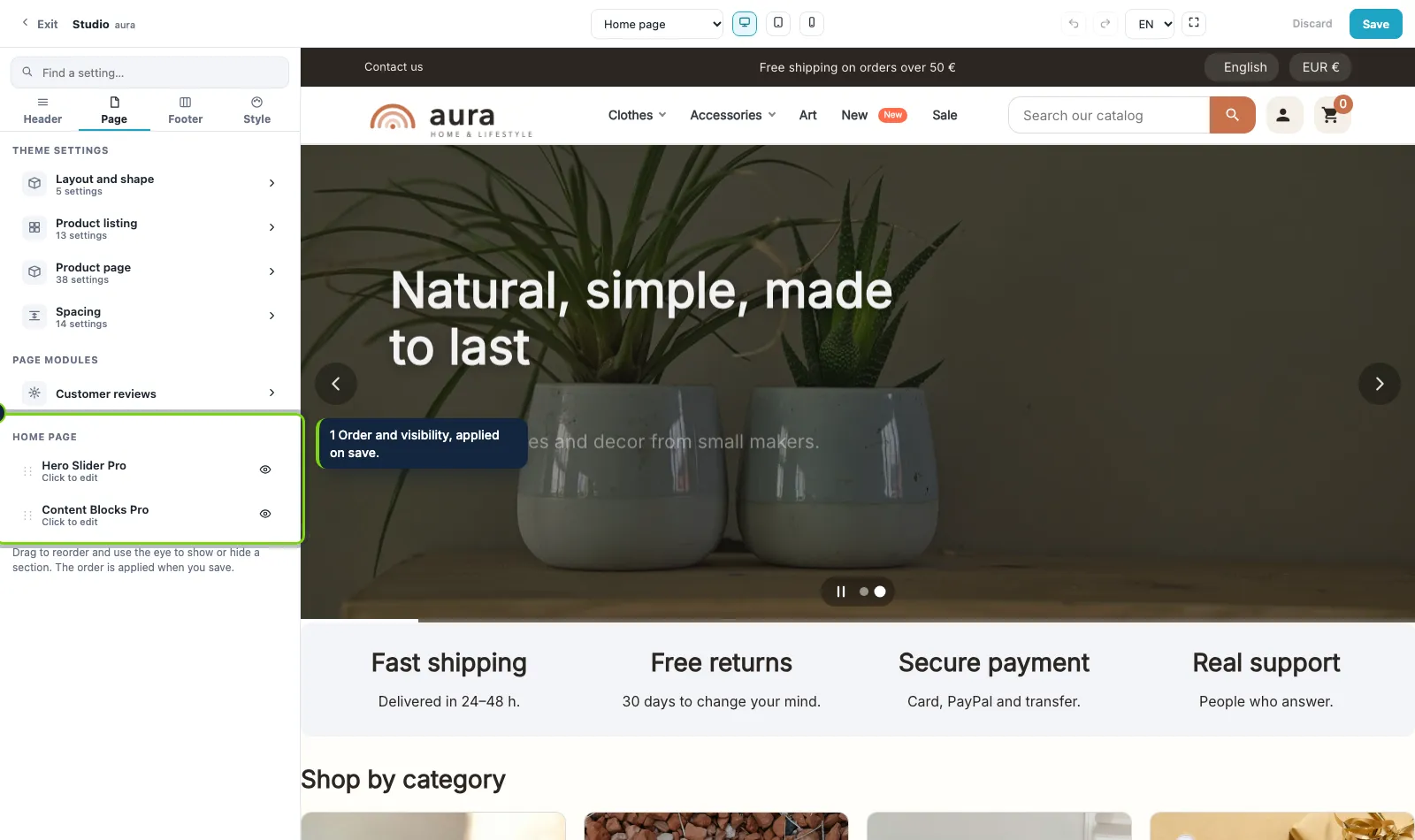
Drag the sections of the home to reorder them and use the eye to show or hide each one. The order is applied when you save, with PrestaShop’s own hook positions.
Your real shop, with every setting beside it
The Studio opens full screen: the settings on the left in four areas (Header, Page, Footer, Style), a search box that finds any setting by its name, and your real shop live on the right.
Computer, tablet and phone
Switch the width with one click and see what each visitor sees. What you change is a draft only you see until you press Save, and every step can be undone and redone.
Order your home page
Drag the sections of the home to reorder them and use the eye to show or hide each one. The order is applied when you save, with PrestaShop’s own hook positions.
Build the header by dragging
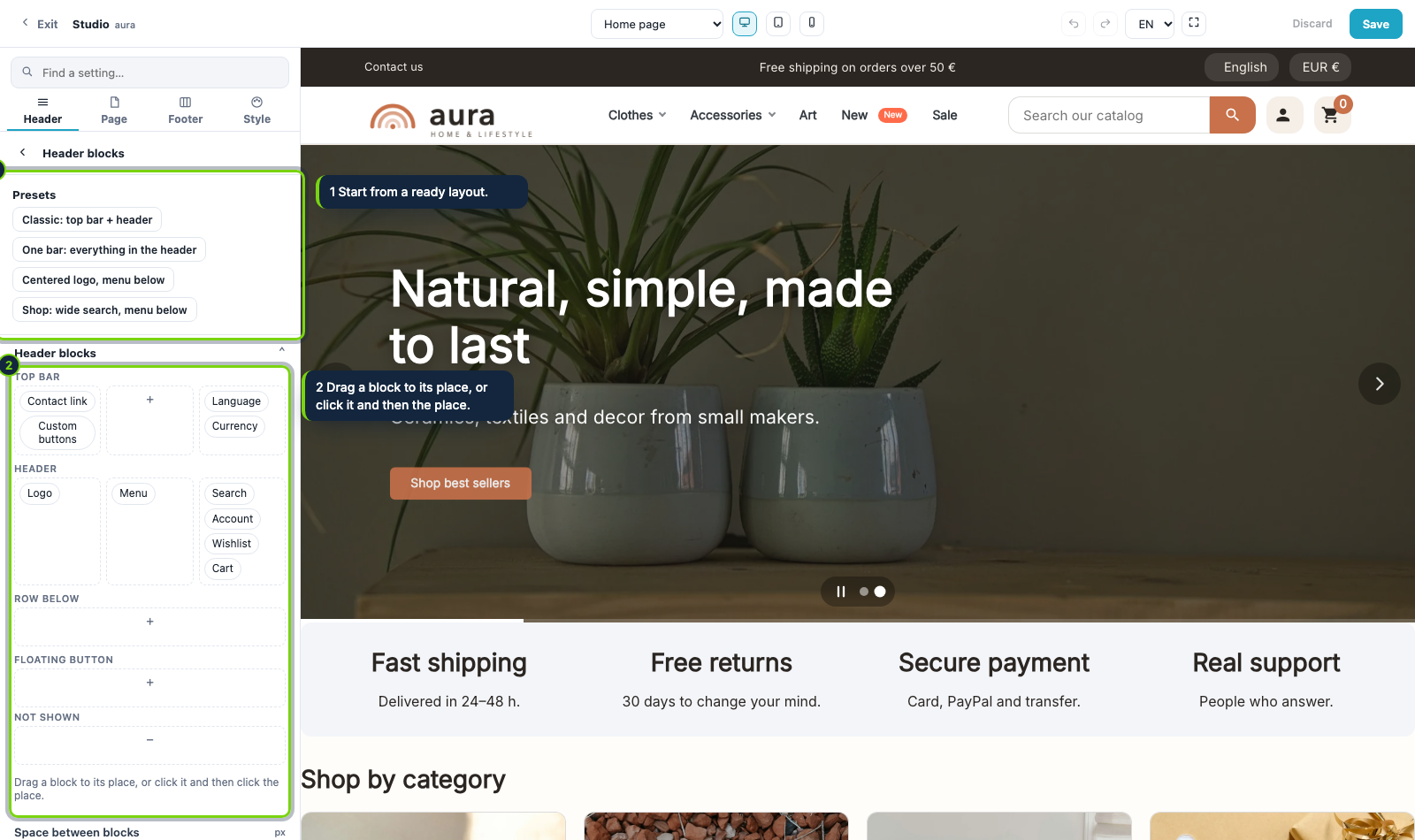
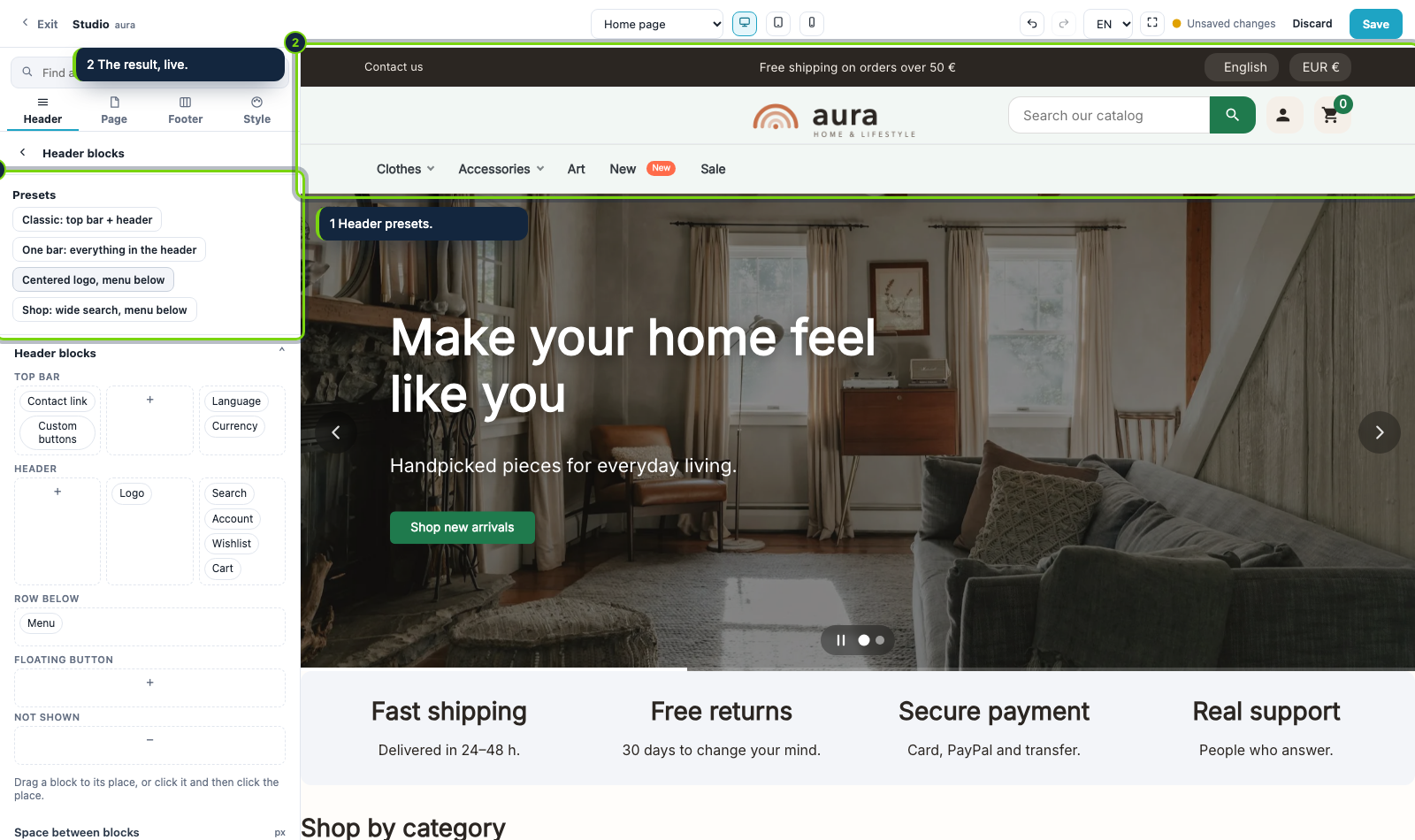
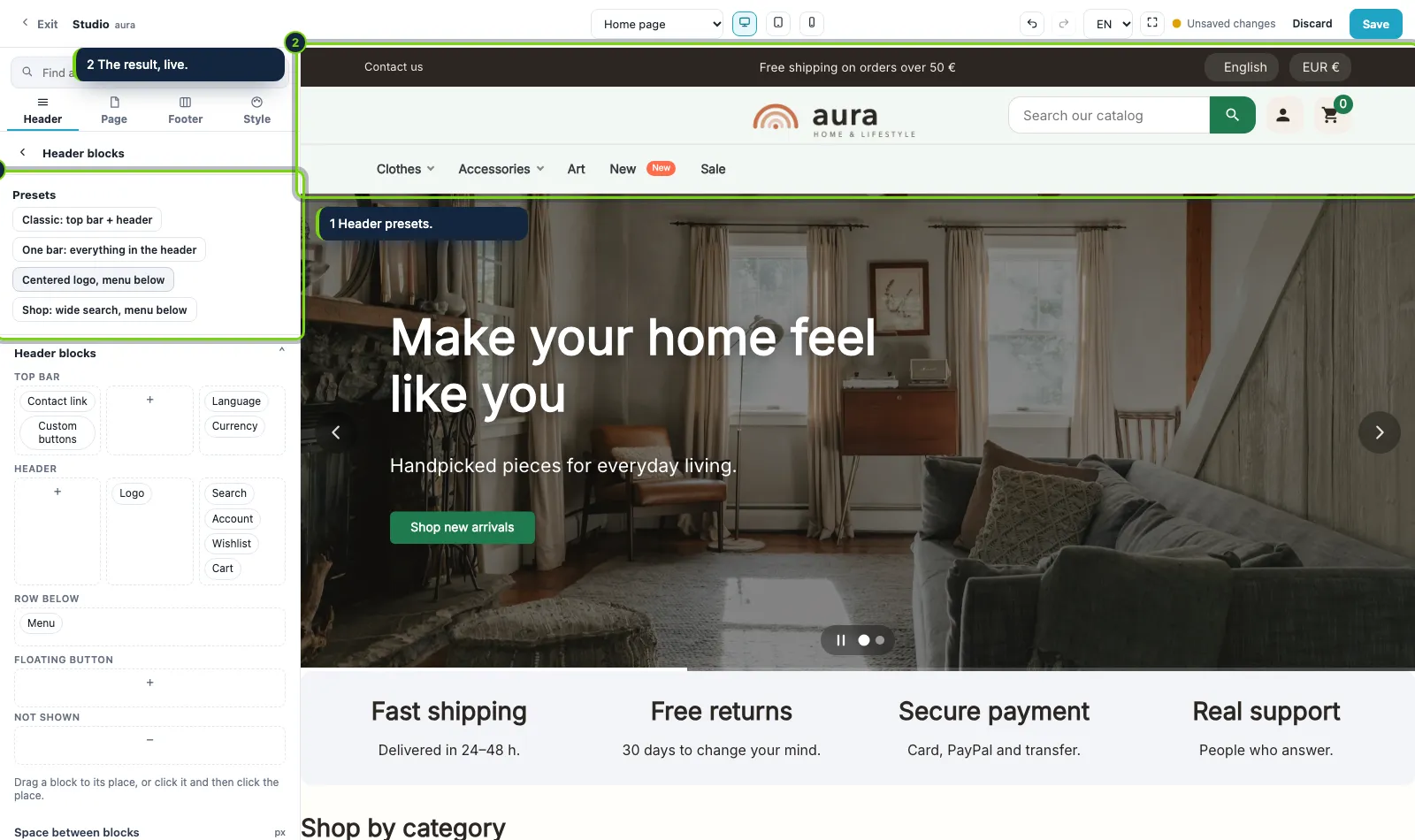
The top bar and the header are one zone. Drag the logo, menu, search, language, currency, account, wishlist, cart and your own buttons between the top bar, the header, a row below, a floating place or hidden.
Start from a ready layout
Four header presets give you a starting point: classic, one bar, centered logo with the menu below, and a shop layout with a wide search. The shop changes as you click.
A product page in sections
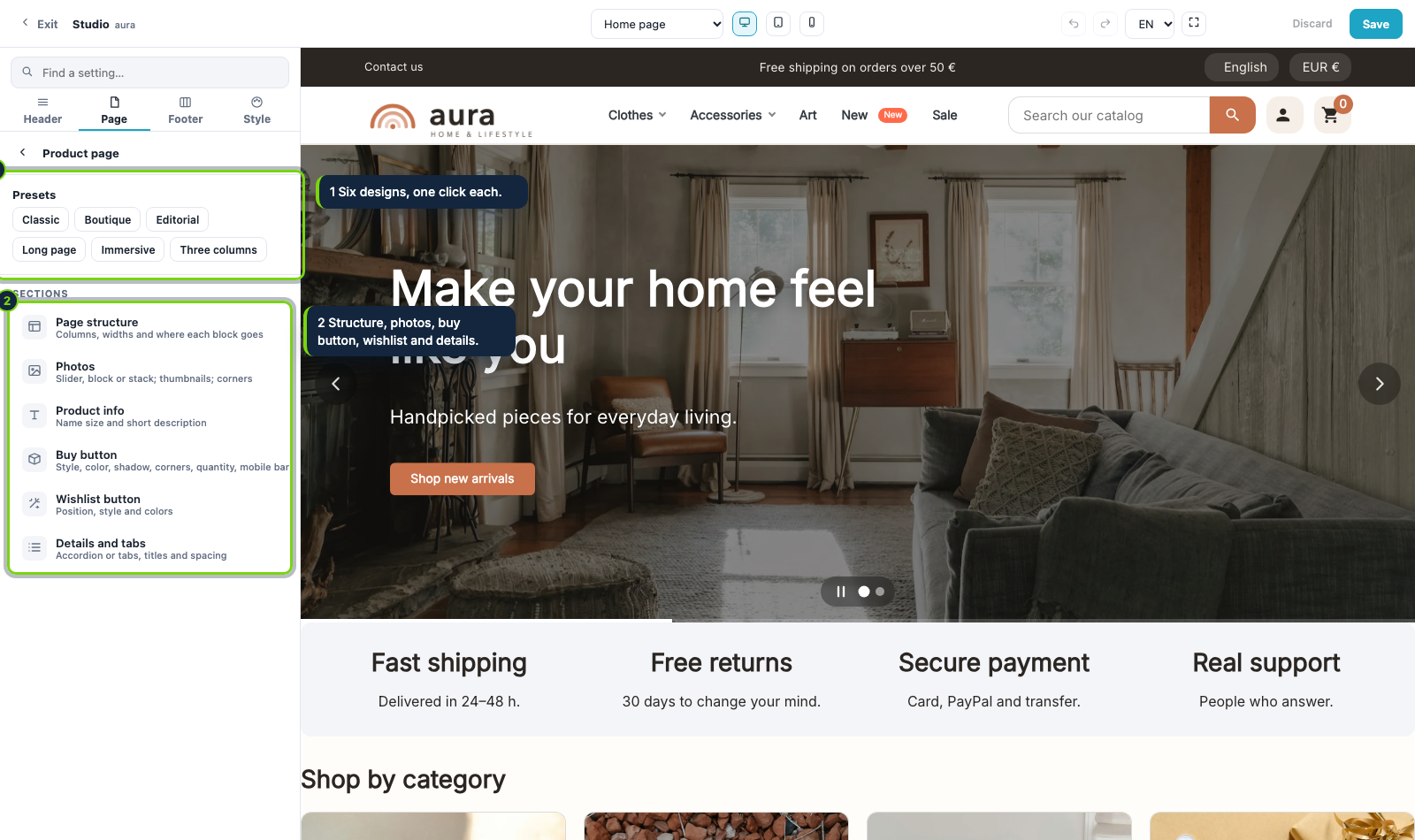
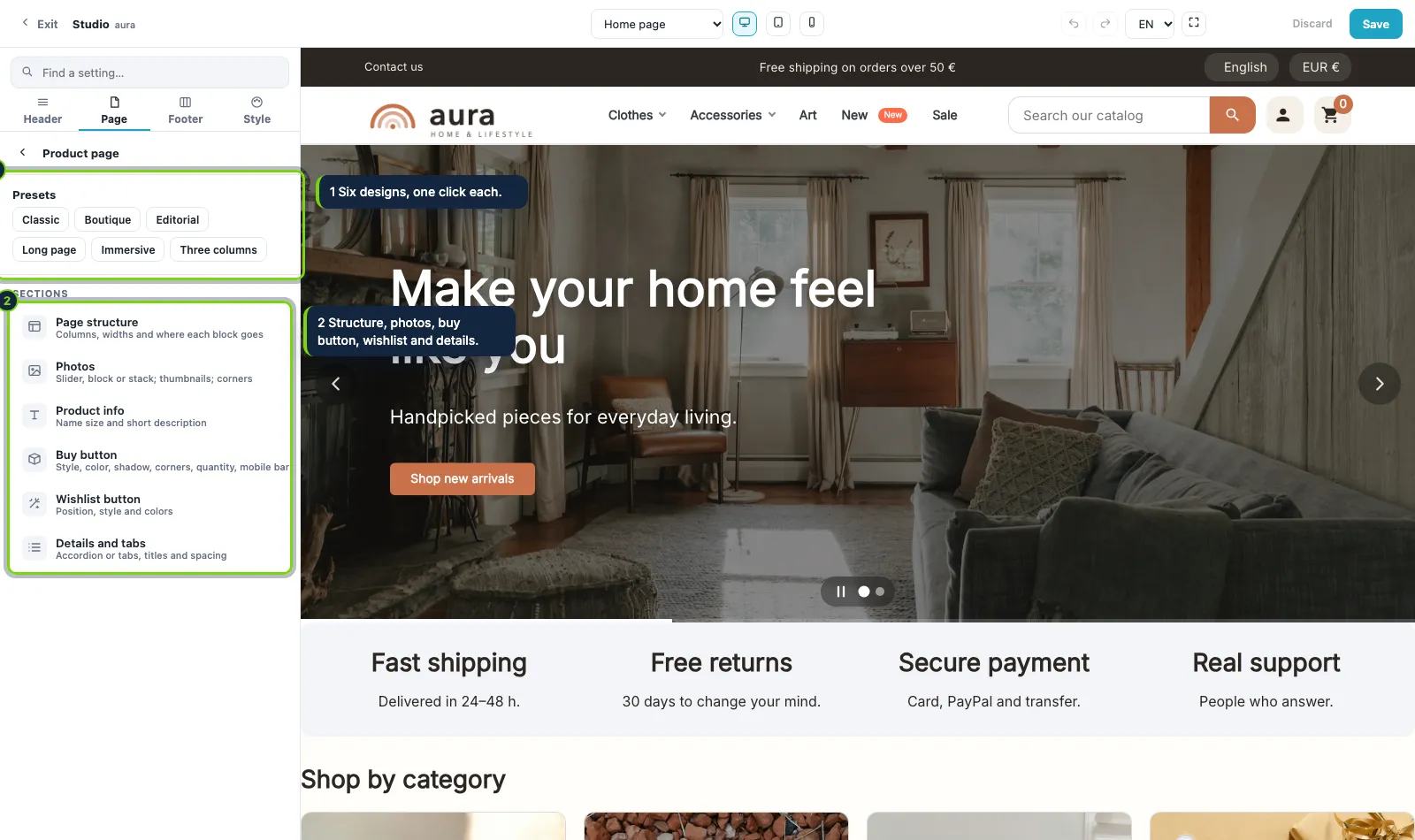
Structure, photos, buy button, wishlist and details, each with its own settings, plus six ready-made designs: classic, boutique, editorial, long page, immersive and three columns.
A map to place your blocks
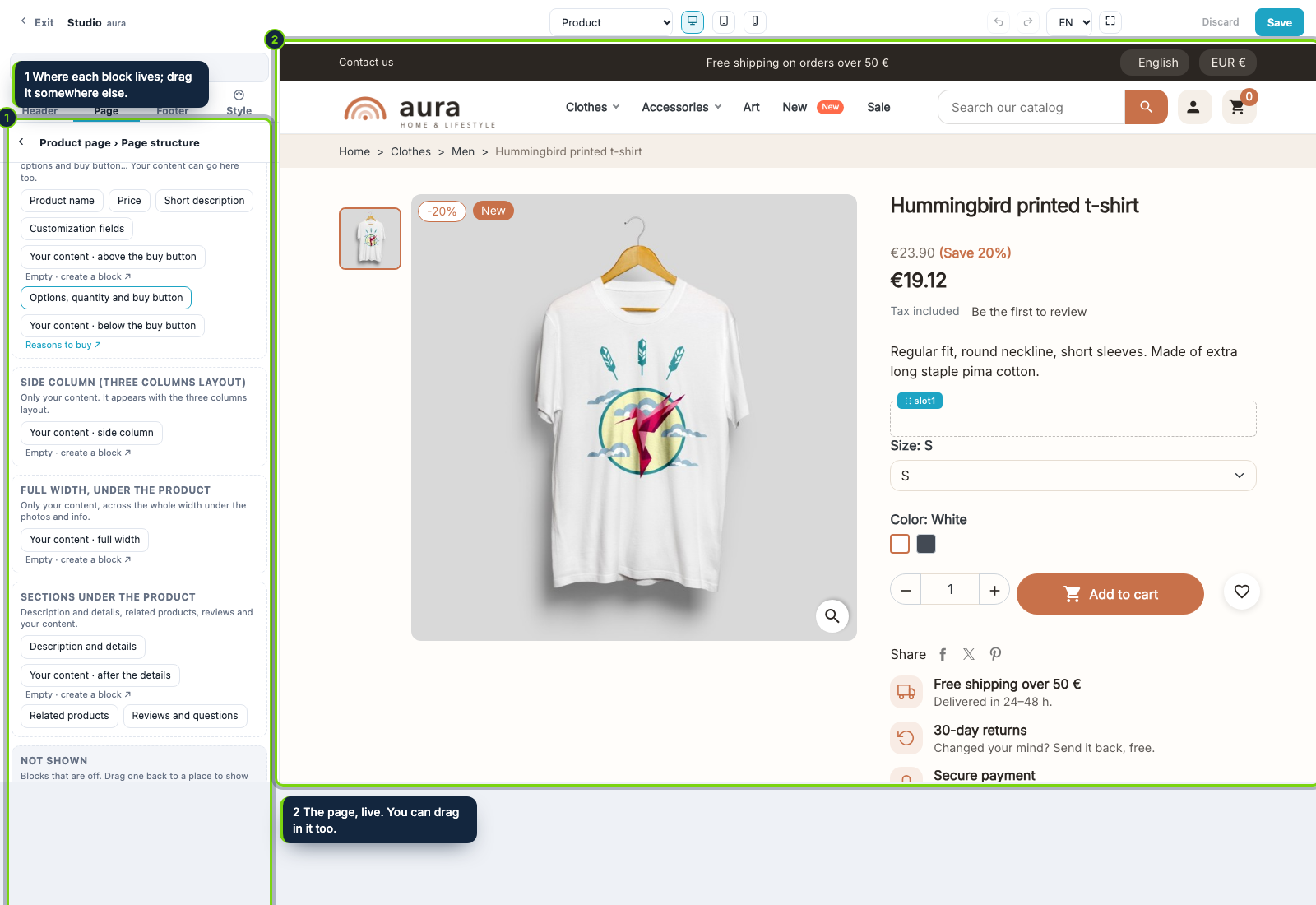
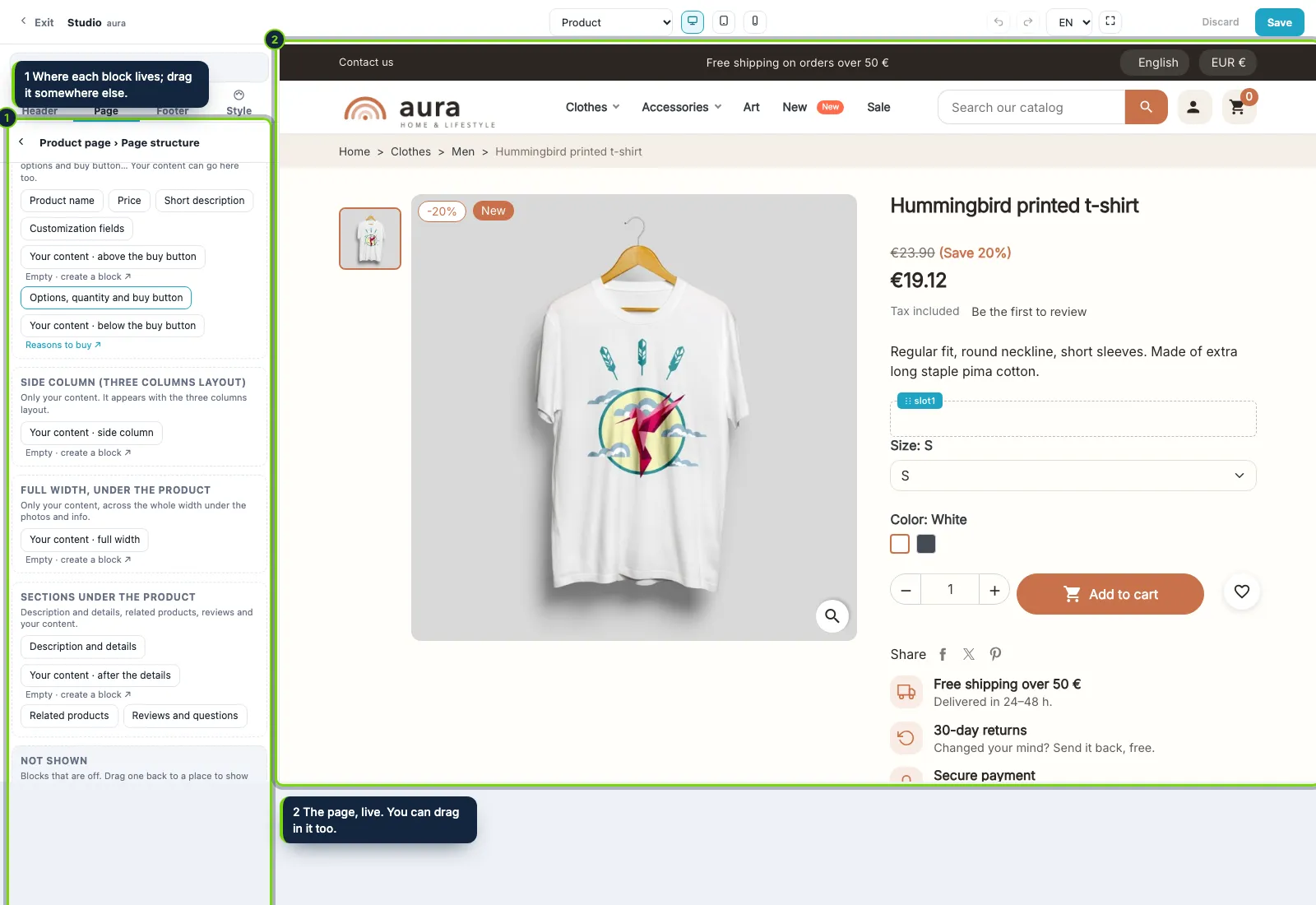
See where each block of the product page lives (info column, side column, full-width row, sections under the product) and drag it somewhere else, in the map or in the live preview.
Build the header by dragging
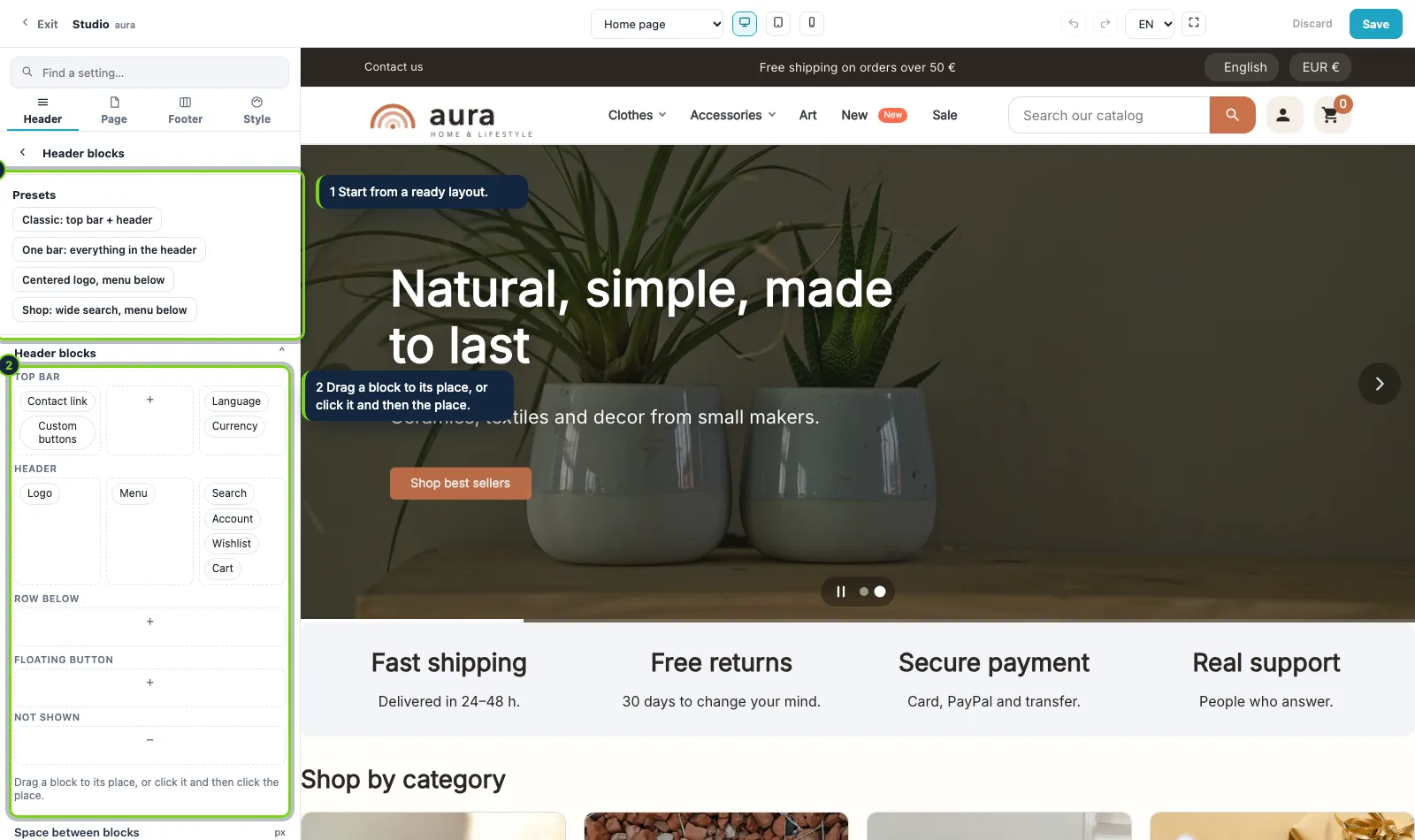
The top bar and the header are one zone. Drag the logo, menu, search, language, currency, account, wishlist, cart and your own buttons between the top bar, the header, a row below, a floating place or hidden.
Start from a ready layout
Four header presets give you a starting point: classic, one bar, centered logo with the menu below, and a shop layout with a wide search. The shop changes as you click.
A product page in sections
Structure, photos, buy button, wishlist and details, each with its own settings, plus six ready-made designs: classic, boutique, editorial, long page, immersive and three columns.
A map to place your blocks
See where each block of the product page lives (info column, side column, full-width row, sections under the product) and drag it somewhere else, in the map or in the live preview.
One palette for the whole shop
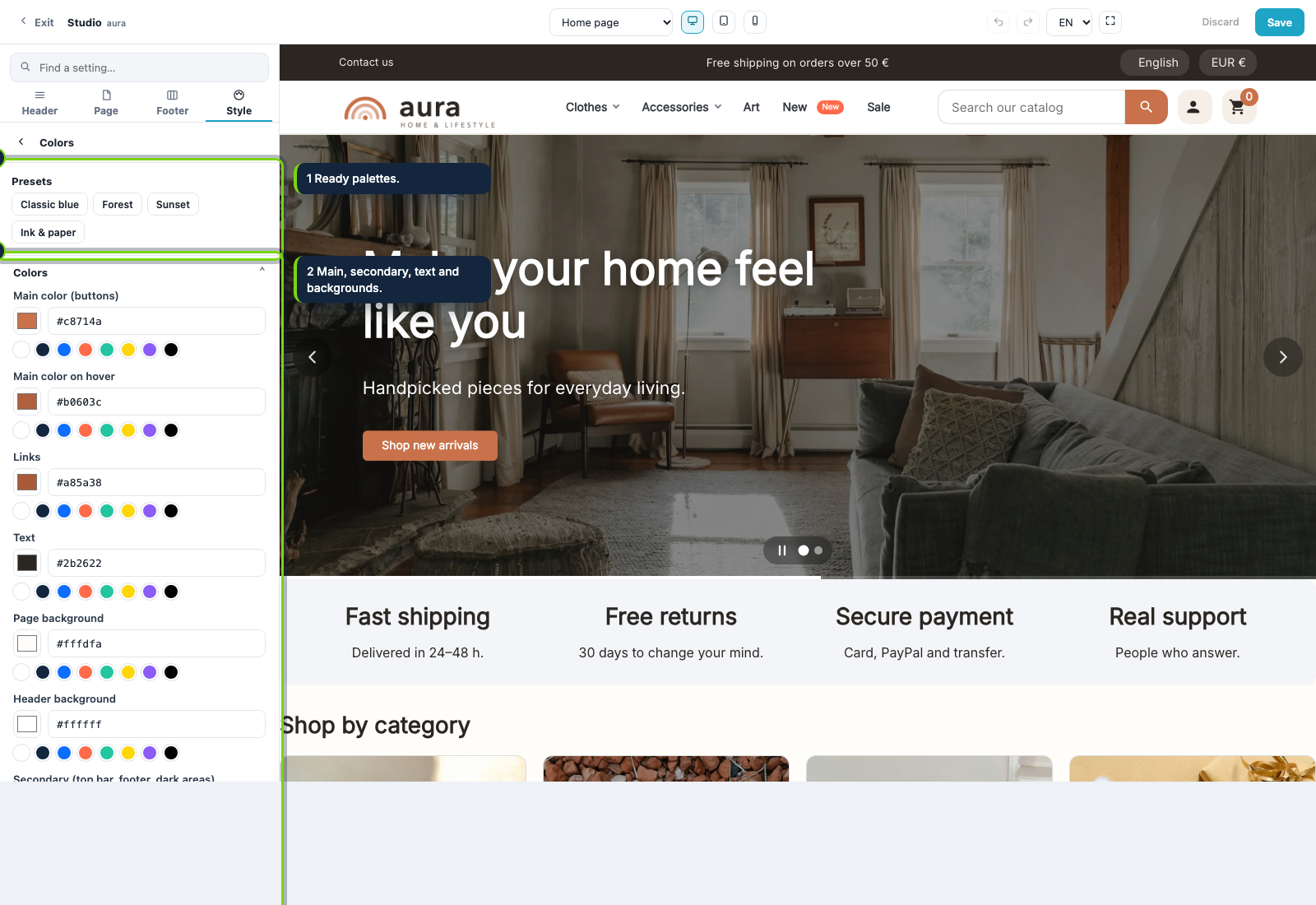
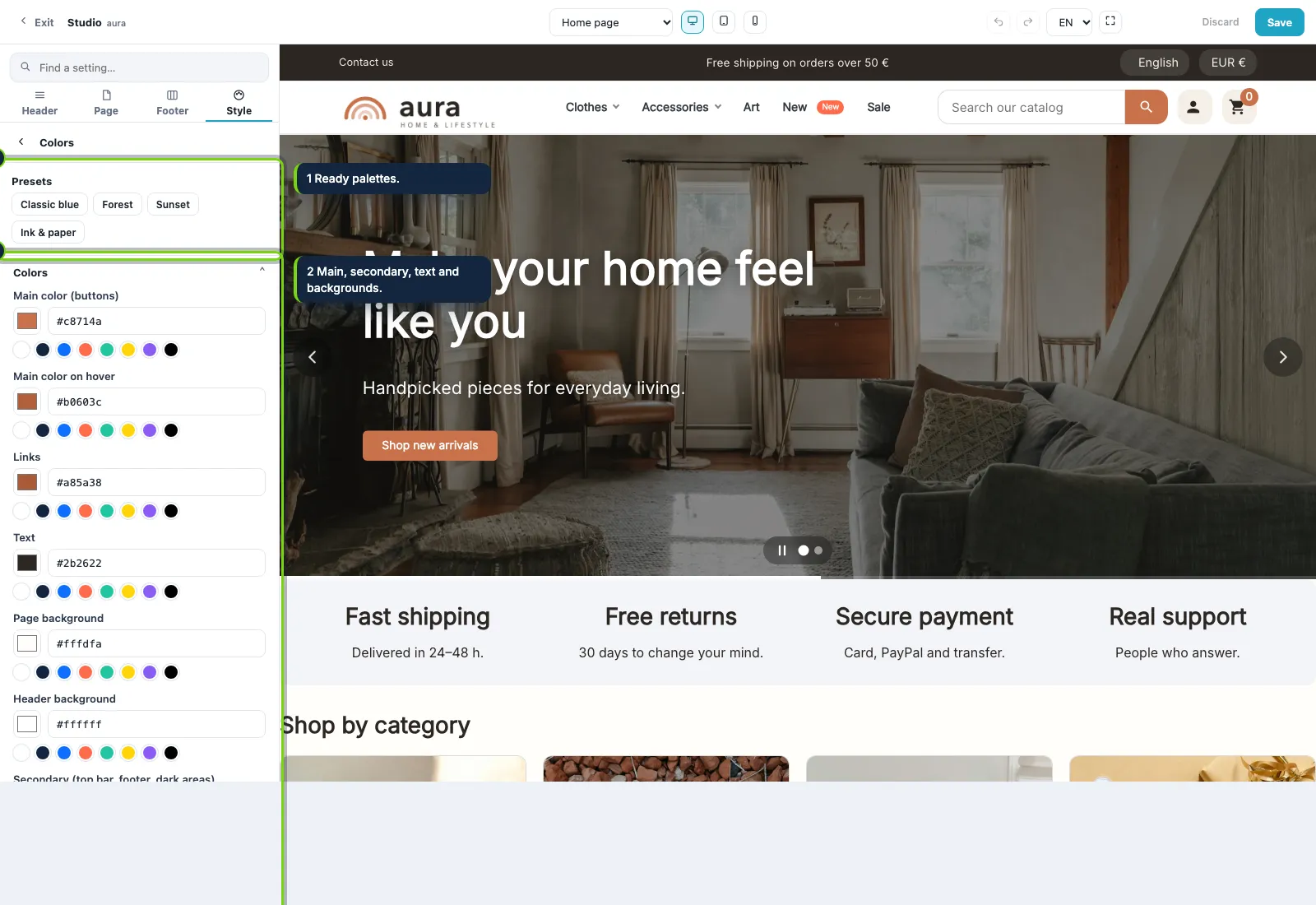
Main color, links, text, backgrounds, secondary and soft surfaces. Components choose among these colors, never a new one, so the shop stays coherent after ten edits by three people.
Repaint everything in one click
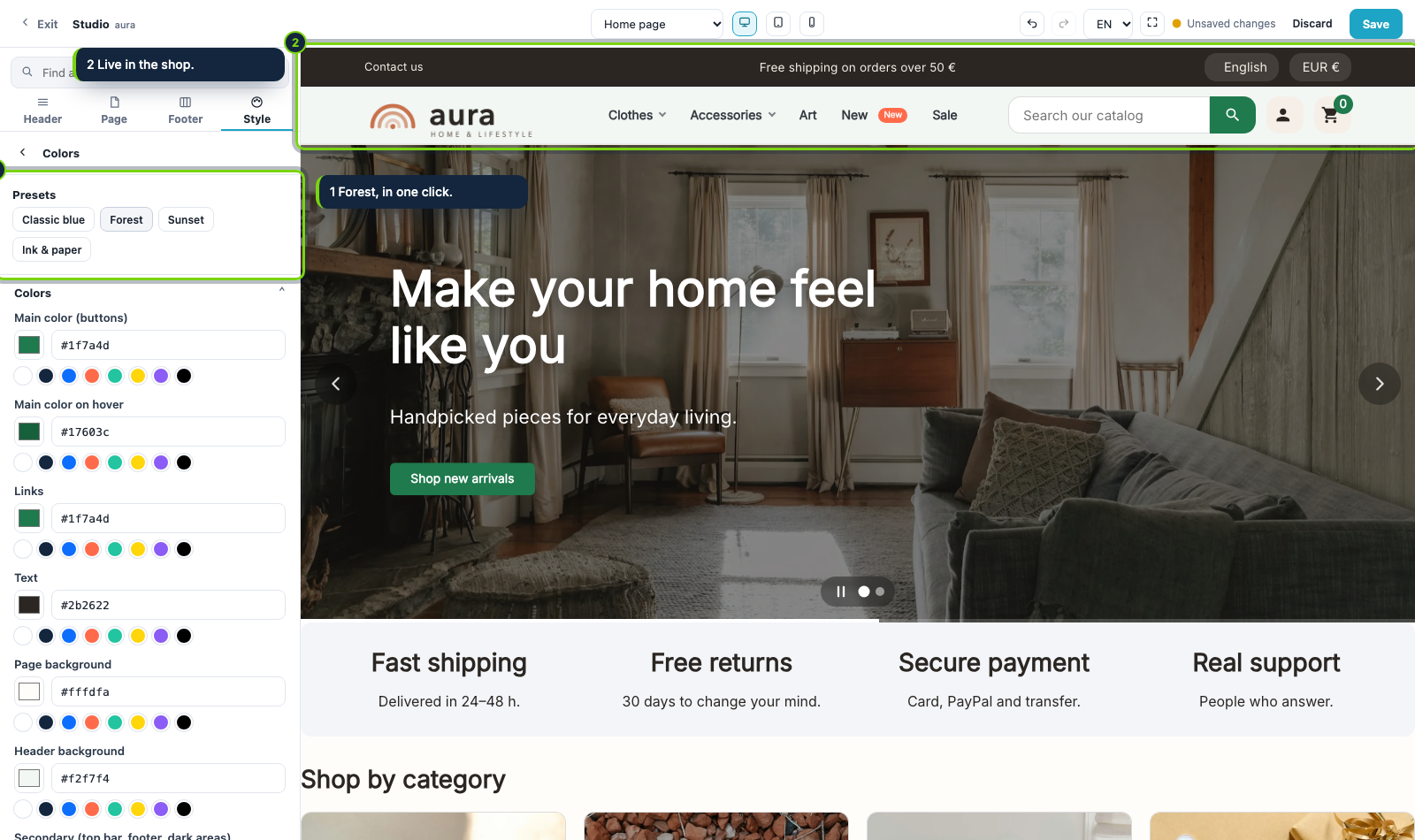
Four palette presets: Classic blue, Forest, Sunset and Ink & paper. Buttons, menu, search, footer and sections change together.
Fonts without Google
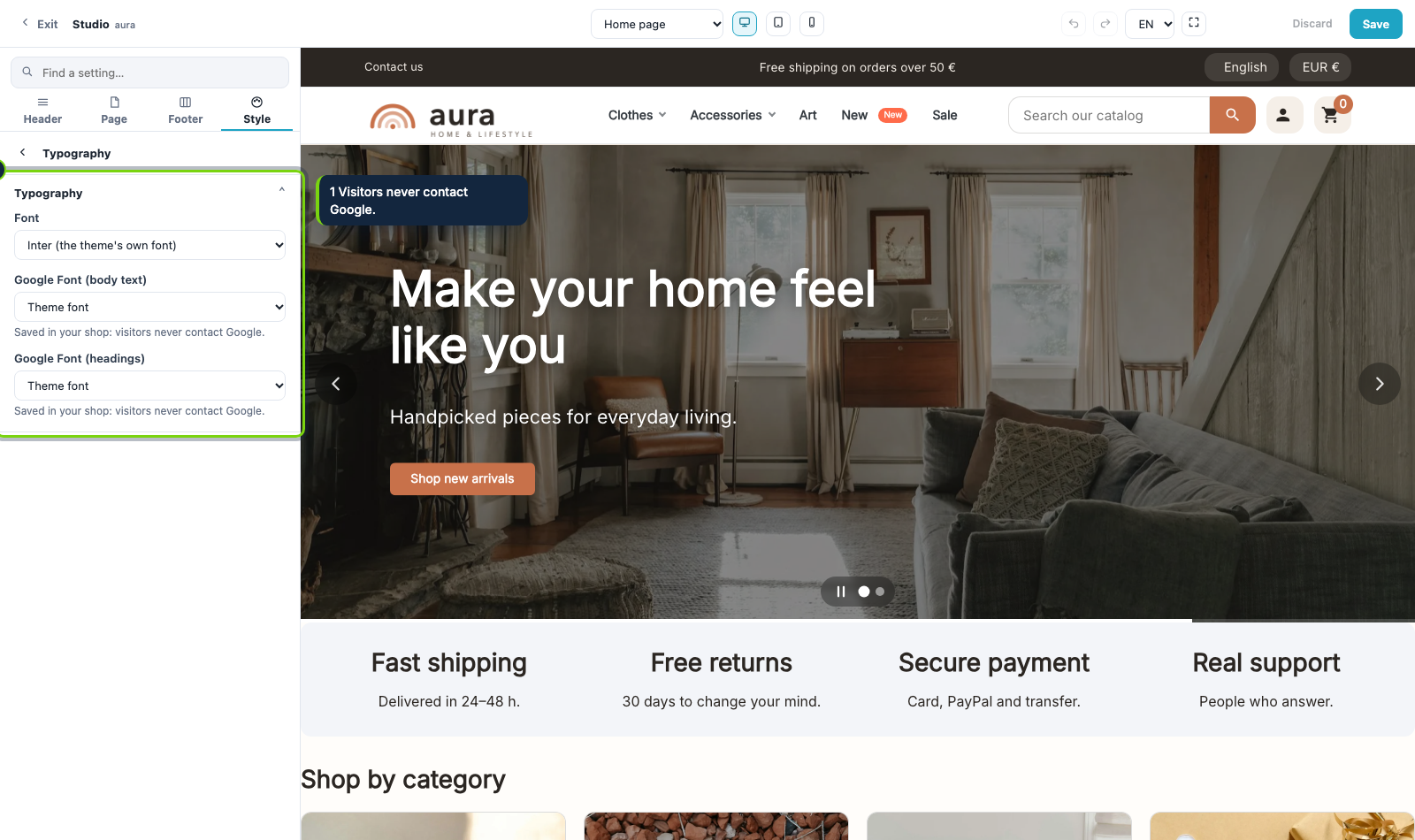
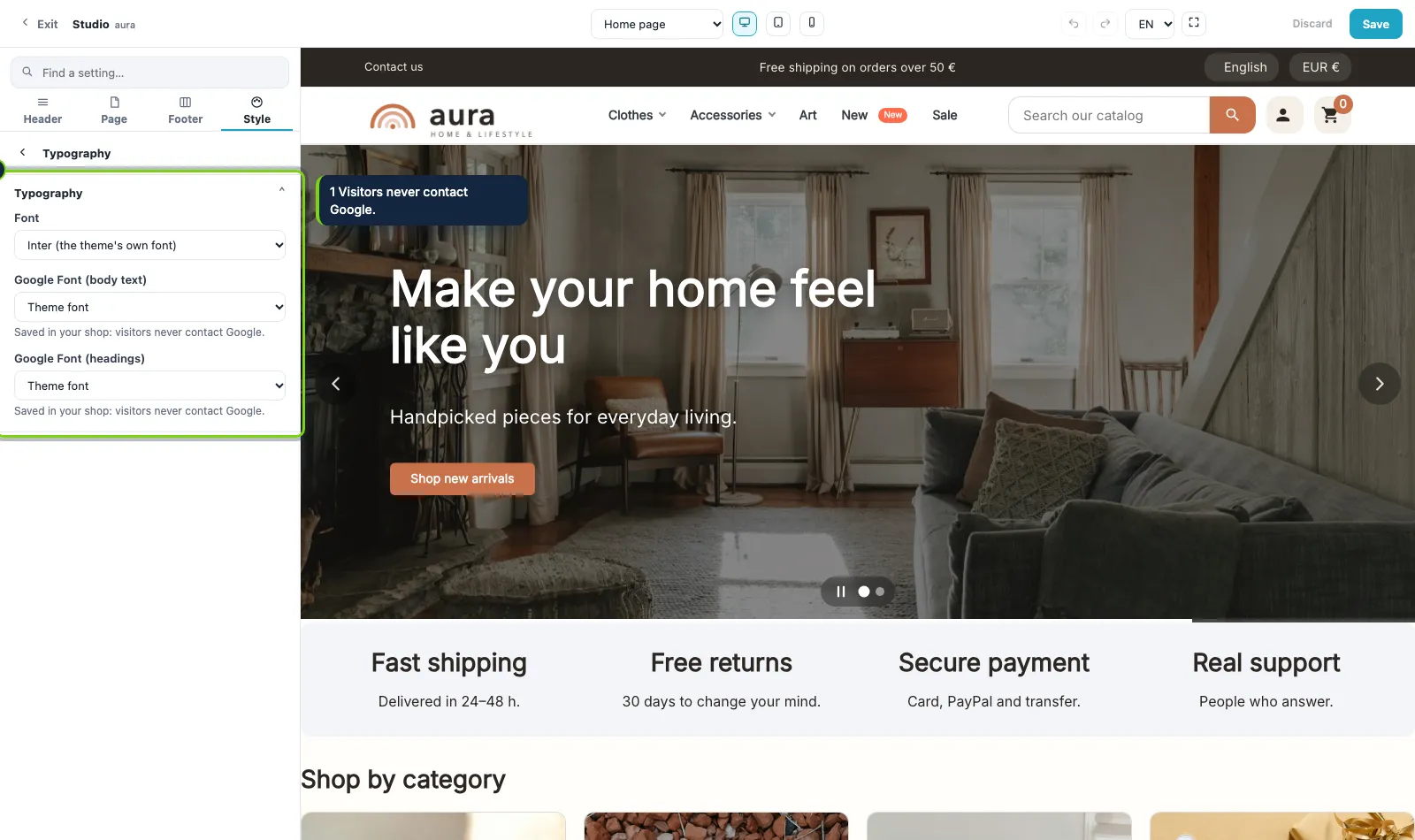
Pick a font for the text and another for the headings from a list of Google Fonts. Your shop downloads them once and serves them itself: visitors never contact Google.
One palette for the whole shop
Main color, links, text, backgrounds, secondary and soft surfaces. Components choose among these colors, never a new one, so the shop stays coherent after ten edits by three people.
Repaint everything in one click
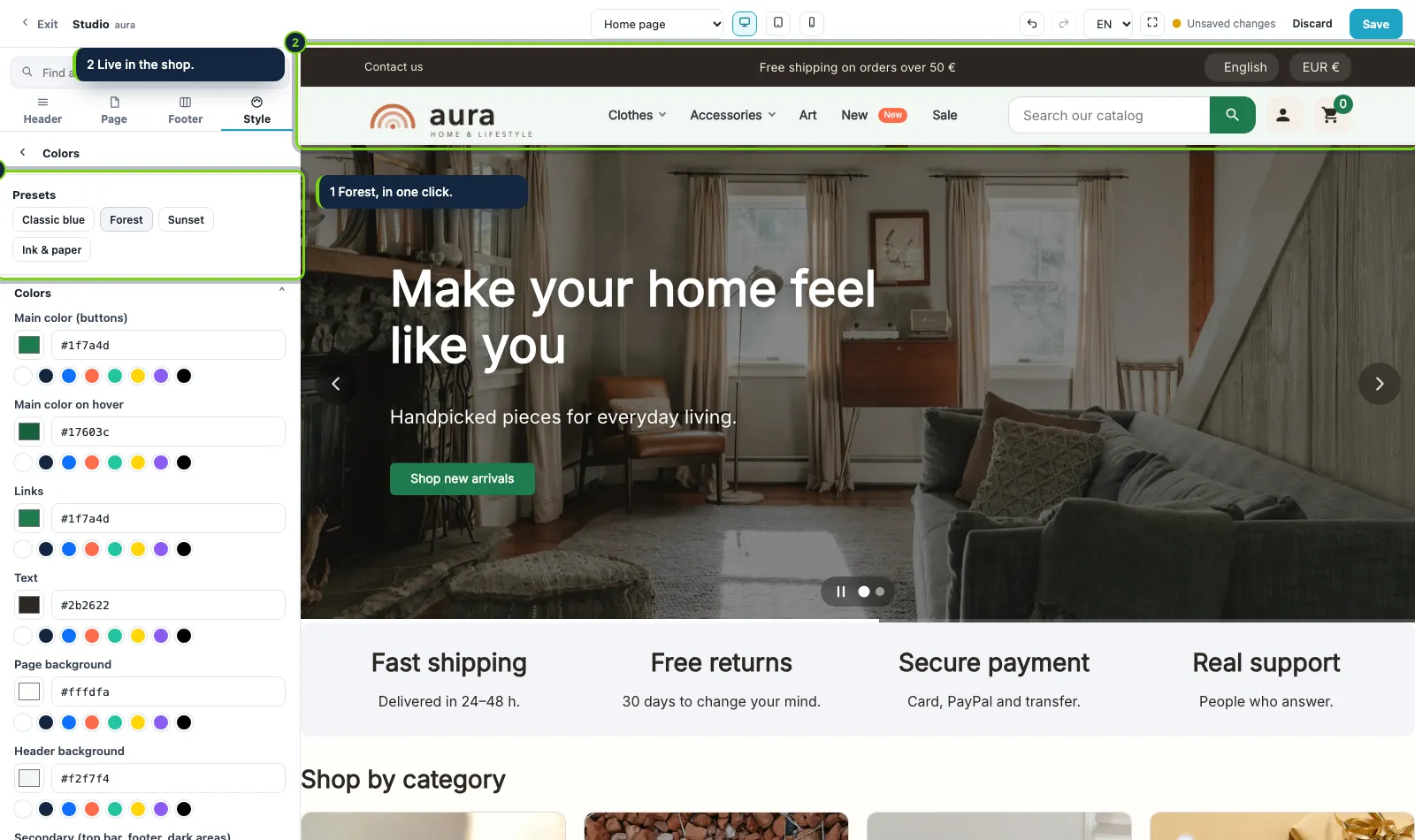
Four palette presets: Classic blue, Forest, Sunset and Ink & paper. Buttons, menu, search, footer and sections change together.
Fonts without Google
Pick a font for the text and another for the headings from a list of Google Fonts. Your shop downloads them once and serves them itself: visitors never contact Google.
Our modules live in the Studio
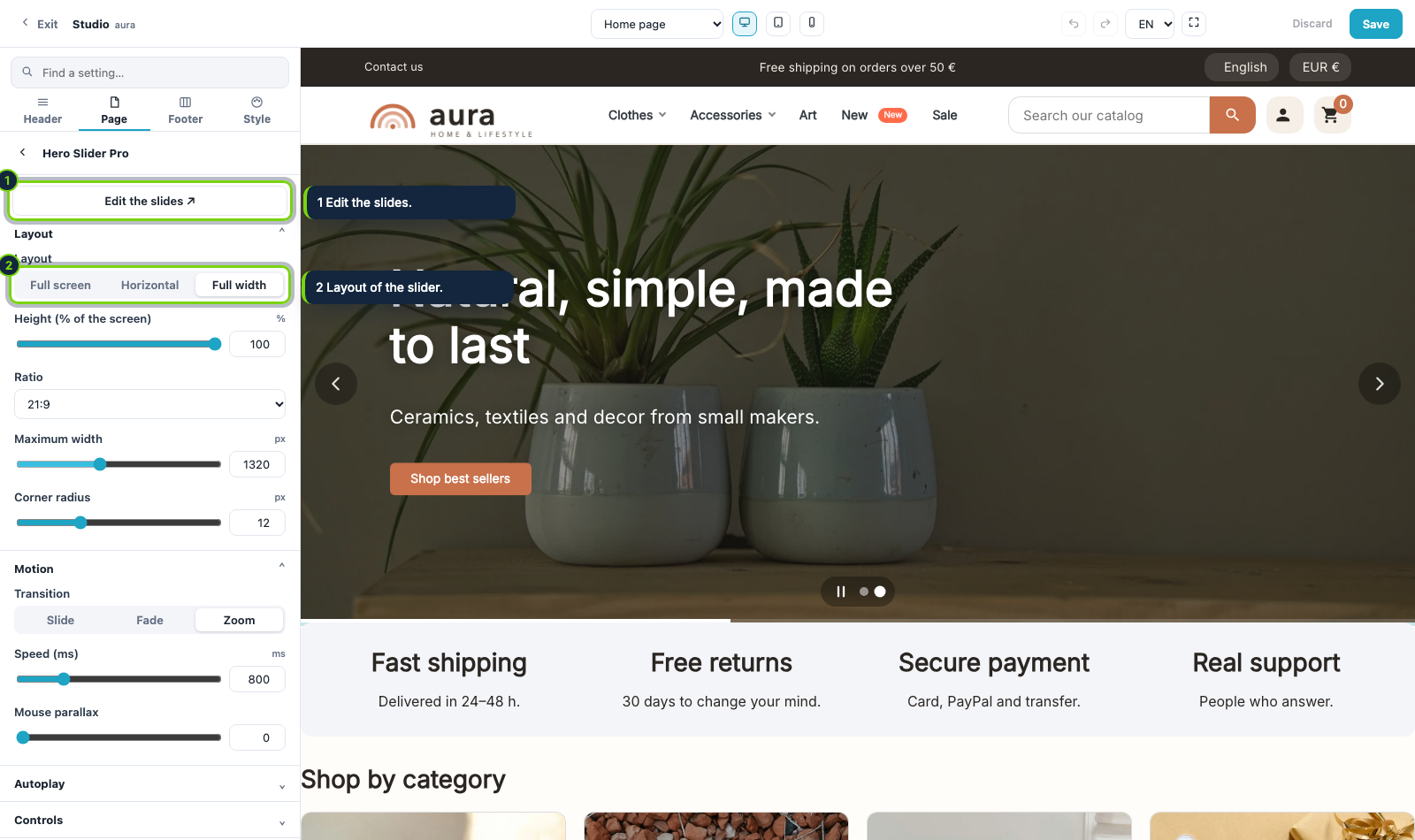
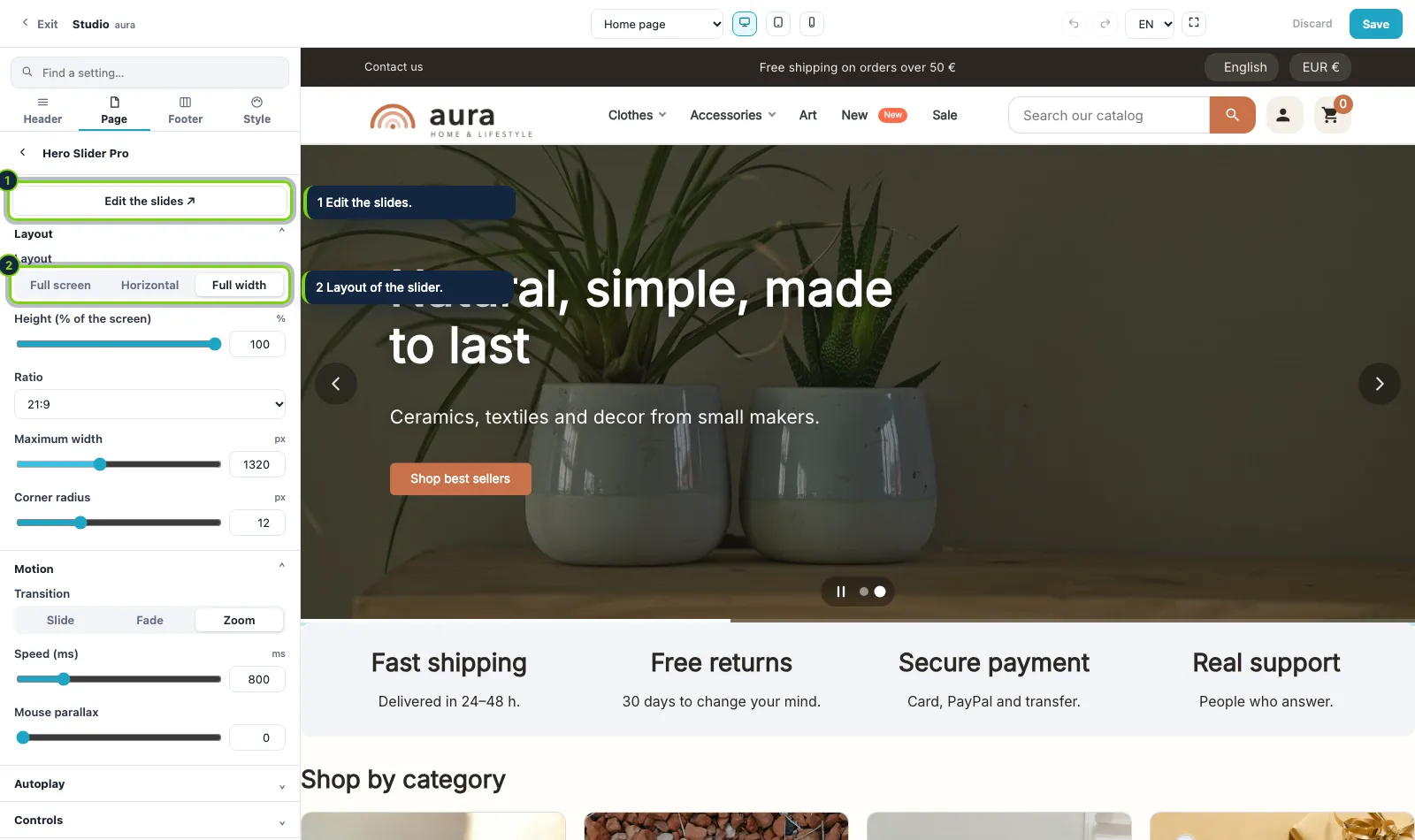
Hero Slider Pro, Mega Menu Pro, Content Blocks Pro and Product Reviews Pro add their own panels to the Studio, with a link to edit their content.
Export a look, import it in another shop
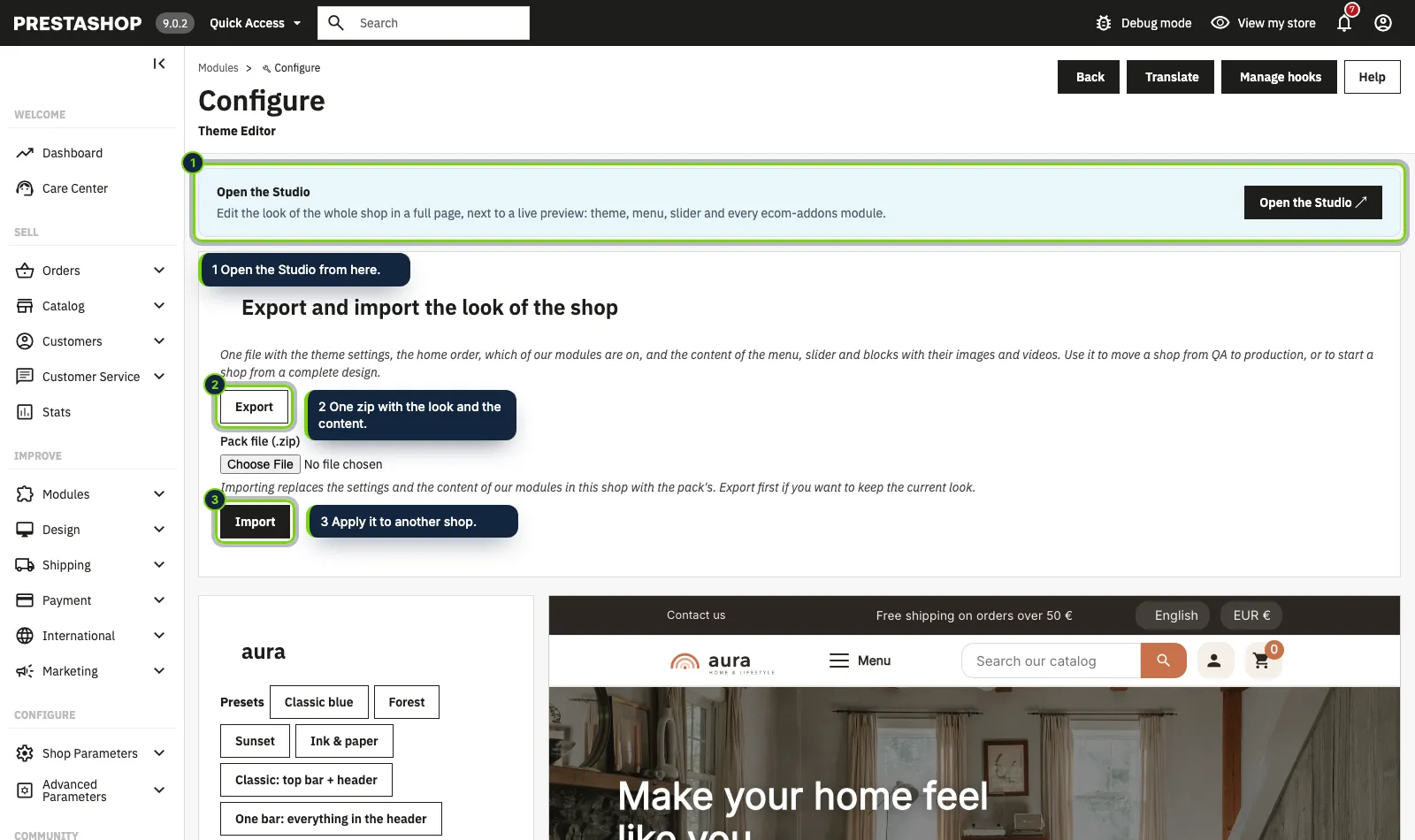
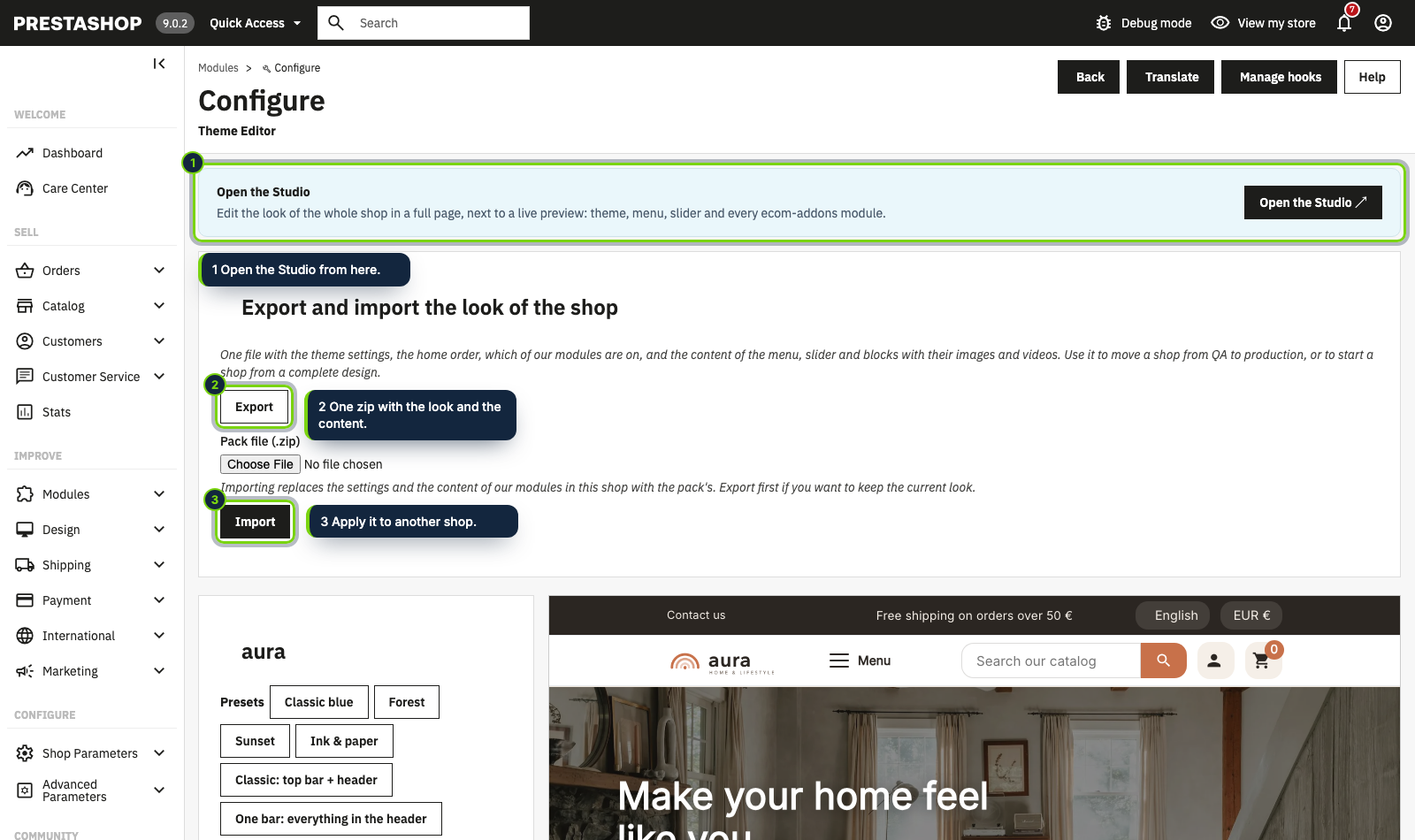
One zip carries the theme settings, the home order, which modules are on, and the content of the slider, the menu and the blocks with their images and videos. Move a shop from QA to production, or start from a complete design.
Our modules live in the Studio
Hero Slider Pro, Mega Menu Pro, Content Blocks Pro and Product Reviews Pro add their own panels to the Studio, with a link to edit their content.
Export a look, import it in another shop
One zip carries the theme settings, the home order, which modules are on, and the content of the slider, the menu and the blocks with their images and videos. Move a shop from QA to production, or start from a complete design.