Aura
Build your shop with Aura
The theme, its 5 modules and the Studio. One price, every new version and 6 months of support included.
Put the logo, menu, search, account and cart where you want them, on computer and on phone.
A header with every block where you decided, and a cart that opens the way you like.
Step 1
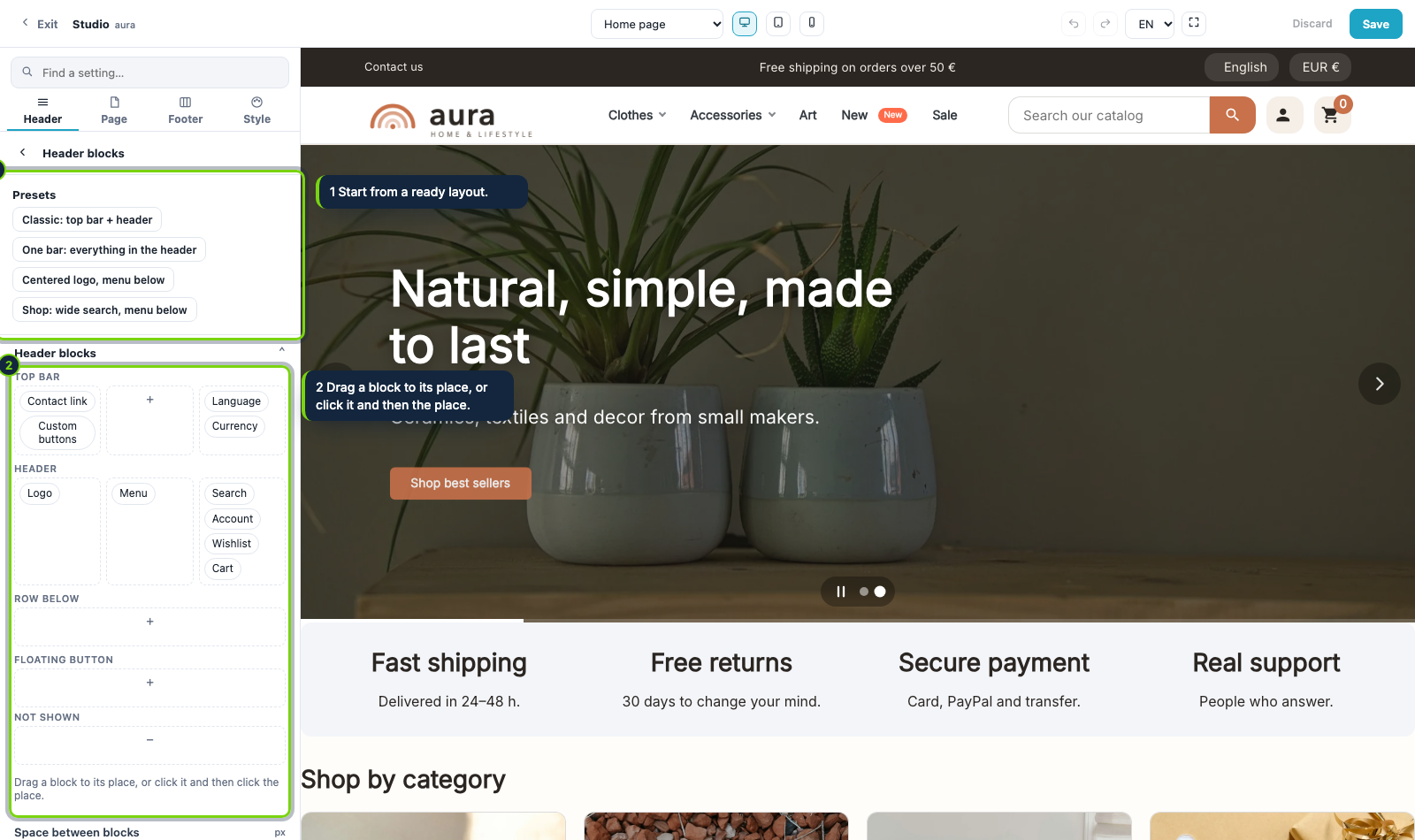
In the Header area open Header blocks. You see the top bar, the header, a row below, a floating button and a place for the blocks that are not shown.
Step 2
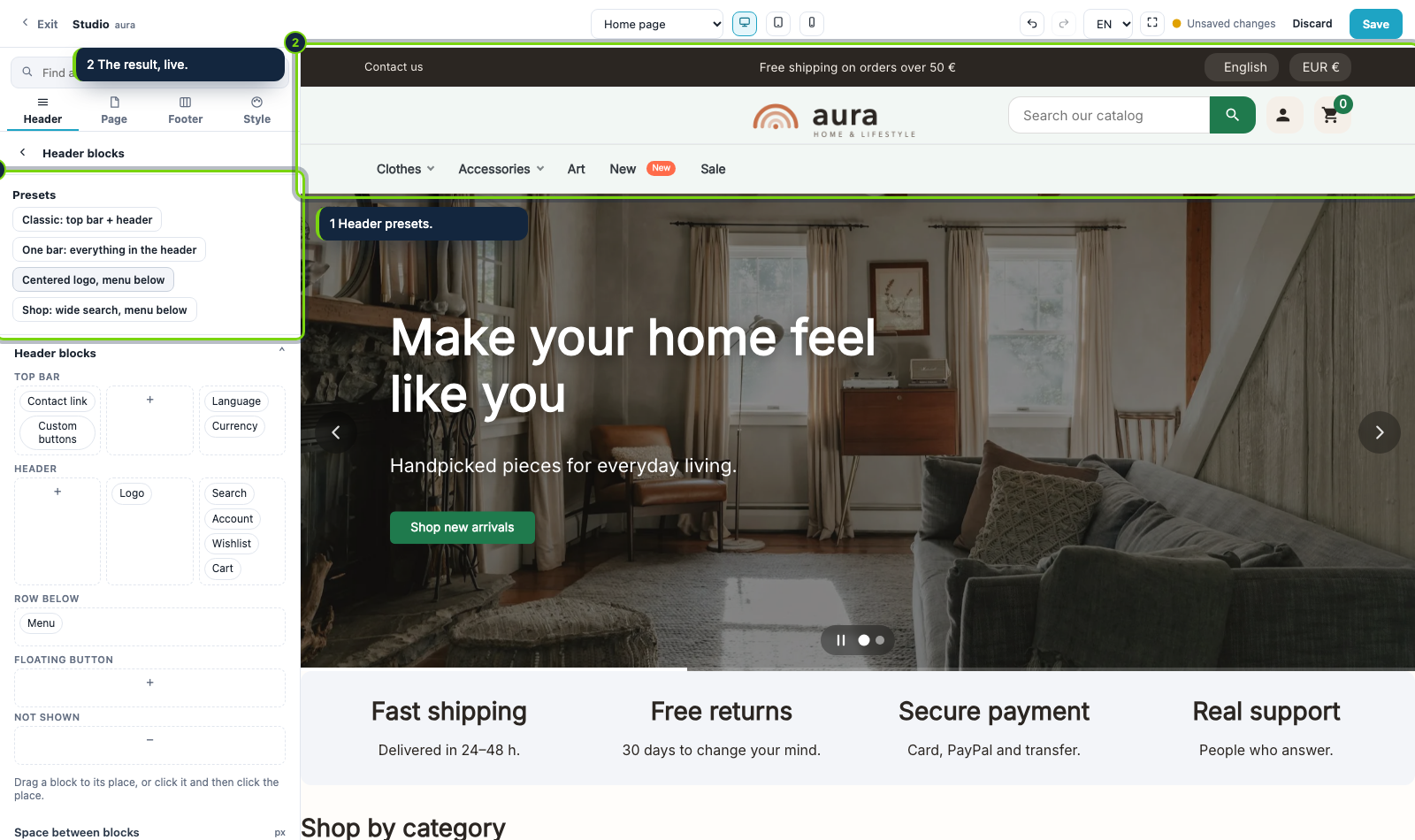
Click a preset, for example Centered logo, menu below. The preview changes right away and you adjust from there.
Step 3
Drag a block to its place, or click it and then click the place. Move the search to the top bar, put the menu in the row below or send to Not shown what you do not need.
Step 4
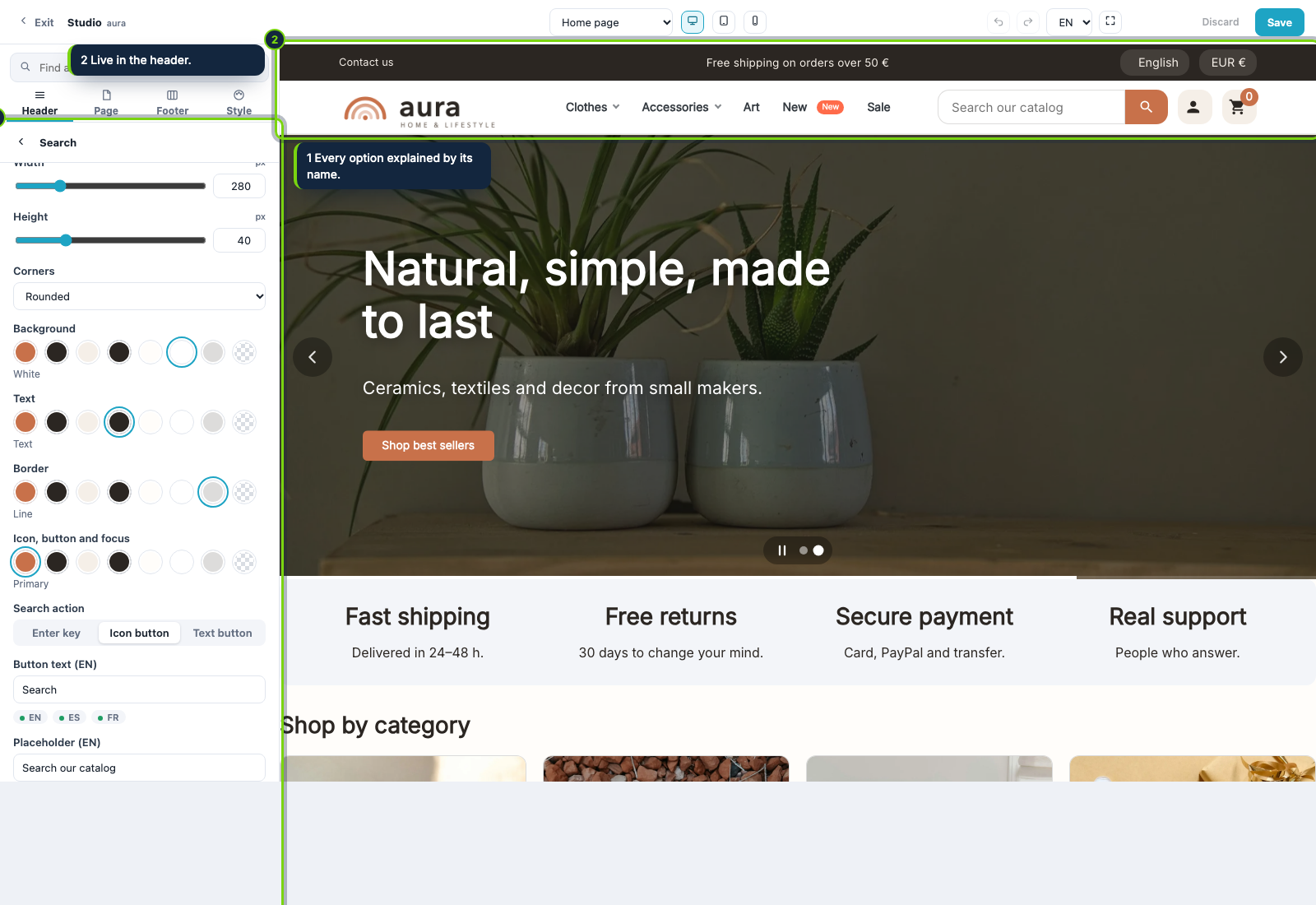
Open Search to set its size, corners and colors from the palette, or collapse it to one round button that opens over its neighbors.
Step 5
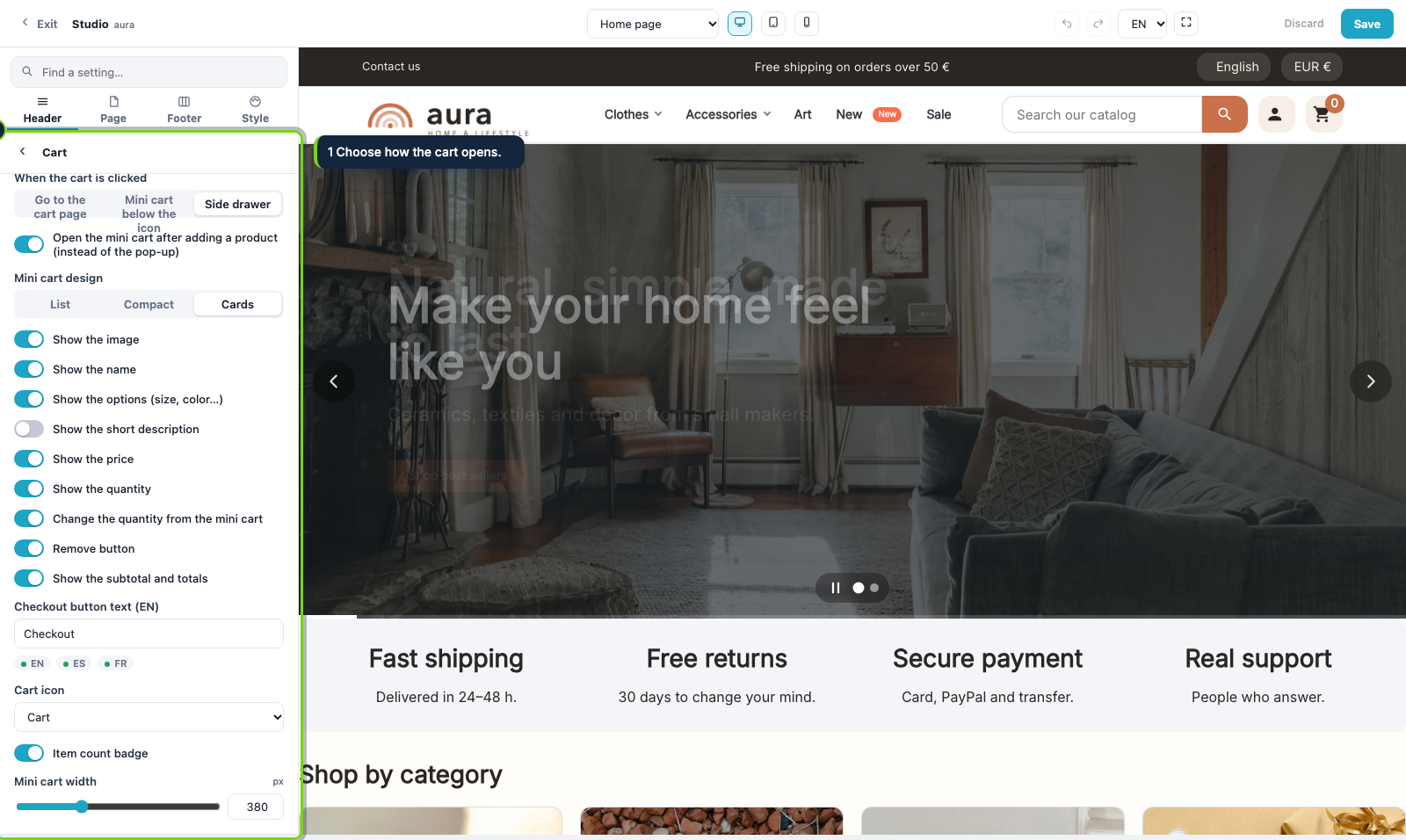
Open Cart and choose a link to the cart page, a mini cart under the icon or a side drawer.
Step 6
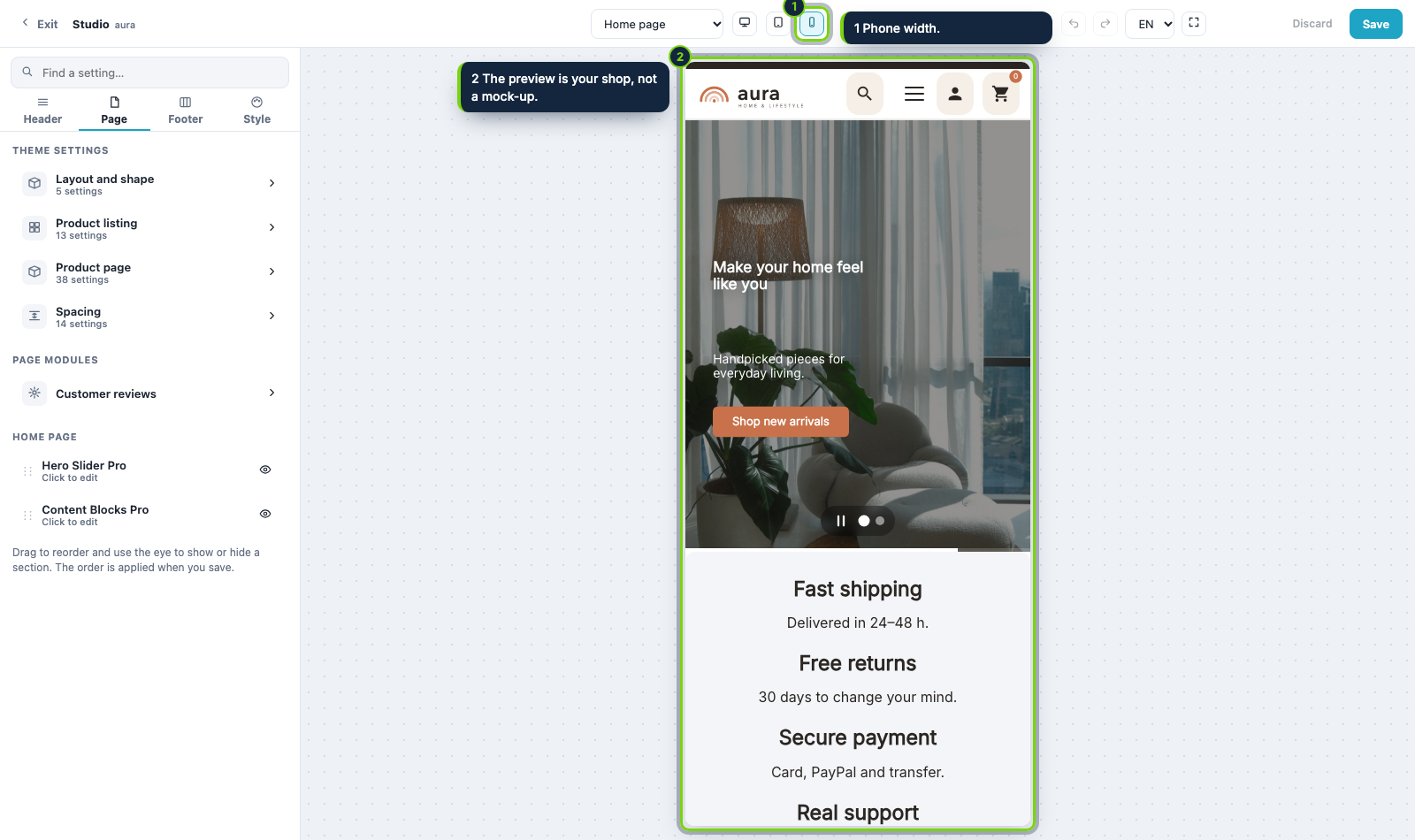
Click the phone icon: on a phone the header becomes one row with the logo, search, menu, account and cart. Press Save when you are happy.
Aura
The theme, its 5 modules and the Studio. One price, every new version and 6 months of support included.
Start from a palette preset, adjust your main color and see the whole shop follow before you save.
Choose a layout, place each block on the map and style the buy button.
Use a Your content slot and Content Blocks Pro to show shipping, returns and payment next to the buy button.
Export the look of a finished shop in one zip and import it in another shop.