Aura
Build your shop with Aura
The theme, its 5 modules and the Studio. One price, every new version and 6 months of support included.
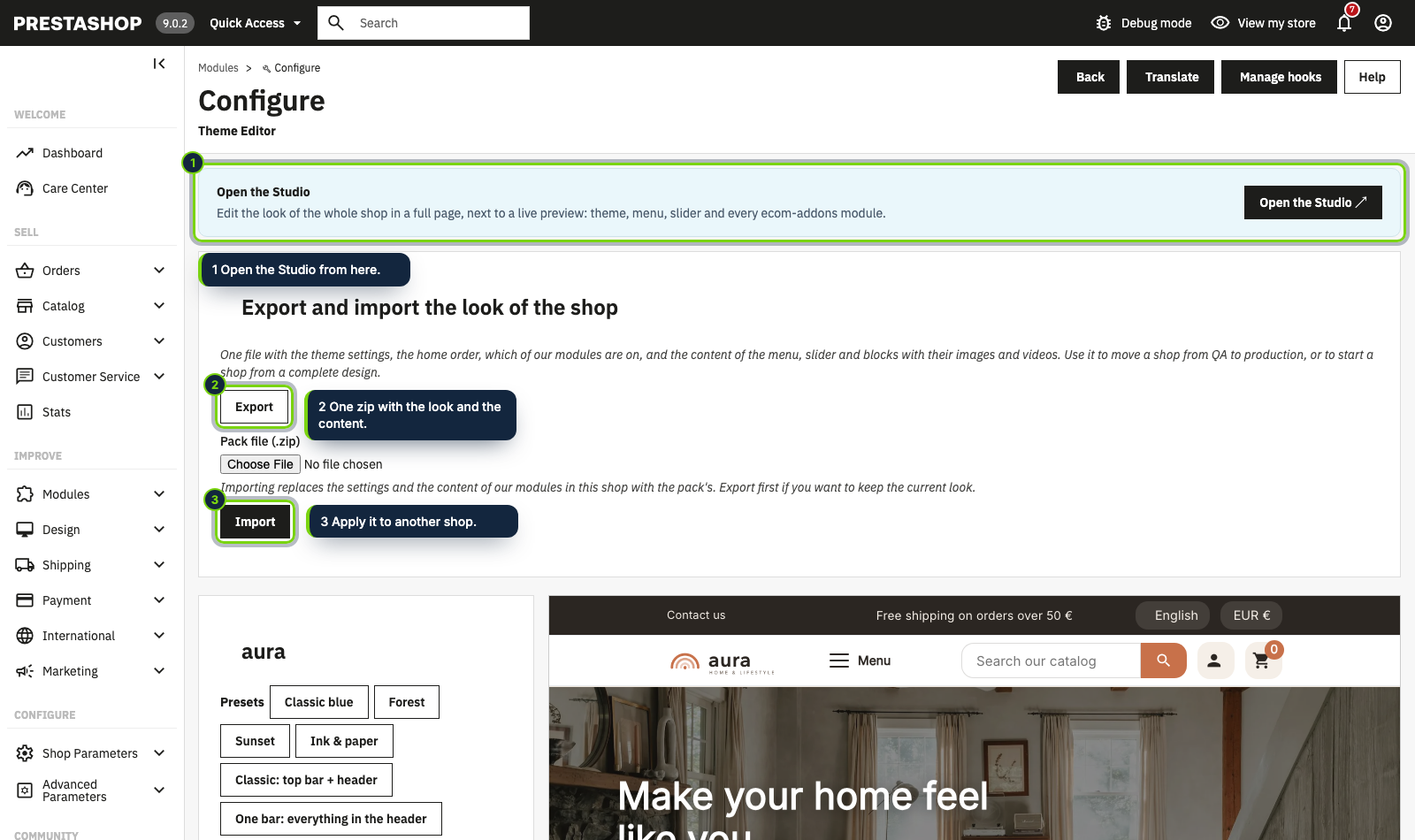
Export the look of a finished shop in one zip and import it in another shop.
The production shop with the same theme settings, home order and content as the test shop.
Step 1
On the Theme Editor module page click Export. You get one zip with the theme settings in every language, the order of the home sections, which of our modules are on, and the content of the slider, the menu and the blocks with their images and videos.
Step 2
Install the same theme and the same ecom-addons modules in the other shop. The pack must be for the active theme.
Step 3
On the module page of the other shop choose the .zip and click Import. It replaces the settings and the content of our modules in that shop: export first if you want to keep its current look.
Step 4
Links to categories, products and pages travel by what they point to (friendly URL, product reference) and are found again. A link to something the other shop does not have is left empty and reported: fix those few.
Aura
The theme, its 5 modules and the Studio. One price, every new version and 6 months of support included.
Start from a palette preset, adjust your main color and see the whole shop follow before you save.
Put the logo, menu, search, account and cart where you want them, on computer and on phone.
Choose a layout, place each block on the map and style the buy button.
Use a Your content slot and Content Blocks Pro to show shipping, returns and payment next to the buy button.