
Features

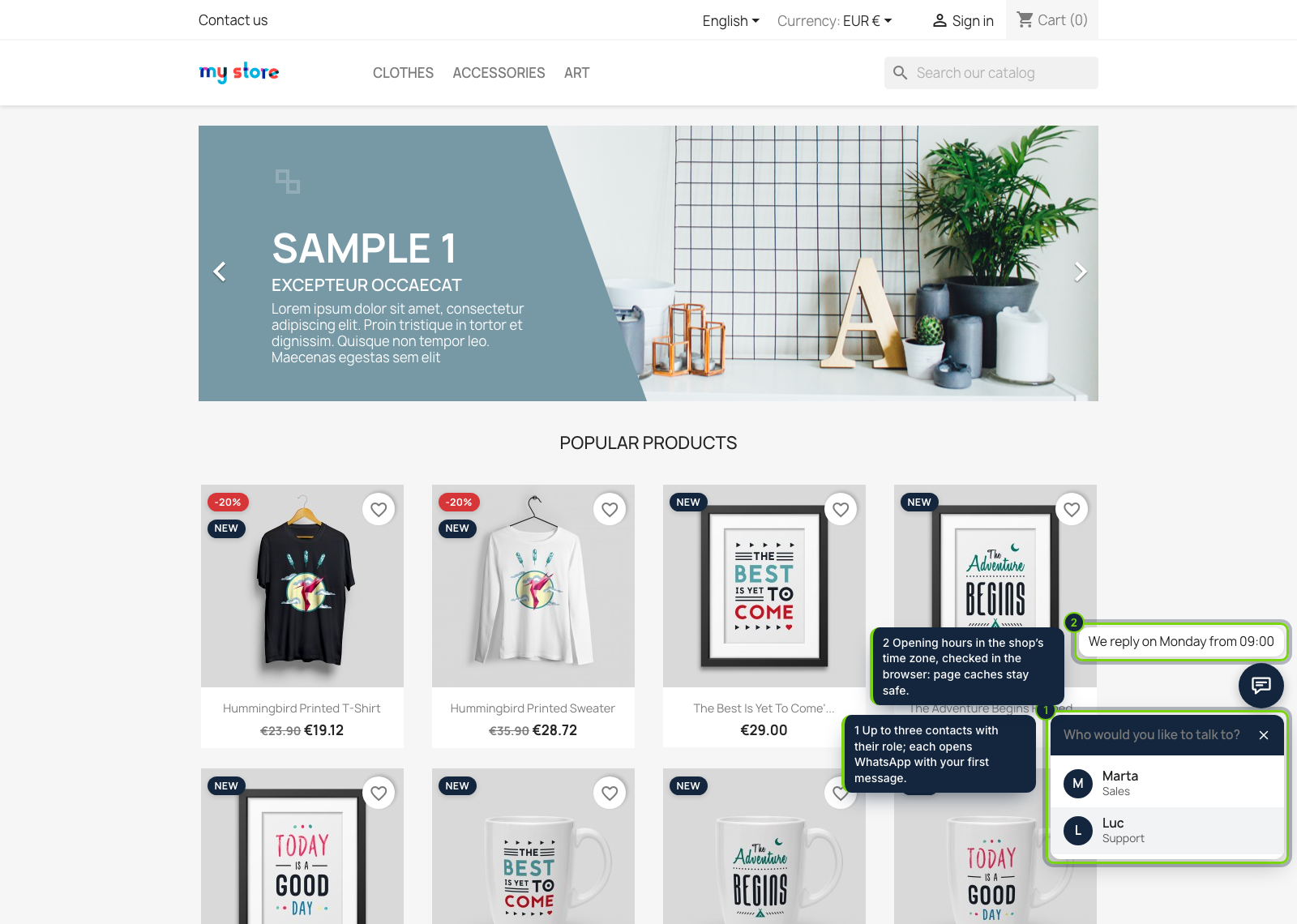
  • Floating chat button with one to three contacts (name, role, number) in a keyboard-friendly panel, on the right or left, raised above other floating buttons when needed
  • Opening hours per weekday in the PS_TIMEZONE of the shop: outside them the button says when you reply, or hides; checked in the browser, so cached pages stay right
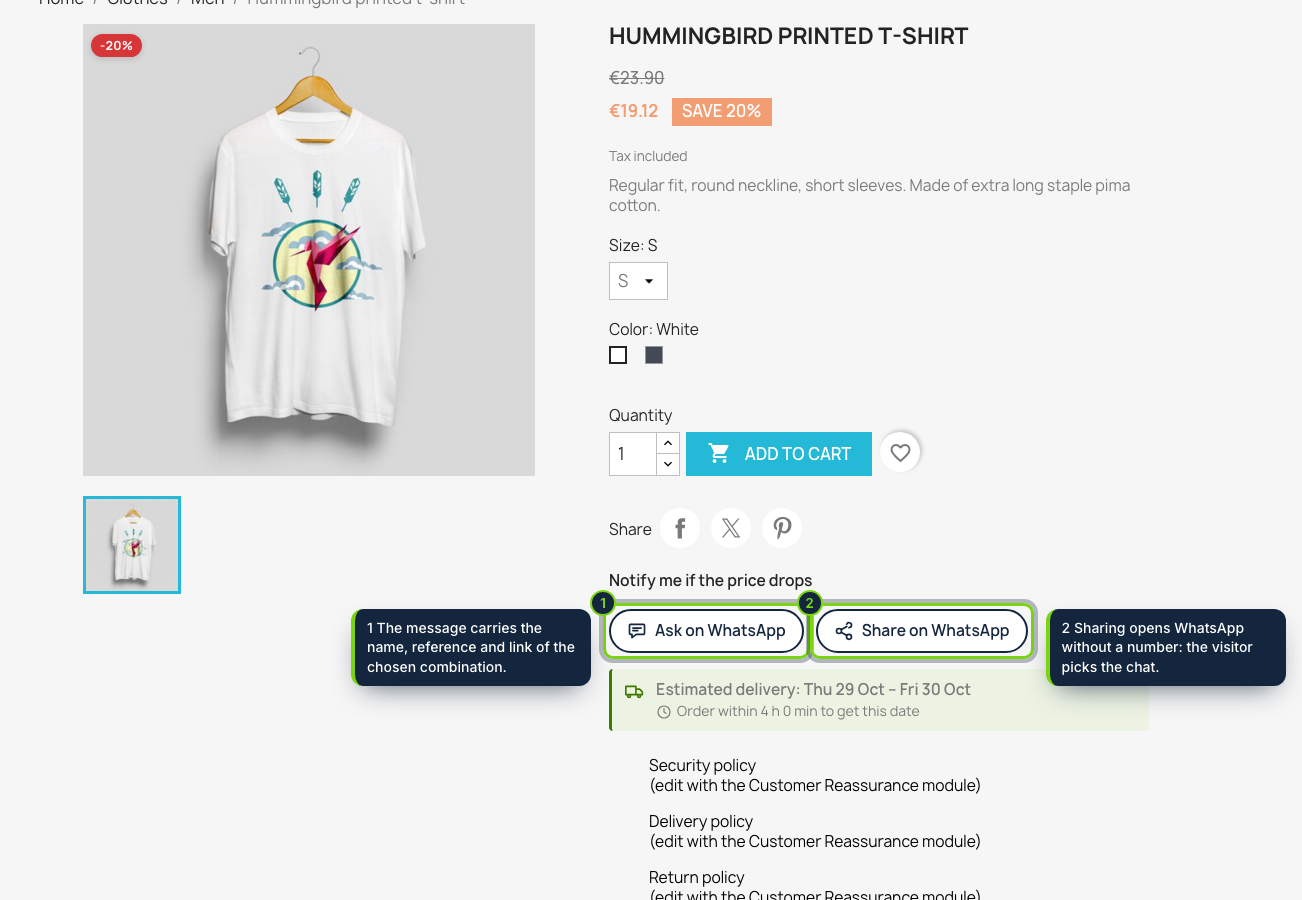
  • “Ask on WhatsApp” in displayProductAdditionalInfo: name, reference and link of the combination the shopper picked, plus a “Share on WhatsApp” button for friends
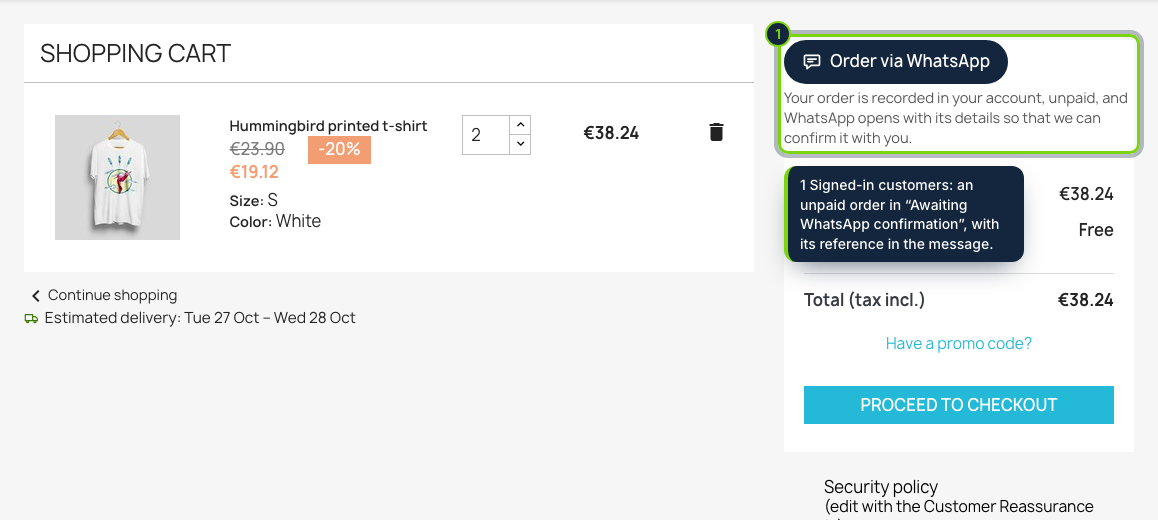
  • “Order via WhatsApp” in the cart (displayShoppingCart): every line with quantity, combination and price, and the products’ total
  • Optional native PrestaShop order for signed-in customers: own order status “Awaiting WhatsApp confirmation” (not paid, not logable), default carrier, reference in the message; guests only send the message
  • “Write on WhatsApp” panel on the order page of PrestaShop 8 and 9: received, shipped with tracking and free templates per language, phone with the country’s calling code
  • Click counts per button for the last 30 and 90 days, without cookies, IP addresses or customer data
  • Plain wa.me links, no WhatsApp script, no API key; module page and front texts in English, Spanish and French

Many customers would rather send a WhatsApp than fill in the contact form or finish the checkout, and the usual PrestaShop WhatsApp button only opens an empty chat. Chat & Order for WhatsApp starts the conversation with the context the shop already knows: the product and combination being viewed, the lines of the cart, the order the staff member has open.

How it fits into PrestaShop

Versions
PrestaShop 8.2 and 9.0 on PHP 8.1 or later, tested with the Classic theme.
Back office
Modules › Module Manager › Configure holds the contacts, the first message per language, position and distance from the bottom, opening hours, the four buttons with their devices, the categories filter (a search box by category name), the order switch, the order page templates and the click table.
Front office
The floating button through displayBeforeBodyClosingTag, the product buttons through displayProductAdditionalInfo (redrawn by the theme when the combination changes), the cart button through displayShoppingCart; CSS and JS registered with actionFrontControllerSetMedia.
Orders
The module records the cart with PaymentModule::validateOrder() in its own order status, without adding any payment option to the checkout. Stock, the order confirmation email and the Orders list work as for any order; you move it on to "Payment accepted" or cancel it once agreed in the chat.
Order page
A panel in the side column of the Symfony order page (displayAdminOrderSide).
Multistore
One set of settings for all shops.

Installation

  1. Step 1

    Get the zip from My account › Downloads on ecom-addons.com.

  2. Step 2

    In the back office, open Modules › Module Manager, click Upload a module and choose the zip.

  3. Step 3

    Click Configure, enter at least one WhatsApp number with its country code and save.

Download the step-by-step guide (PDF)

FAQ

Do I need WhatsApp Business or the Business API?

No. Any WhatsApp number works: the module builds wa.me links, so there is no API key, no Meta account to connect and no cost per message.

Is a WhatsApp script loaded on my pages?

No. One small CSS file and one small script of ours. Nothing reaches WhatsApp until the shopper taps a button and sends the message.

What happens to an order recorded from the cart?

It waits unpaid in "Awaiting WhatsApp confirmation", with the shop's default carrier and its reference in the message, until you change its status.

Does it change my checkout?

No. The module is a payment module only to record those orders; it registers no payment option.

What about GDPR?

The click table stores only the button and the day. Mention WhatsApp (Meta) in your privacy policy as a way to contact you.

WhatsApp is a trademark of Meta Platforms, Inc.; this module is not made or endorsed by Meta.

Version history

  1. Loading…

Reviews

Loading…