
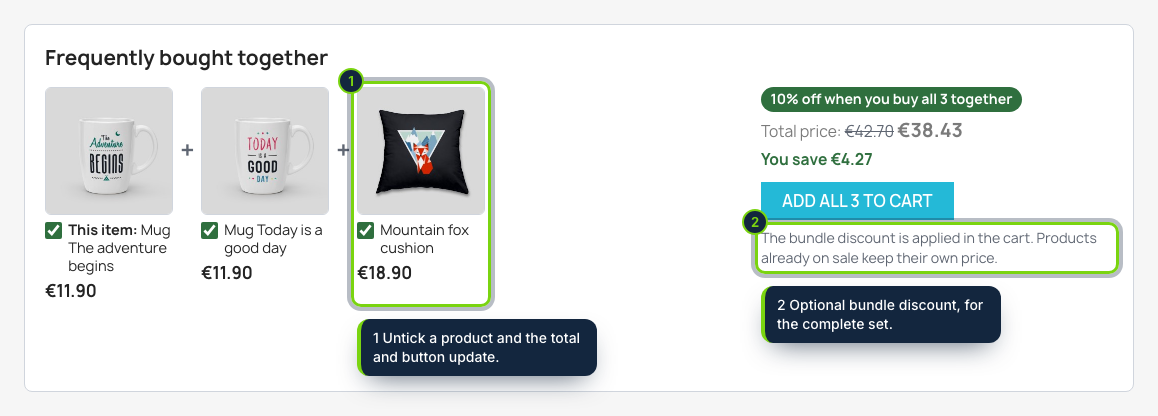
 Under the product: the products bought with it, the total of the ticked ones and one button for all of them.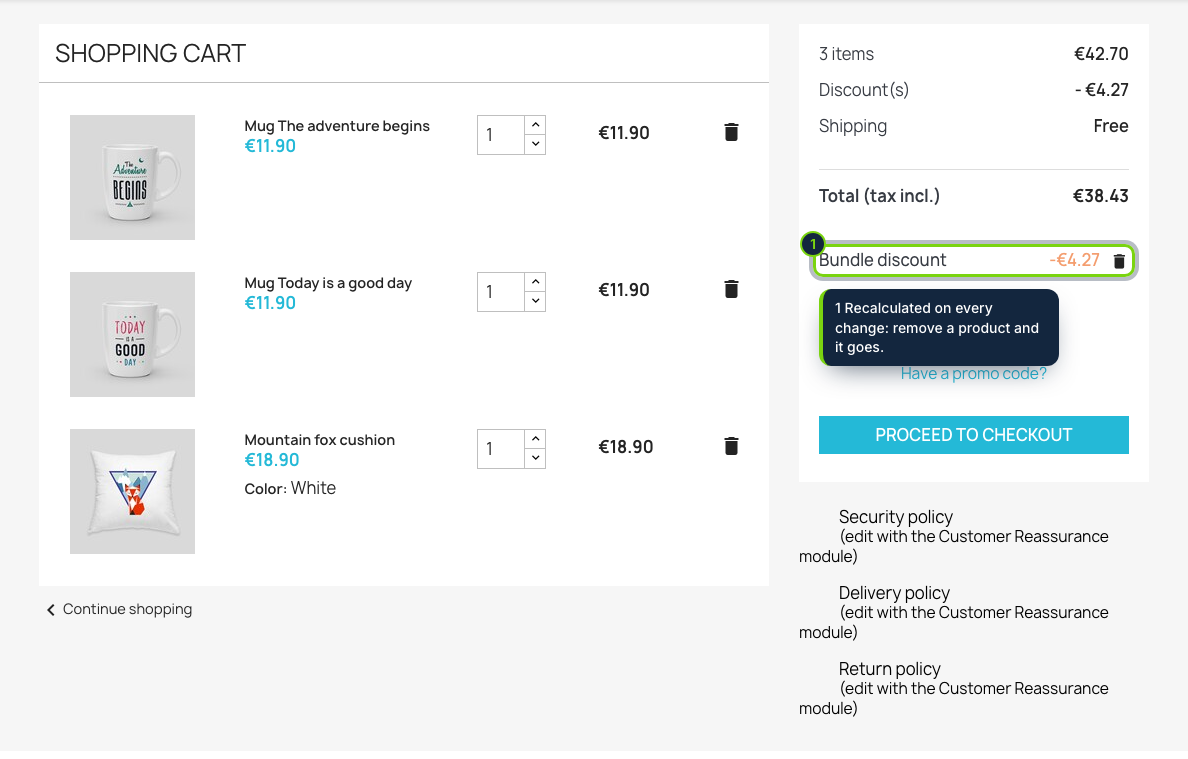
 +1
+1Features
- Hooks into displayFooterProduct: the block sits under the product page of the Classic theme, outside the add-to-cart form, with no override
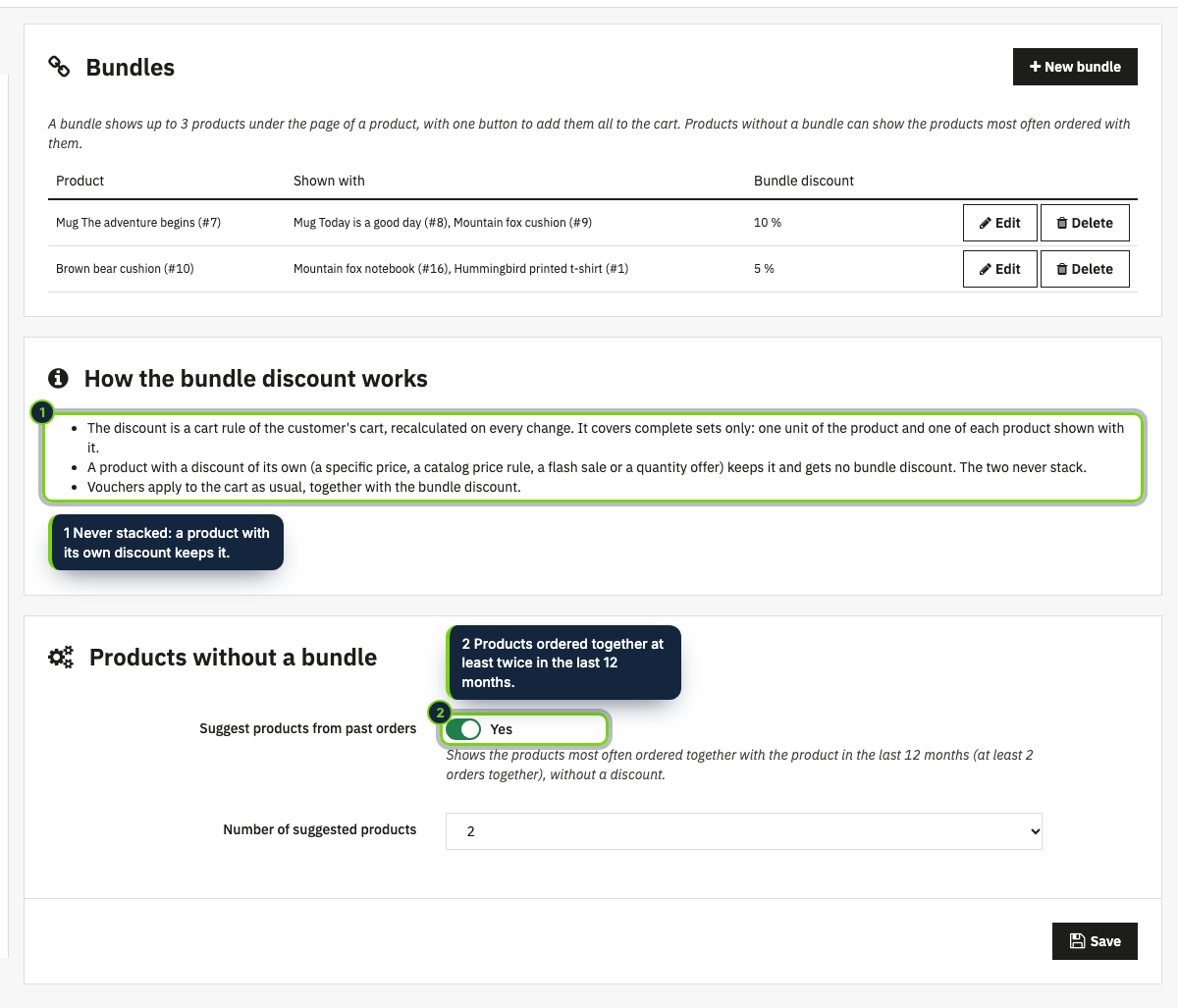
- Bundles per product: up to 3 products shown with it, in your order, and an optional discount from 0 to 50 %
- Products without a bundle can show the ones most often ordered with them in valid orders of the last 12 months
- Checkboxes, images and a live total with the saving; one button adds the ticked products, default combinations included
- The discount is a cart rule of that cart only, recalculated on actionCartSave and on the cart and checkout pages, and kept in the order and the invoice
- Complete sets only, each unit counted once; products with a specific price, a catalog price rule, a flash sale or a quantity offer keep it
- Works on PrestaShop 8.2 and 9.0
Customers who buy a camera usually need a memory card, and the PrestaShop product page rarely tells them. This module adds a "frequently bought together" block under the product: the products you chose for it (or the ones your customers already order with it), each with a checkbox, the total of the ticked ones and a single button that puts them all in the cart. If you like, buying the whole set takes a percentage off in the cart.
How it fits into PrestaShop
- Versions
- PrestaShop 8.2 and 9.0 on PHP 8.1 or later, Classic theme tested. Any theme that prints the
displayFooterProducthook shows the block. - Back office
- Modules › Module Manager › Configure lists your bundles (product, products shown with it, discount), opens the bundle form and holds the settings for products without a bundle.
- Front office
- The block under the product page, with its own form; the cart summary shows the bundle discount as a voucher line named "Bundle discount".
- Discount
- A native cart rule with a secret code, created for the customer's cart and updated on every cart change. It covers complete sets only and leaves out products that already have a discount (specific price, catalog rule, a flash sale or a quantity offer of our modules). Other vouchers combine as usual.
- Footprint
- One small stylesheet and script on product pages, no external service, no personal data.
Installation
- Step 1
Get the zip from My account › Downloads on ecom-addons.com.
- Step 2
In the back office, open Modules › Module Manager, click Upload a module and drop the zip.
- Step 3
Click Configure, then New bundle.
FAQ
Does it use overrides?
No. It uses standard hooks and PrestaShop's own cart rules.
Do I have to create bundles for every product?
No. Products without a bundle can show what your customers ordered together with them (at least twice in the last 12 months). Those suggestions carry no discount, and you can switch them off.
What about products with combinations?
They are added with their default combination. Choosing a combination inside the block is planned.
Can a customer get the discount twice?
Only for two complete sets: each unit in the cart counts once, and products already on sale get nothing more.
Version history
- Loading…
Reviews
Loading…
Bought it? Leave a review from your account.