
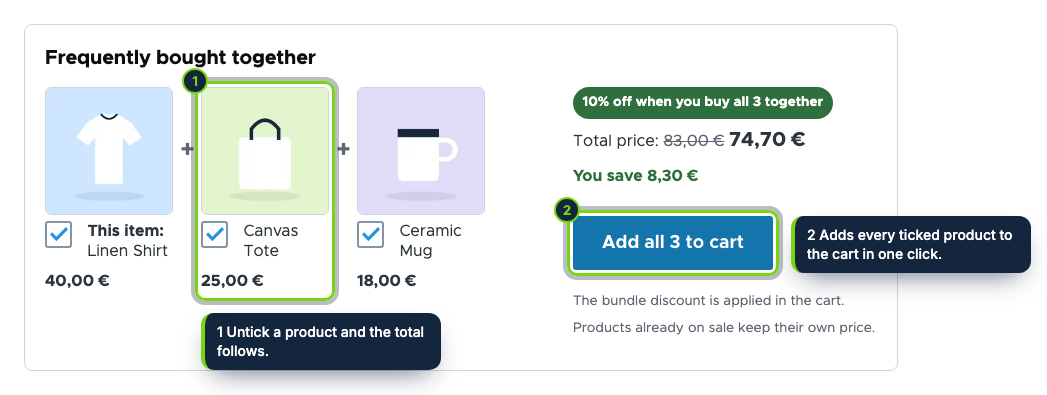
 On the product page: the products bought together, the total with the bundle saving and one button for all of them.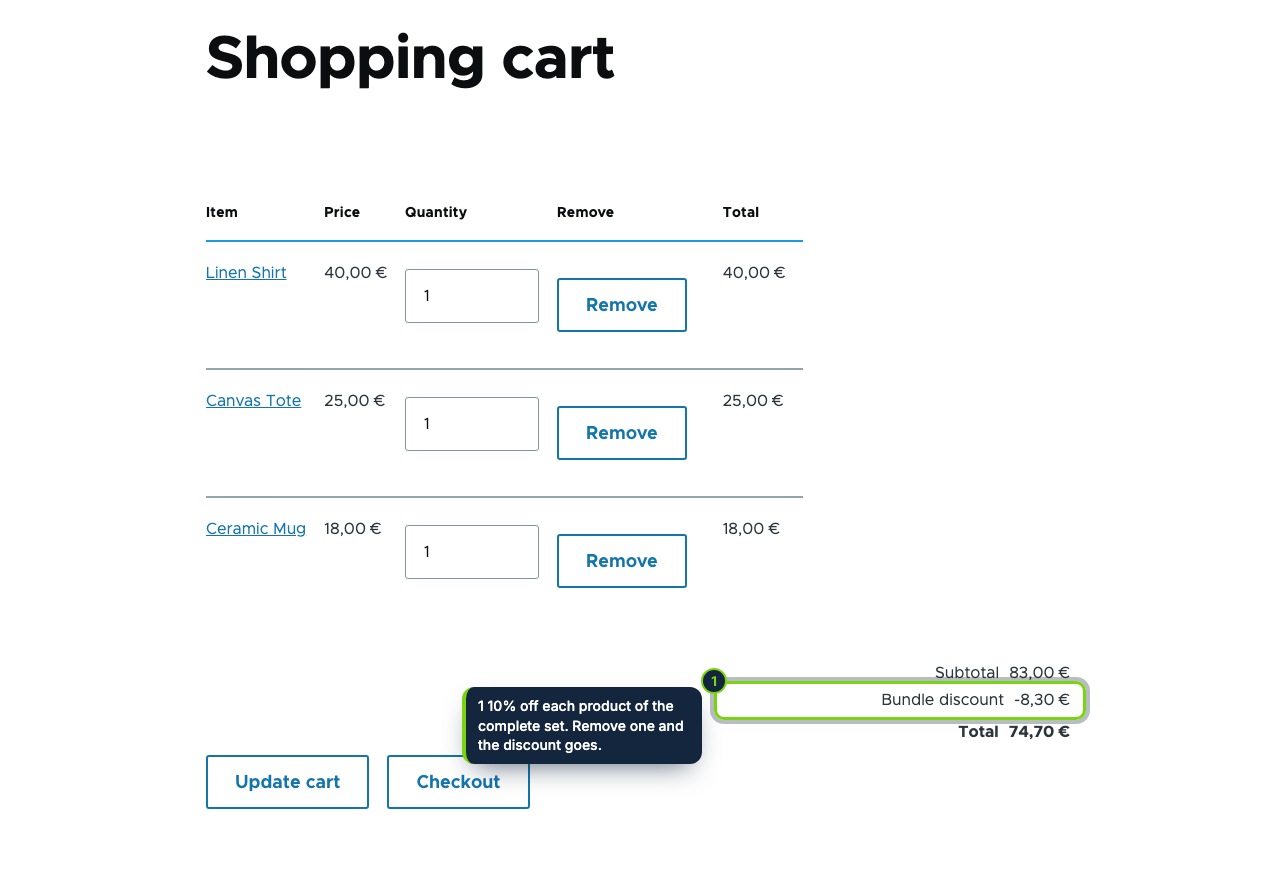
 +1
+1Features
- A "Frequently bought together" extra field on the product display: place it, move it or hide it in Manage display
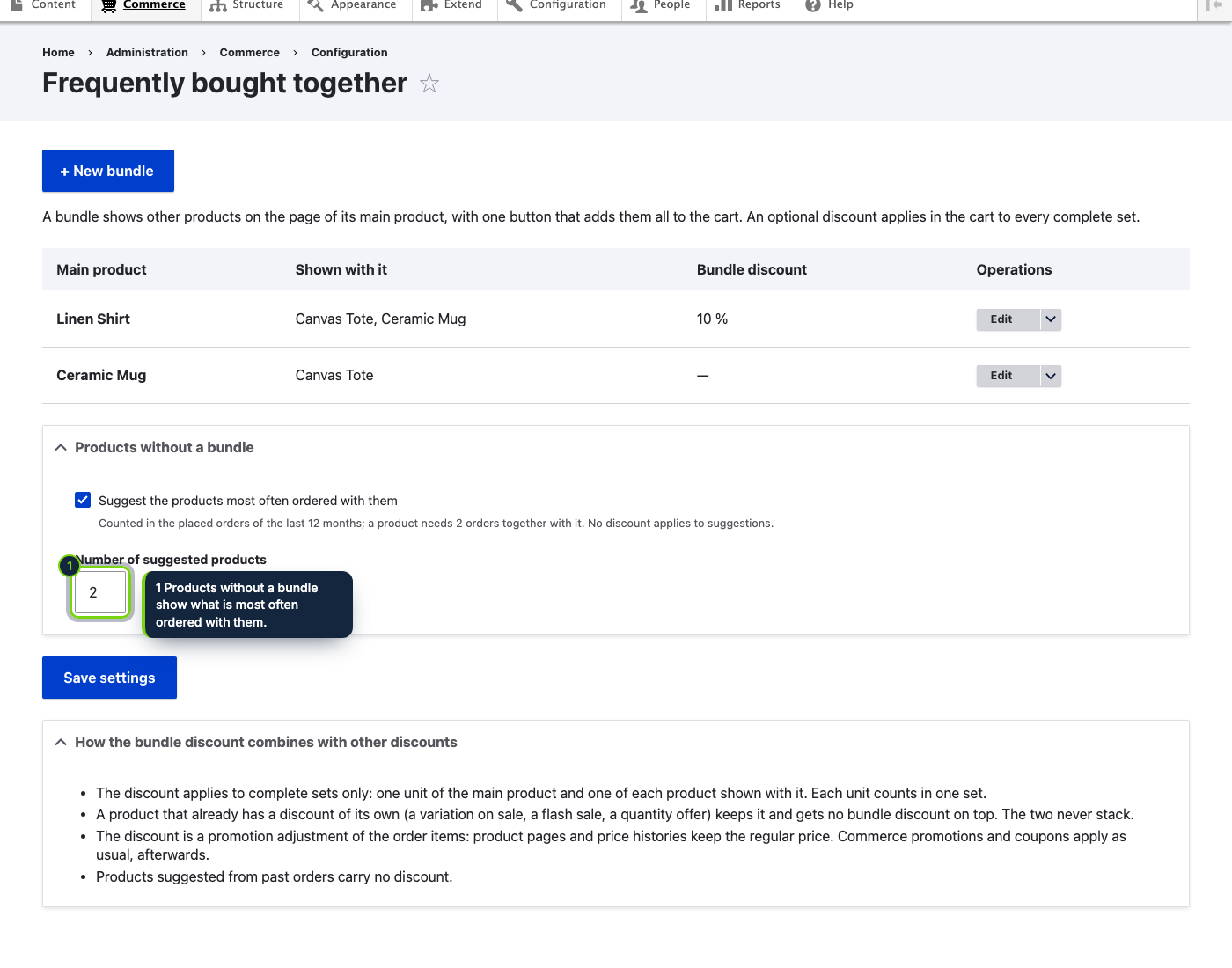
- Bundles per product: the main product, up to three products chosen with autocomplete and an optional 0–50 % discount
- Products without a bundle can suggest what placed orders of the last 12 months most often contained with them
- One form adds every ticked product (its default variation) to the cart through the Commerce cart manager
- An order processor adds a "Bundle discount" promotion adjustment to the items of each complete set, after quantity offers and before Commerce promotions and taxes
- Variations on sale and items with a quantity offer keep their own discount: one discount per unit
- Page cache friendly: the block is a lazy-built placeholder with cache tags on products, variations and settings
- Commerce › Configuration › Products › Frequently bought together, behind its own permission
Drupal Commerce ships related products as a plain reference field at best: no totals, no single button, no reward for buying the set. This module adds a "Frequently bought together" block to the product page with the products that go with it, the total of the ticked ones and one button that puts them all in the cart. You choose the products per product, or let your past orders choose them.
How it fits into Drupal Commerce
- Versions
- Drupal 11.3 with Commerce 3 (Product, Order and Cart), tested with Olivero and Claro.
- Admin
- Commerce › Configuration › Products › Frequently bought together lists the bundles and holds the suggestion settings. The bundle form uses product autocomplete. Access needs the "Administer frequently bought together" permission.
- Storefront
- An extra field of the product display, enabled at the end of the default display when the module is installed. It is rendered by a lazy builder, so prices and the form token stay right with the page cache and the dynamic page cache.
- Cart
- The form posts to a route that adds one unit of each ticked product's default variation with the Commerce cart manager. An order processor (priority 120) gives the bundle discount to complete sets only.
- Other discounts
- A variation with a list price above its price (as our Flash Sales Countdown sets it) or an item that already has a promotion adjustment (our Quantity Offers) keeps it and gets no bundle discount. Commerce promotions and coupons apply afterwards as usual.
Installation
- Step 1
Download the zip from My account › Downloads on ecom-addons.com.
- Step 2
Extract it to
modules/custom/ecom_addons_bought_togetherand enable it in Extend or withdrush en ecom_addons_bought_together. - Step 3
Grant Administer frequently bought together, then open Commerce › Configuration › Products › Frequently bought together.
FAQ
Where does the block show?
At the end of the product's default display. Move it or hide it in Manage display of the product type.
Which variation goes into the cart?
The product's default variation. Choosing a variation per product is planned.
Do suggestions slow down product pages?
The order counts are cached for six hours and refreshed when an order is placed.
Version history
- Loading…
Reviews
Loading…
Bought it? Leave a review from your account.