
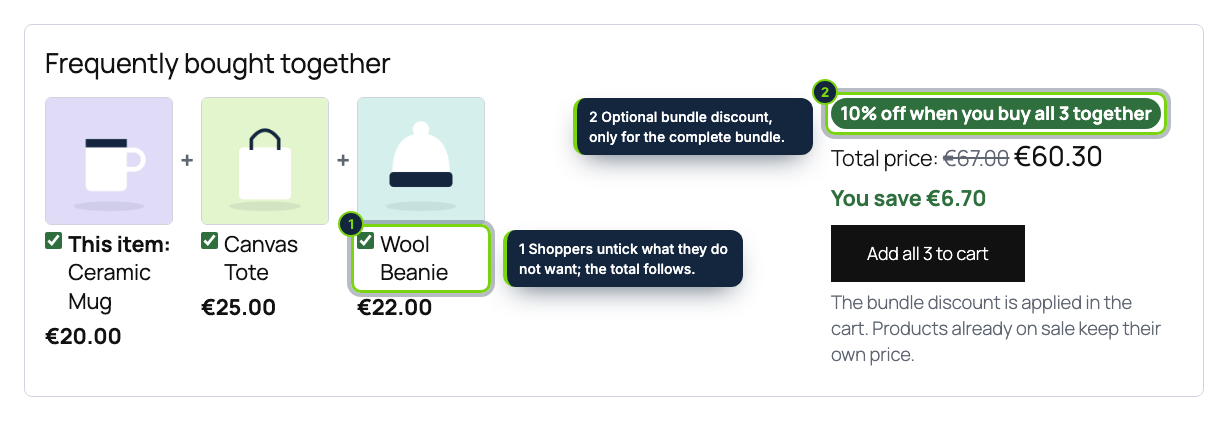
 On the product page, before the description: the products bought together, the total and one button that adds them all.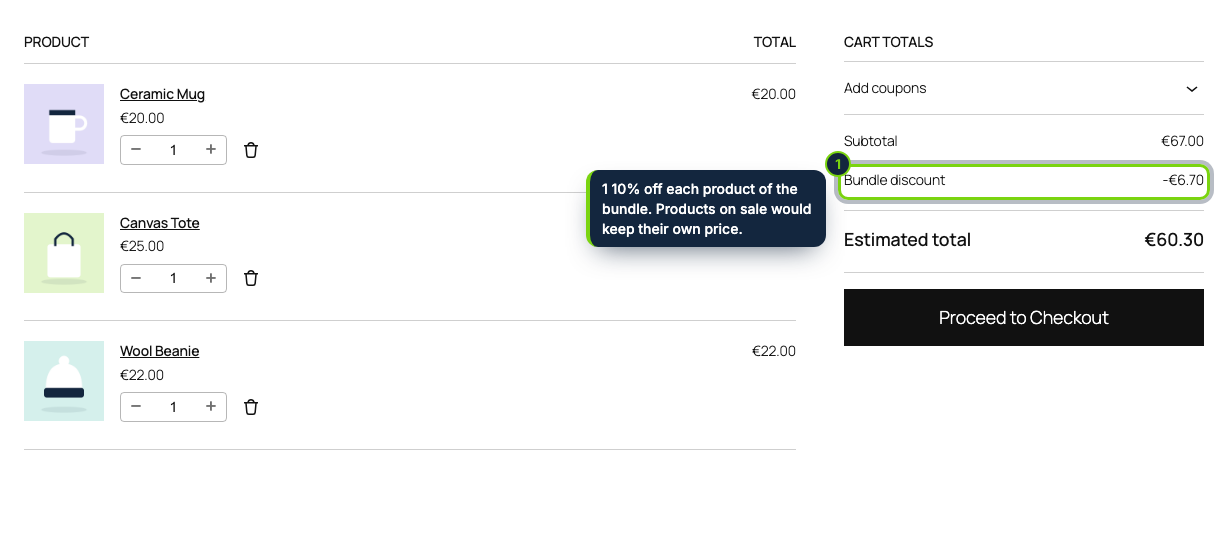
 +1
+1Features
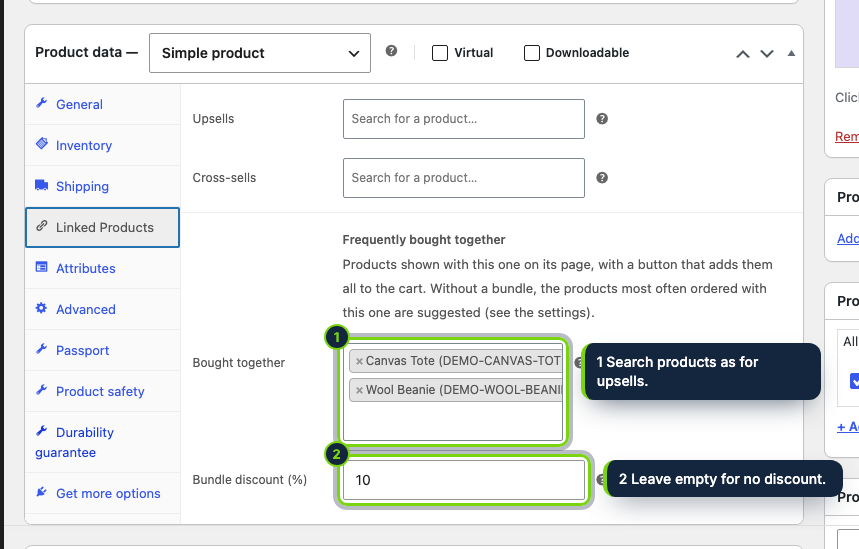
- Bundles are set where WooCommerce merchants already link products: a field group under Upsells and Cross-sells in Product data › Linked products
- Prints before the Product Details block of block themes such as Twenty Twenty-Five, and after the summary in classic themes
- The discount is a cart fee, so the Cart and Checkout blocks, HPOS orders, the admin and the emails show the same "Bundle discount" line
- Shoppers tick or untick each product and see the total change before adding them in one click
- Only complete sets are discounted, one unit of each product per set
- Items on sale, in a flash sale or priced by a quantity tier keep that price: never two discounts on one unit
- Products without a bundle can suggest what paid orders of the last 12 months put next to them
- Same HTML for every visitor, safe with page caches; English, Spanish and French
Cross-sells in WooCommerce sit in the cart, after the shopper has decided. A "frequently bought together" block puts the case, the refill or the matching accessory on the product page itself, with the total and a single button, which is when shoppers decide what goes in the basket.
Pick up to three simple products per product and, if you like, a percentage off the complete bundle. Shoppers untick what they do not want and add the rest at once; the cart takes the discount only while the whole set is in it.
How it fits into WooCommerce
- wp-admin:
- A "Frequently bought together" group in Product data › Linked products, using the same product search as upsells, and a settings section in WooCommerce › Settings › Products.
- Storefront:
- Block themes get the block right before the Product Details block; classic themes after the product summary. The form posts to the product page and WooCommerce adds the products to the cart.
- Cart and checkout:
- The discount is a negative fee called "Bundle discount", added in
woocommerce_cart_calculate_fees, so the Cart and Checkout blocks, the classic cart, orders (HPOS included) and emails all list it. Coupons keep working as usual. - Never stacked:
- A product that is on sale, in a flash sale of our Flash Sales Countdown plugin or priced by our Bulk Pricing Tiers plugin keeps that price and gets no bundle discount.
- Tested with WordPress 7.1, WooCommerce 11.2 and PHP 8.3 (requires WordPress 7.0+, WooCommerce 11.2+ and PHP 8.1+).
Installation
- Step 1
Download the zip from your account and upload it in Plugins › Add New › Upload Plugin.
- Step 2
Activate it.
- Step 3
Edit a product, open Product data › Linked products and choose its bundle.
FAQ
Can a bundle contain variable products?
Not in this version: bundles hold simple products, so one click is enough to add them. Variable products show no block.
What if one product of the bundle is out of stock?
It is left out of the block and the discount is not offered until it is back.
Does it work without setting bundles?
Yes: turn on suggestions and products show what was most often ordered with them, without a discount.
Version history
- Loading…
Reviews
Loading…
Bought it? Leave a review from your account.