

Features

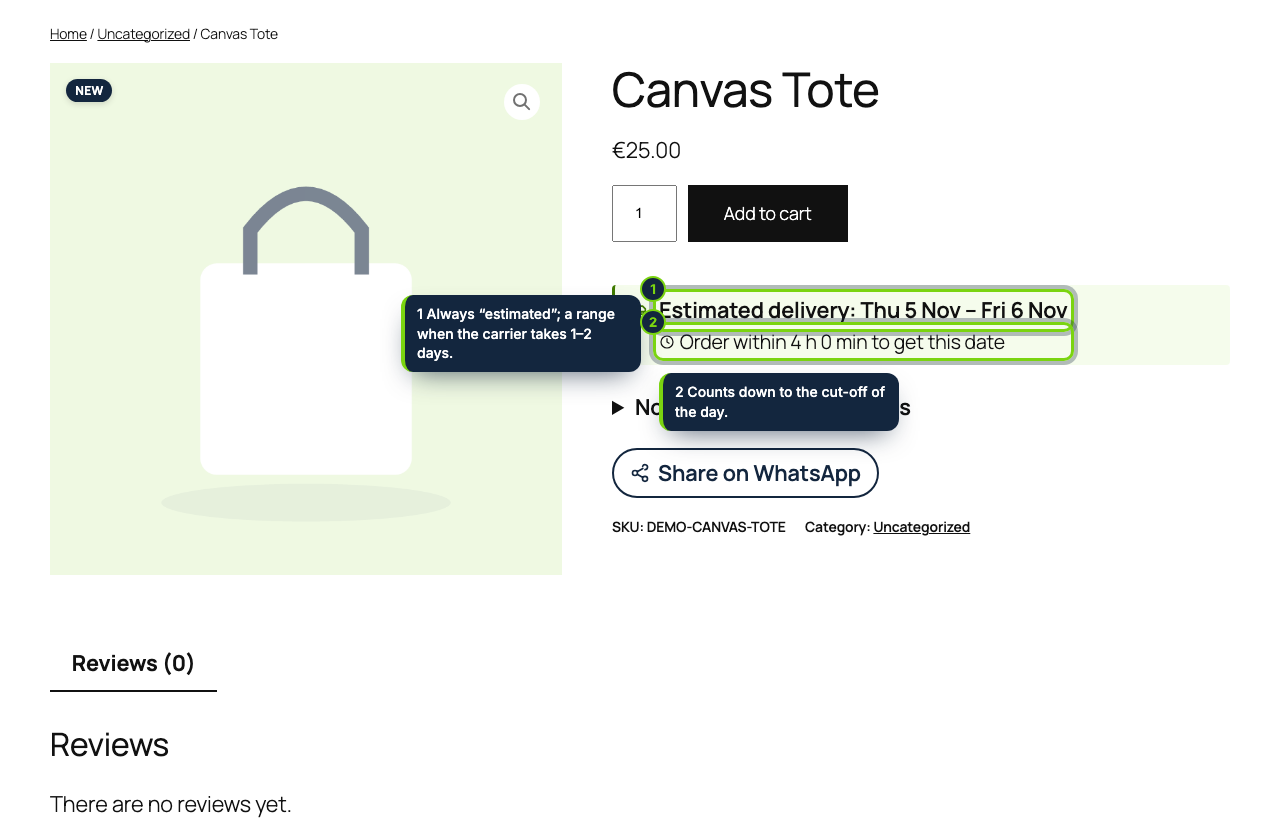
  • Arrival estimate right after the Add to cart button of the Single Product block (or the classic summary hook), with “Order within 3 h 12 min to get this date”; page caches such as WP Rocket or LiteSpeed serve one HTML because the browser does the maths
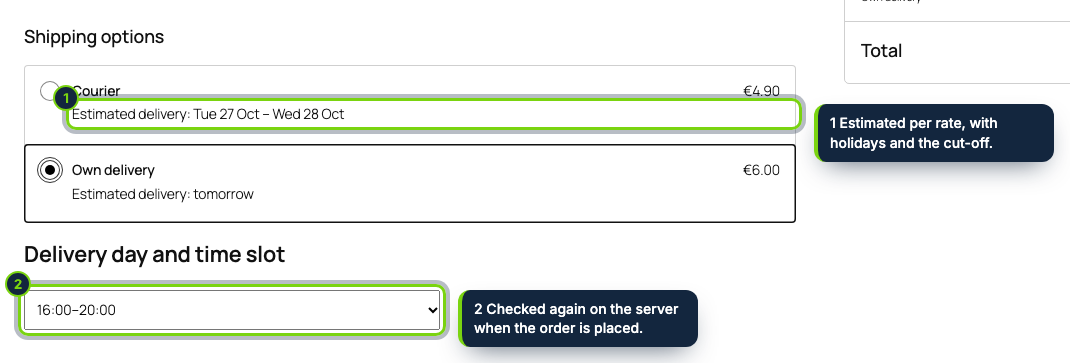
  • Each rate of WooCommerce › Settings › Shipping gets its own fastest and slowest days, with overrides per destination country, shown under the rate name in the blocks and the shortcode checkout
  • Dispatch rules your warehouse really follows: a cut-off hour for each weekday, handling days per product, per product category or for the whole store, carrier weekdays and closing periods
  • Public holidays of 15 countries generated for any year (Good Friday, Ascension, Whit Monday and other Easter dates computed, UK and US substitute days), each one untickable
  • Time slots for your own van or courier: capacity per slot and day, full slots greyed out, the choice validated again by the Store API or the classic checkout and a seat locked by a database primary key
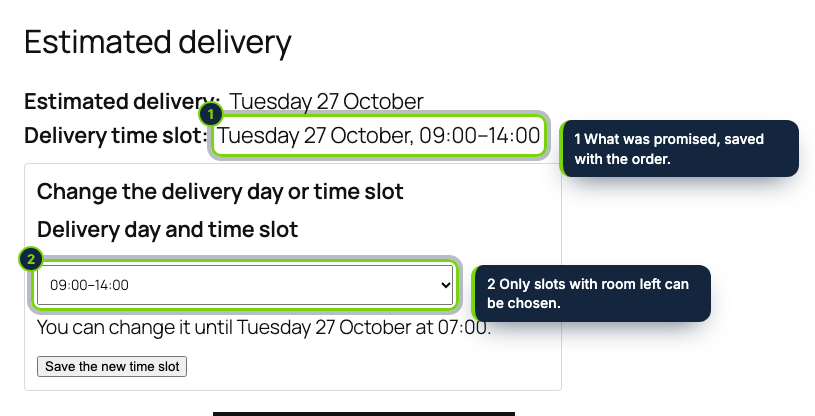
  • Promise kept on the order in its own HPOS-friendly table: sidebar box on the order edit screen, a Delivery column in WooCommerce › Orders, the thank-you page and WooCommerce’s transactional emails
  • My account › Orders lets the buyer move to another slot up to a deadline in hours, through a nonce-protected form that re-checks capacity
  • WooCommerce › Delivery sheet: one printable page per day with addresses, phones and items, and a CSV for route planning; Spanish and French translations included

“When will it arrive?” is the question behind many abandoned WooCommerce carts. A flat “2–5 business days” in the shipping zone label ignores your cut-off hour, weekends and public holidays, and stores that deliver themselves still juggle phone calls to agree a time. This plugin turns your real dispatch calendar into an estimated date the shopper sees before buying, offers bookable delivery windows at checkout and records on the order exactly what was promised.

How it fits into WooCommerce

Tested with
WordPress 7.1, WooCommerce 11.2 and PHP 8.3 (8.1 minimum), the Twenty Twenty-Five block theme, the Cart and Checkout blocks and the [woocommerce_checkout] shortcode, with High-Performance Order Storage on.
wp-admin
WooCommerce › Delivery dates for the rules (capability manage_woocommerce) and WooCommerce › Delivery sheet for staff who can edit orders. Every method of every shipping zone is listed with its method_id:instance_id, so table rate or third-party methods work too.
Blocks
The estimate travels as the shipping rate’s delivery time, and the slot picker is a slot fill in the shipping options of the Checkout block that sends its value as Store API extension data, no React build needed.
Classic checkout
Estimate after each rate, picker in the order review table, validation before WC_Checkout creates the order.
Orders
Two custom tables keyed by order ID, so HPOS and the legacy posts store behave alike; cancelled, refunded or failed orders give their seat back.

Installation

  1. Step 1

    Download the zip from My account › Downloads on ecom-addons.com.

  2. Step 2

    In wp-admin open Plugins › Add New Plugin › Upload Plugin, choose the zip, Install Now, then Activate.

  3. Step 3

    Go to WooCommerce › Delivery dates, pick your country for the holidays, adjust the cut-off hours and, for rates you deliver yourself, type slots such as 09:00-14:00 x5, 16:00-20:00 x3.

Download the step-by-step guide (PDF)

FAQ

Will a caching plugin show a stale date?

No. The product page carries the rules, not the date; the shopper’s browser works it out in your site time zone each time.

Does it work with the block checkout?

Yes, and with the shortcode checkout. Both check the slot on the server before WooCommerce saves the order.

What if two shoppers grab the last slot together?

One insert wins the seat, the other shopper sees “just filled up” and picks another window; no order is created for them.

Is the date a guarantee?

It is always labelled “estimated”. What was shown is stored with the order so you can see what each customer was told.

Version history

  1. Loading…

Reviews

Loading…