
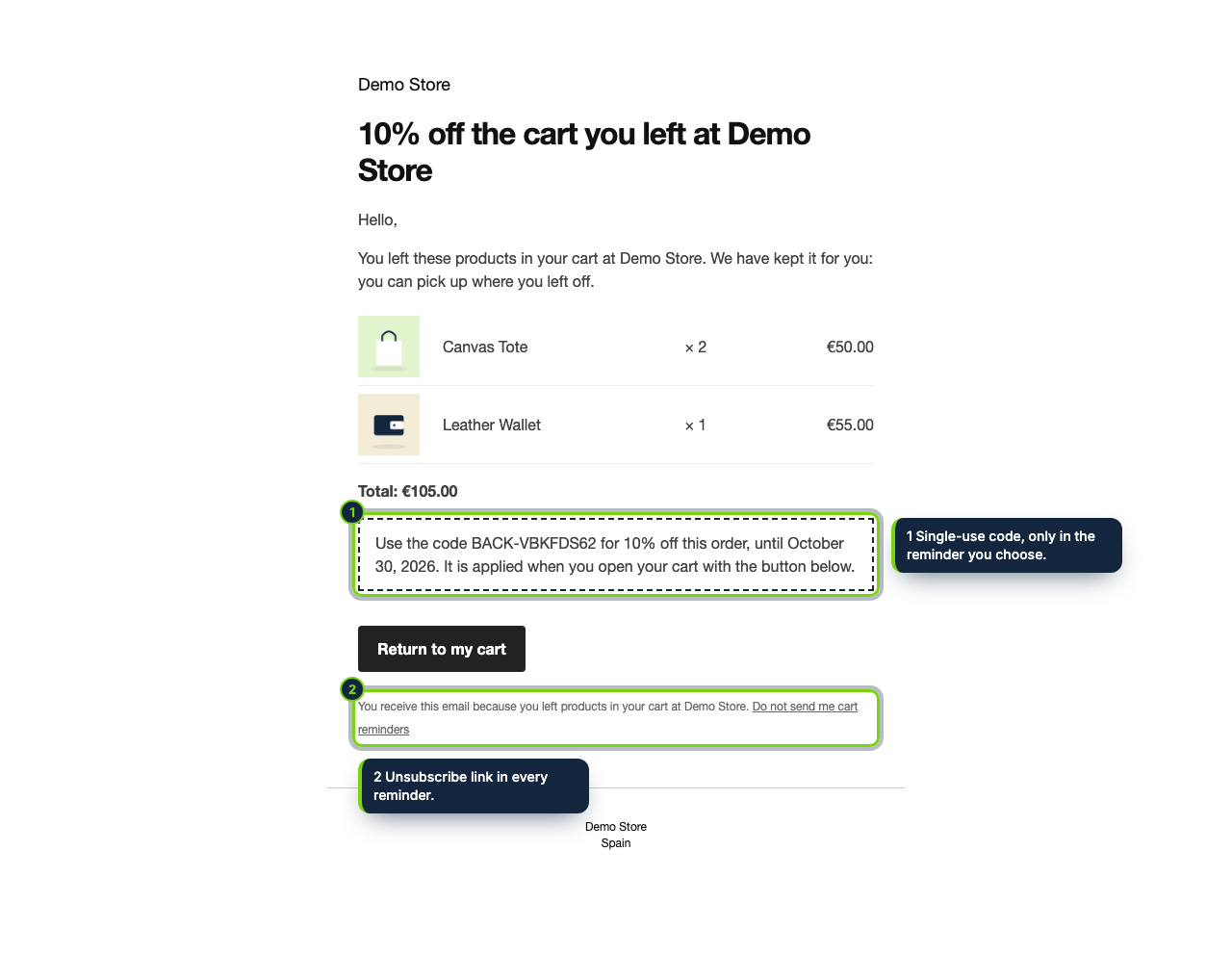
 The reminder, in WooCommerce’s email layout: the products, the total, an optional coupon and a button back to the cart.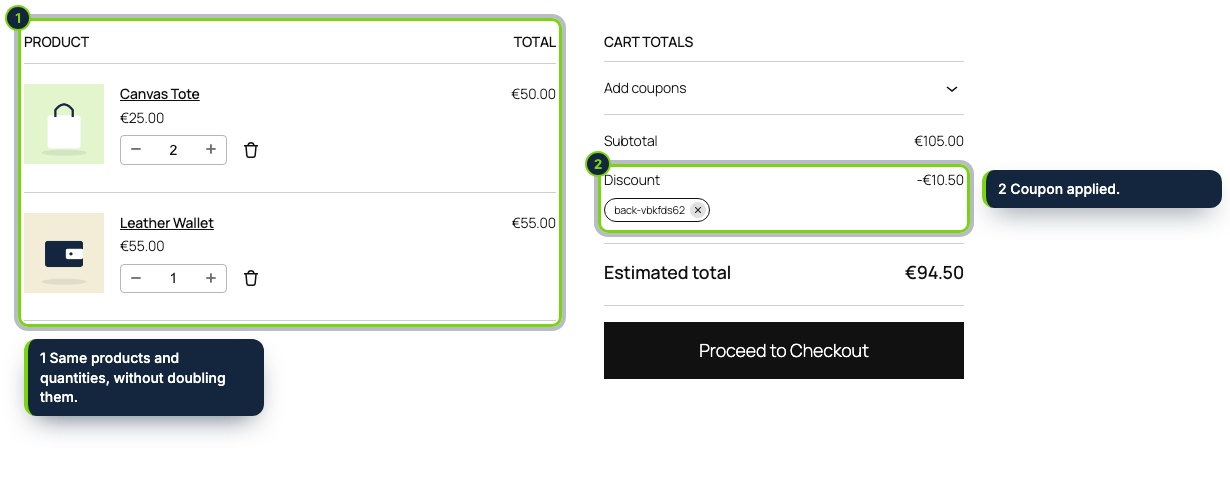
 +1
+1Features
- Captures guest emails as they type them, in the Cart and Checkout blocks (Store API) or the classic shortcode checkout
- Declared compatible with HPOS (custom order tables) and the WooCommerce Cart and Checkout blocks
- Reminders go out through the WooCommerce mailer, wrapped in your store’s email header, footer and colours
- Single-use WooCommerce coupon (BACK-xxxxxxxx) on the reminder you pick, applied when the shopper lands on the cart
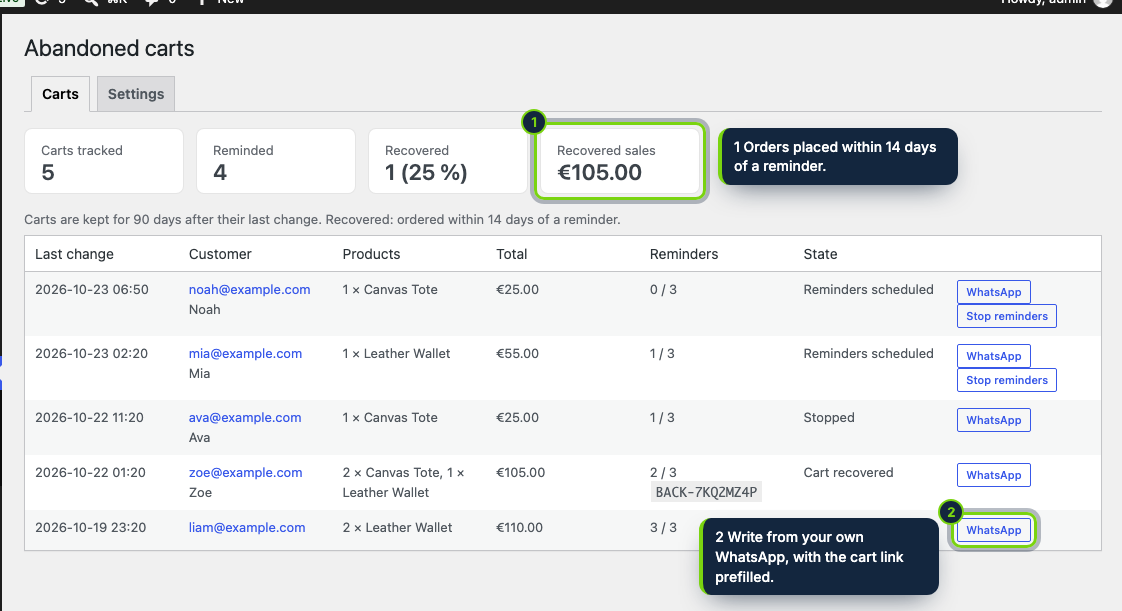
- Dashboard under Marketing › Abandoned carts in wp-admin, linked to each recovered order, plus a WhatsApp shortcut
- Hooks into Tools › Export / Erase Personal Data and suggests a privacy-policy paragraph
On a WooCommerce store, shoppers often reach checkout, type their email and then close the tab. The order never exists, so WooCommerce has nobody to write to. This plugin keeps those carts and, a set number of hours after their last change (1, 24 and 72 by default), emails the shopper a reminder with the products and a Return to my cart button. One of those reminders can carry a single-use coupon.
How it fits into WooCommerce
- Requires WordPress 7.1, WooCommerce 11.2 and PHP 8.1 or newer, and declares support for High-Performance Order Storage and the Cart and Checkout blocks.
- Guests are tracked from the Checkout block through the Store API, or from the classic checkout when it refreshes the order review. Signed-in customers are tracked with their account email.
- Everything is under Marketing › Abandoned carts in wp-admin (for users with the
manage_woocommercecapability): totals, every cart with its state, a link to the recovering order, Stop reminders and a WhatsApp button that uses the billing phone. Settings sit in the Settings tab of the same page. - Emails are built by
WC()->mailer(), so they inherit the WooCommerce email template you set in WooCommerce › Settings › Emails. Coupons are normal WooCommerce coupons, usable once and not combinable. - A WP-Cron event runs every 10 minutes and sends up to 50 reminders per run.
Installation
- Step 1
Get the zip from My account › Downloads on ecom-addons.com.
- Step 2
In wp-admin go to Plugins › Add New Plugin › Upload Plugin, select the zip, then Install Now and Activate. WooCommerce must be active first.
- Step 3
Review Marketing › Abandoned carts › Settings. Only carts started after activation are followed.
- Step 4
On a low-traffic site, call
wp-cron.phpfrom a real server cron so the reminders leave on time.
FAQ
Does it work with the block-based Checkout?
Yes. The email is picked up while the shopper fills in the Checkout block, and the classic checkout is covered too.
Is it compatible with HPOS?
Yes, compatibility with custom order tables is declared, so WooCommerce will not flag it when HPOS is on.
What about privacy and consent?
Carts are deleted after 90 days, unsubscribed addresses are kept only as a SHA-256 hash and the emails carry no tracking pixels. Whether reminders need prior consent depends on your country (in the EU, Directive 2002/58/EC art. 13 and the right to object of GDPR art. 21). This is not legal advice.
Version history
- Loading…
Reviews
Loading…
Bought it? Leave a review from your account.