
Features
- Works on Commerce draft orders (carts) and stops on the order place transition, for customers and guests who passed the contact step
- Coupons belong to a Commerce Promotion named “Abandoned cart recovery: N%”, one per percentage, not combinable
- Runs from Drupal cron, with a Send due reminders now button for the impatient
- Report under Commerce › Abandoned carts, settings under Commerce › Configuration, behind its own restricted permission
- Plain-text email through Drupal’s mail system, with List-Unsubscribe headers
- Translations shipped as .po files for Spanish and French
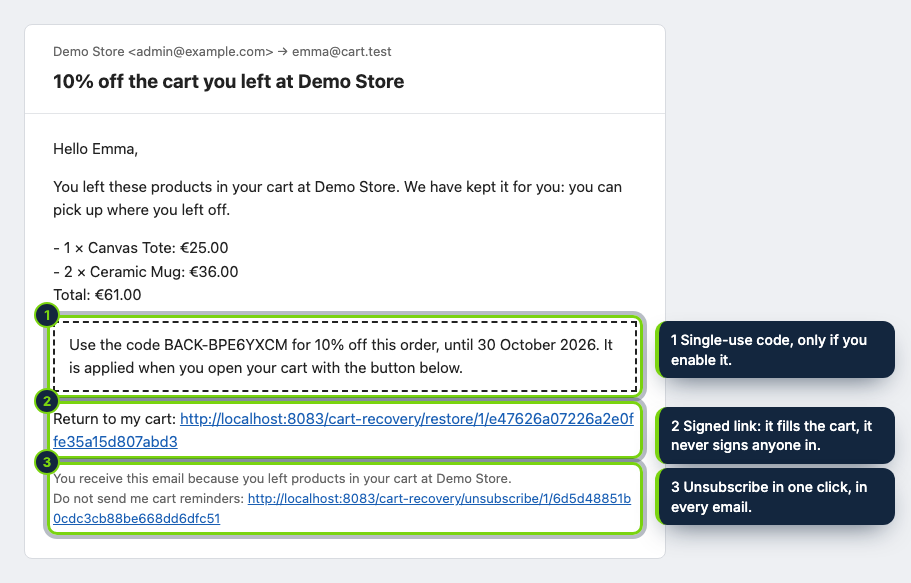
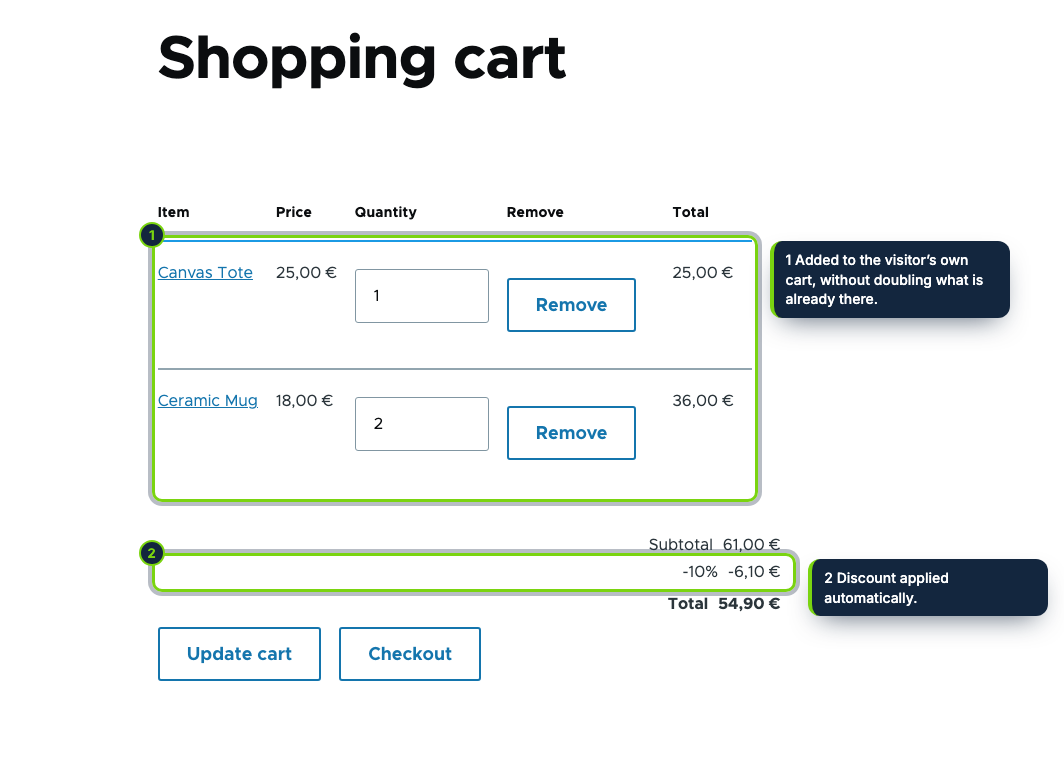
In Drupal Commerce a cart is a draft order. When the customer walks away before placing it, the draft simply waits in the database. This module reads those drafts on cron and writes to the customer, at most three times (1, 24 and 72 hours after the last change by default, never two within 12 hours), with the products, the total and a signed Return to my cart link. You can add a single-use coupon to one of the messages.
How it fits into Drupal Commerce
- Targets Drupal 11.3 with Commerce 3.x on PHP 8.3+. It depends on Commerce Cart, Checkout and Promotion; Promotion is switched on when you enable the module.
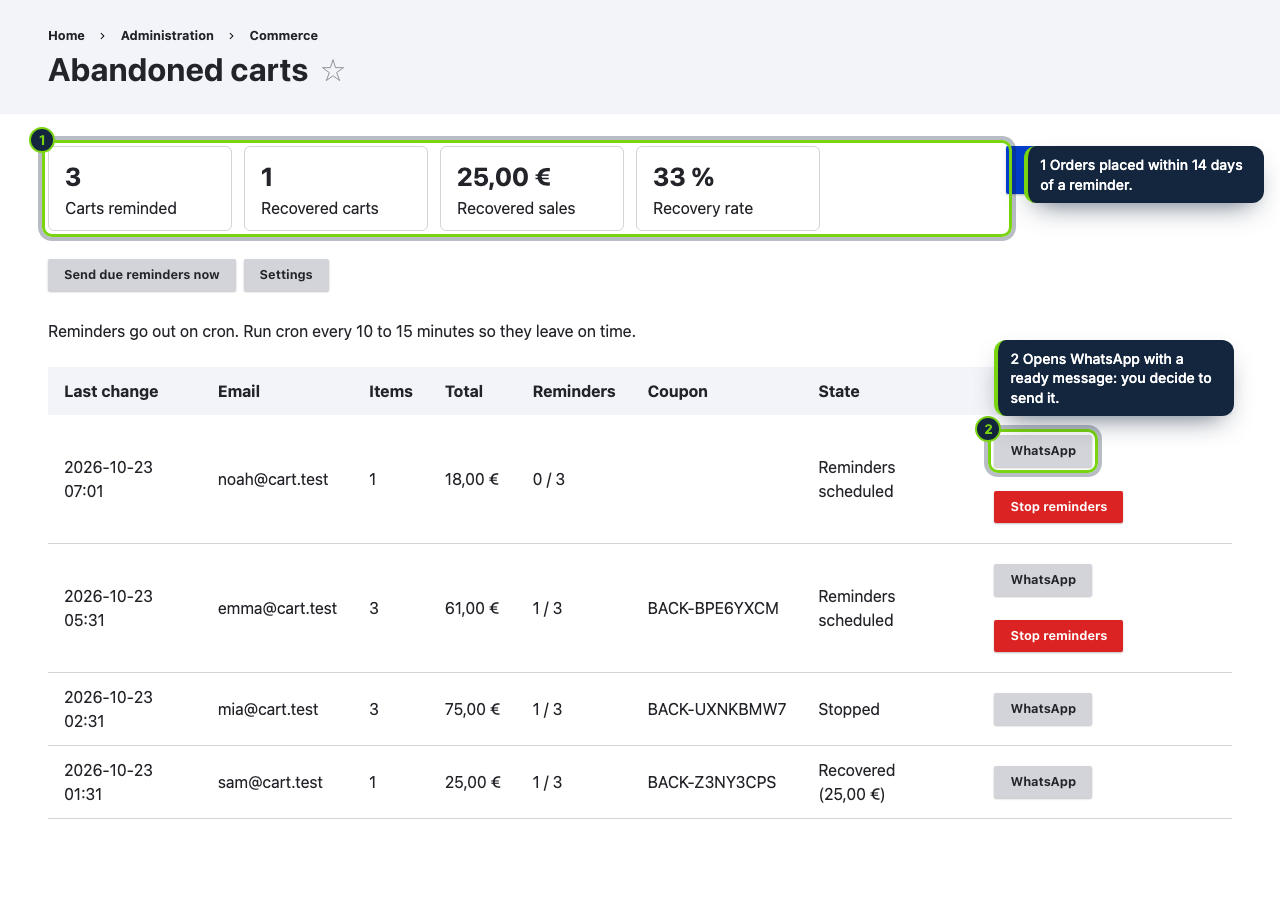
- The report is a new Commerce › Abandoned carts page: totals, each draft with its state, Stop reminders, Send due reminders now and a WhatsApp link. A telephone field on the billing profile, if you have one, pre-fills the chat.
- Settings are a configuration form at Commerce › Configuration › Abandoned carts. Both pages need the Administer abandoned cart recovery permission, flagged as restricted because it exposes email addresses.
- It implements
hook_cron,hook_mail,hook_commerce_order_presaveandhook_user_predelete, and subscribes tocommerce_order.place.post_transitionto mark recovered carts. - Each coupon is a code on a Commerce promotion; changing the percentage creates a new promotion and leaves codes already sent untouched. Unpublished products are skipped when the cart is rebuilt.
Installation
- Step 1
Download the archive from My account › Downloads on ecom-addons.com.
- Step 2
Unpack it in
modules/custom/, then enable Abandoned Cart Recovery on the Extend page or rundrush en ecom_addons_cart_recovery. - Step 3
Run cron every 10 to 15 minutes from the server, e.g.
*/10 * * * * drush --uri=https://your-shop cron. Automated Cron is too infrequent for a one-hour reminder, and without--urithe links point to the wrong host. - Step 4
Grant the permission to the roles that should see the carts, and adjust the settings form.
FAQ
Can I rely on Automated Cron?
Not for the first reminder: it runs every few hours at most. Use a system crontab, or press Send due reminders now on the report.
Which carts are covered?
Drafts of signed-in users, and of guests once they have filled in the contact information pane at checkout. Drafts that existed before the module was enabled are left alone.
Is it GDPR-friendly?
Rows are removed 90 days after the last cart change, deleting a user removes theirs, and opted-out addresses are stored as SHA-256 hashes. EU rules on marketing email (Directive 2002/58/EC art. 13, GDPR art. 21) vary by country, so check yours and mention the reminders in your privacy policy. Not legal advice.
Version history
- Loading…
Reviews
Loading…
Bought it? Leave a review from your account.