

Features

  • A “Questions and answers” tab through woocommerce_product_tabs, so it shows in the Product Details block of block themes and in classic product templates; or a block under the product
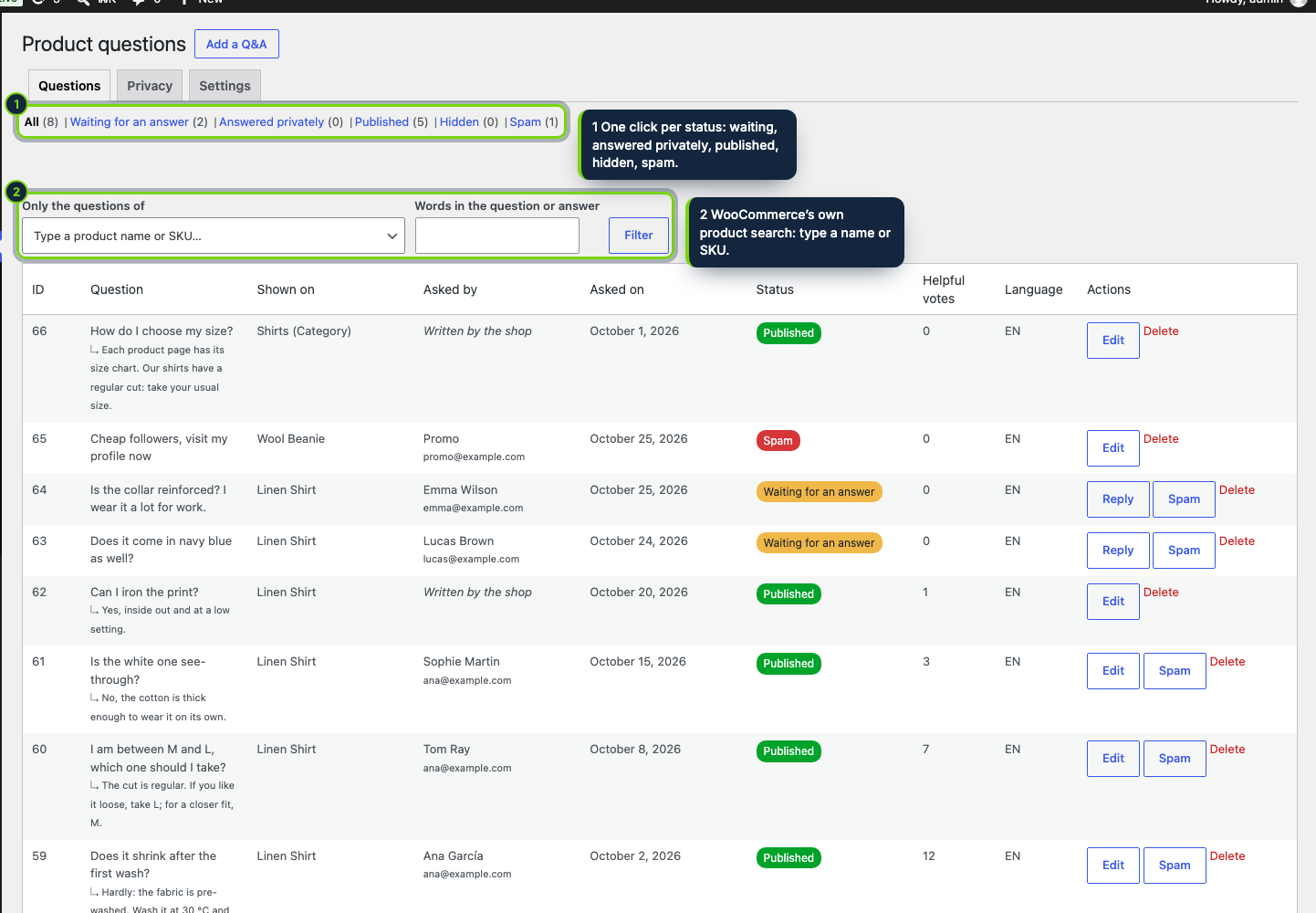
  • Products › Questions in wp-admin with a waiting count in the menu, status links, WooCommerce’s product search as a filter and a Customer questions box on the product edit screen
  • Replies sent with WC()->mailer() inside your WooCommerce email header and footer, switched to the locale the shopper wrote in
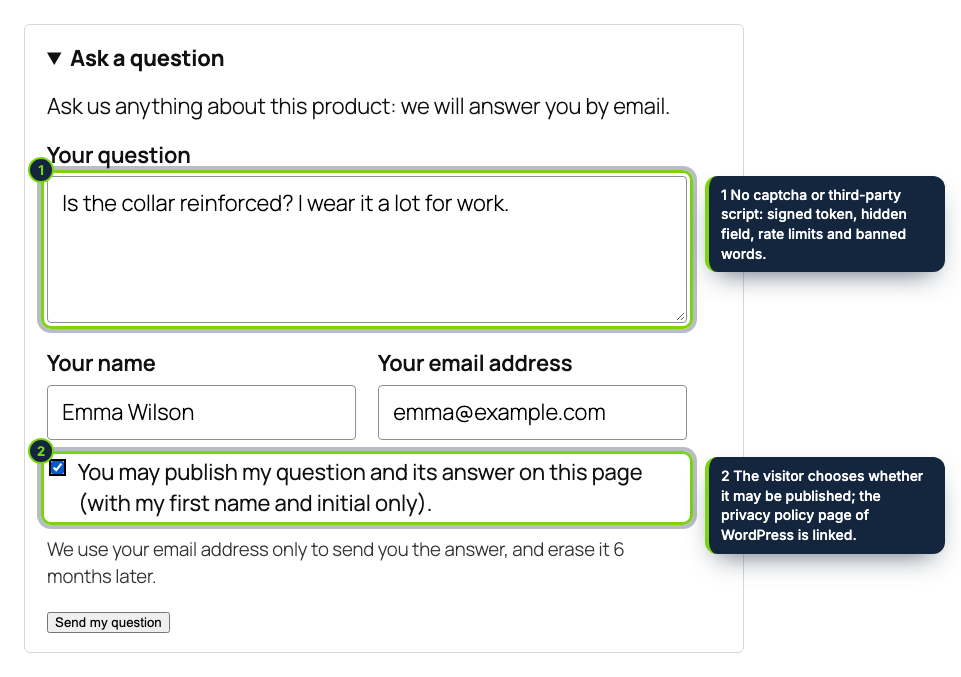
  • Logged-in customers get name and email filled in; guests type them; nothing is published unless the shopper allows it
  • No captcha, no reCAPTCHA script: admin-ajax hands out a signed token as the shopper types, plus honeypot, rate limits, link limit and banned words
  • FAQ block after the product collection on product_cat and product_brand archives, with FAQPage JSON-LD you can switch off
  • Helpful votes, search and sort in the tab; cache-friendly HTML that full-page cache plugins can serve as is
  • Retention period for email addresses, Privacy tab plus WordPress’ personal data exporter and eraser; HPOS-compatible, en/es/fr

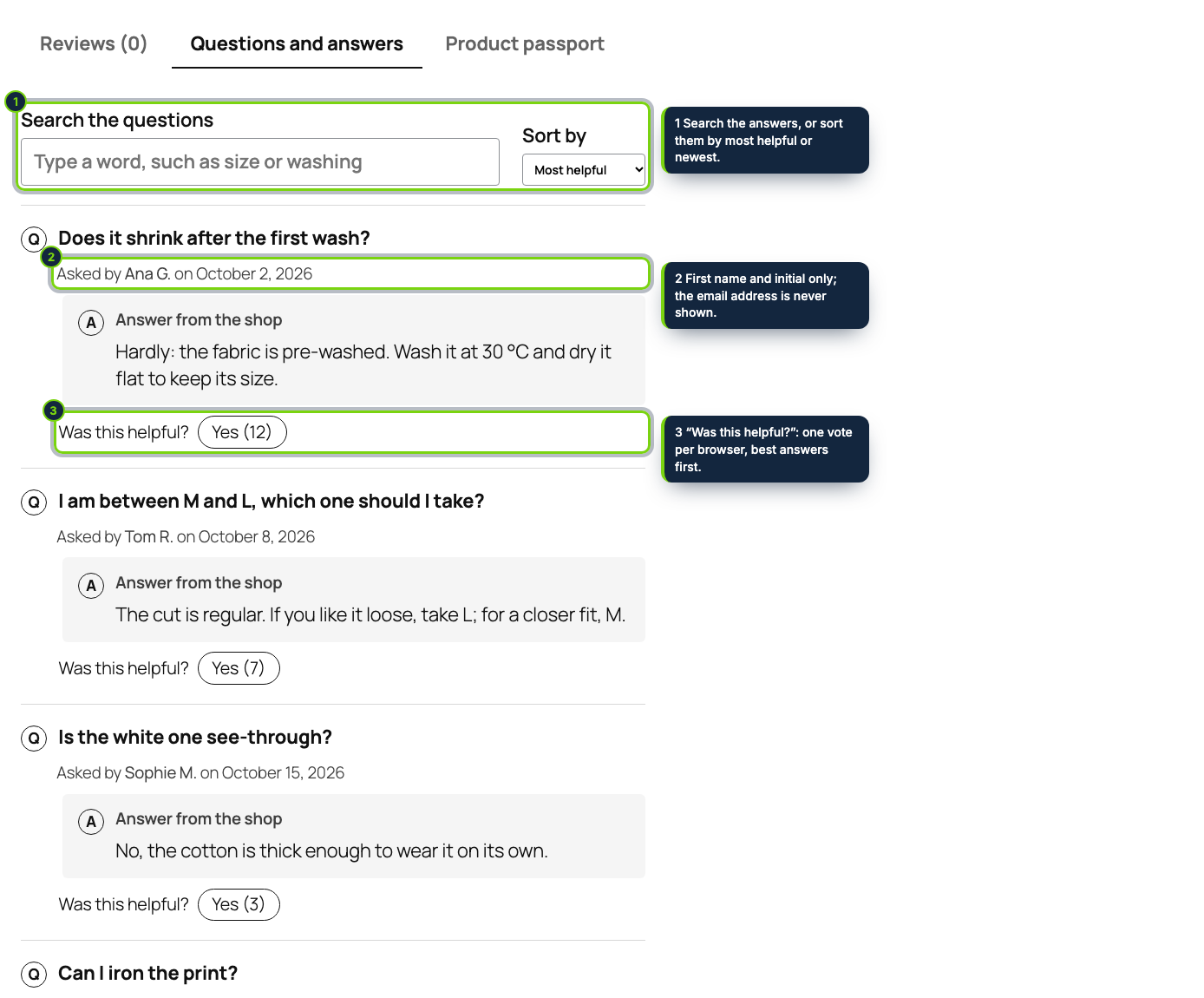
Shoppers rarely email a store to ask whether a shirt runs small; they leave and buy where the answer is visible. Product Questions & Answers adds a Questions and answers tab to every WooCommerce product, next to Description and Reviews, where shoppers ask and read what others already asked.

You answer in wp-admin. WooCommerce sends the reply with your usual email design, in the language the shopper used, and — when they agreed — the Q&A appears in the tab with their first name and initial. Visitors search the answers, sort them and vote for the helpful ones; category and brand archives gather a FAQ of their own.

How it fits into WooCommerce

wp-admin
Products › Questions lists the questions with a waiting count in the menu, a product search filter and the editor; WooCommerce › Settings › Products › Product questions holds the settings. The product edit screen has a Customer questions box.
Storefront
The tab is added with woocommerce_product_tabs, which feeds the classic templates and the Product Details block of block themes such as Twenty Twenty-Five; a block-under-the-product option prints after that block or after the summary. product_cat and product_brand archives get the FAQ block after the product collection or the shop loop.
Email
WC()->mailer() wraps the reply in the WooCommerce email template; switch_to_locale() picks the shopper’s language.
Requests
The form talks to admin-ajax.php (action ecom_pq), never cached, so page caches can keep the product page.
Tested with WordPress 7.1, WooCommerce 11.2 and PHP 8.3; HPOS and Cart/Checkout blocks declared compatible.

Installation

  1. Step 1

    Download the zip from your ecom-addons.com account.

  2. Step 2

    Plugins › Add New Plugin › Upload Plugin, install and activate.

  3. Step 3

    Review WooCommerce › Settings › Products › Product questions (placement, notification address, retention).

Download the step-by-step guide (PDF)

FAQ

Does it replace WooCommerce reviews?

No. Reviews rate a product; questions ask about it. Both tabs live side by side.

What about spam bots?

The form needs a fresh signed token that the browser fetches while the shopper types, and it is rate-limited. No captcha to annoy real customers.

Can customers delete their data?

Yes: WordPress’ Erase Personal Data tool removes their questions, and the plugin erases email addresses on its own after the retention period.

Will Google show FAQ results?

Not something we can promise: Google limits FAQ rich results to some government and health sites. The archive FAQ markup is valid structured data.

Version history

  1. Loading…

Reviews

Loading…