

Features

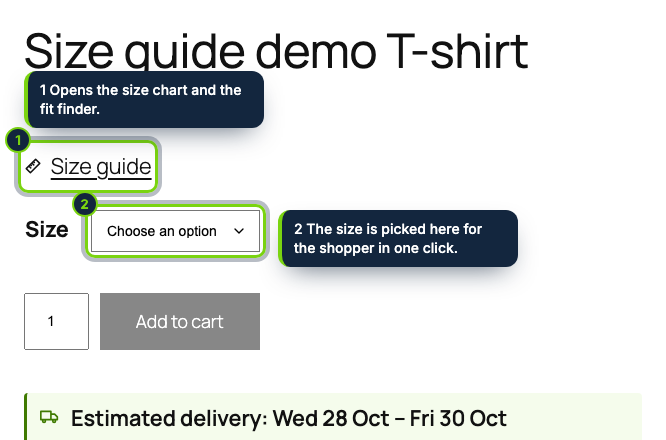
  • A “Size guide” button printed above the variations form of the Add to Cart form block in block themes such as Twenty Twenty-Five, and in the single product summary of classic themes like Storefront
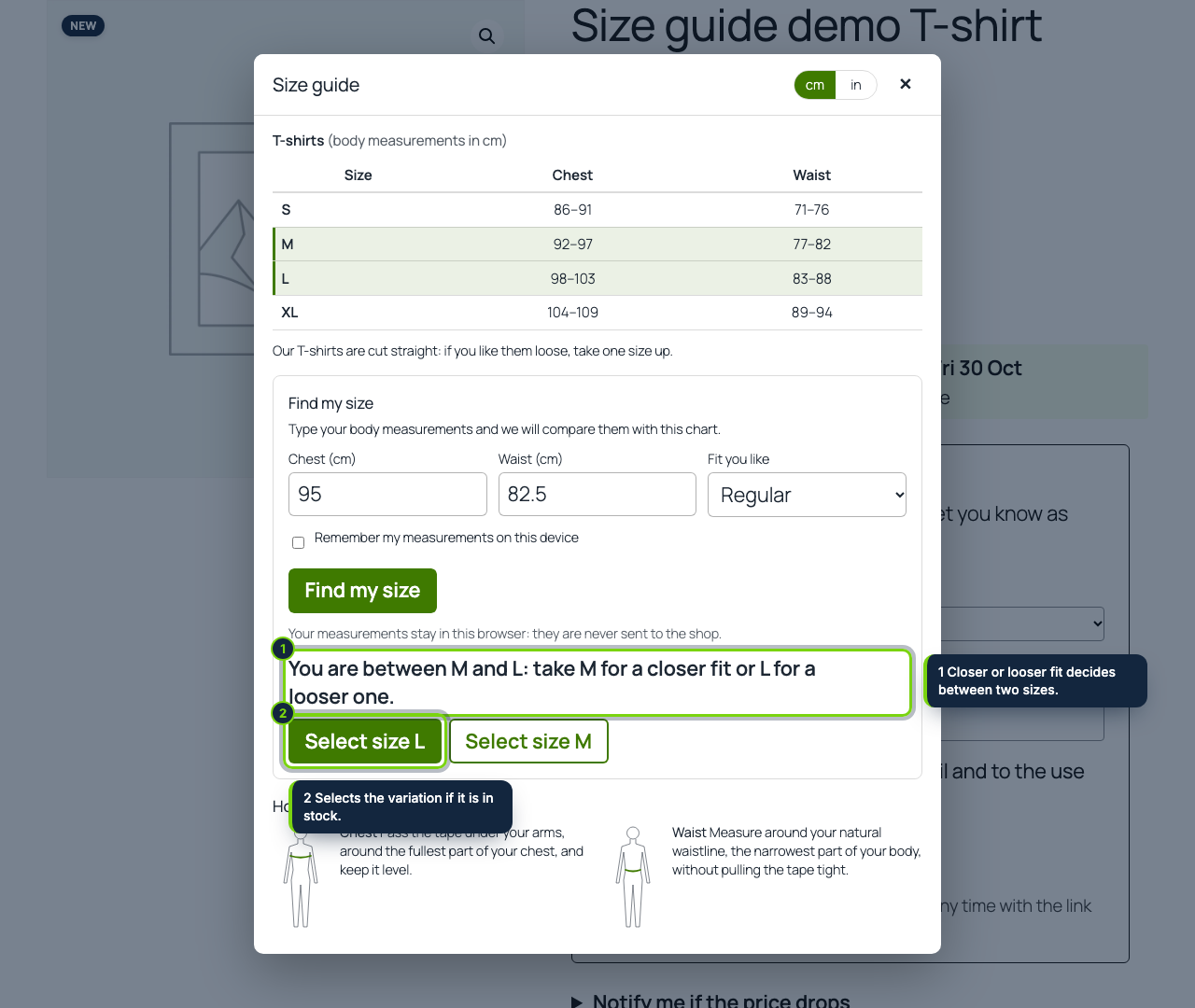
  • One click on “Select size M” sets attribute_pa_size (or your own local attribute) in the variations form, so WooCommerce shows the price, stock and image of that variation and unlocks the Add to cart button; sizes without a purchasable variation in stock are refused politely
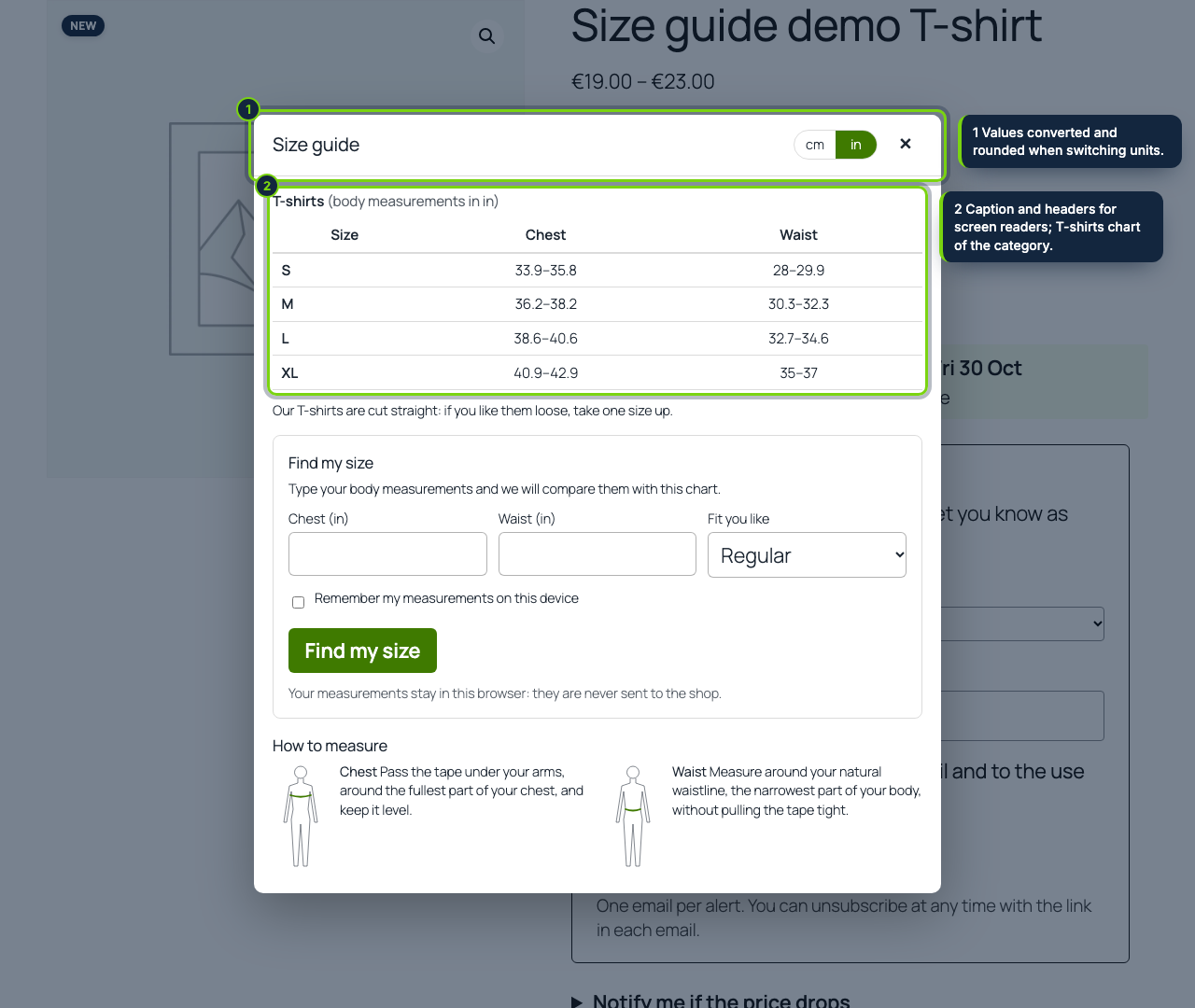
  • Charts managed in wp-admin under Products › Size charts: paste the grid from Google Sheets or Excel, or start from the tops, bottoms or shoe templates (EU sizes with UK and US equivalents and foot lengths)
  • Assign a chart with WooCommerce’s own search boxes to products, to product_brand brands or to product categories; the product beats its brand, the brand beats its categories, a category beats its parent
  • Several charts on one product appear as tabs, for example women and men, each with its own fit finder
  • Fit finder with a closer / regular / looser preference that answers “between M and L” or “outside this chart” instead of forcing a size
  • cm and inch switch with converted, rounded values, plus our own how-to-measure drawings or an image from the media library
  • Cache-friendly: WP Rocket, LiteSpeed or Varnish serve one HTML to everybody because the matching happens in the shopper’s browser; measurements stay there, saved only if the shopper ticks “remember”
  • Accessible native dialog (Esc closes it and focus returns), table caption and header cells; English, Spanish and French included

Clothing and footwear stores on WooCommerce lose a share of their margin to parcels that come back in the wrong size, and shoppers who hesitate between M and L often leave the product page without buying. A size chart buried in the product description does not answer “which one is mine?”. This plugin puts the chart where the size is chosen, lets the shopper type a couple of measurements and selects the matching variation for them.

How it fits into WooCommerce

Tested with
WordPress 7.1, WooCommerce 11.2 and PHP 8.3 (8.1 minimum), on the Twenty Twenty-Five block theme and the Storefront classic theme, with High-Performance Order Storage on.
wp-admin
Products › Size charts lists your charts and edits each one (capability manage_woocommerce); WooCommerce › Settings › Products › Size guide holds the size attribute, the unit shown first and the finder options. A Settings link sits on the Plugins screen.
Product page
The block is printed before the woocommerce/add-to-cart-form block, or on woocommerce_single_product_summary in classic themes, once per page and only for the page’s own product. size.js and size.css load only on product pages that have a chart.
Variations
The size attribute is detected from pa_size or an attribute named Size, Talla or Taille, or chosen in the settings. The selection fires a change event on the variations form select, which WooCommerce’s variation script answers like a click by the shopper. Simple products show the chart and the finder without the selection button.
Data
Two custom tables for the charts and their assignments; nothing about shoppers is stored on the server. Uninstalling removes them unless you tick “Keep the charts”.

Installation

  1. Step 1

    Download the zip from My account › Downloads on ecom-addons.com.

  2. Step 2

    In wp-admin open Plugins › Add New Plugin › Upload Plugin, choose the zip, Install Now, then Activate.

  3. Step 3

    Go to Products › Size charts › Add a size chart, pick a template, press Fill the grid, type your measurements and choose the products, brands or categories it applies to.

Download the step-by-step guide (PDF)

FAQ

My size attribute is called “Talla”. Will it be found?

Yes: Size, Talla and Taille are detected automatically, and any other attribute can be chosen in the settings.

Does it work with product variations that say “Any size”?

Yes. Such a variation makes every size count as available while it is in stock.

Do measurements end up in my database or in Google Analytics?

No. The fields are not part of any form that is sent; the plugin makes no request with them.

Can I use my own drawing of how to measure?

Yes, pick an image from the media library for each chart.

Version history

  1. Loading…

Reviews

Loading…