

Features

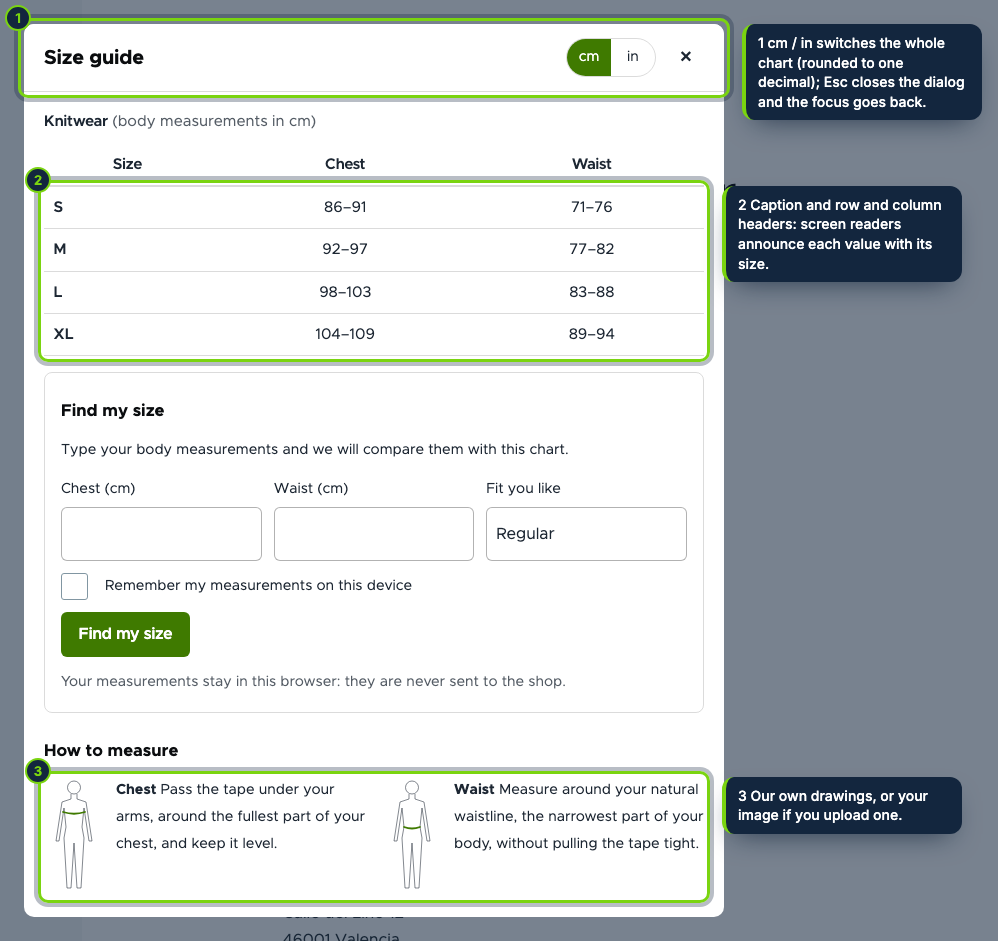
  • Extra field “Size guide” on every product type, turned on in the default display at install and movable in Manage display; it opens a native modal dialog, keyboard friendly, with a captioned table
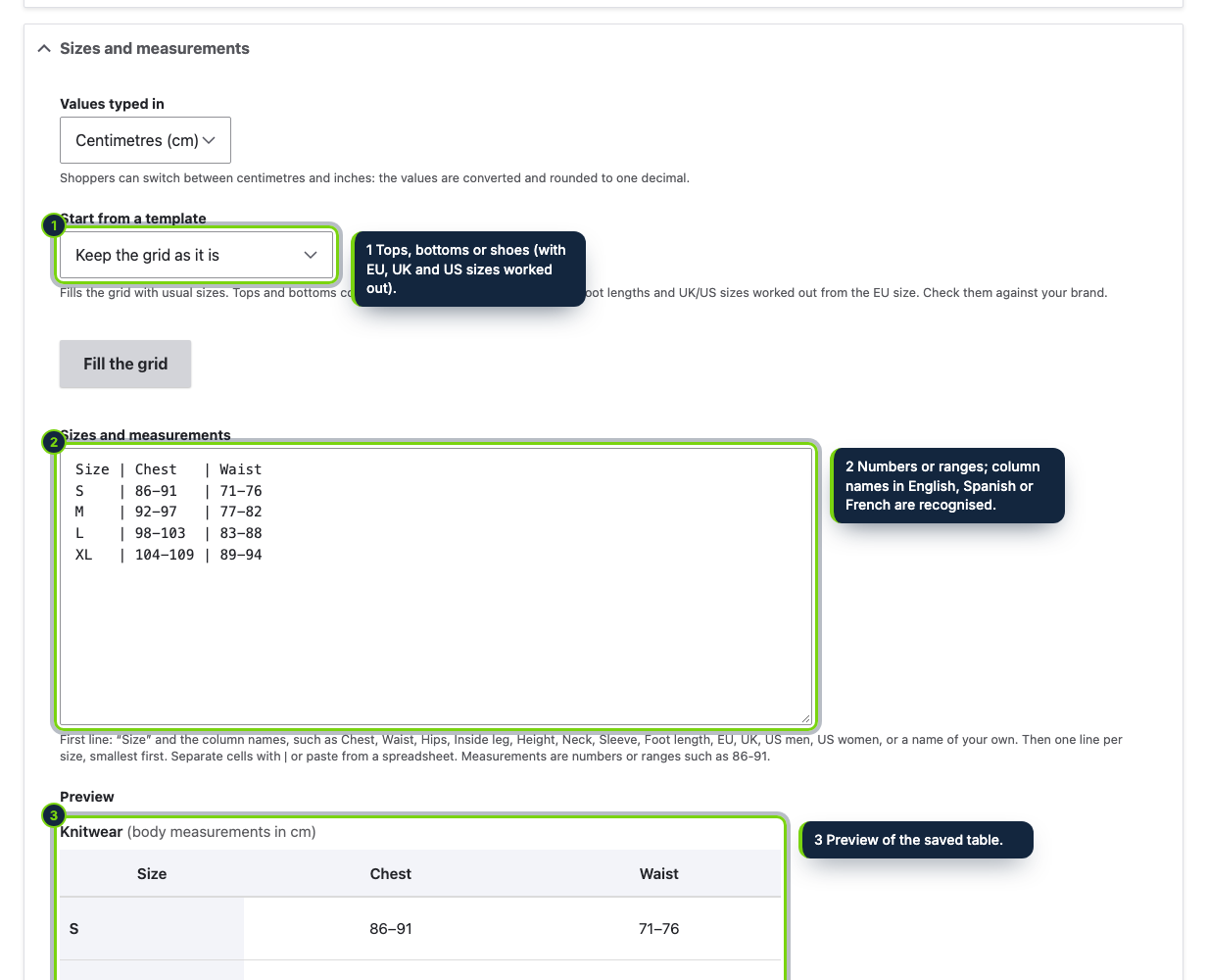
  • Charts edited under Commerce › Configuration › Products › Size charts behind the “Administer size charts” permission, with a name and a note per enabled language
  • Assignment through Drupal’s entity autocomplete: products, and taxonomy terms of the vocabularies your product types reference (brand fields are recognised by their machine name); product beats brand, brand beats terms, terms beat their parents
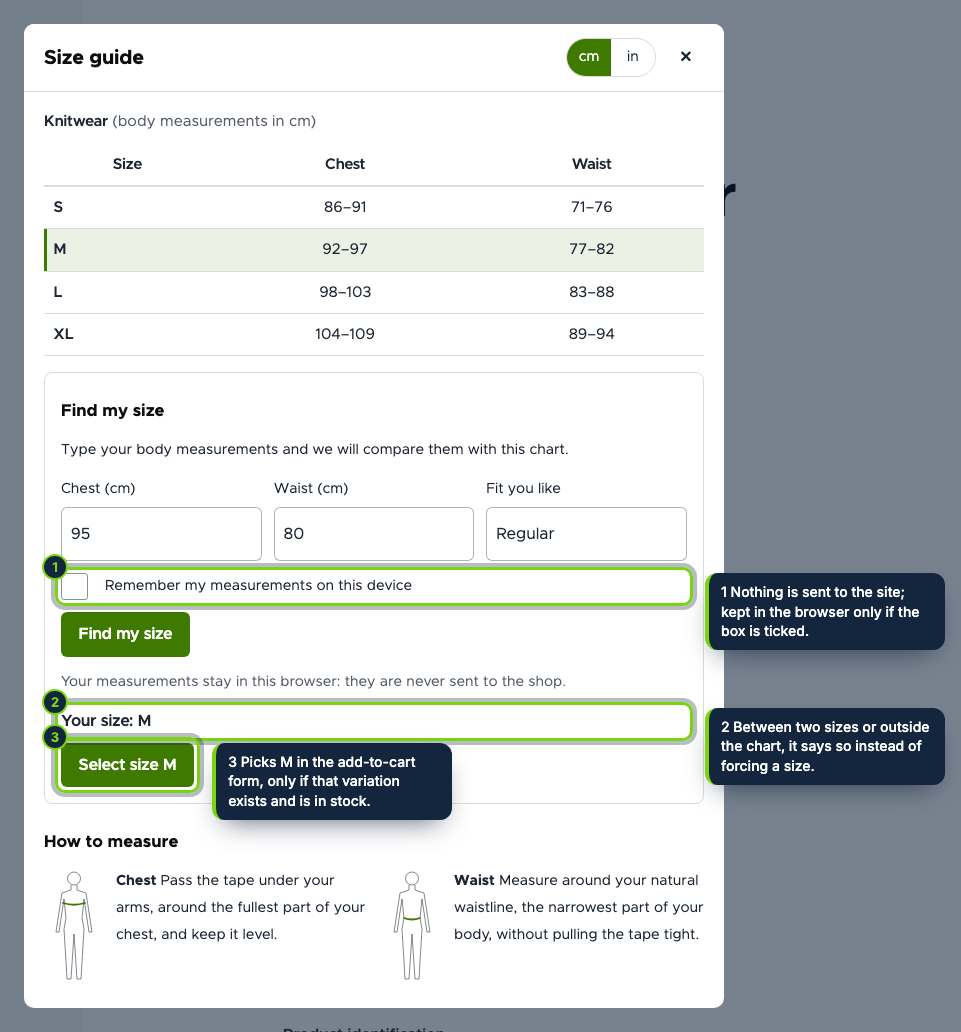
  • One click sets purchased_entity[0][attributes][attribute_size] in the add-to-cart form and Commerce’s own AJAX swaps the variation and its price; values without a published variation, or with field_stock at 0, are refused with a message
  • Grid typed in one text area or pasted from a spreadsheet, with templates for tops, bottoms and shoes (EU sizes with UK and US men/women equivalents and foot lengths) and errors per size and column
  • Fit finder with a closer / regular / looser choice that answers “between M and L” or “outside this chart” honestly
  • Render cache tags on the charts, the settings, the product, its variations and its terms: the internal page cache and Dynamic Page Cache serve one HTML, and measurements never reach Drupal
  • How-to-measure drawings of our own, or an image uploaded as a managed file; English, Spanish and French .po files

Fashion and footwear stores built on Drupal Commerce have no size chart out of the box, so merchants paste an image into the body field and shoppers still guess between two sizes, buy both or send one back. This module turns a chart into structured data you edit once, shows it next to the attribute selector and answers the real question, “which size is mine?”, by picking the right variation.

How it fits into Drupal Commerce

Versions
Drupal 11.3, Commerce 3.x (Product, Cart) and PHP 8.3, tested with Olivero and Claro.
Store admin
Commerce › Configuration › Products › Size charts (list, add, edit, delete with confirmation) and a Settings tab, both behind the Administer size charts permission.
Product displays
An extra field added by hook_entity_extra_field_info, rendered only when the display has it, cached with its own tag so saving a chart refreshes every product page.
Attributes and variations
The size is a Commerce product attribute (detected as Size, Talla or Taille, or chosen). The button changes the attribute widget of the add-to-cart form, and Commerce rebuilds the form with that variation as if the shopper had chosen it.
Taxonomy
Categories and brands are the taxonomy reference fields of your product types; parent terms count too.
Data
Two tables of its own, no personal data. Uninstall removes them, unless you keep them for a later install.

Installation

  1. Step 1

    Download the zip from My account › Downloads on ecom-addons.com and unzip it into modules/custom/.

  2. Step 2

    Enable it in Extend or with drush en ecom_addons_size_guide and grant Administer size charts.

  3. Step 3

    Add a chart (a template fills the grid), pick its products or categories, and check the size attribute in the Settings tab.

Download the step-by-step guide (PDF)

FAQ

Does it track stock?

Commerce does not. If your variations have an integer field_stock, sizes at 0 are not selected; otherwise every published variation counts as available.

Will the page cache show one shopper’s size to another?

No. The HTML is identical for everybody and the measurements are handled in the browser; they are only kept there, and only if the shopper asks.

Can I use my own drawing?

Yes: upload an image in the chart form and it replaces ours.

My store has no Size attribute yet. Create one in Commerce › Product attributes and use it in your variation type; until then the guide and the fit finder show, without the selection button.

Version history

  1. Loading…

Reviews

Loading…