
Features
- A “Stock & price alerts” component for Manage display, enabled on the default display of every product type at install
- Works with any number field on your variations (field_stock by default); without one, only price-drop alerts are offered
- Checked whenever a product or variation is saved, and swept by Drupal cron for every active alert
- A restricted “Administer stock and price alerts” permission guards the list of customer addresses
- Deleting a user account removes the alerts tied to its email; plain-text emails go through Drupal’s mail system
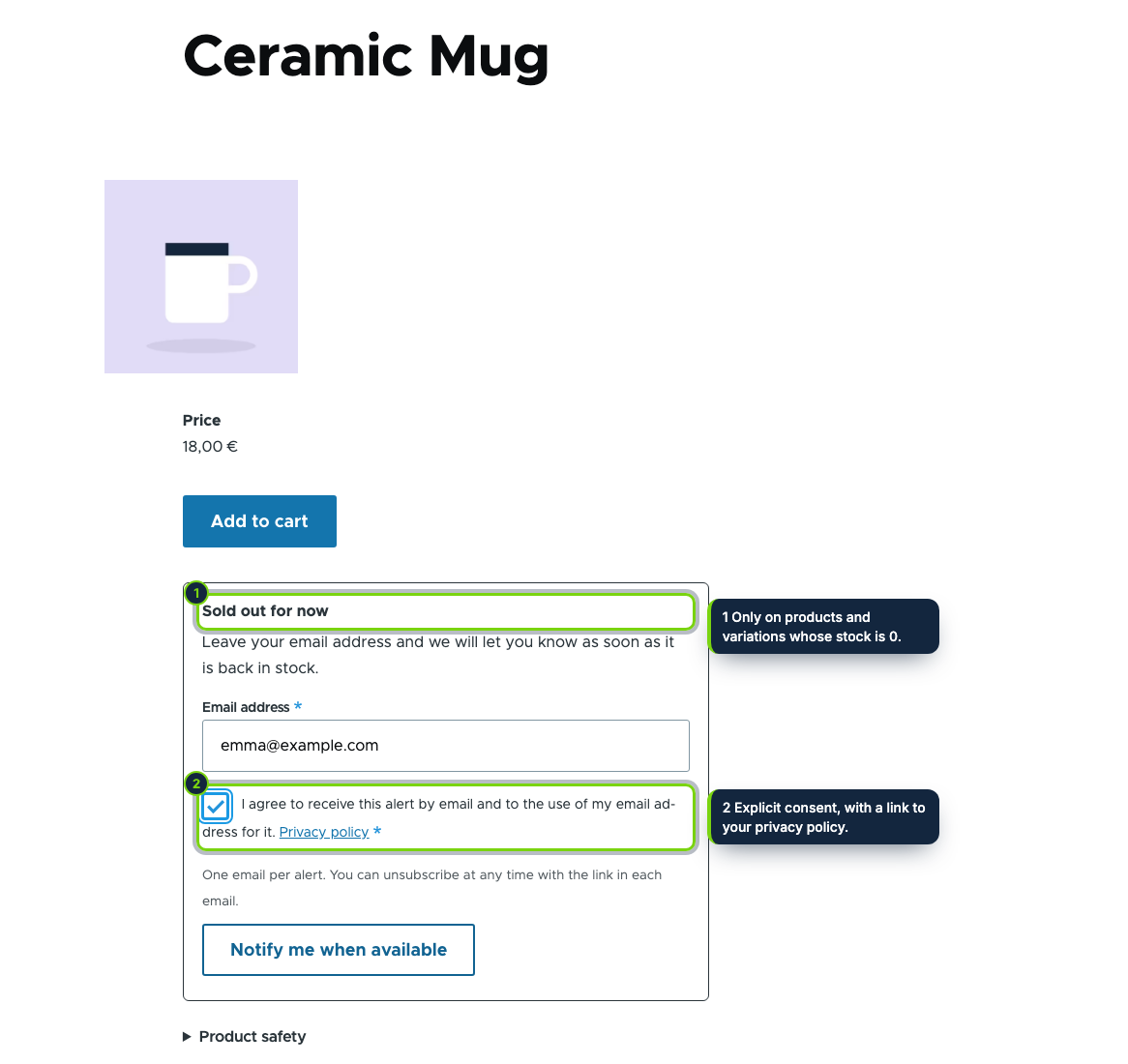
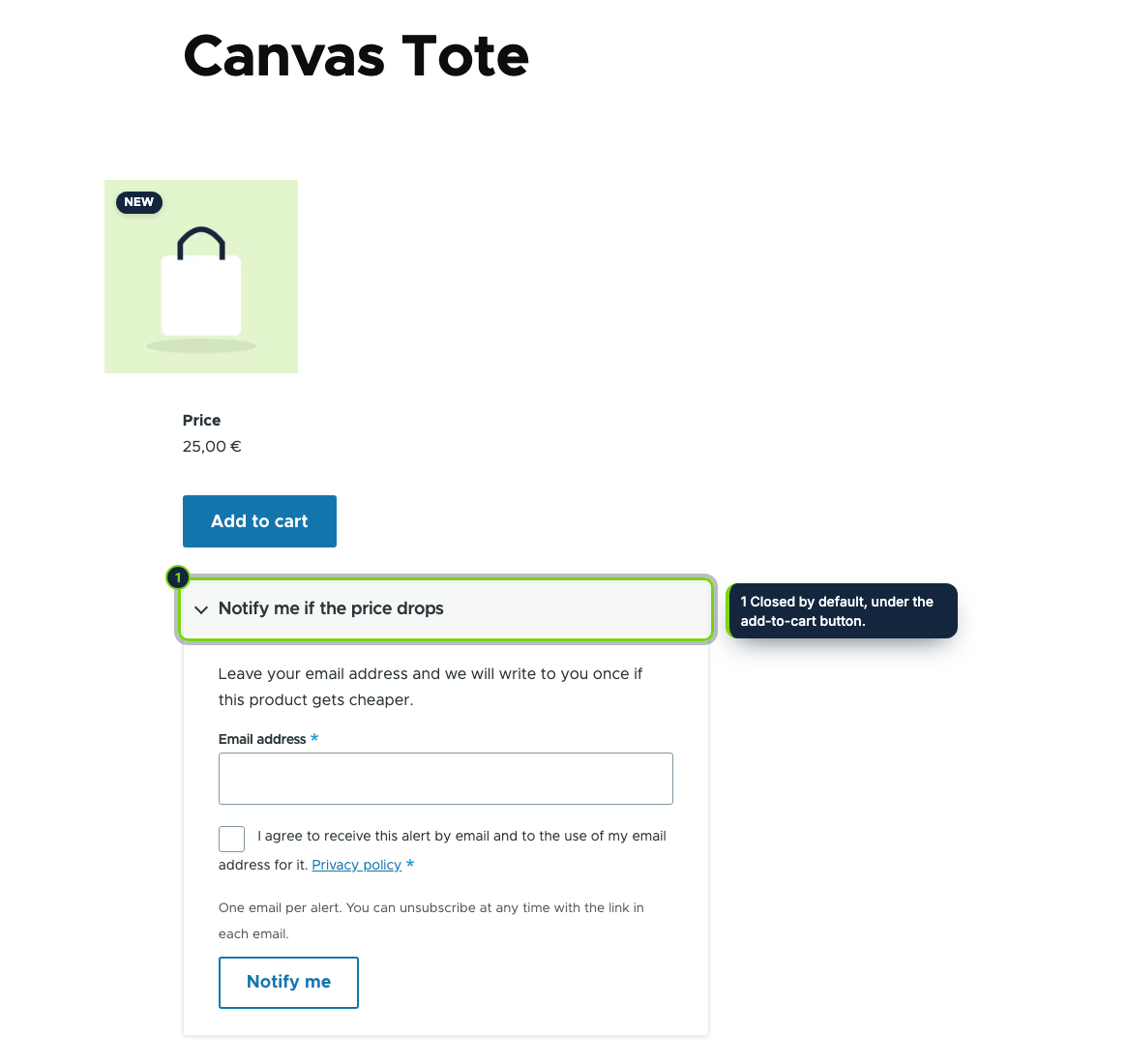
Drupal Commerce leaves stock to your site build, so out of the box a sold-out variation simply cannot be added to the cart and the visitor has no way to ask to be told. Back in Stock & Price Drop Alerts adds that sign-up to the product display and sends a single email when the item can be bought again, or when an in-stock item drops in price.
How it fits into Drupal Commerce
- Product display
- On install, the Stock & price alerts extra field is switched on in the default display of each product type. Move or hide it in Commerce › Configuration › Product types › Manage display. With several variations, the customer chooses a sold-out one from a list; the outcome is shown as a standard Drupal message.
- Stock source
- In Commerce › Configuration › Stock alerts, enter the machine name of the number field that holds the quantity of your variations. Variations without that field count as always in stock.
- Triggers
- Insert and update hooks on products and variations queue a check at the end of the request (product
form, import, an order workflow writing to the stock field).
hook_cronre-checks active alerts and purges expired ones; when running cron from the command line, pass--uriso links in emails point to your site. - Admin and access
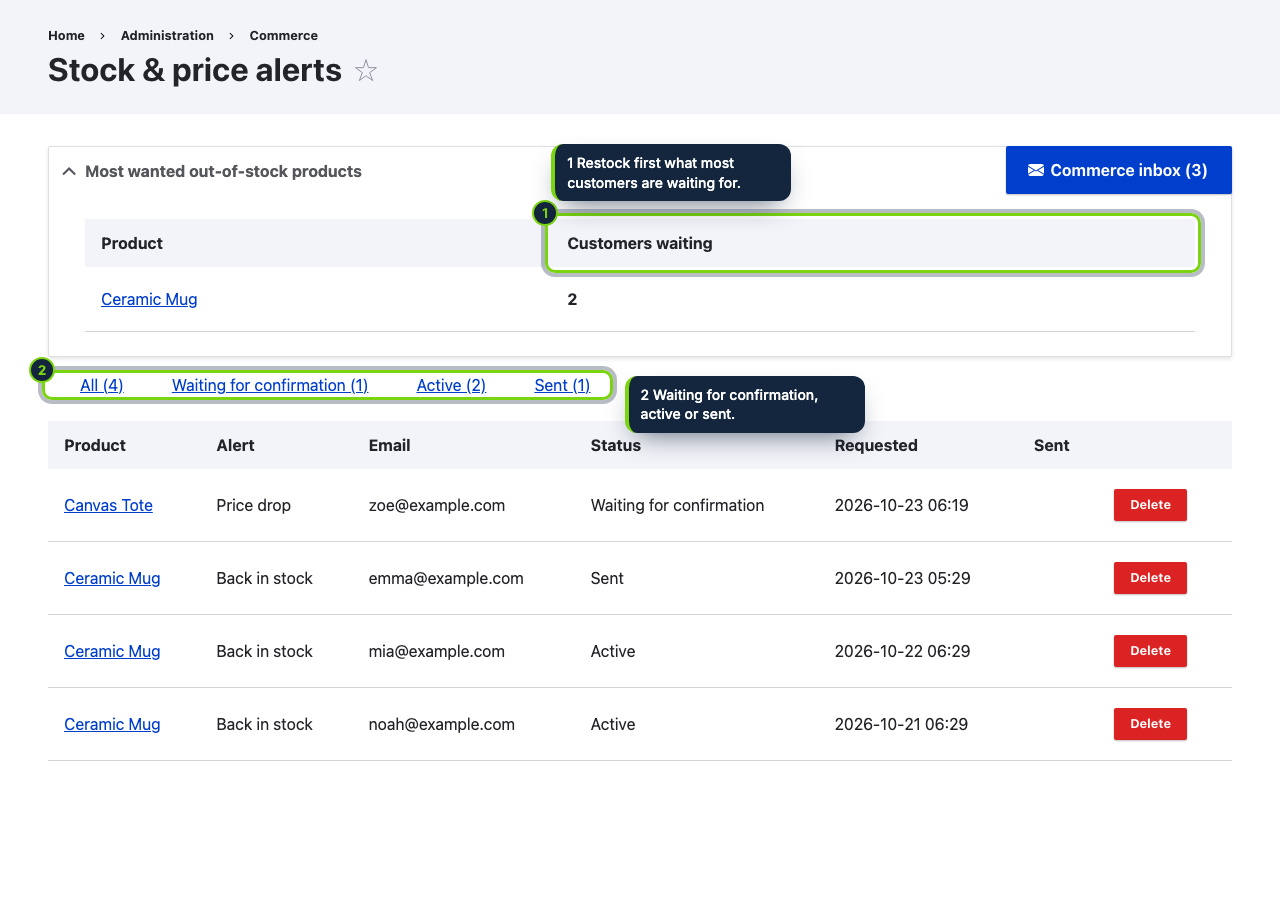
- Alerts are listed at Commerce › Stock alerts, most wanted sold-out products first. Settings and that list require Administer stock and price alerts, a restricted permission since it exposes customer email addresses.
- Privacy
- Removing a user account deletes the alerts of its address; for guest requests, look the address up in Commerce › Stock alerts. Uninstalling drops all alerts. Mention the alerts in your privacy policy; this is not legal advice.
- Requirements
- Drupal 11.3, Commerce 3.x and PHP 8.3 or later.
Installation
- Step 1
Download the release from My account › Downloads on ecom-addons.com.
- Step 2
Unpack it into
modules/custom/. - Step 3
Enable it under Extend or with
drush en ecom_addons_stock_alerts. - Step 4
Set the stock field name in the settings, then make sure cron runs (Automated Cron or
drush --uri=https://your-shop cron).
FAQ
We track stock in a custom field. Is that supported?
Yes, that is the intended setup: point the settings to that number field.
Who can see the email addresses?
Only roles granted Administer stock and price alerts.
Do the emails use our theme?
They are plain text sent through Drupal’s mail system, in the language the customer used, with a link to the product and an unsubscribe link.
Version history
- Loading…
Reviews
Loading…
Bought it? Leave a review from your account.