
Features
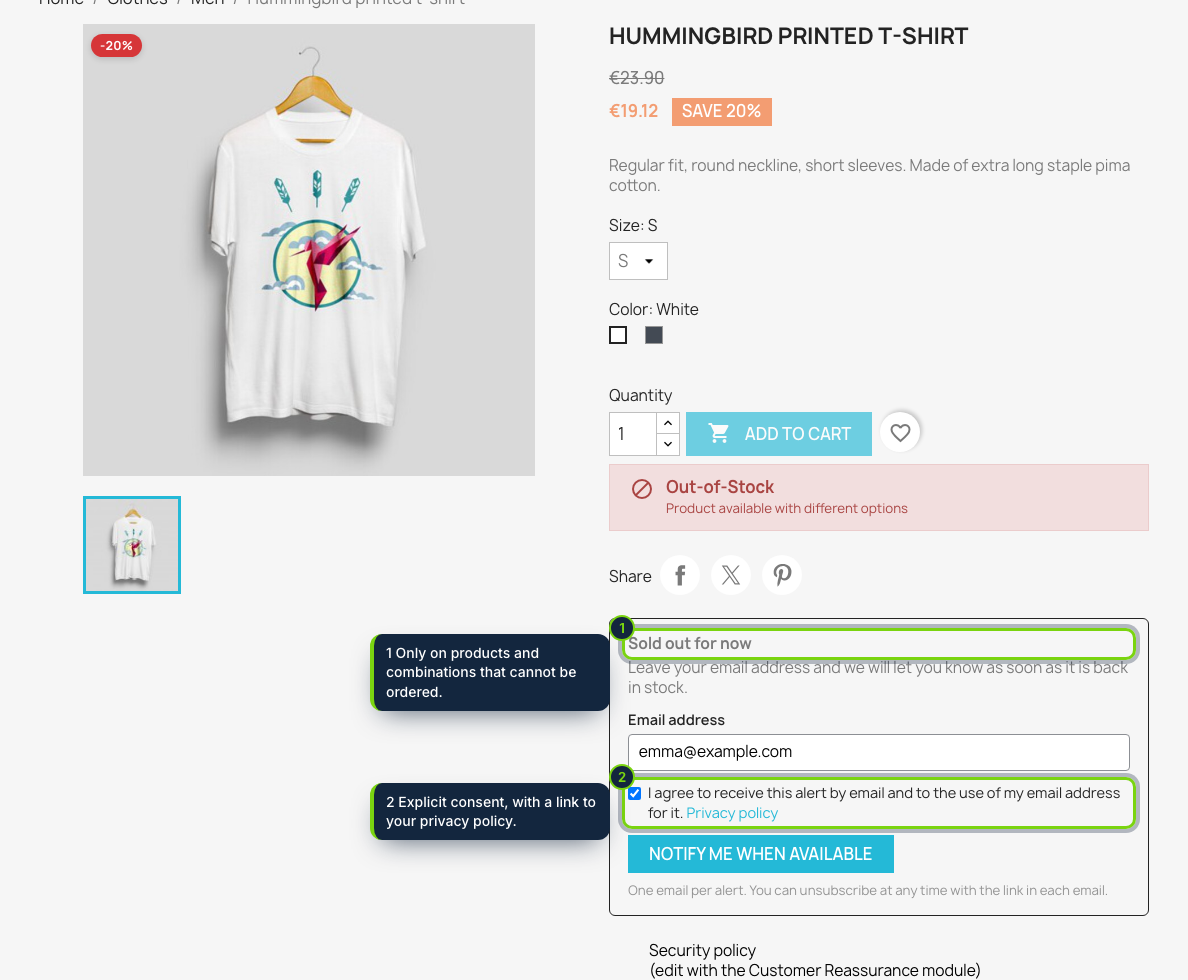
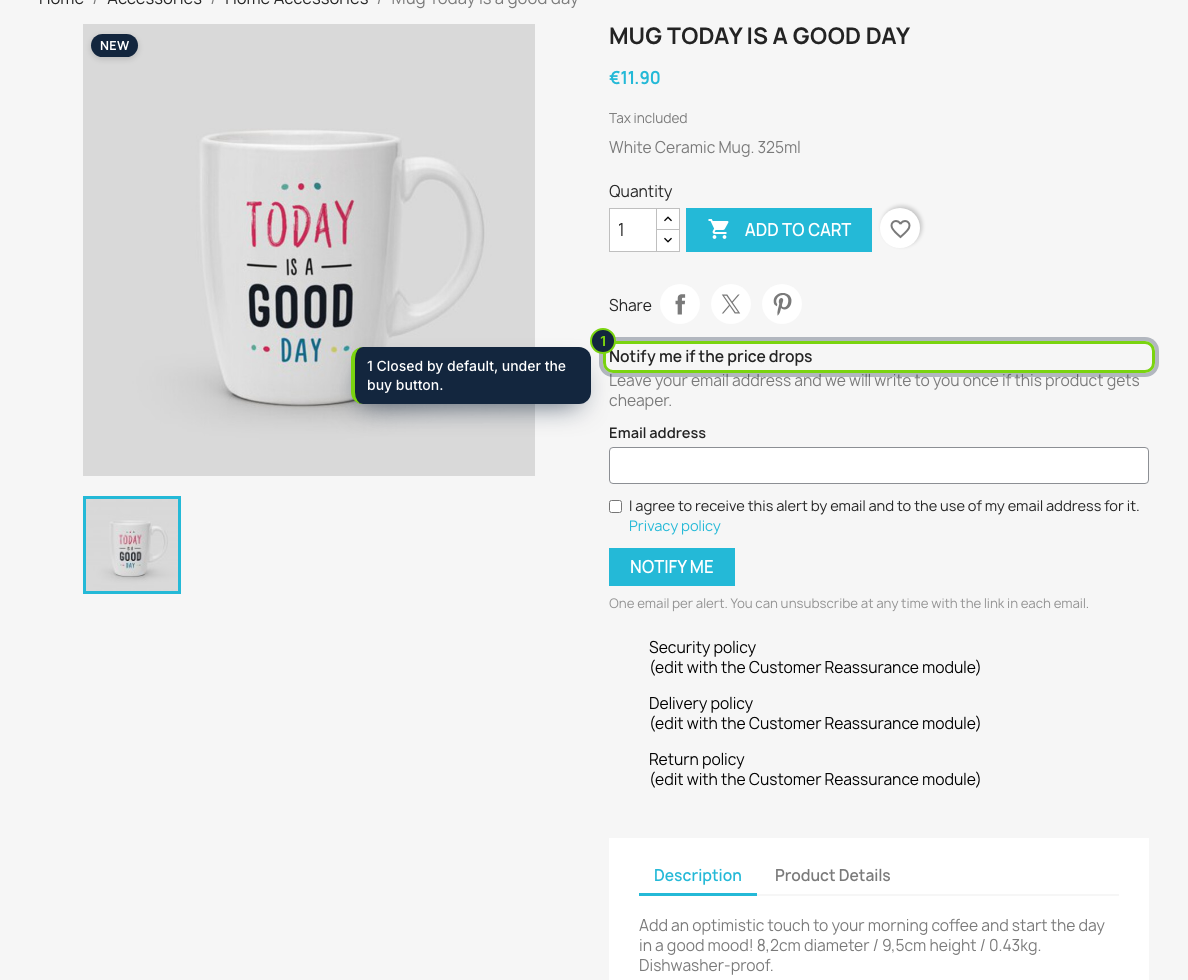
- Form displayed through displayProductAdditionalInfo, under the add to cart button, and it follows the combination the shopper selects
- Catalog › Stock & price alerts tab: sold-out products ranked by waiting customers, plus every alert with its status
- Triggered by stock movements, orders, imports and saved specific prices; a cron URL covers ERP updates and scheduled discounts
- Hooks into the official GDPR module (psgdpr): alerts are exported and erased with the customer’s data
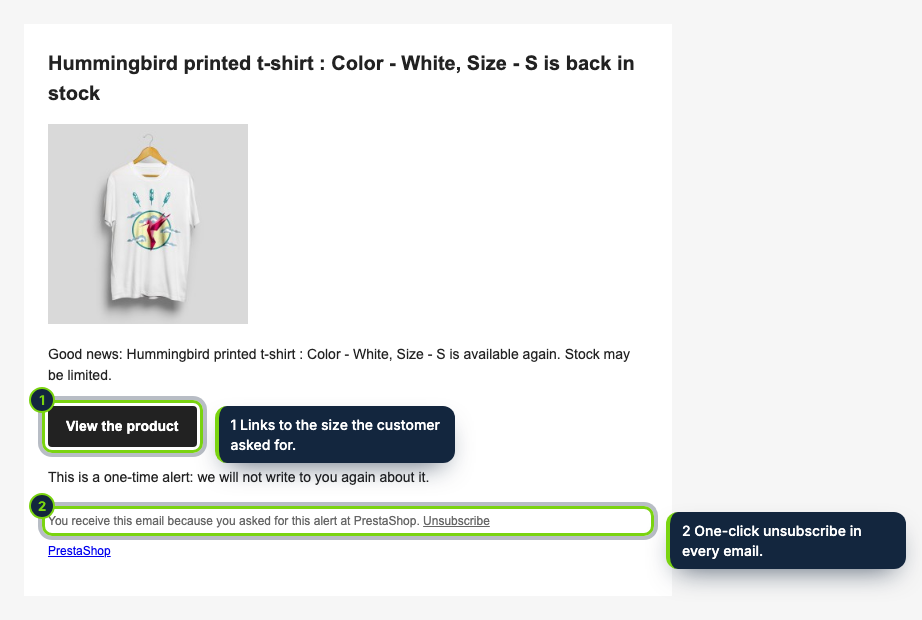
- Consent checkbox that is never pre-ticked, address confirmation and a one-click unsubscribe link in every email
In PrestaShop, a combination that cannot be ordered often means a lost sale: the shopper has no way to say “tell me when it is back”. Back in Stock & Price Drop Alerts collects that request on the product page and sends a single email when the stock returns, or when the price goes down for shoppers watching an item that is in stock.
How it fits into PrestaShop
- Product page
- The form is rendered on
displayProductAdditionalInfo, so it works with the Classic theme and themes that keep the standard product hooks. When the selected combination is unavailable, the box offers Notify me when available; on items you can buy, a collapsed Notify me if the price drops section appears. - When emails go out
- Right after stock changes (
actionUpdateQuantity: orders, cancellations, imports) and when a product, combination or specific price is saved. For stock fed by an ERP or a feed, call the cron URL shown on the configuration page every 10 to 15 minutes; it also catches discounts that start on a set date. - Back office
- A Catalog › Stock & price alerts tab lists the most awaited sold-out products and all alerts (waiting for confirmation, active, sent), with a status filter and a delete action. Settings sit under Modules › Module Manager › Configure: alert types, double opt-in, minimum price drop, retention (180 days by default) and a privacy policy link.
- Privacy
- With the psgdpr module, alerts are part of a customer’s data export and are erased with it; deleting a customer removes their alerts too. Please mention the alerts in your privacy policy; this page does not replace legal advice.
- Compatibility
- PrestaShop 8.2 and 9.0 and PHP 8.1 or later, with working outgoing email.
Installation
- Step 1
Download the zip from My account › Downloads on ecom-addons.com.
- Step 2
In the back office, go to Modules › Module Manager › Upload a module and select the file.
- Step 3
In the bundled Mail alerts module (ps_emailalerts), turn off Product availability so only one form shows.
- Step 4
Optional: add the cron URL to your hosting’s scheduled tasks.
FAQ
I already have ps_emailalerts. Why switch?
Its customer form only covers availability. This module adds price-drop alerts, double opt-in, signed links, automatic deletion and a back-office overview of demand.
Are emails sent in the customer’s language?
Yes, in the language they used on the shop (English, Spanish or French included).
Can one change flood my mail server?
No. Each run sends at most 50 alerts per product, 200 through the cron URL; the rest follow on the next run.
Version history
- Loading…
Reviews
Loading…
Bought it? Leave a review from your account.