
Features

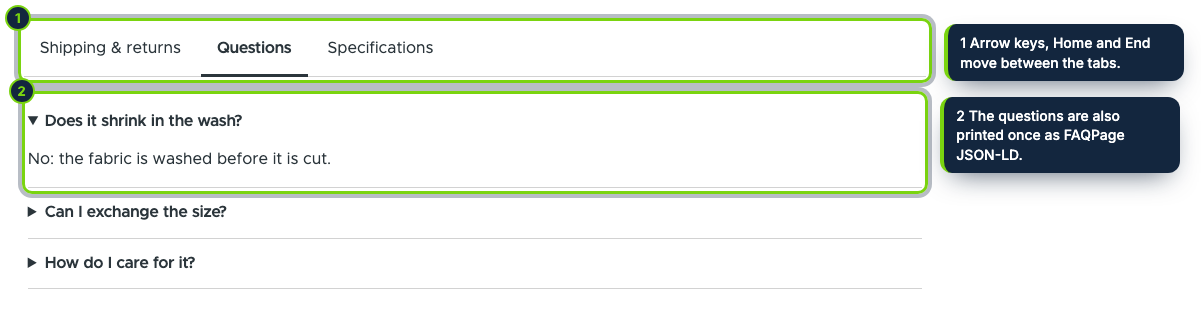
  • A "Product tabs" extra field for Manage display: accessible WAI-ARIA tabs (arrow keys, Home, End) or an accordion, with an accordion on phones, in Olivero or any theme
  • Rules built with entity autocomplete, never typed IDs: all products, products, taxonomy categories and their child terms, brand terms and Commerce attribute values such as Size: M, plus exclusions
  • Tabs that share a title compete and the most specific rule wins, so a site-wide "Shipping" tab yields to a category one
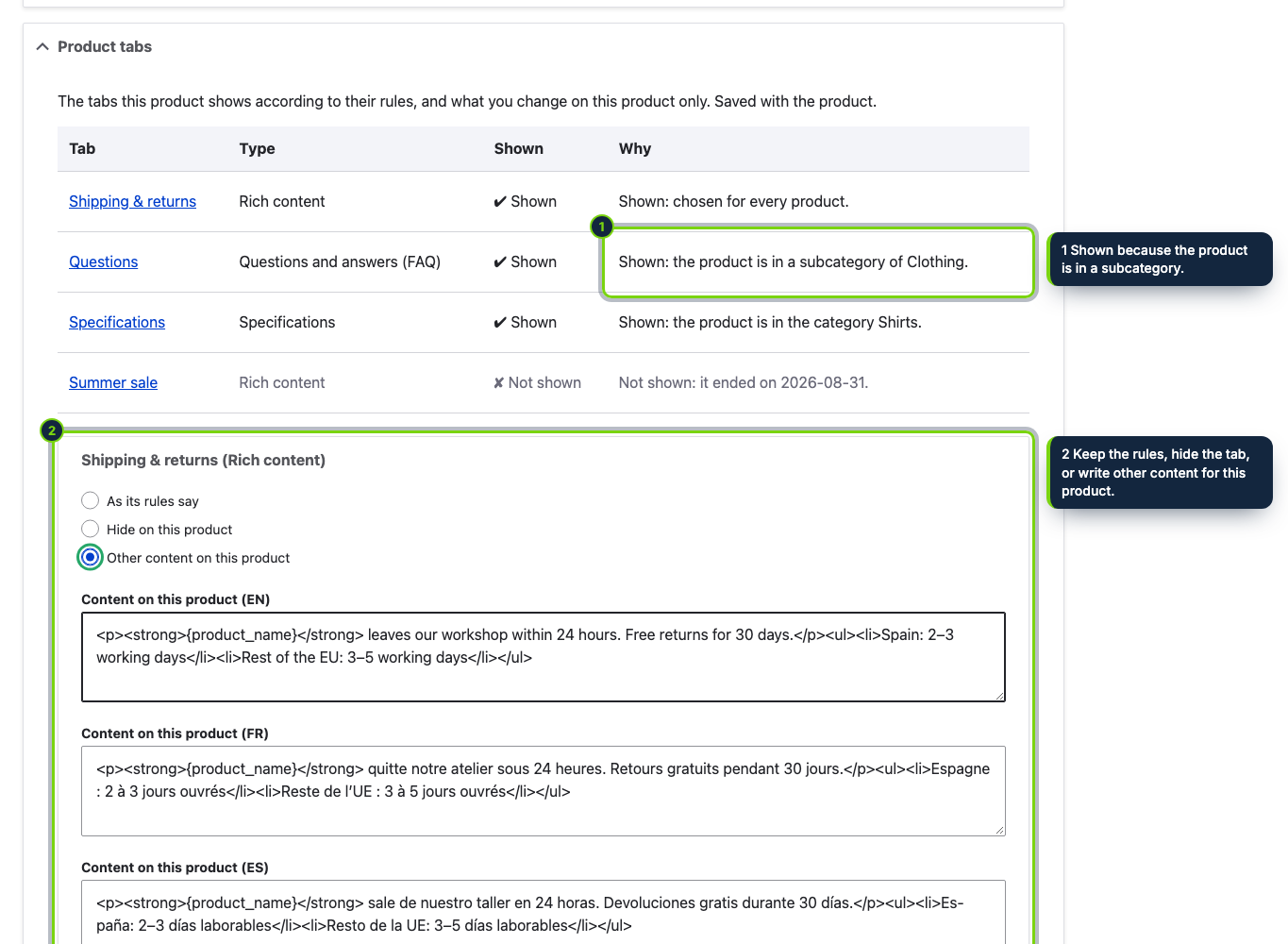
  • A "Product tabs" section on the product form: hide a tab on this product, give it other content, add up to three product-only tabs and fill in the custom fields
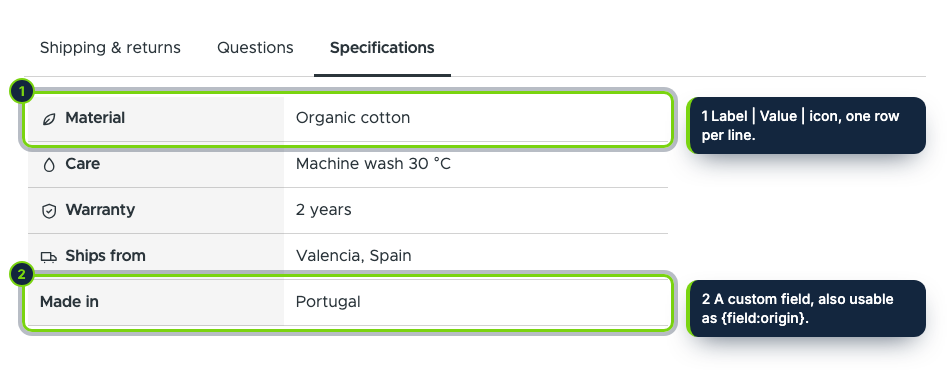
  • Rich content in the site’s own text editor, FAQ blocks, specification rows with icons of our own and managed file uploads with file usage tracked
  • A second extra field, "Custom fields", lists the product’s filled fields; they are also printable anywhere with {field:key}
  • Render cache tagged with the product, its variations and terms and the module’s own tag; cron refreshes pages when a dated tab starts or ends
  • One FAQPage JSON-LD per page, its own permission, interface translations for Spanish and French

Drupal Commerce has no notion of product tabs, so shipping conditions, care instructions and the questions customers ask end up copied into every product body, or into blocks that show on every product whether they fit or not. Product Tabs & Custom Fields adds reusable tabs that you write once and that show only on the products their rules select.

A tab holds rich text, questions and answers, a specifications table or files. Its rules use what your catalogue already has: taxonomy categories (with or without their children), brand terms, Commerce attribute values, individual products, and exclusions. Tabs can start and end on given days. On the product form you can hide a tab, rewrite it for that product or add product-only tabs, and fill in custom fields such as material or origin.

How it fits into Drupal Commerce

Store admin
Commerce › Configuration › Products › Product tabs lists the tabs, with local tasks for custom fields, the tester and the settings. Access is controlled by the “Administer product tabs and custom fields” permission.
Product form
A collapsible Product tabs section shows the explanation table and the product’s own choices; it is saved with the product.
Display
The module adds the extra fields “Product tabs” (placed on the default display at install) and “Custom fields”; move or hide them in Manage display of each product type. Output is cached with the product, its variations and terms, the settings and the module’s cache tag.
Versions
Drupal 11.3 with Commerce 3, tested with Olivero and Claro.

Installation

  1. Step 1

    Download the zip from My account › Downloads on ecom-addons.com.

  2. Step 2

    Unpack it into modules/custom/ (the folder is ecom_addons_product_tabs) and enable it in Extend or with drush en ecom_addons_product_tabs.

  3. Step 3

    Import the translations with drush locale:check && drush locale:update, then open Commerce › Configuration › Products › Product tabs.

Download the step-by-step guide (PDF)

FAQ

Where do the categories come from?

From the taxonomy reference fields of your product types. A field or vocabulary named like “brand” is treated as brands, the others as categories.

Does it work with the page cache?

Yes. The block is the same for every visitor and its cache tags are invalidated when a tab, a field, the settings or the product change.

Will FAQ markup bring rich results?

The FAQPage JSON-LD is valid schema.org, but Google shows FAQ results only for some government and health sites. You can switch it off.

Is my content kept on uninstall?

Only if “Keep the tabs and fields” is on; the next install brings it back.

Version history

  1. Loading…

Reviews

Loading…