Features

  • Tabs printed through displayProductExtraContent, so they sit in the Classic theme’s own tab bar next to Description and Product details; or a block of accessible tabs or an accordion under the product through displayFooterProduct
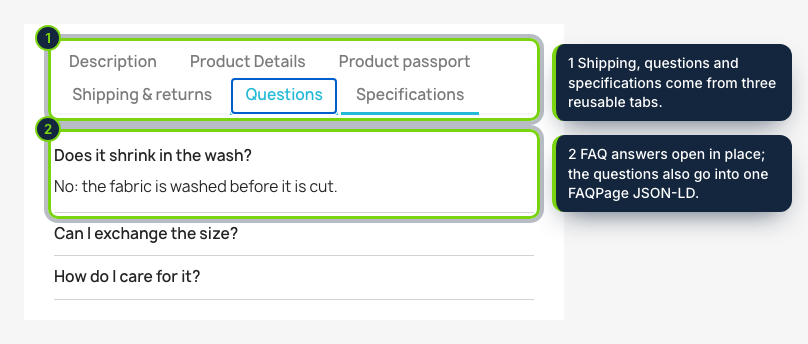
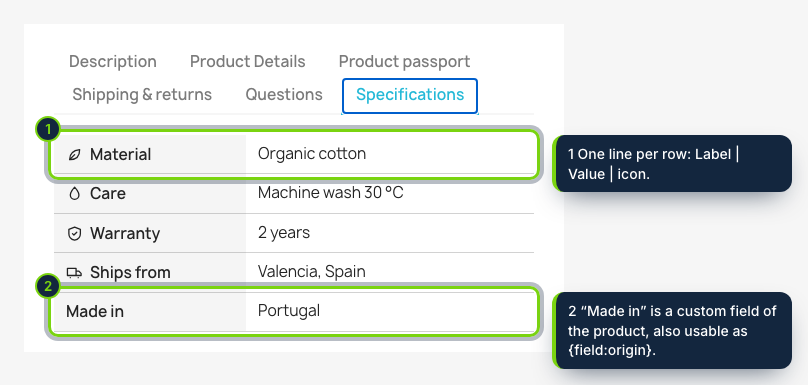
  • Four kinds of tab: rich content edited with PrestaShop’s TinyMCE, questions and answers, specifications with small icons drawn by us, and files picked from Catalog › Files
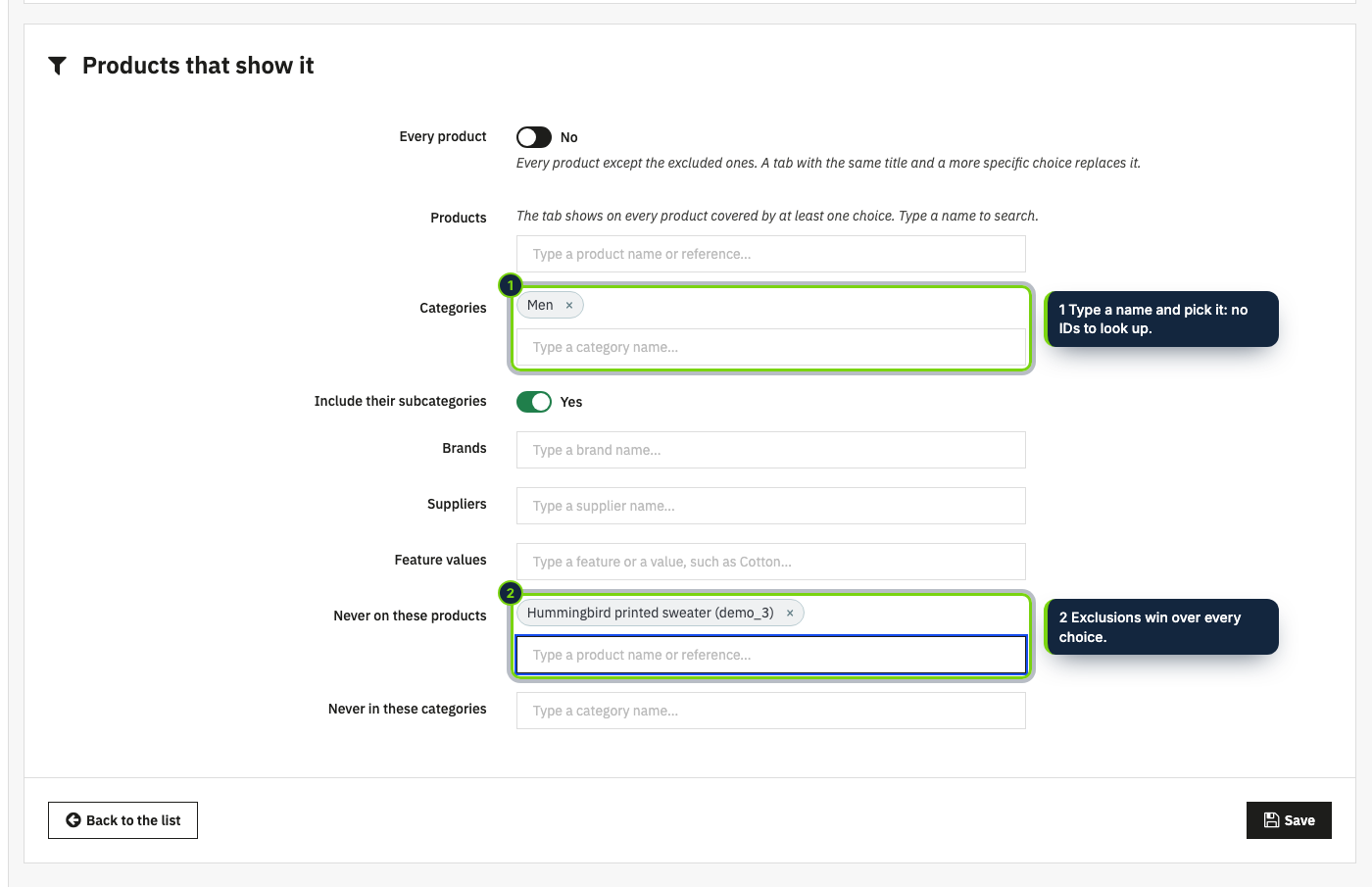
  • Who sees a tab is decided with search boxes, never typed IDs: every product, products, categories with their subcategories, manufacturers, suppliers and feature values such as Composition: Cotton, plus exclusions
  • When two tabs share a title, the most precise rule wins: one “Shipping” for the whole shop and another for heavy furniture never show together
  • A Modules tab on the product page of PrestaShop 8 and 9 to hide a tab, rewrite it for that product or add up to three tabs of its own, saved with the product
  • Custom product fields (text per language, number with unit, yes/no, list, date) listed in a specifications tab, near the add-to-cart button or anywhere through {field:key}
  • Variables such as {product_name}, {brand}, {reference} or {feature:Composition} so one text reads right on every product
  • FAQPage JSON-LD printed once per page, a tester that explains every decision, no override, translated into English, Spanish and French

Most catalogues repeat the same paragraphs on hundreds of product sheets: delivery times, the returns policy, the warranty, how to wash a garment, the questions customers keep asking. When one of them changes, someone edits every description by hand and a few are always forgotten. Product Tabs & Custom Fields keeps each of those texts in one place and puts it on the products it belongs to.

You write a tab once (rich text, a list of questions and answers, a specifications table or downloadable files) and decide where it shows: the whole shop, some categories, a manufacturer, a supplier, products with a given feature value, or a hand-picked list, with exclusions. A tab can start and end on given days. When a single product needs something else, you hide or rewrite the tab from that product’s page. Custom fields such as material or country of origin are filled in per product and show up in a tidy table.

How it fits into PrestaShop

Back office
Catalog › Product tabs opens the module page with four views: tabs, custom fields, tester and settings. Every product, category, manufacturer, supplier, feature value and file is chosen with a search box.
Product page of the back office
The module’s panel in the Modules tab (PrestaShop 8 and 9) explains which tabs the product shows and why, and saves its own choices together with the product (actionProductUpdate).
Product sheet
By default the tabs are returned to displayProductExtraContent, so the Classic theme draws them in its own tab bar with its own look. The alternative layouts print an accessible block of tabs (arrow keys, Home and End) or an accordion through displayFooterProduct; on phones the tabs become an accordion.
Structured data
The questions of the FAQ tabs on the page go into one FAQPage JSON-LD script, which you can switch off if another module already prints one.
Versions
PrestaShop 8.2 and 9.0 with PHP 8.1 or later, tested with the Classic theme. No override.

Installation

  1. Step 1

    Download the zip from My account › Downloads on ecom-addons.com.

  2. Step 2

    In Modules › Module Manager, click Upload a module and drop the zip.

  3. Step 3

    Open Catalog › Product tabs, add a first tab and choose where it shows.

Download the step-by-step guide (PDF)

FAQ

Does it replace the description?

No. The description and Product details tabs stay as they are; the module adds its own tabs after them.

Will FAQ markup give me rich results?

It is valid schema.org markup that search engines can read, but since 2023 Google only shows FAQ rich results for some government and health websites. We do not promise stars or snippets.

Can a product show something different?

Yes: from the product’s Modules tab you can hide any tab, replace its content for that product only or add product-only tabs.

What happens to my tabs if I uninstall?

They are deleted, unless you switch on “Keep the tabs and fields” in the settings first.

Version history

  1. Loading…

Reviews

Loading…