
Features

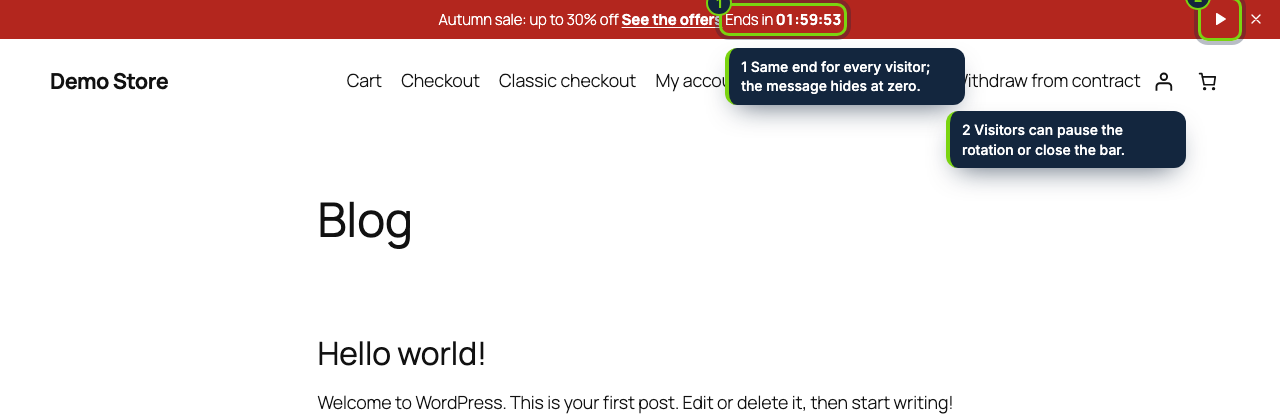
  • A strip above the header (or pinned to the bottom) with up to five messages that alternate, which shoppers can pause or dismiss
  • Optional deadline per message: the timer runs to the same date for everyone and the message disappears when it is over
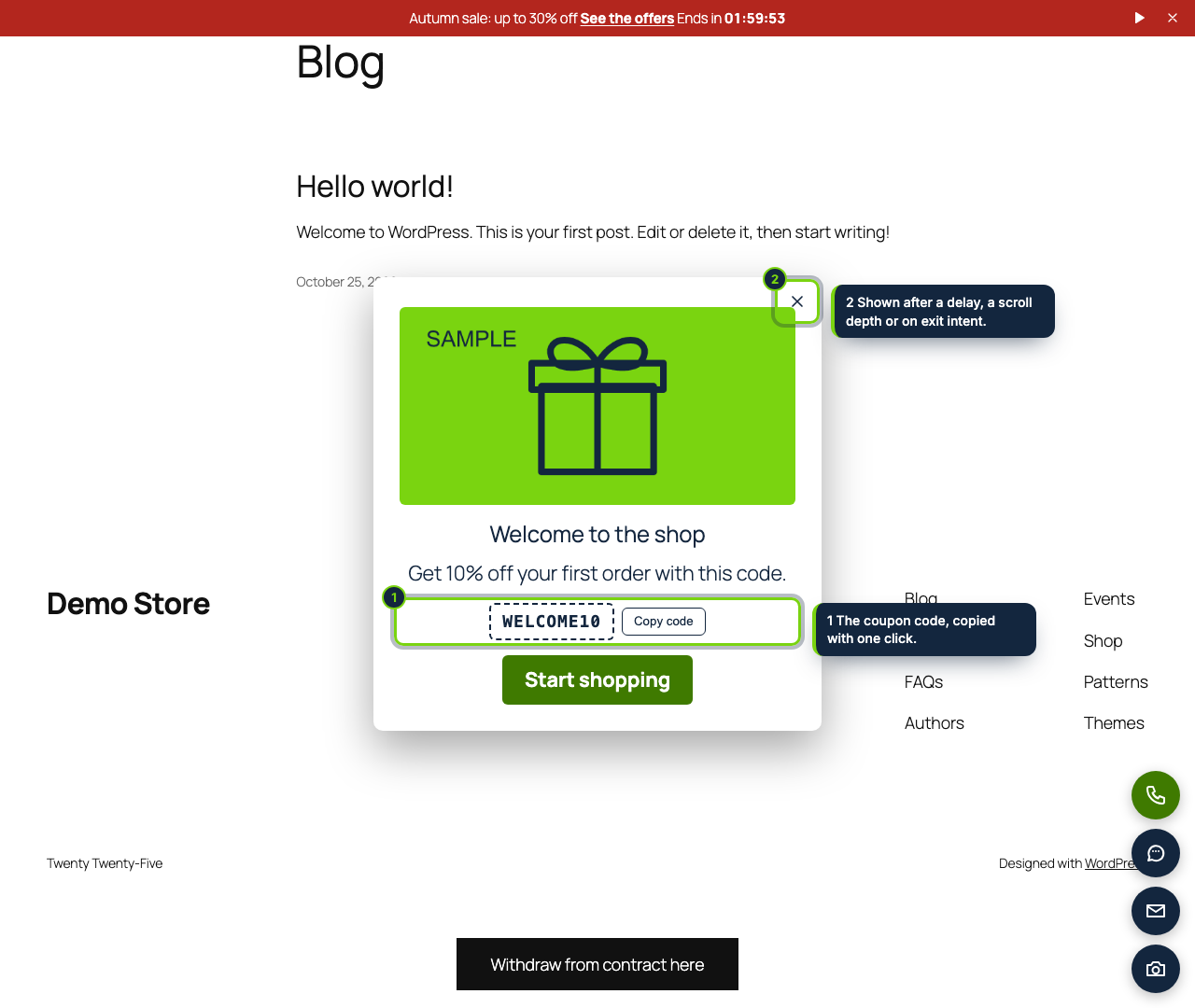
  • Three popup slots: picture from the Media Library, discount code with a copy button, call-to-action; opened after N seconds, at a scroll depth or when the mouse heads for the tabs
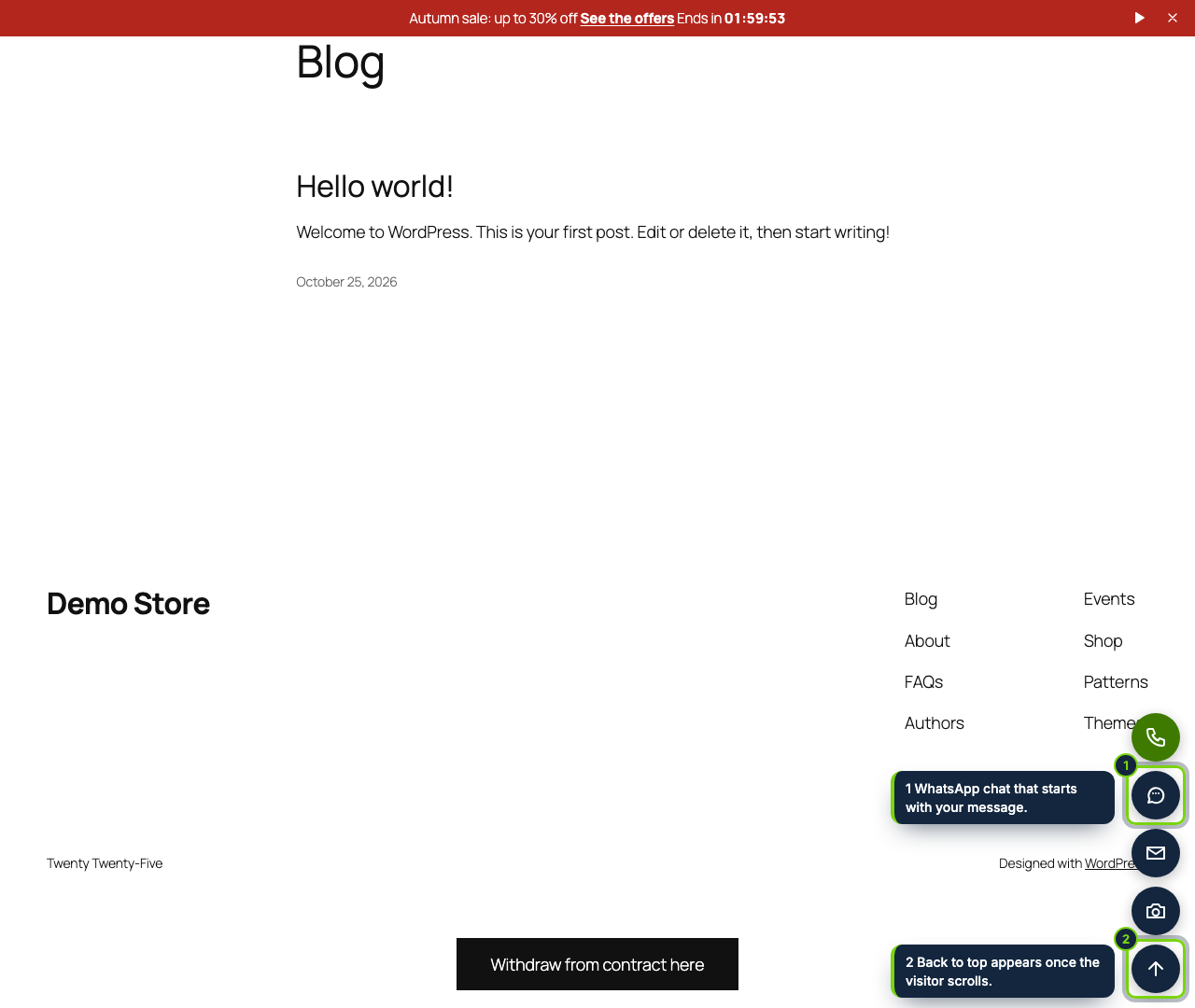
  • Six round shortcut buttons: phone, WhatsApp chat with a prefilled text, email, your own URL, Instagram, Facebook, TikTok, YouTube, X, LinkedIn, Pinterest, Telegram or scroll-to-top
  • Hooked to wp_body_open and wp_footer, so it shows on Twenty Twenty-Five and other block themes as well as on Storefront and other classic themes, without editing templates
  • Per-item schedule, store page types (front page, product, shop and categories, cart, checkout, the rest) and phone or desktop targeting; cart and checkout untouched unless you tick them
  • Accessible by default: pausable rotation, native <dialog> closed with Esc that hands focus back, labelled icons, a warning when text and background contrast drops below 4.5:1
  • Page-cache friendly HTML, files enqueued only where something prints, no cookies, no external calls; admin in English, Spanish and French

Shoppers should learn about the free-delivery threshold, this weekend's sale or your welcome code before they leave, and they should be able to reach you in one tap. On a WooCommerce store that usually means a page builder section per campaign, a heavy popup plugin and a separate chat widget. This plugin covers the three with one small admin screen and one light script.

How it fits into WooCommerce

Tested with
WordPress 7.1, WooCommerce 11.2, PHP 8.3; Twenty Twenty-Five (block theme) and Storefront (classic theme).
wp-admin
WooCommerce › Promo bar & popups, with a tab for the bar, one for popups and one for the floating buttons. Only users who can manage WooCommerce see it. Dates follow the time zone in Settings › General.
Storefront output
The strip is printed on wp_body_open, popups, buttons and a bottom strip on wp_footer. Block themes and classic themes both fire these hooks; for an old theme without wp_body_open the strip is moved to the top of the page.
Languages
One text field per installed WordPress language, so WPML or Polylang visitors see their own wording; a single-language site just fills one.
Store pages
Each item chooses front page, single products, shop and product categories, cart, checkout and other pages. Cart and checkout start unticked.
Caches
Everyone gets the same markup; device, frequency and "dismissed" choices are made in the browser, so WP Rocket, LiteSpeed or Varnish keep serving a correct page.
Compatibility declarations
HPOS and the Cart and Checkout blocks.

Installation

  1. Step 1

    Download the zip from My account › Downloads on ecom-addons.com.

  2. Step 2

    In wp-admin go to Plugins › Add New Plugin › Upload Plugin, pick the zip, then Install Now and Activate.

  3. Step 3

    Open WooCommerce › Promo bar & popups. A sample free-delivery message is already there, switched off: tick Active and save.

Download the step-by-step guide (PDF)

FAQ

Do I need a page builder or a child theme?

No. Everything is configured in wp-admin and printed through standard WordPress hooks.

Will the popup create a WooCommerce coupon?

No. Create the coupon in Marketing › Coupons and type its code in the popup; shoppers copy it with one click and paste it at checkout.

Does it set cookies or need consent?

No cookies. Whether a shopper dismissed the strip or already saw a popup is remembered in their own browser storage, because they asked for it; nothing leaves the browser.

Can I take orders through WhatsApp with it?

The WhatsApp button opens a chat with your number and a starting text you write per language. Building an order from the cart in WhatsApp is the job of our separate WhatsApp order plugin.

Version history

  1. Loading…

Reviews

Loading…