
Features

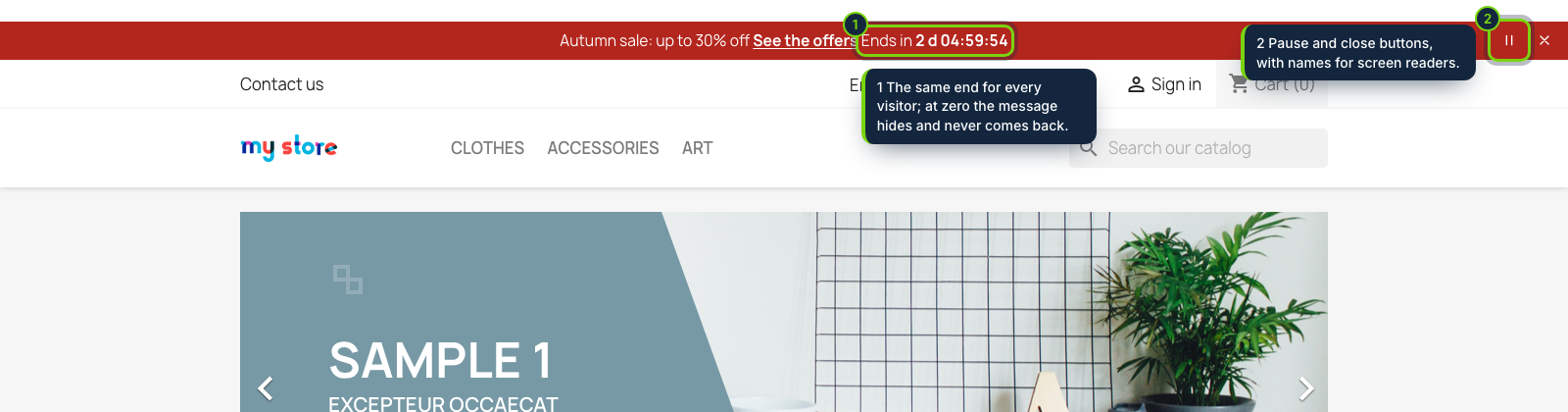
  • Announcement bar at the top or bottom of every page with up to 20 messages that take turns, added, ordered and switched on or off one by one, a pause button and an optional link per message
  • Countdown to one fixed end on any message: it reads the same for every visitor, the message hides at zero and never starts again
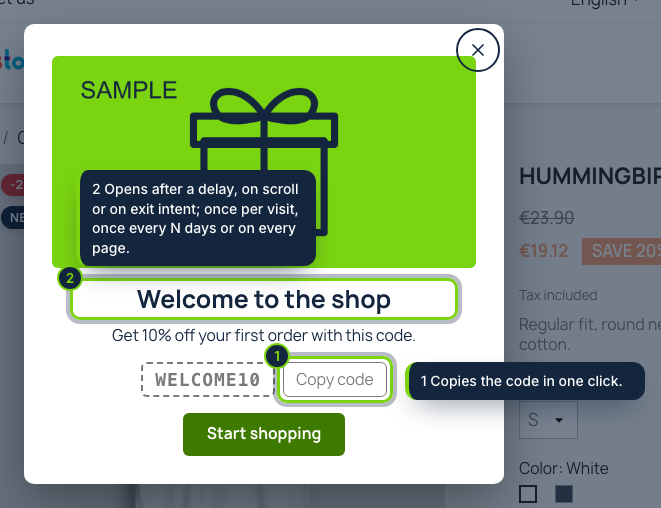
  • Up to 10 popups with a picture, a coupon code to copy and a button; opened after a delay, on scroll or on exit intent; every page, once per visit or every N days
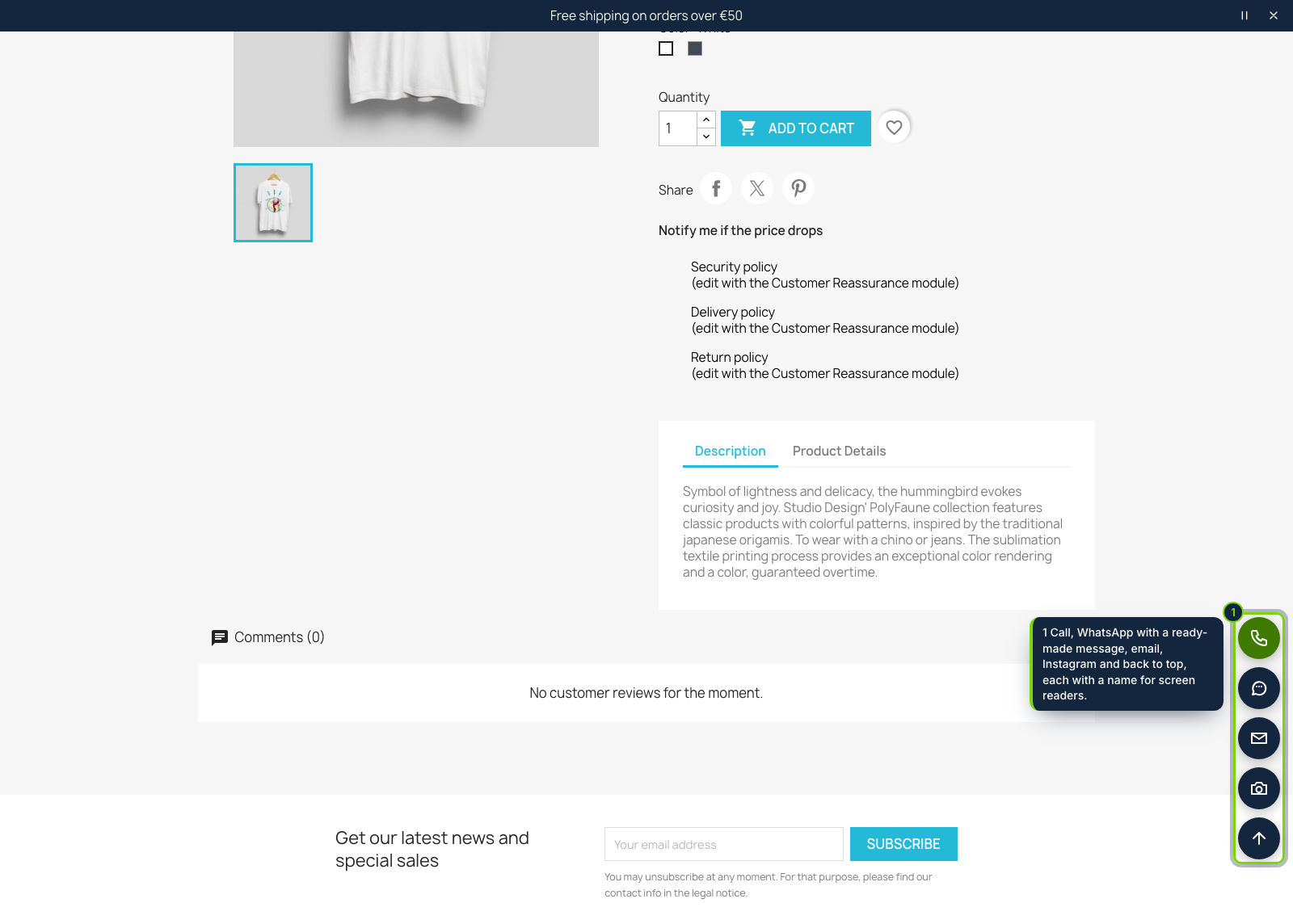
  • Up to 12 floating buttons: call, WhatsApp with a ready-made message per language, email, any link, Instagram, Facebook, TikTok, YouTube and other social profiles, back to top; on the left or right
  • Each item with its dates, page types (home, product, category, cart, checkout, others), devices and colours, with a contrast warning under 4.5:1
  • Prints through the displayAfterBodyOpeningTag and displayBeforeBodyClosingTag hooks of the Classic theme: no override, no theme file to edit
  • Native modal dialogs that close with Esc and give focus back; one small CSS and JS loaded only on pages that show something, no external requests, no cookies
  • Module page in English, Spanish and French; texts for every language of your shop

A free shipping threshold, a sale that ends on Sunday, a holiday closing, a welcome coupon: PrestaShop merchants usually end up editing theme templates or installing three different modules for this. Promo Bar, Popups & Floating Buttons does the three jobs from one configuration page, and keeps them out of the way of customers who are paying.

How it fits into PrestaShop

Versions
PrestaShop 8.2 and 9.0 on PHP 8.1 or later, tested with the Classic theme.
Back office
Modules › Module Manager › Configure shows three tabs (popups, announcement bar, floating buttons), each saved on its own. Every text has one field per shop language; dates use the shop's time zone.
Front office
The bar is printed right after <body> opens (displayAfterBodyOpeningTag) or before it closes (displayBeforeBodyClosingTag), together with the popups and the buttons. The CSS and JavaScript are registered through actionFrontControllerSetMedia only on pages that show something.
Pages
Each item picks the page types it shows on (home, product, category, cart, checkout, others). Cart and checkout are off by default.
Multistore
Settings saved in the All shops context apply to every shop, or each shop gets its own items.
Caching
The HTML is the same for every visitor; the device, popup frequency and "closed" flags are decided in the browser, so a cached page stays correct.

Installation

  1. Step 1

    Get the zip from My account › Downloads on ecom-addons.com.

  2. Step 2

    In the back office, open Modules › Module Manager, click Upload a module and choose the zip.

  3. Step 3

    Click Configure, fill in a message, tick Active and save. A sample message is ready but off.

Download the step-by-step guide (PDF)

FAQ

Does it override PrestaShop classes or templates?

No. It only uses standard hooks, so updates of PrestaShop and of the theme do not touch it.

Will it slow the shop down?

One small CSS file and one small script, loaded only where something shows. No external requests, fonts or trackers.

Do I need a cookie banner for it?

It sets no cookies. Whether a visitor closed the bar or already saw a popup is kept in their browser, because they asked for it by closing it; nothing is sent anywhere.

Does the coupon code create a discount?

No: create the cart rule in Catalog › Discounts and type its code in the popup; customers copy it with one click.

Can customers order through WhatsApp?

The WhatsApp button opens a chat with your number and a message you prepare per language. Taking orders over WhatsApp is the job of our separate WhatsApp order addon.

Version history

  1. Loading…

Reviews

Loading…