Most people who land on your shop from Google, an ad or a newsletter are not signed in and have an empty cart,
yet PrestaShop builds every page they open from scratch: every module, every hook, every catalogue query and
every template, again and again, for a page that is the same for all of them. That is where a slow first
page comes from, the one that makes visitors leave before they see a single product.
Page Cache stops that repetition. The first visitor's page is kept ready, and the next ones get it at once,
before PrestaShop starts working. Pages open sooner, the server answers in less time (the time to first byte
that Core Web Vitals and PageSpeed measure) and your hosting copes with traffic peaks such as sales, campaigns
and newsletters without breaking a sweat.
Fast, but never wrong. The usual fear with a page cache is a customer seeing someone else's cart or an old
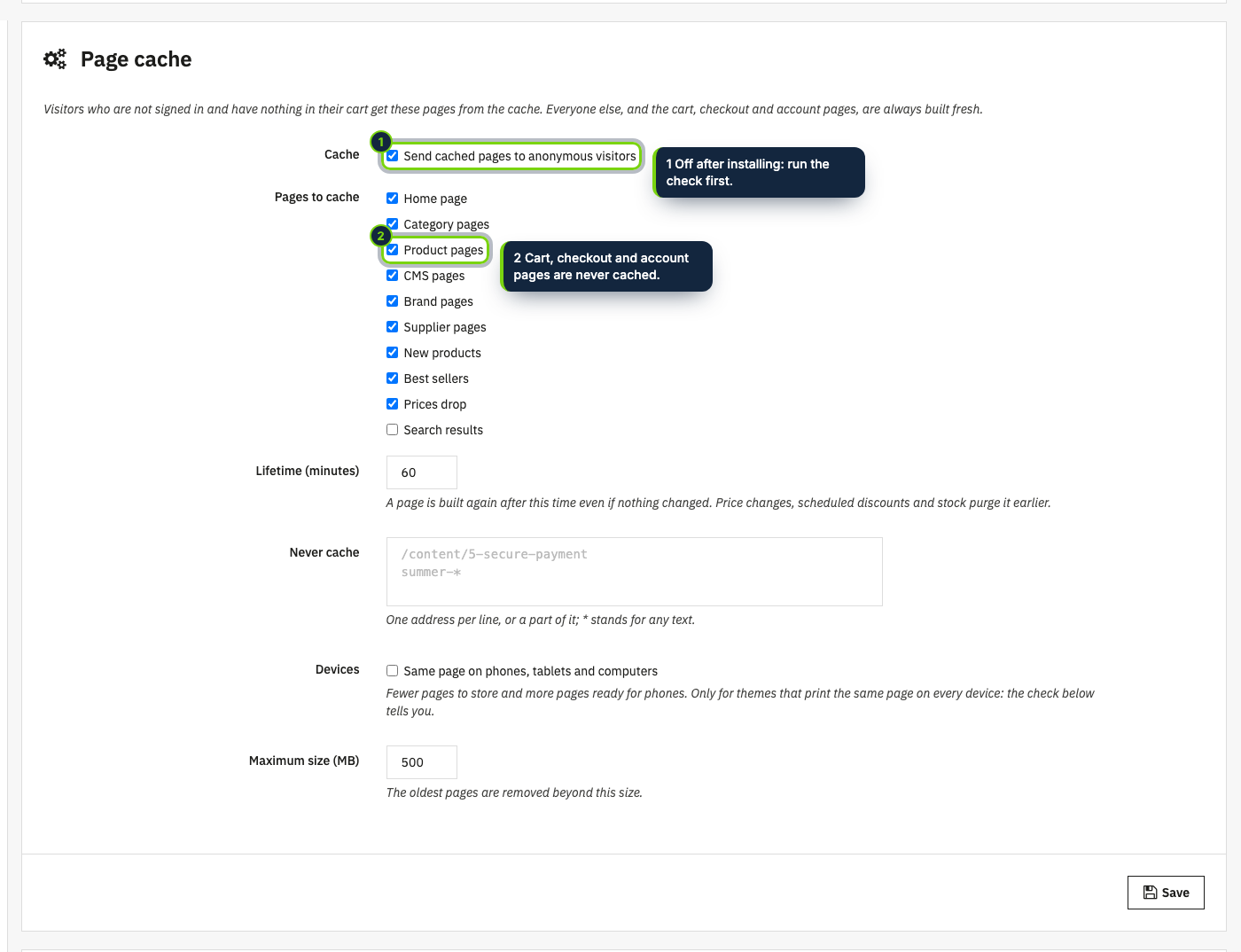
price. This module was designed around that: it only stores pages built for visitors with nothing personal,
only serves them to visitors who are not signed in and have nothing in their cart, and rebuilds a product's
pages the moment its price or stock changes. Scheduled discounts and flash sales start on time, and any
setting you save in the back office refreshes everything. Cart, checkout and account always stay live.
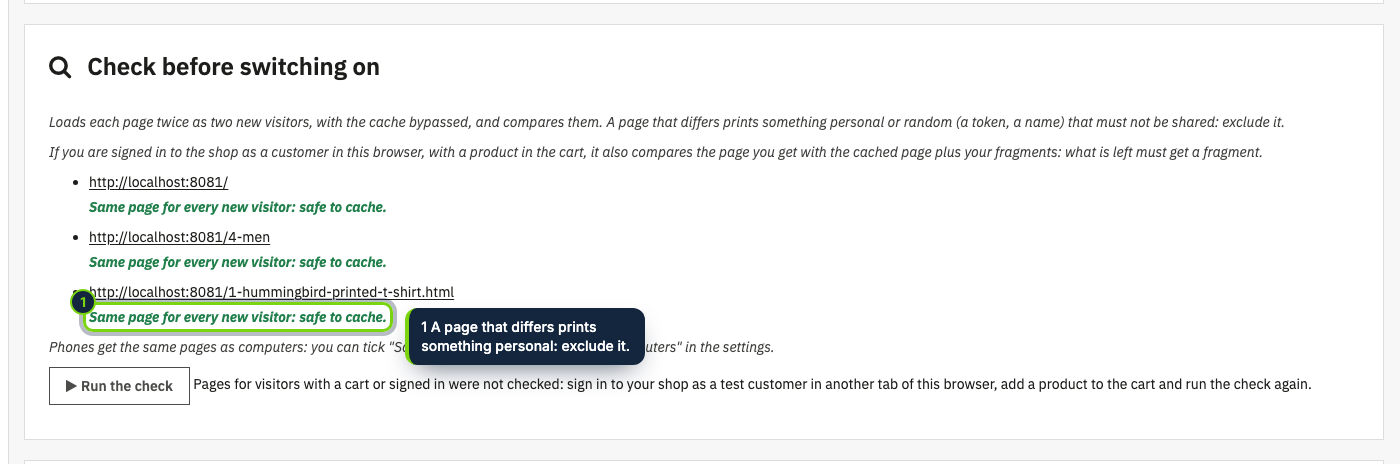
Ready in two clicks. A built-in check opens your pages as two new visitors and tells you whether they are
safe to cache before you switch it on. After that there is nothing to maintain: no override, no server
configuration, no cache to empty by hand. A warm-up (a button, or a cron job) prepares your pages before the
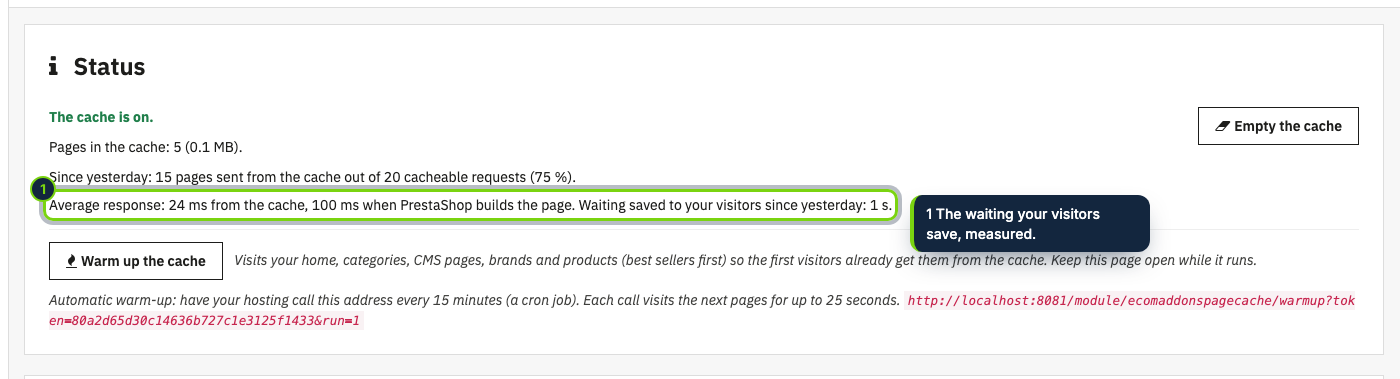
first visitor arrives, filters of the faceted search are answered from the cache too, and the status shows the
response times and the waiting your visitors were spared.
Faster for your customers too, if you want. With dynamic fragments switched on, signed-in customers and
visitors with a cart also get cached pages, and their own cart, name and account links appear a moment later.
Customers with prices of their own keep getting live pages, and a form for developers covers any other module
that prints something personal.
How it fits into PrestaShop
- Versions
- PrestaShop 8.2 and 9.0 on PHP 8.1 or later, any theme: it stores the HTML your theme prints.
- Back office
- Modules › Module Manager › Configure shows the status (pages stored, share of requests served
from the cache), the settings and the check, plus an "Empty the cache" button.
- Hooks
actionDispatcherBefore to answer, the actionObject…After hooks and actionUpdateQuantity to
purge, and the module install and cache-clear hooks to empty it. No override.- Prices
- Specific prices, catalogue price rules and flash sales that start or end later are taken into
account: a cached page expires at that moment.
- Storage
- Compressed files in PrestaShop's cache folder and a small index in the database; a maximum size
you choose.