Features

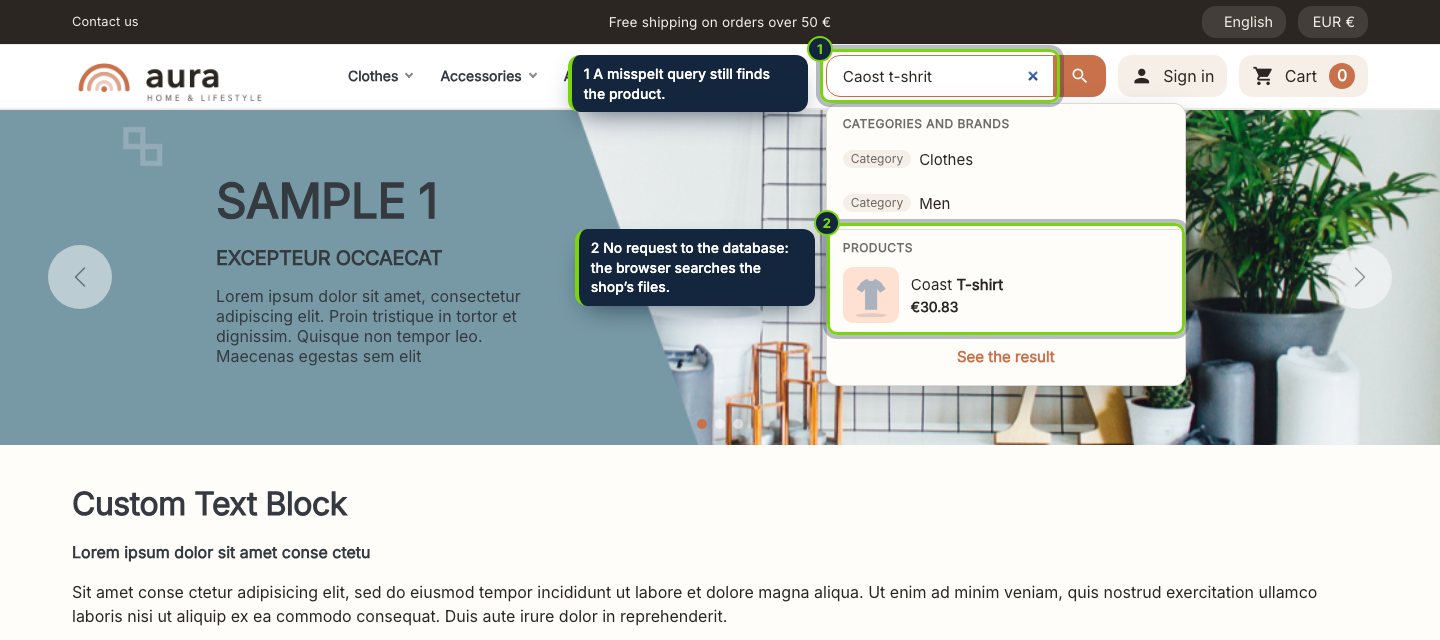
  • Results from the second letter: products with picture and price, plus the categories and brands that match, in a list under the search box your theme already has
  • No request to PrestaShop while the customer types: the browser searches static JSON files that can sit on a CDN, and the database is left alone
  • Forgives what customers really type: no accents or capitals needed, words found as they are typed, one or two wrong letters, letters out of order (“caost t-shrit” finds “Coast T-shirt”)
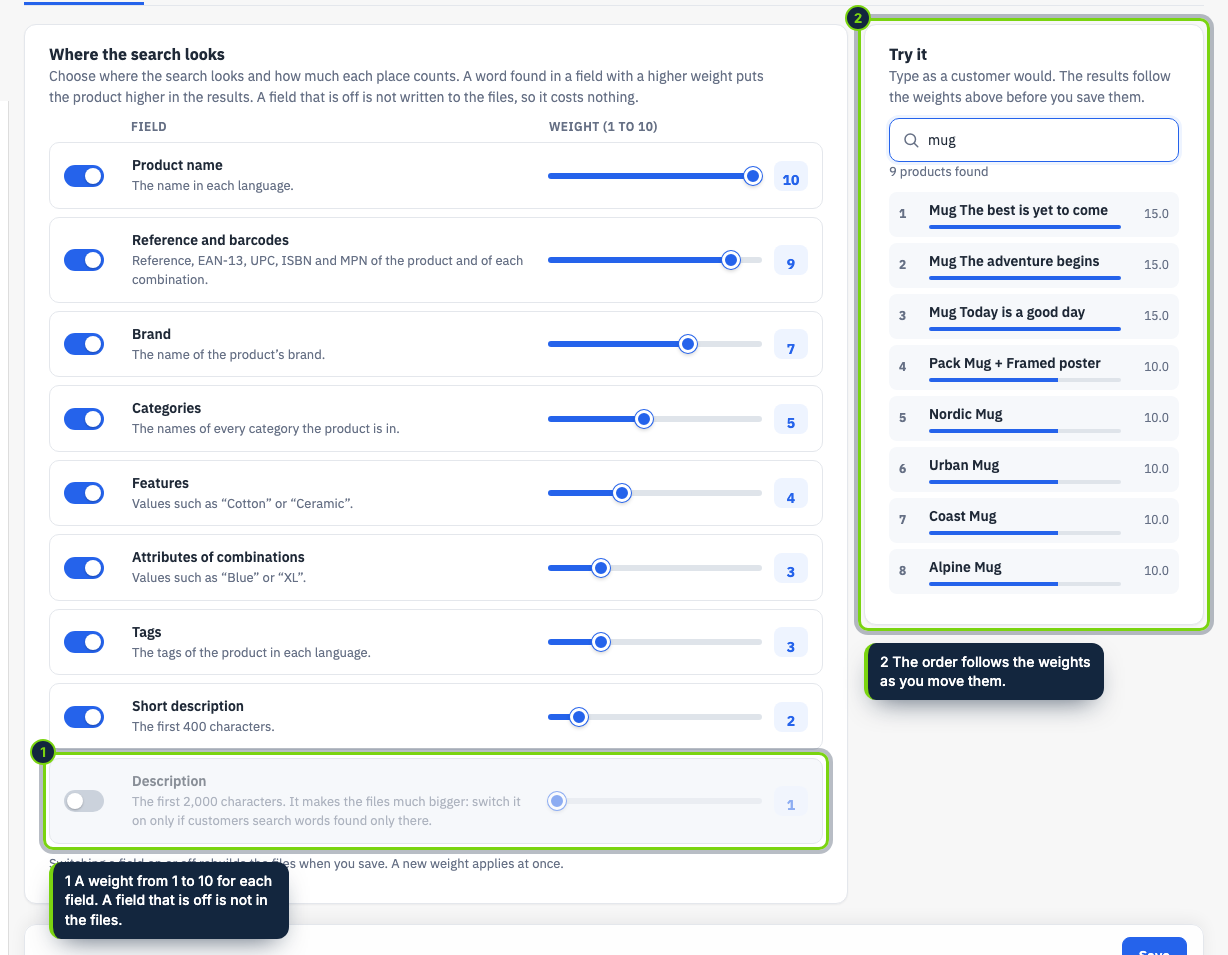
  • You choose where it looks and how much each place counts: name, reference and barcodes (combinations included), brand, categories, features, attributes, tags and descriptions, each with a weight from 1 to 10
  • A “Try it” box in the back office ranks your products with the weights you are moving, before you save
  • Uses the search aliases you already set in PrestaShop, so synonyms keep working
  • Files kept fresh by PrestaShop hooks (products, stock, price rules, combinations, categories, brands, features, aliases, currencies, groups); no cron job, plus a command line script for big imports
  • Prices as each visitor pays them: one set of files per language, currency and customer group
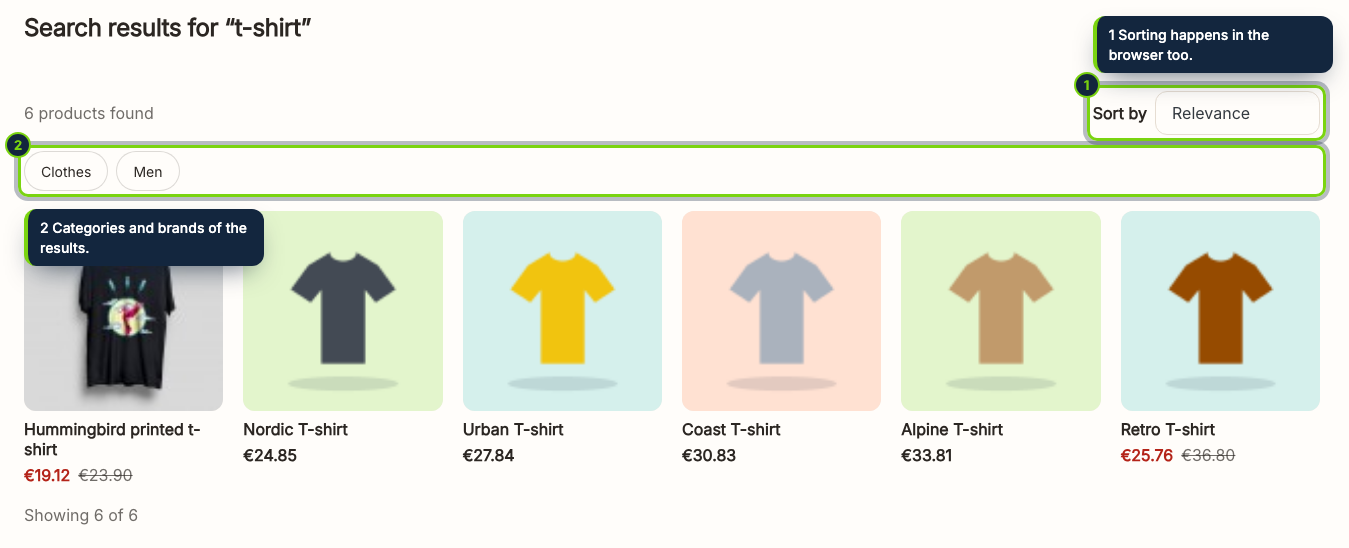
  • A results page with sorting by relevance, price or name, and a list that works with the keyboard and screen readers

The search box of a PrestaShop shop asks the server at every key: the stock search bar posts each letter to the search page, which runs a heavy query on the word index. On a busy shop that is one of the most expensive things a visitor does, and it cannot be cached. Instant Search moves the work to the visitor's browser. The shop writes JSON files with what can be searched, the browser reads them once, on the first click in the search box, and then answers every key by itself.

How it fits into PrestaShop

The module takes over the search box your theme already shows (the stock search bar, Classic, Hummingbird, Aura): nothing to edit in the theme. Its settings page, under Modules › Module Manager › Configure, has three tabs: the fields searched with their weights and a box to try them, the search box options, and the files with a progress bar to rebuild them. Hooks on products, stock, price rules, combinations, categories, brands, features, aliases, currencies and groups queue what changed, and a visitor's browser asks the module to update the files after the page is shown. Each language, currency and customer group has its own files, with prices as that visitor pays them. Tested on PrestaShop 8.2 and 9.0 with PHP 8.1 and later.

FAQ

How big a catalogue?
Tested with 20,000 products per language and customer group: the search file then weighs 0.3 to 1.5 MB once compressed, read once per visit, and each search takes a few milliseconds.
Does it hurt SEO?
No. The results page is not indexed, and without JavaScript the stock search page answers.
My server is nginx.
Allow img/ecomsearch/*.json in your configuration; on Apache the module adds the rule.

Installation

  1. Step 1

    Download the zip from your account on ecom-addons.com.

  2. Step 2

    In the back office, open Modules › Module Manager › Upload a module and choose the zip.

  3. Step 3

    Open Configure and, in Files, click Rebuild all files now (or let the first visits build them).

Download the step-by-step guide (PDF)

Version history

  1. Loading…

Reviews

Loading…