Features

  • Static JSON files per listing variant (shop, language, currency and customer group): every product with its categories, brand, features, attributes, price, stock and sales, and the product cards already rendered by your theme
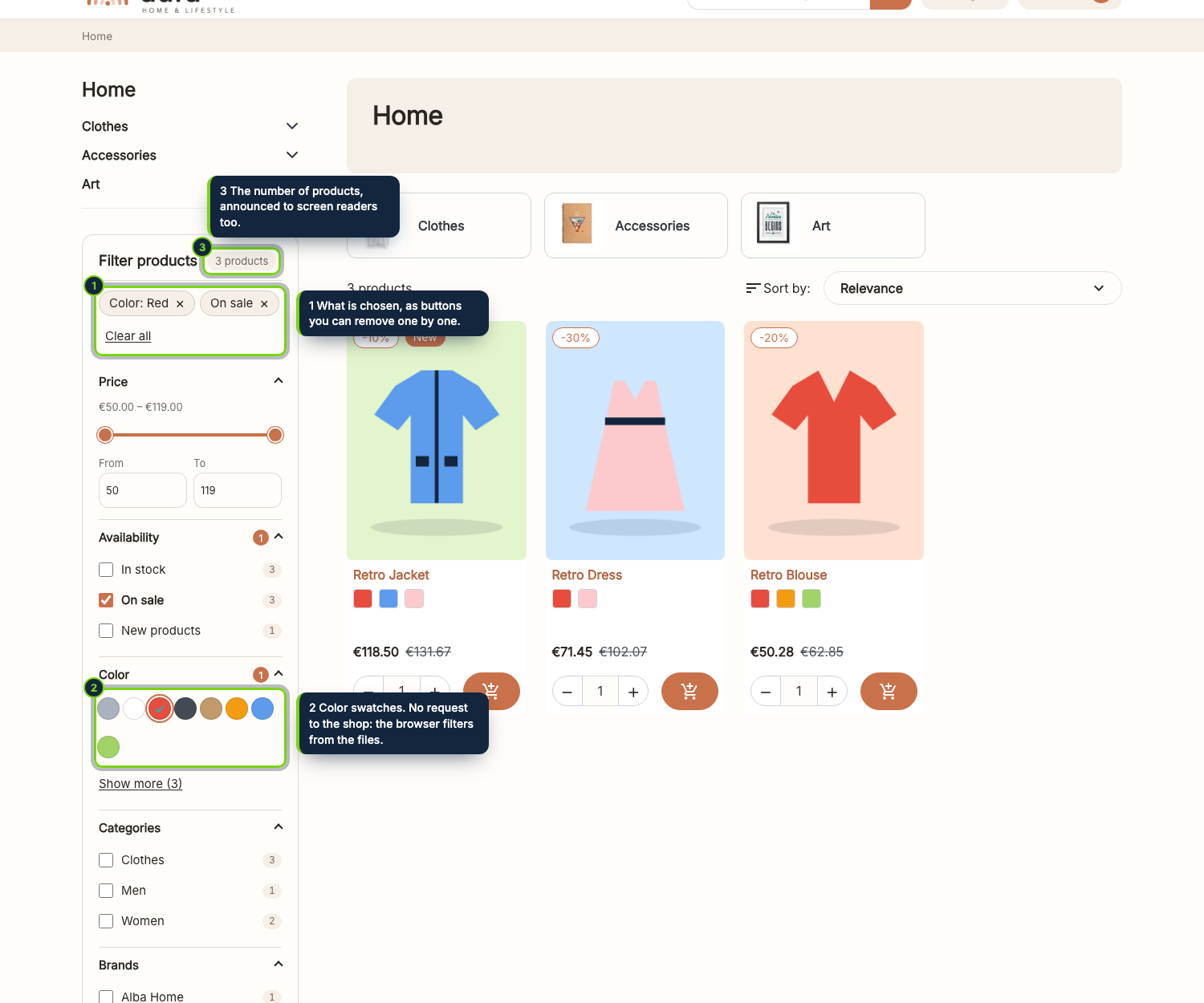
  • Filters for everything the catalogue has: categories, brands, every feature, every attribute (colour swatches included), price range, in stock, on sale, new products and condition, found by themselves, no filter to configure one by one
  • Counts that follow the other filters: a group counts as if it were not chosen, so the customer never lands on an empty result
  • No request to the shop while customers filter: the browser only reads static files, so they can sit on a CDN and the database is left alone
  • The files rebuild themselves from PrestaShop’s hooks when a product, its stock, a price rule, a feature, an attribute, a category, a brand, a currency or a group changes; no cron job
  • Works with any theme because the cards come from the theme’s own template; the listing the server prints stays untouched for search engines and visitors without JavaScript
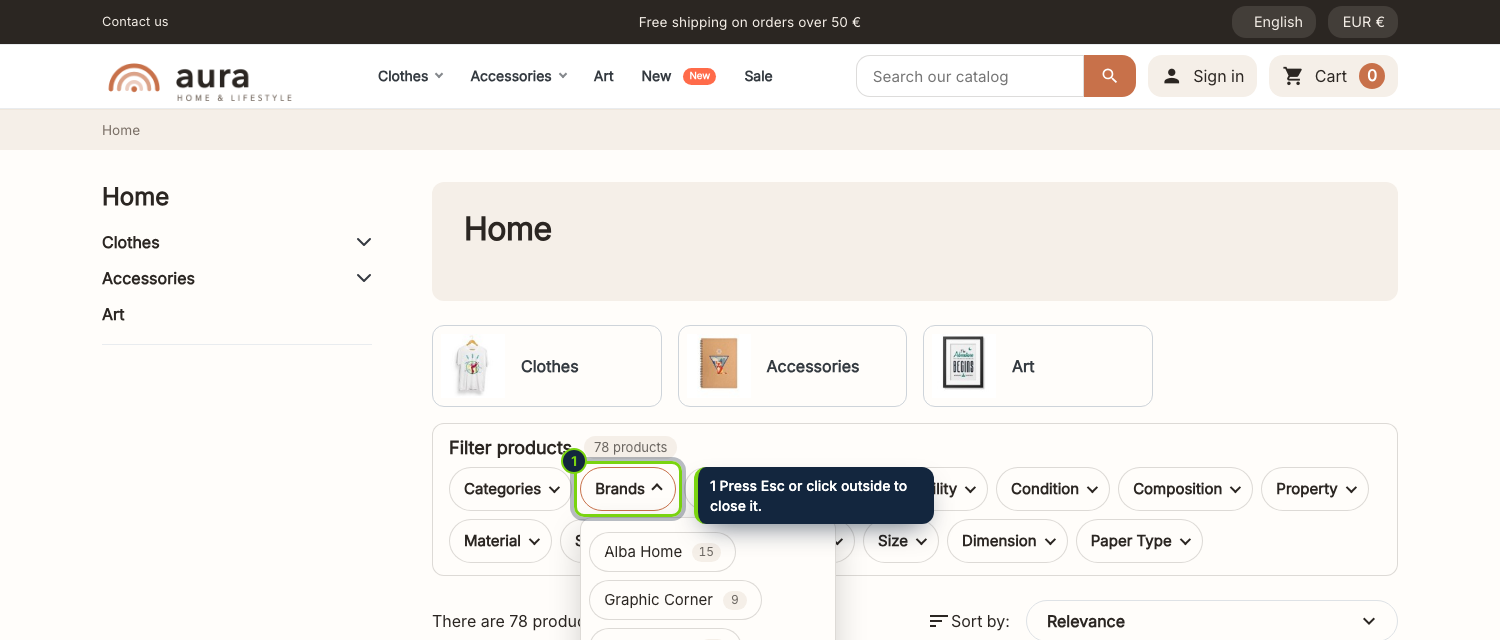
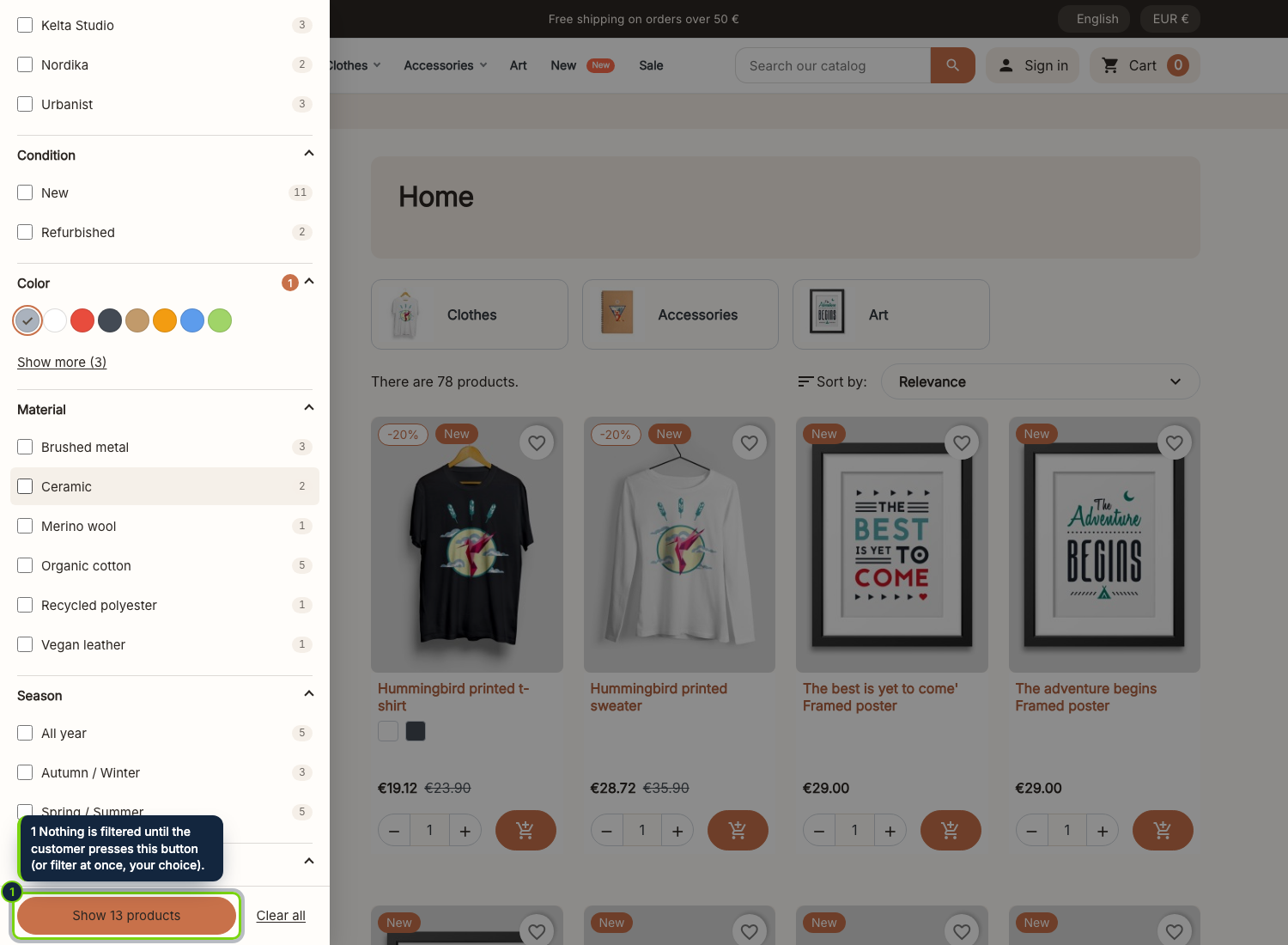
  • Three layouts (beside the products, a bar above them, a floating button with a side panel; always a side panel on phones), filtering at once or with a “Show products” button, page numbers, a load more button or endless scroll, active filters as chips and a URL that can be shared or reloaded
  • Built to be accessible: it works with the keyboard and screen readers, filters announce the number of results, the side panel keeps the focus until it is closed, and every target is big enough for a finger
  • A back office page in four tabs: order the filters by dragging, name each one in every language, choose how it looks (list, buttons, color swatches, drop-down, price slider), merge several attributes or features into one filter, pick the customer groups, and rebuild the files with a progress bar that shows every file; a command line script for big catalogues

A faceted search usually asks the server for every click: a heavy query for each filter change, slow on big catalogues and impossible to cache. Instant Filters changes where the work is done. The shop writes a set of JSON files with the whole catalogue and the filters it can offer, and the customer’s browser reads them once and then filters, counts, sorts and paginates on its own.

What the shop writes

For each shop, language, currency and customer group that you prepare, the module keeps an index.json with one compact record per product (categories, brand, features, attributes, price, discount, stock, date, sales and position) and the names every filter shows, plus cards-N.json files with the product cards rendered by your active theme, so the filtered listing looks exactly like the normal one. Prices are the ones that visitor pays, with discounts, group reductions and tax as the shop displays them.

How it stays fresh

Saving or deleting a product, changing its stock, adding a price rule, editing a feature, an attribute, a category, a brand, a currency or a group puts the change in a small queue. The next visitor’s browser asks a module address to work on it after the page is shown, so nobody waits and there is no cron job to set up. For a big import or a deploy, run php modules/ecomaddonsinstantfilters/cli/rebuild.php, or press the rebuild button.

On the storefront

The filter panel appears on category, brand, supplier, new products, best sellers and prices drop pages: beside the products (the theme’s left column), as a bar above them, or as a floating button that opens a side panel, as you choose; on phones it is always a side panel. The server still prints the normal listing: search engines, and visitors without JavaScript, see it as before.

Good to know

It is built for catalogues up to about ten thousand products per set of files. Past that, the files grow too big to be pleasant on a phone.
Turn off PrestaShop’s own faceted search (the settings page has a button) or customers see two panels.
Each customer group that has its own prices needs its own files: choose them in the settings.
On Apache, the module adds a .htaccess in img/ecomfilters/ that lets only the JSON files through; on nginx allow img/ecomfilters/*.json in your configuration.

Version history

  1. Loading…

Reviews

Loading…