
Features
- Implements hook_commerce_product_update and hook_commerce_product_variation_update, so saved edits reach Miravia straight away
- Reads optional fields you add yourself: field_stock on the variation, field_brand and field_category on the product
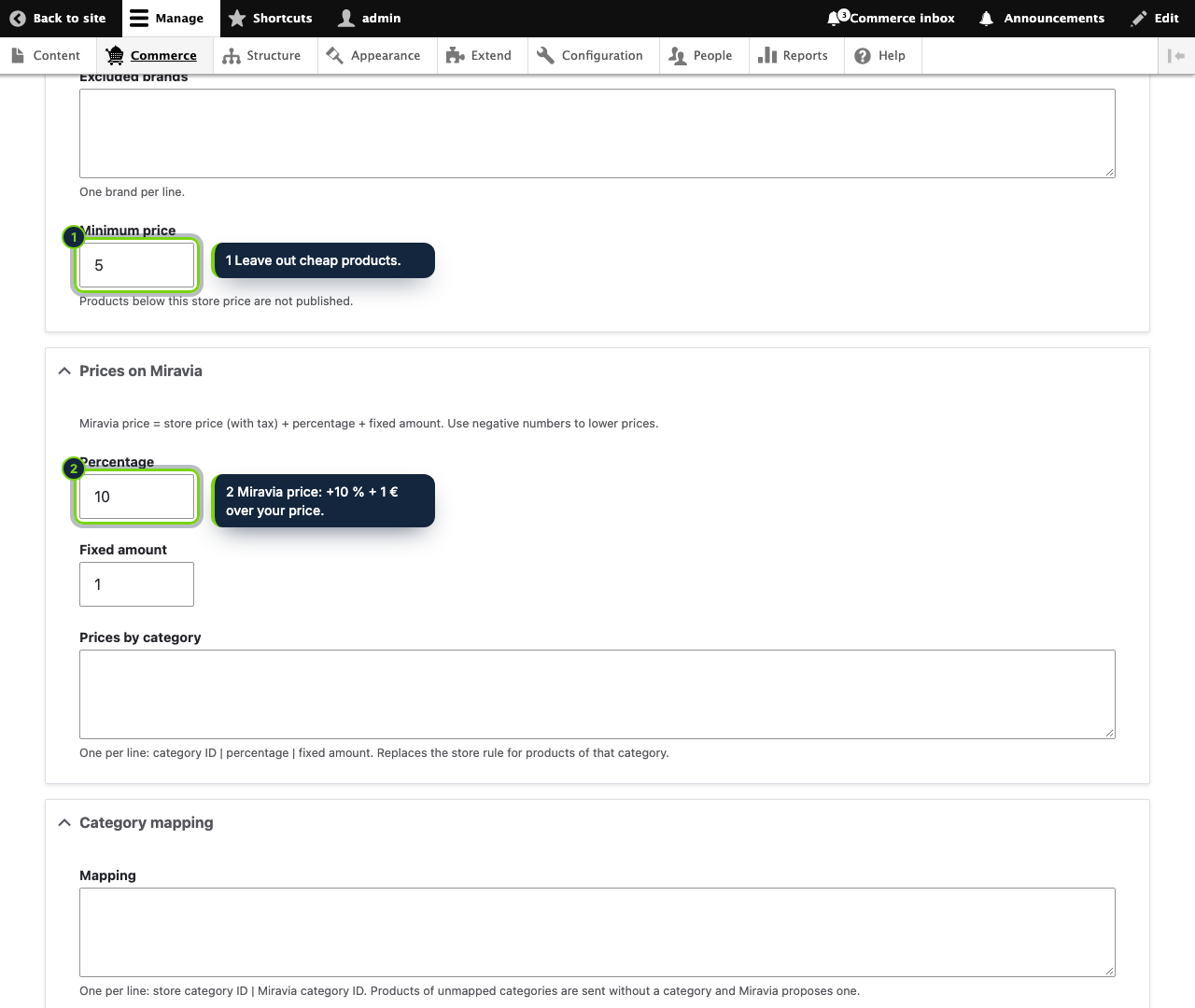
- Configuration form under Commerce › Configuration › Miravia, guarded by the restricted Administer the Miravia sync permission
- Variation SKU sent as Miravia seller SKU; existing listings with that SKU are updated
- Taxonomy term IDs mapped to Miravia categories, with a price markup per category
- Uses your own Miravia Open Platform app keys, with no intermediary service
Drupal Commerce leaves stock, brand and category to your own content model, so a generic connector has nothing fixed to read. This module works with the fields you already have: it builds a Miravia listing for each product that passes your rules and keeps stock and price aligned.
How it fits into Drupal Commerce
- Requires Drupal 11.3, Commerce 3.x (Commerce Product) and PHP 8.3+.
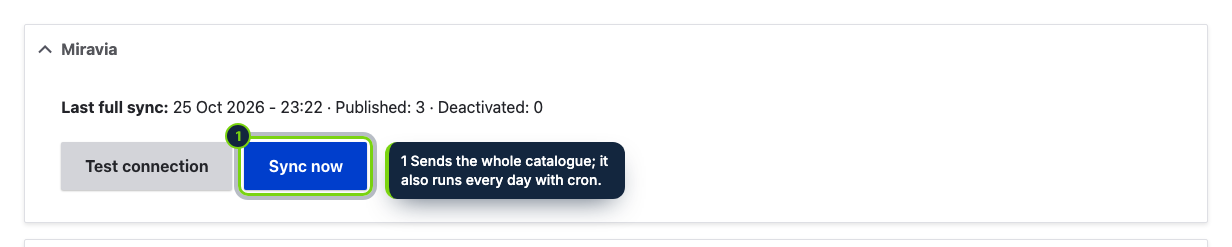
- Settings, Test connection, Sync now and the last sync report (published, deactivated, skipped with the reason, errors from Miravia) are on Commerce › Configuration › Miravia. Access is limited to roles with Administer the Miravia sync.
- Saving a product or a variation triggers
hook_commerce_product_update/hook_commerce_product_variation_updateand the change is pushed.hook_cronruns the full sync once a day and deactivates on Miravia what no longer matches your rules. - Commerce core has no stock, brand or category, so the module uses
field_stock(integer, on the variation),field_brandandfield_category(taxonomy terms, on the product) when they exist. Withoutfield_stock, 10 units are sent. Images come fromfield_imagesorfield_imageon the product or the variation, and an unpublished product or variation goes out as inactive. - Version 1.0 publishes products that have a single variation. Order import, tracking numbers and shipping labels are planned.
Installation
- Step 1
Download the archive from My account › Downloads on ecom-addons.com.
- Step 2
Unpack it into
modules/custom/ecom_addons_miravia_syncand enable it on Extend, or rundrush en ecom_addons_miravia_sync. - Step 3
Give the permission to the right roles, create an app in the Miravia Open Platform console, authorise it with your seller account and enter the app key, app secret and access token on the settings form.
- Step 4
Test the connection, set the rules and press Sync now. Make sure Drupal cron runs at least daily.
FAQ
My products have several variations: are they sent?
Not in 1.0. Only products with exactly one variation are published; the report lists the rest.
I have no stock field. What does Miravia get?
10 units per product. Add an integer field_stock to the
variation type to send real quantities.
Which category IDs do I map?
The IDs of the taxonomy terms referenced by field_category, one line per
term with the Miravia category ID next to it.
Version history
- Loading…
Reviews
Loading…