
Features
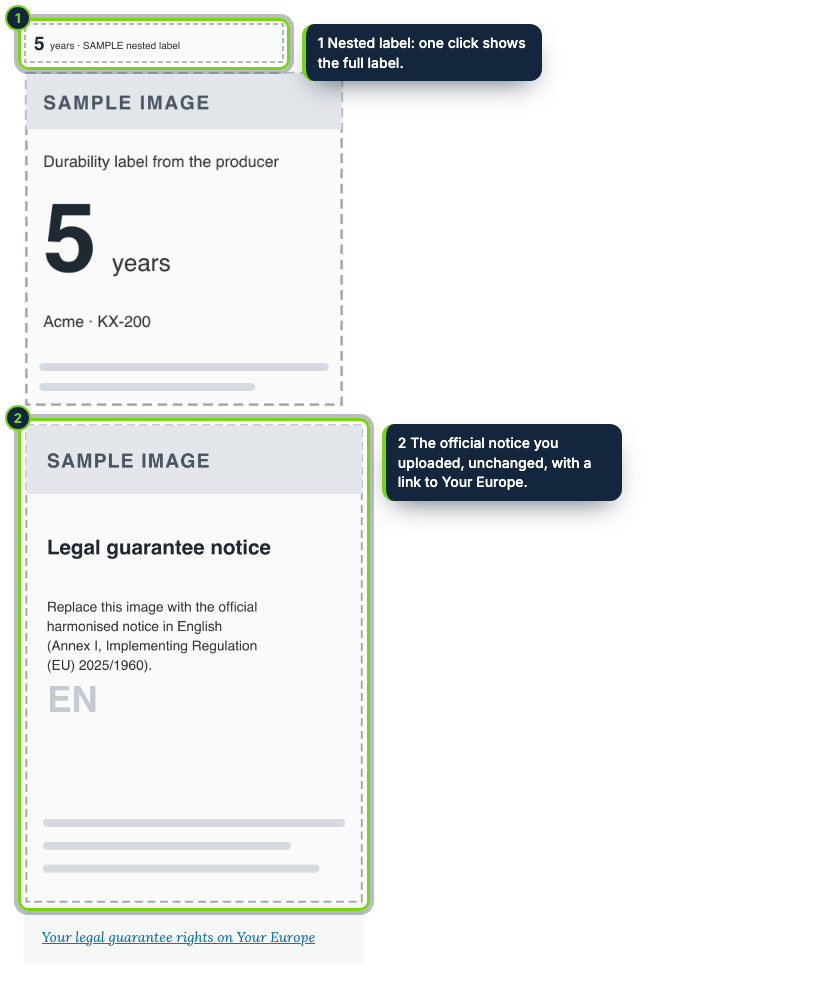
- Pseudo-field “Guarantee notice and label” on the product display: move or hide it per product type in Manage display
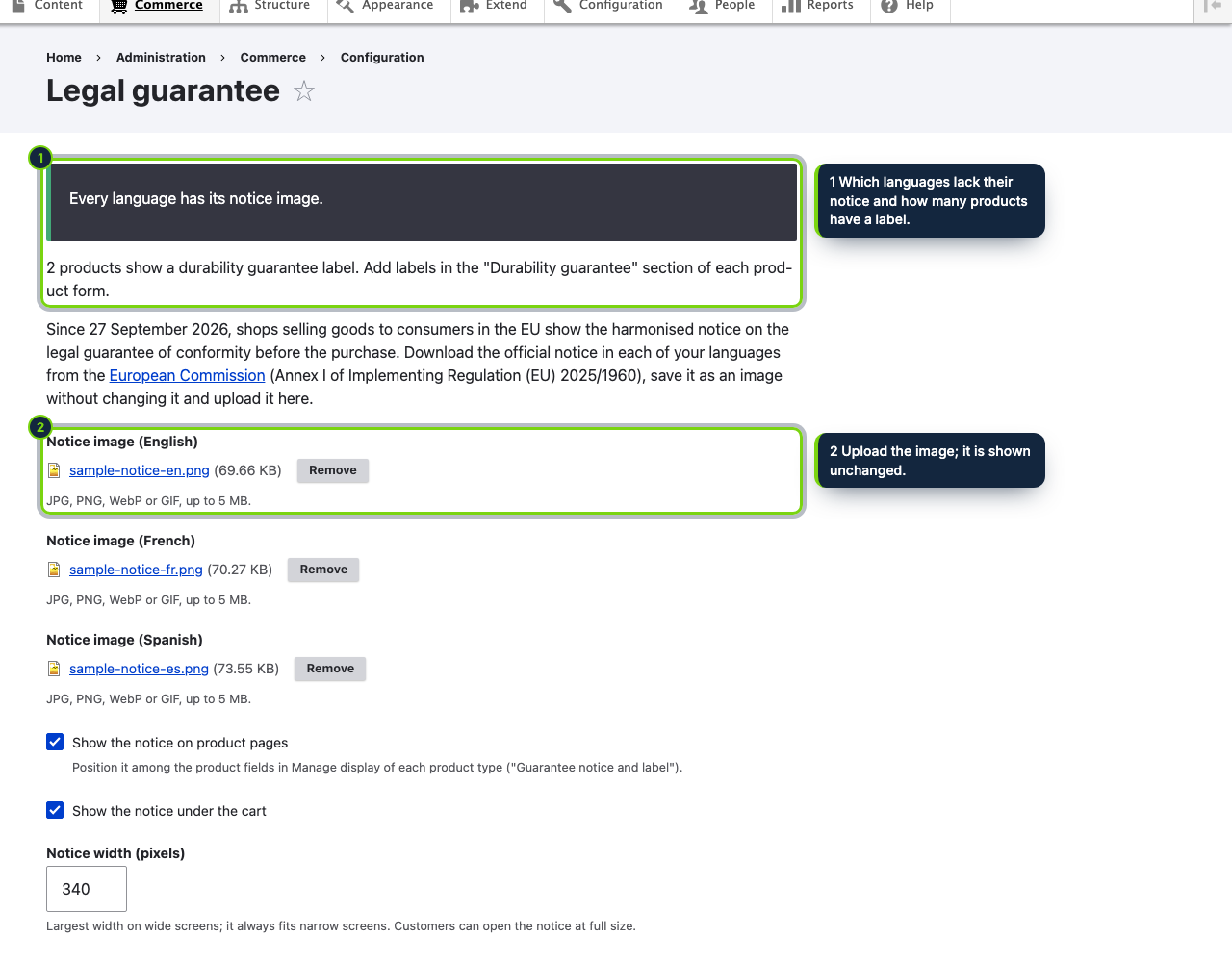
- Store admin page at Commerce › Configuration › Legal guarantee with one managed file upload per language
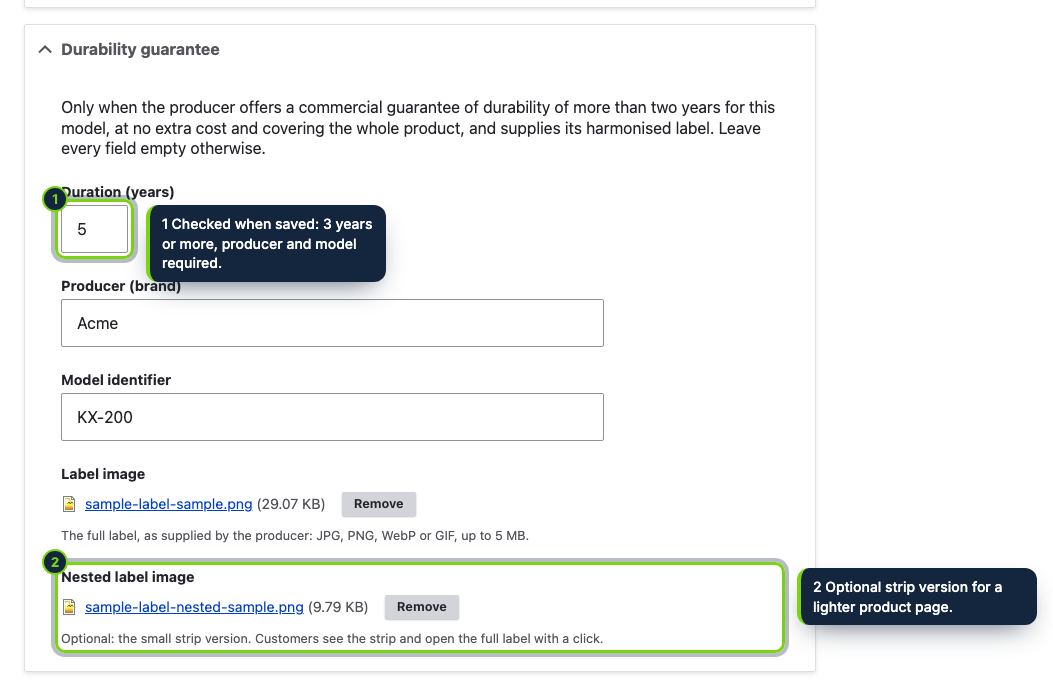
- Dedicated permission “Administer the legal guarantee notice and durability labels” for the settings and the product form section
- Images saved as managed files in public://legal-guarantee, with file usage recorded so Drupal’s cron cleans up unused ones
- Cart notice added to the Commerce cart form view, cached per content language
- Label stored per product in its own table, shared by all of the product’s variations and removed with the product
- Strip image that opens the full label on the first click, rendered as a native details element with no JavaScript
On 27 September 2026 Directive (EU) 2024/825 started applying: EU traders must flag the legal guarantee of conformity before the sale using the harmonised notice, and show the harmonised label wherever a producer gives a durability guarantee beyond two years free of charge. The visuals of both come from Implementing Regulation (EU) 2025/1960. This module brings them into a Drupal Commerce store as managed files and display components, so site builders place them like any other part of the product page.
How it fits into Drupal Commerce
- Requirements
- Drupal 11.3 with the File module, Commerce 3.x (Product and Cart), PHP 8.3 or newer.
- Configuration
- Commerce › Configuration › Legal guarantee holds a
managed_fileupload for each language, switches for product pages and the cart, and the display width (240–1200 px). A status reports the languages without a notice (they get the default language’s image) and how many products carry a label. - Product display
- The component is an extra field on the product entity, so its position and visibility are set per product type in Manage display. Hide it for types that are services or digital content.
- Product form
- Users with the module’s permission see a Durability guarantee section on the product edit form: years (3 to 99), brand, model, the full label and an optional strip.
- Uninstall
- Drops the settings and the table and releases the files, which cron then deletes.
Installation
- Step 1
Download the archive from My account › Downloads on ecom-addons.com.
- Step 2
Extract it into
modules/custom/, so that the folder ismodules/custom/ecom_addons_legal_guarantee. - Step 3
Enable Guarantee Notice & Durability Label in Extend, or run
drush en ecom_addons_legal_guarantee. - Step 4
Grant Administer the legal guarantee notice and durability labels to the roles that manage the catalogue.
- Step 5
Upload each language’s notice in Commerce › Configuration › Legal guarantee.
FAQ
Is the label set per variation?
No. It belongs to the product, so every variation of that product shows the same label.
Can I choose where it appears on the product page?
Yes. Drag the “Guarantee notice and label” component in the product type’s Manage display, or disable it there.
Where do the official images come from?
The notice from the European Commission or Annex I of the Official Journal, the label from the producer. They carry EU logos and are not shipped; upload them without changes.
The module shows the images you upload where you configure it; which products qualify and how the law applies to your store remain your responsibility. It does not constitute legal advice.
Version history
- Loading…
Reviews
Loading…
Bought it? Leave a review from your account.