
Features
- Flash sales with a name, a percentage off, a start and an end; schedule them days ahead
- The discount is the WooCommerce scheduled sale price, so cart, taxes, orders and other addons treat it as an ordinary sale
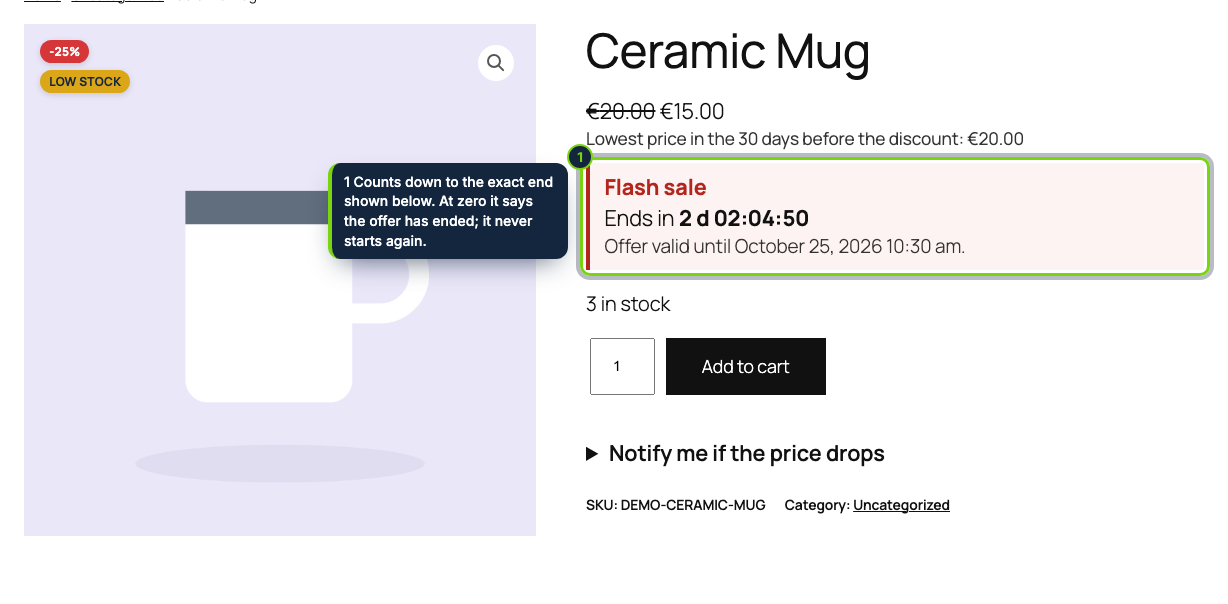
- A countdown under the price on the product page, with the exact end date and time, that never restarts
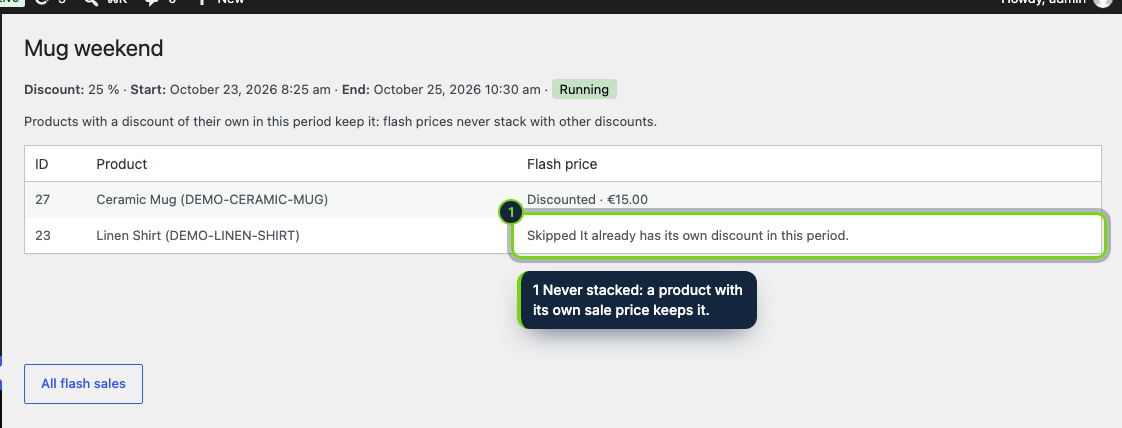
- Never stacks: products that already have a discount in that period keep theirs and are listed as skipped
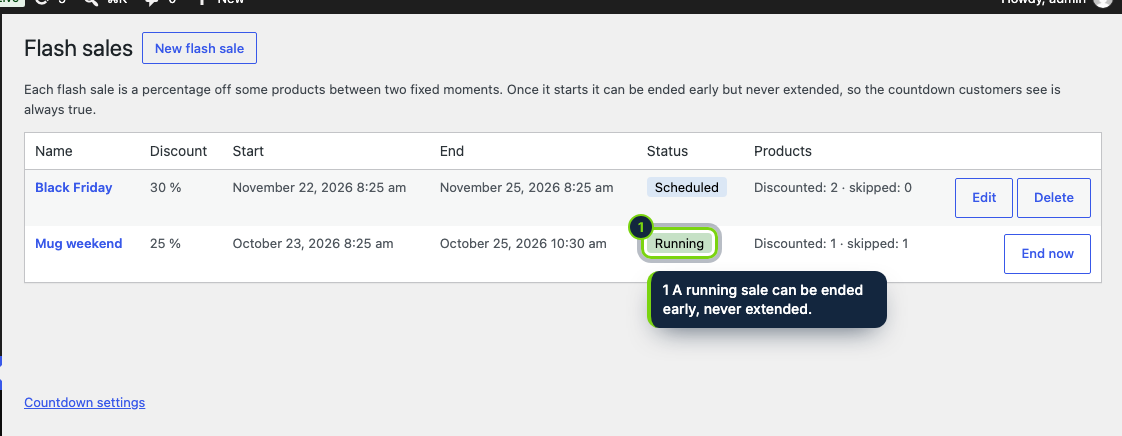
- A running sale can be ended early but never extended; ended sales cannot be restarted
- Marketing › Flash sales: the list of sales with their status, and per sale which products got the flash price and why others did not; in English, Spanish and French
A flash sale works because the deadline is real. Flash Sales Countdown takes a percentage off the products you pick between two fixed moments and shows customers how long is left, under the price on the product page, in block and classic themes. The countdown is honest: it counts down to the end you set, says the offer has ended at zero and never restarts. EU law (Directive 2005/29/EC, Annex I, point 7) treats falsely claiming that an offer is only available for a very limited time as an unfair practice in all circumstances, so a running sale can be ended early but never extended.
How it fits into WooCommerce
- Requirements
- WooCommerce 11.2+, WordPress 7.0+ and PHP 8.1+. Block themes and classic themes are supported.
- Sale price
- Each product gets a WooCommerce scheduled sale price with the sale's dates, variations of variable products included. Carts, taxes, coupons and other plugins treat it as any other sale.
- No stacking
- Products that already have a sale price of their own in that period keep it and are listed as skipped, with the reason, so every flash price is a real reduction.
- Omnibus
- As the reduction is an ordinary sale price, our Lowest Price in 30 Days (Omnibus) addon, or any other that reads sale prices, shows the prior price under it.
- wp-admin
- The list of sales and their per-product results are in Marketing › Flash sales. A single option, Countdown on product pages, is in WooCommerce › Settings › Products › Flash sales.
- Countdown box
- A small box in your theme's font that works with page caches and, without JavaScript, still shows the end date. The plugin declares compatibility with HPOS.
Installation
- Step 1
Download the zip from My account › Downloads on ecom-addons.com.
- Step 2
In WordPress, go to Plugins › Add New › Upload Plugin, choose the zip, then Install Now and Activate.
- Step 3
Open Marketing › Flash sales and click New flash sale: name, percentage off (1 to 90), start, end (up to 31 days later) and products.
FAQ
Can I extend a sale that is already running?
No. A running sale can only be ended early with End now, and an ended sale cannot be restarted: create a new one instead.
What if a product already has a sale price?
If its dates overlap the flash sale, it keeps its own price and is listed as skipped with the reason. A product can also be in only one flash sale at a time.
Does it need a page cache exception?
No. The page is the same for every visitor, so page caches are safe.
Category or whole-catalog selection, countdowns in product lists, a store-wide banner and stock limits are planned for later versions.
Version history
- Loading…
Reviews
Loading…
Bought it? Leave a review from your account.