
Features
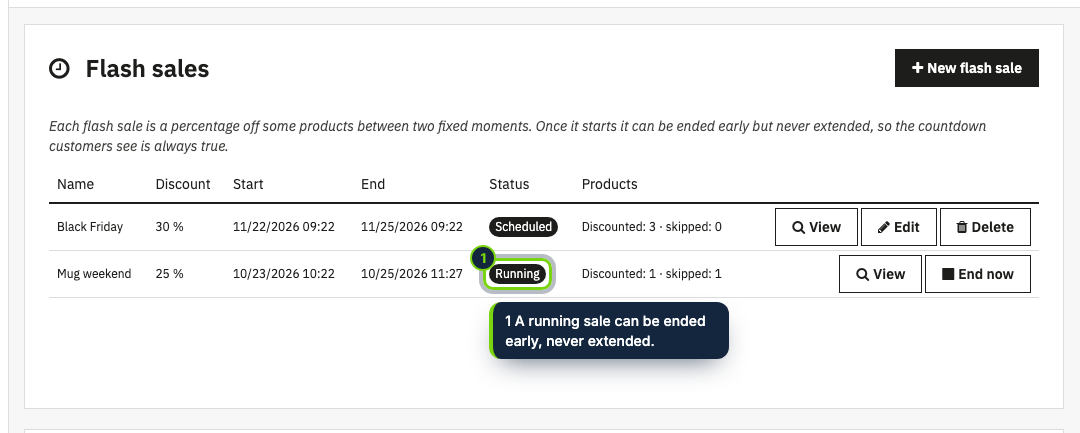
- Flash sales with a name, a percentage off, a start and an end; schedule them days ahead
- The discount is a native PrestaShop specific price, so cart, taxes, orders and other addons treat it as an ordinary sale
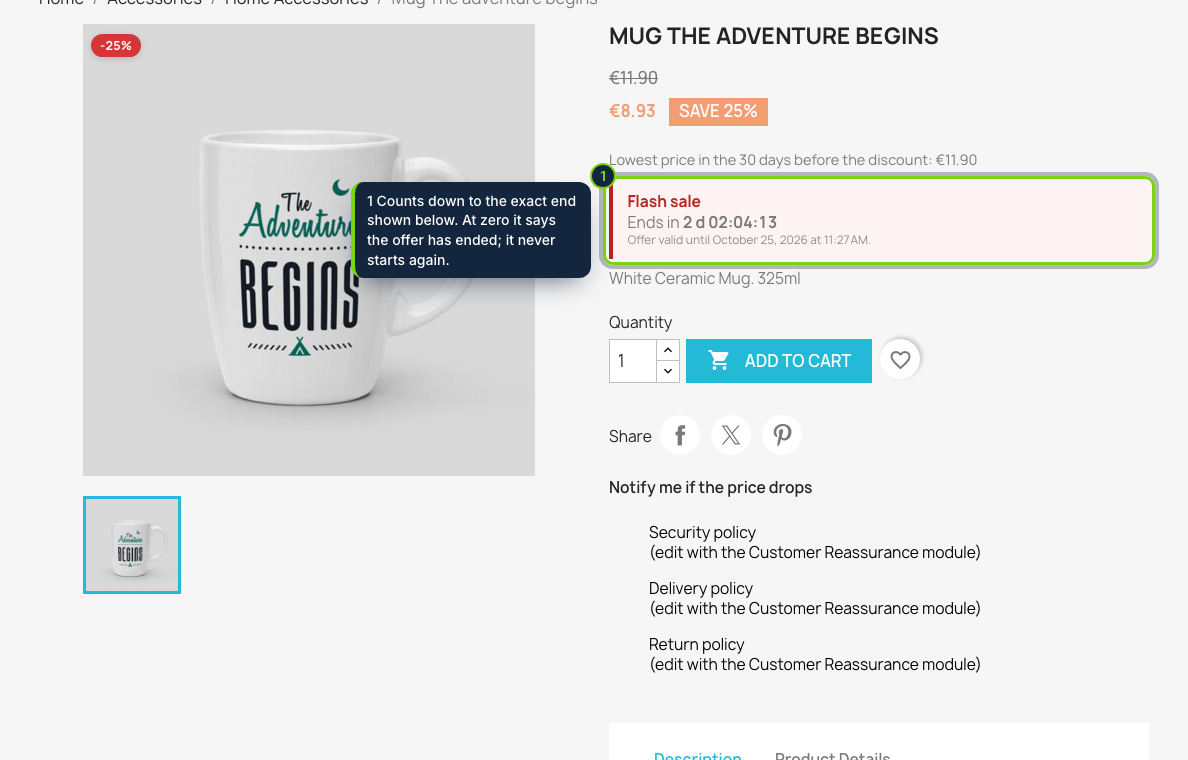
- A countdown under the price on the product page, with the exact end date and time, that never restarts
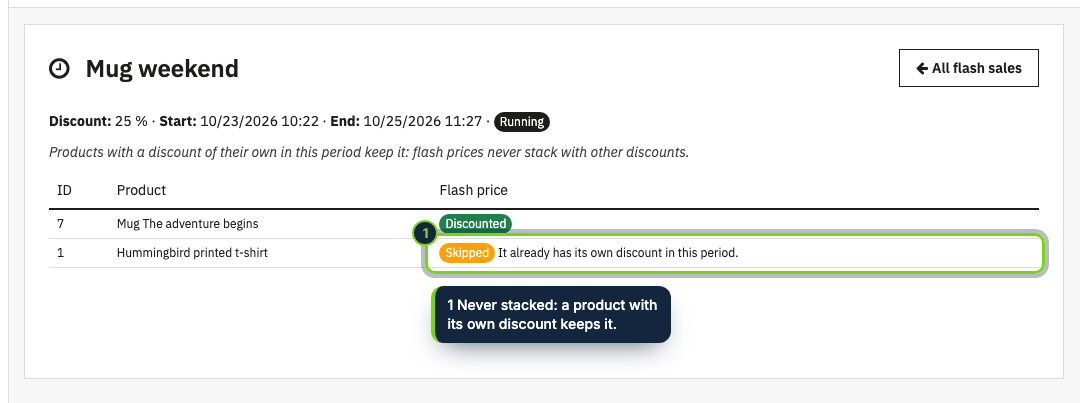
- Never stacks: products that already have a discount in that period keep theirs and are listed as skipped
- A running sale can be ended early but never extended; ended sales cannot be restarted
- Module page: the list of sales with their status, and per sale which products got the flash price and why others did not; in English, Spanish and French
A flash sale works because the deadline is real. Flash Sales Countdown takes a percentage off the products you pick between two fixed moments and shows customers how long is left, under the price on the product page.
How it fits into PrestaShop
- Versions
- PrestaShop 8.2 and 9.0 on PHP 8.1 or later. Tested with the Classic theme; another theme works as long as it keeps the standard price hooks.
- Discounts
- Saving a sale creates a native specific price on every combination of each product, with the sale's dates. PrestaShop starts and ends it by itself, and carts, taxes, invoices and other modules treat it as any other discount; you see it in the product's Pricing tab.
- No stacking
- Products that already have a specific price of their own, typed on the product or from a catalog price rule, keep it and are listed as skipped with the reason. A product can be in only one flash sale at a time.
- Countdown
- A small box under the price through
displayProductPriceBlock, with the time left and the exact end. At zero it says the offer has ended and it never restarts. It works with page caches and, without JavaScript, still shows the end date. - Honest by design
- Once a sale has started its end can be brought forward (End now) but not pushed back, and an ended sale cannot be restarted. EU law (Directive 2005/29/EC, Annex I, point 7) treats falsely claiming that an offer is only available for a very limited time as an unfair practice in all circumstances.
- Prior price
- As the reduction is an ordinary sale price, our Lowest Price in 30 Days (Omnibus) addon, or any other that reads sale prices, shows the prior price under it.
Installation
- Step 1
Get the zip from My account › Downloads on ecom-addons.com.
- Step 2
In the back office, open Modules › Module Manager, click Upload a module and choose the zip.
- Step 3
Click Configure, then New flash sale: a name, the percentage off (1 to 90), the start, the end (at most 31 days later) and the product IDs separated by commas.
FAQ
What happens to products that already have a discount?
They keep it. They are left out of the sale and listed on the module page with the reason, so every flash price is a real reduction on what customers were paying.
Can I extend a sale that is running?
No. A running sale can only be ended early with End now, and an ended sale cannot be restarted: create a new one instead.
Can I hide the countdown?
Yes. At the bottom of the module page, Countdown on product pages switches the box off, and the discount still starts and ends on time. How the rules apply to your shop is yours to check; none of this is legal advice.
Version history
- Loading…
Reviews
Loading…
Bought it? Leave a review from your account.