
 The banner on the first visit: accept, reject and choose side by side, with the same look. Tracking scripts wait for the answer.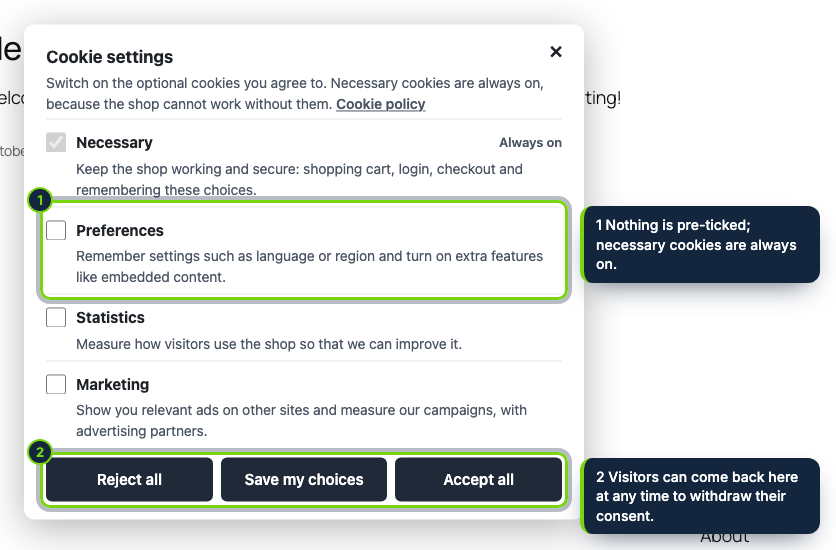
 +1
+1Features
- Own section under WooCommerce › Settings › Advanced › Cookie consent, also reachable from the Settings link in the Plugins list
- Cookie policy link falls back to the privacy policy page chosen in Settings › Privacy, so it works the day you activate it
- Consent Mode v2 defaults printed in wp_head at priority -1000, ahead of anything other plugins output there
- Server-side output buffer for storefront pages only: wp-admin, AJAX, REST, feeds and the Customizer preview are never rewritten
- Tested with block themes (Twenty Twenty-Five) and classic themes; the banner is added in wp_footer
- Full-page cache plugins can keep serving cached HTML: every shopper gets identical markup and the decision is stored in the browser
- Declares HPOS compatibility; strings translatable with Loco Translate under the text domain ecom-addons-cookie-consent
A typical WooCommerce site gathers trackers from several plugins at once: an analytics plugin, a Meta or TikTok integration, a chat widget, a snippet in a Custom HTML block. EU rules (ePrivacy Directive, art. 5(3)) require the shopper’s agreement before those set cookies, and a “no” must be as quick to give as a “yes”. This plugin pauses the trackers in the HTML WordPress sends and releases each group only when the shopper allows it.
How it fits into WooCommerce
- Requirements
- WordPress 7.0+, WooCommerce 11.x (tested up to 11.2), PHP 8.1+.
- wp-admin
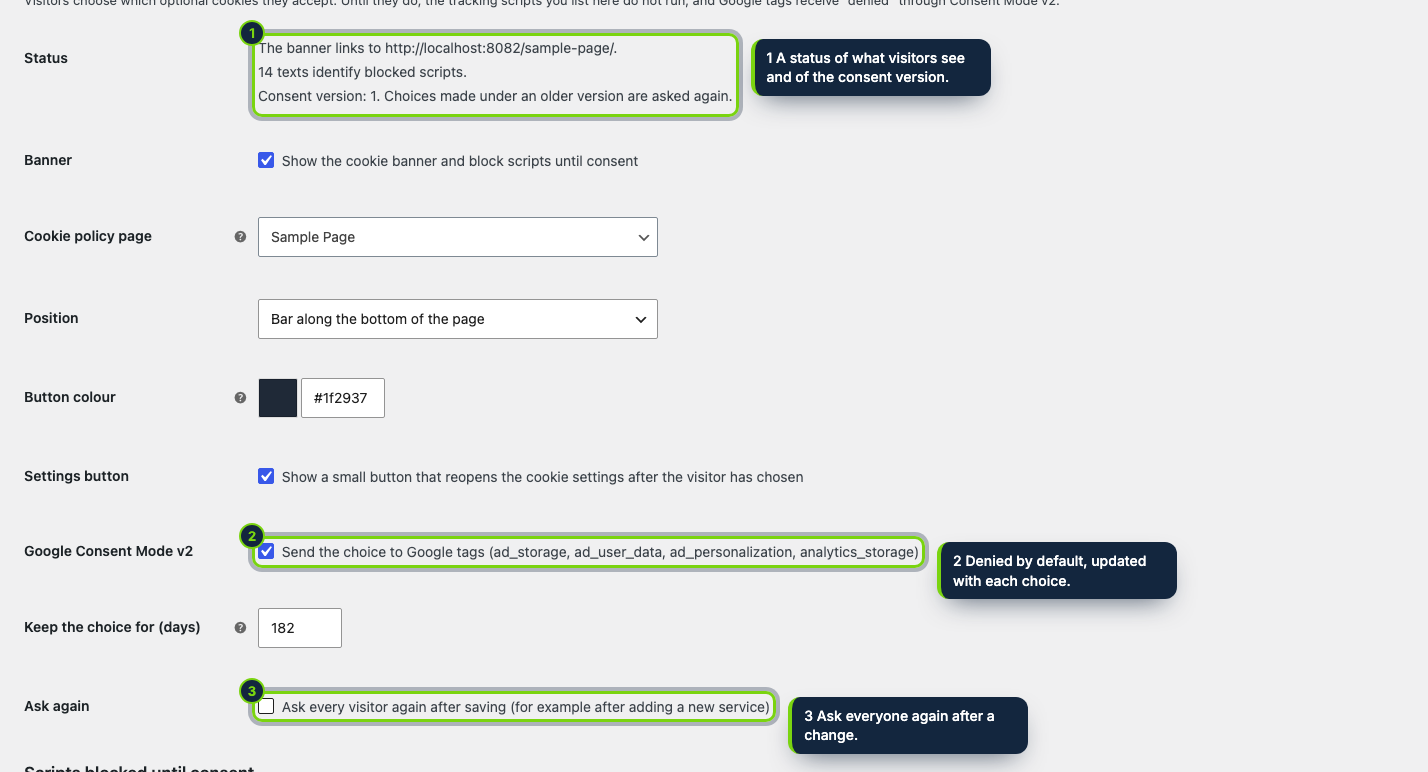
- The settings live in the Advanced tab of WooCommerce settings. A status list warns you when no cookie policy page is set and shows which page the banner links to.
- Front end
wp_headcarries the denied-by-default Consent Mode signals; an output buffer started ontemplate_redirectsets the matching scripts totext/plain;wp_footeradds the banner and a deferredconsent.js.- Categories and services
- Preferences, Statistics and Marketing, all off until chosen. Google tag, Tag Manager, Google Analytics, Clarity and Hotjar count as statistics; Google Ads, Meta, TikTok, Microsoft Advertising, LinkedIn and Pinterest as marketing. Extra rules go in Also block, one per line.
- Afterwards
- A small corner button or a menu link to
#cookie-settingsbrings the choices back; trackers the shopper switches off lose their cookies.
Installation
- Step 1
Download the zip from My account › Downloads on ecom-addons.com.
- Step 2
In wp-admin, go to Plugins › Add New › Upload Plugin, select the file, click Install Now and then Activate.
- Step 3
The banner appears straight away. Open WooCommerce › Settings › Advanced › Cookie consent to check the policy page and the colours.
FAQ
I use a page cache plugin. Is that a problem?
No. The HTML is the same for every shopper, so cached copies stay correct; the consent decision is read in the browser.
Does it work with Google Tag Manager?
GTM itself waits for Statistics. Inside GTM, also set the consent checks
of your tags; the dataLayer event ecom_consent_update fires after each decision.
Are trackers added later by JavaScript caught?
Not by the server-side filter, which only sees the HTML WordPress sends. Scripts loaded that way should be gated through GTM consent settings or your own code.
You get the means to collect consent; your cookie policy and how the rules apply to your store remain your call. None of this is legal advice.
Version history
- Loading…
Reviews
Loading…
Bought it? Leave a review from your account.