
 The banner on the first visit: accept, reject and choose side by side, with the same look. Tracking scripts wait for the answer.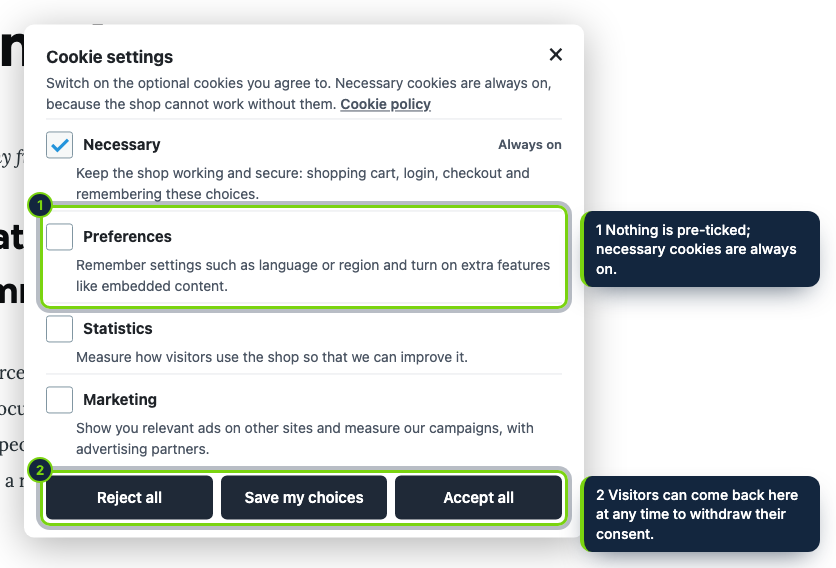
 +1
+1Features
- Configuration form at Commerce › Configuration › Cookie consent, guarded by its own permission “Administer the cookie consent banner”
- A kernel.response event subscriber rewrites the HTML of non-admin routes before Drupal’s page cache stores it
- Banner added through hook_page_bottom with its own library; tested with Olivero and fine with any theme that prints page_bottom
- Saving the form invalidates the config cache tag attached to every page, so cached pages pick up the change
- Policy link as an internal path such as /cookie-policy, which receives the language prefix, or as a full address
- Settings kept in a config object with schema; Drupal removes it on uninstall
- Spanish and French interface translations shipped as .po files, imported with drush locale:update
Drupal sites pull scripts in from many places: the theme, contributed and custom modules, blocks, and body fields using the Full HTML text format. Under art. 5(3) of the ePrivacy Directive, any of them that sets non-essential cookies needs the visitor’s prior opt-in, and opting out must be just as easy. This module neutralises those scripts in the response Drupal builds and switches them on per category once the visitor agrees.
How it fits into Drupal Commerce
- Requirements
- Drupal 11.3, Commerce 3.x, PHP 8.3 or newer.
- Store admin
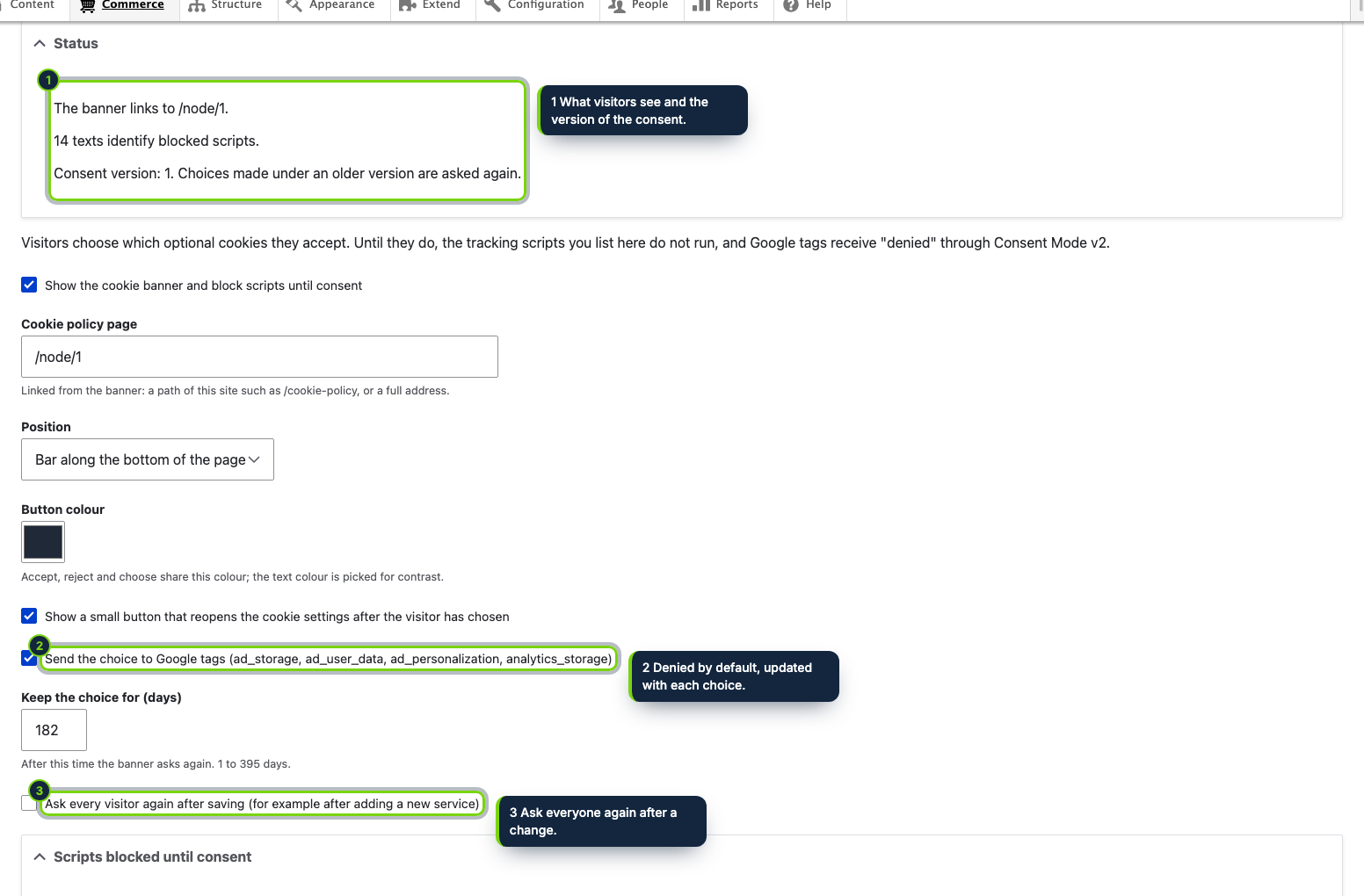
- The form sits under Commerce › Configuration. Only roles holding the module’s permission can open it. A status at the top flags a missing policy link and shows the consent version in force.
- Rendering pipeline
- An event subscriber on
kernel.response(priority -100) puts the Consent Mode defaults straight after<head>and turns matching scripts intotext/plain;hook_page_attachmentsloads the library andhook_page_bottomrenders the banner. Admin routes are left untouched. - Services
- Google tag, Tag Manager, Google Analytics, Clarity and Hotjar fall under Statistics; Google Ads, Meta, TikTok, Microsoft Advertising, LinkedIn and Pinterest under Marketing; all ten start blocked. Anything else is matched by a fragment you type under Also block.
- Revisiting the choice
- A link to
#cookie-settingsin a menu or block, or the round corner button, reopens the dialog; withdrawn services lose their cookies.
Installation
- Step 1
Download the archive from My account › Downloads on ecom-addons.com.
- Step 2
Extract it into
modules/custom/, givingmodules/custom/ecom_addons_cookie_consent/. - Step 3
Enable it under Extend, or with
drush en ecom_addons_cookie_consent. The banner is live at once with safe defaults. - Step 4
On a Spanish or French site, run
drush locale:check && drush locale:updateto import the translations.
FAQ
Does it work for logged-in users with BigPipe?
Anonymous visitors get the fully rendered page, so everything is filtered. For authenticated users, scripts inside placeholders that BigPipe streams after the main response are not rewritten.
Who can change the settings?
Only roles you grant “Administer the cookie consent banner” in People › Permissions.
How do I reword the banner?
Through Configuration › Regional and language › User interface translation, like any other interface string.
The module provides the consent mechanism; what your cookie policy says and how the law applies to your site stay with you. This is not legal advice.
Version history
- Loading…
Reviews
Loading…
Bought it? Leave a review from your account.