Features
- Company directory and store defaults on the module configuration page (Modules › Module Manager › Configure), so own-brand shops set things up once
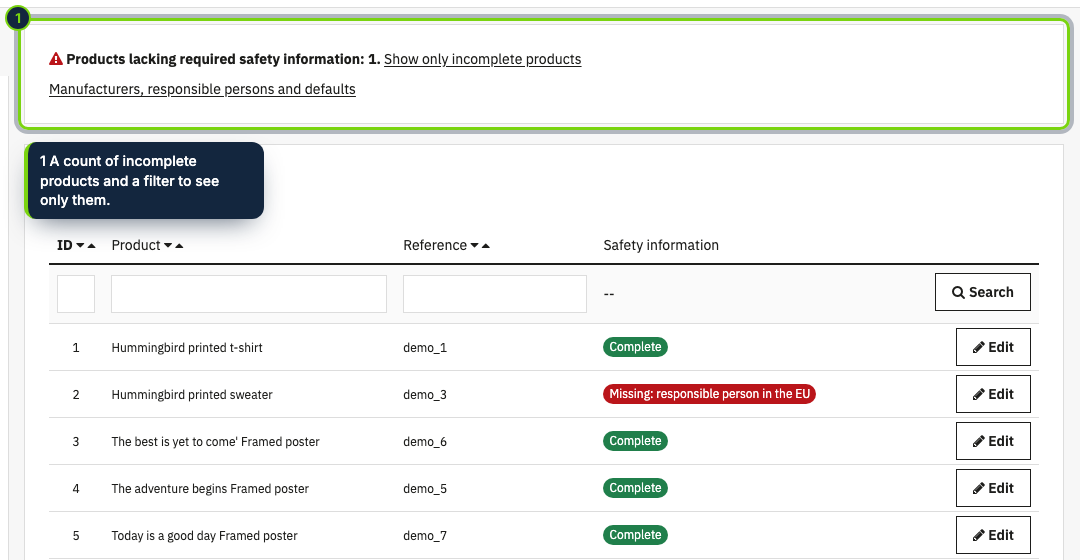
- A Catalog › Product safety page listing every product with a Complete, Missing: … or Not applicable badge, a counter and a filter for incomplete products
- Identification taken from the reference, EAN-13, UPC, ISBN and MPN already stored on the product, plus an optional type or model
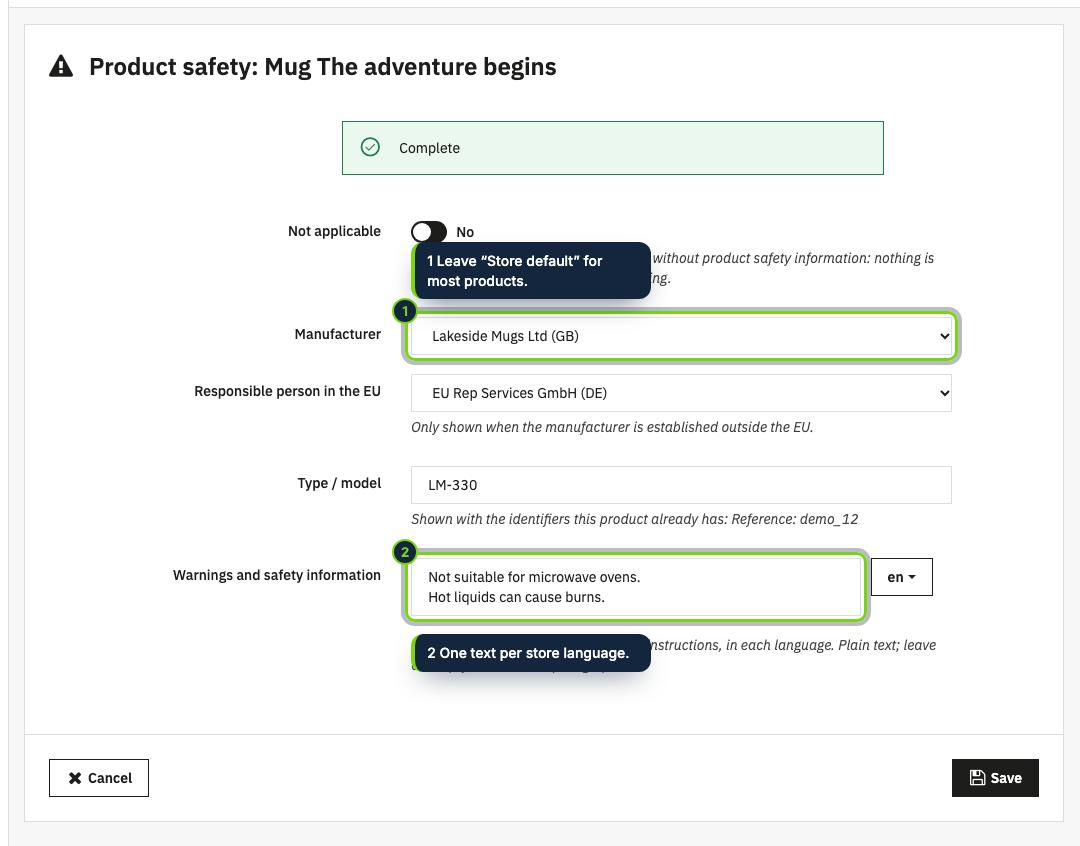
- Warnings typed per shop language in the product form, as on the label or the instructions
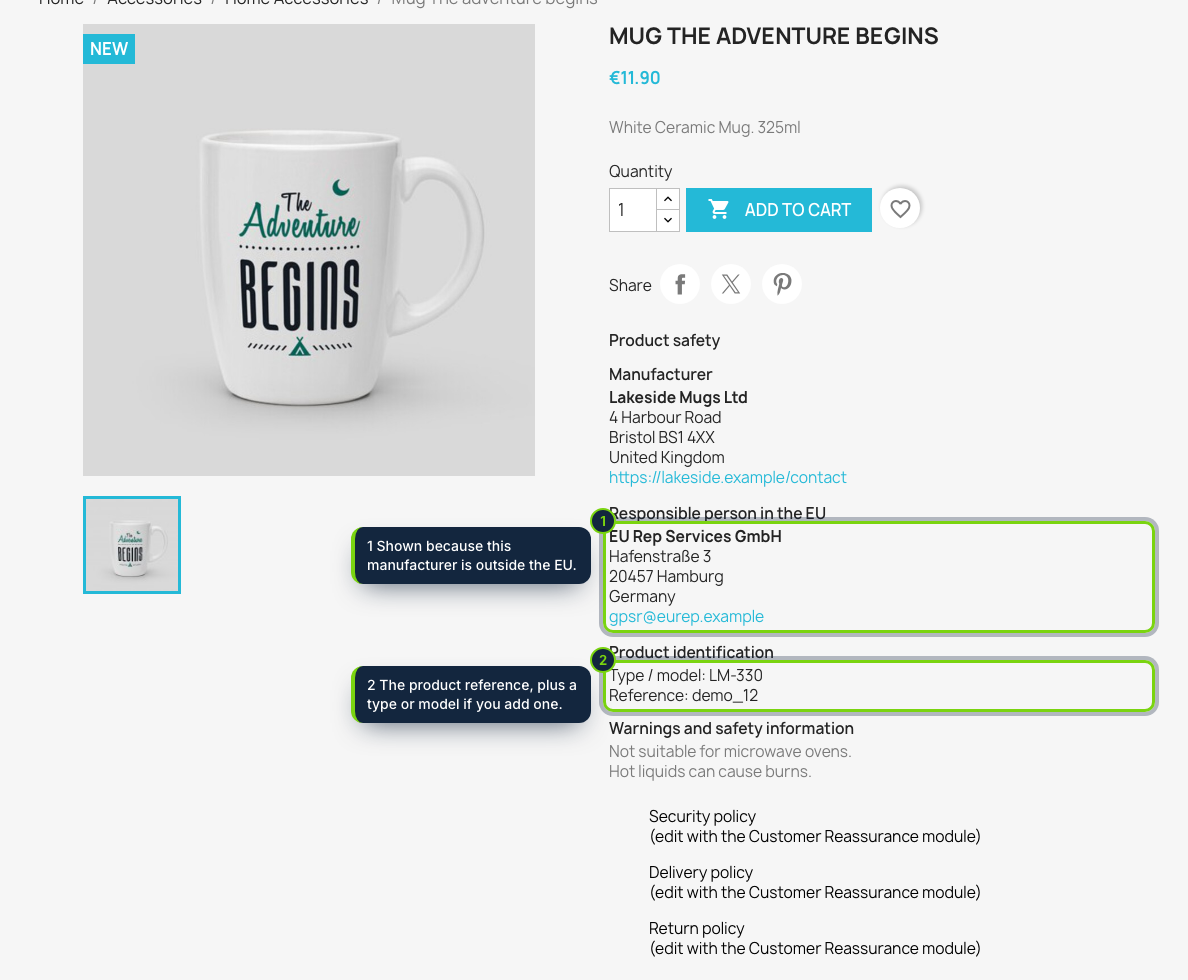
- Displayed under the add to cart button with the displayProductAdditionalInfo hook, or as a product tab with displayProductExtraContent
- Virtual products are treated as not applicable automatically; the EU responsible person is only asked for when the manufacturer is outside the EU
- Native expandable block styled by your theme, no JavaScript; back office and storefront in English, Spanish and French
PrestaShop already knows a brand for each product, but not the details that article 19 of the General Product Safety Regulation (EU) 2023/988 expects on an online offer since 13 December 2024: the manufacturer’s postal and electronic address, a responsible person in the EU when the manufacturer is based elsewhere, what identifies the product and its warnings. This module stores those details once and prints them on your product sheets.
How it fits into PrestaShop
- Module configuration
- The Configure page in the Module Manager holds the list of companies (name, postal address, country, email or website) and the store defaults: a default manufacturer, a default EU responsible person, where the block goes and whether it opens expanded.
- Catalog › Product safety
- A new back office page under Catalog. Each product shows its status and what it still lacks; Edit lets you pick other companies for that product, add a type or model, type the warnings for each language or mark it as not applicable (services, gift cards).
- Product sheet
- The block hooks into
displayProductAdditionalInfo, just under the add to cart button, or intodisplayProductExtraContentas a tab. Classic is the tested theme; other themes need those two hooks. - Your existing data
- The reference, EAN-13, UPC, ISBN and MPN fields of the product are reused, so nothing is typed twice. Virtual products are left out on their own.
- Tables
- Companies, product values and translated warnings sit in three module tables
(
ps_ecom_product_safety_operator,ps_ecom_product_safety,ps_ecom_product_safety_lang), removed on uninstall. No customer data is stored. - Compatibility
- PrestaShop 8.2 and 9.0, PHP 8.1 or later.
The module puts the information in front of your customers; it is not legal advice. Each product’s data and warnings, and how the regulation applies to your shop, stay under your responsibility.
Installation
- Step 1
Download the zip from My account › Downloads on ecom-addons.com.
- Step 2
In the back office, open Modules › Module Manager, click Upload a module and select the zip.
- Step 3
Click Configure on the module, add your companies with Add a company and choose the defaults.
- Step 4
Open Catalog › Product safety and work through the products marked as missing.
FAQ
Do I have to fill in every product?
No. With a default manufacturer (and a default EU responsible person if needed), products that have a reference or a barcode are already complete; only exceptions need editing.
Can my combinations show their own EAN?
The block reads the identifiers stored on the product itself, not those of each combination; add a type or model if you need more detail.
My theme is not Classic. Will the block appear?
Yes, if the theme calls displayProductAdditionalInfo (block
under the button) or displayProductExtraContent (tab). You can switch between the two in the configuration.
Version history
- Loading…
Reviews
Loading…
Bought it? Leave a review from your account.