
Features
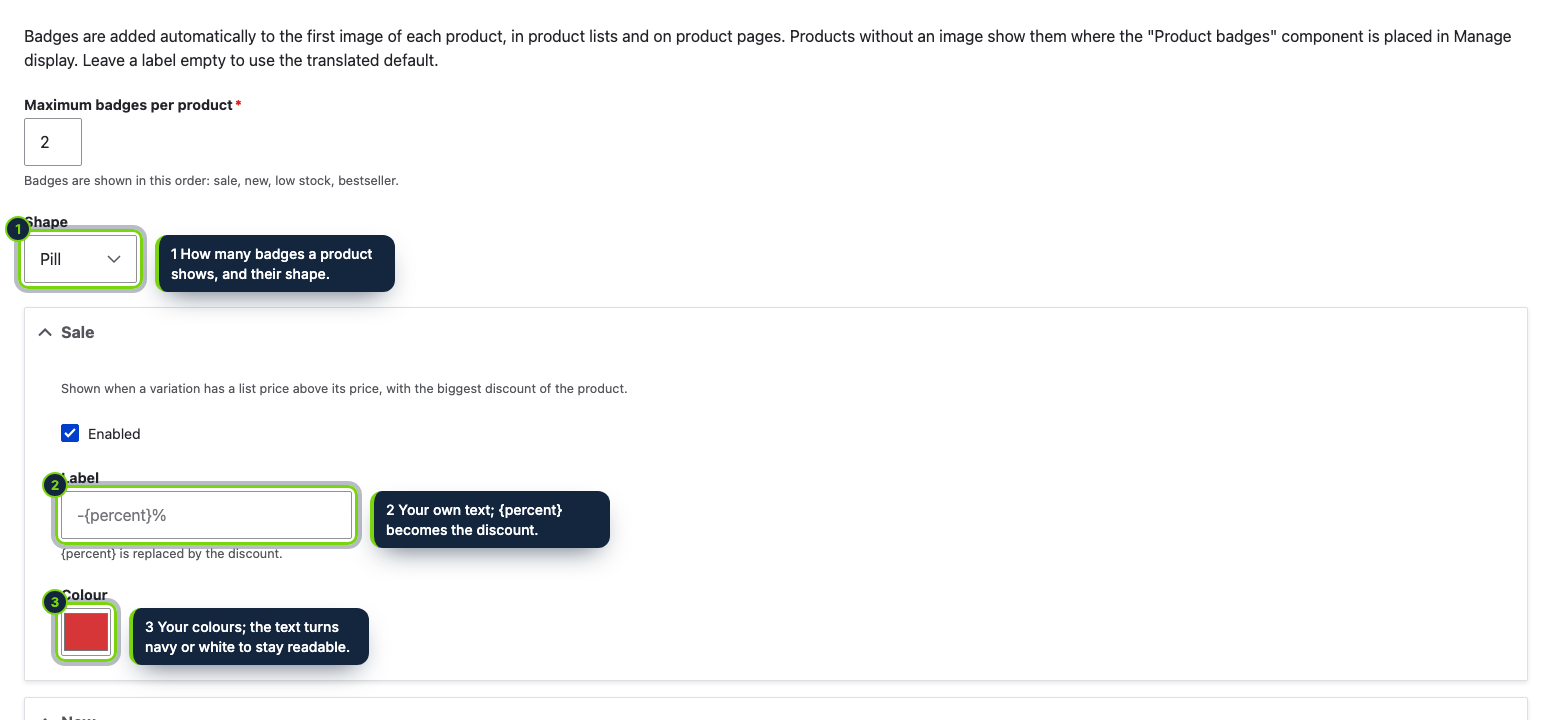
- Settings form under Commerce › Configuration › Product badges, protected by its own “Administer product badges” permission
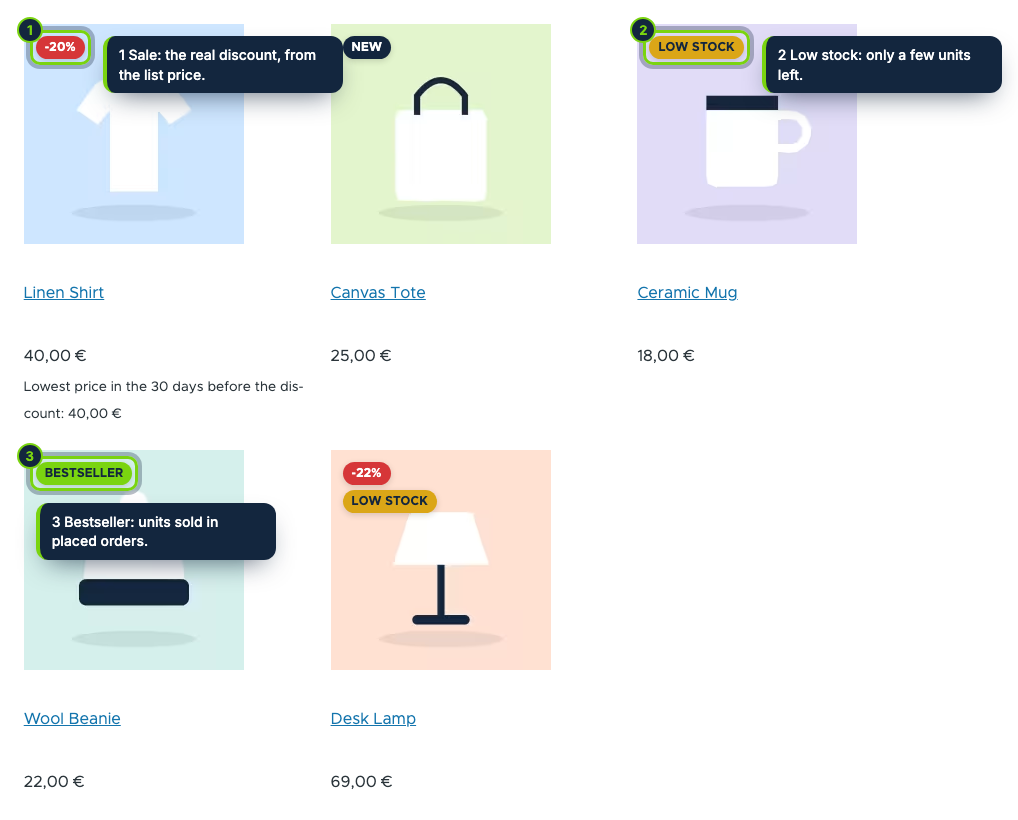
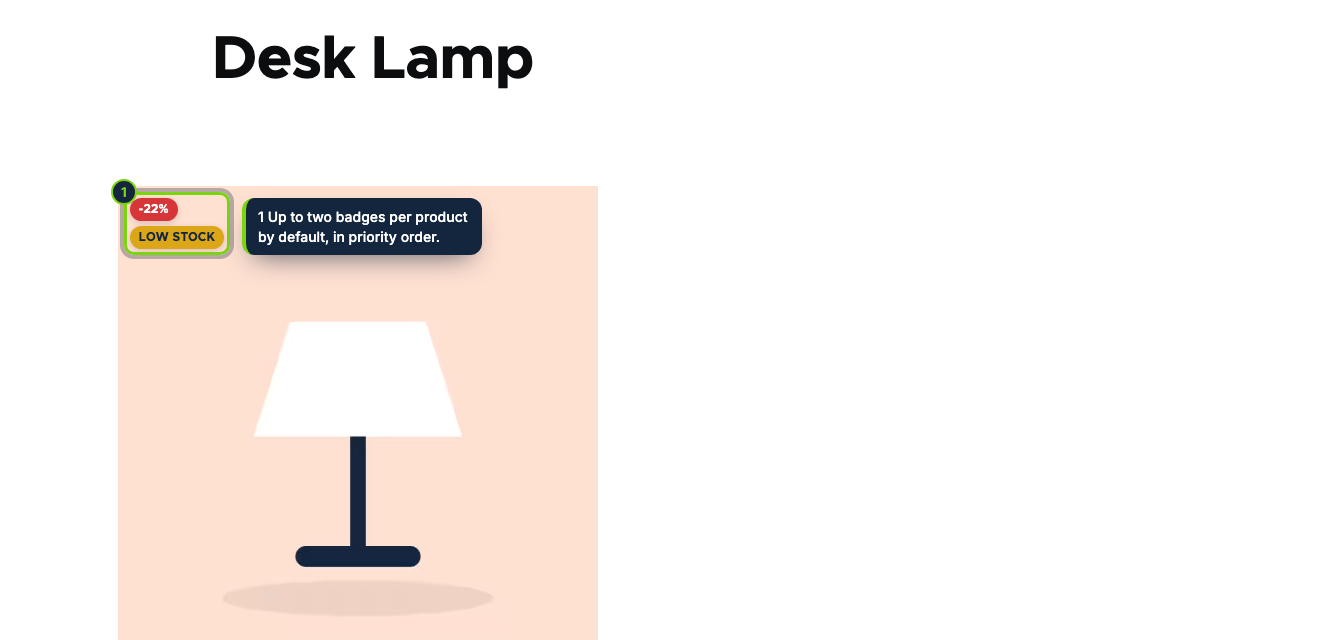
- Placed on the first image field in every view mode, from the full product page to the teasers your Views listings use
- A “Product badges” component in Manage display, to position the badges on image-less products or switch them off per view mode
- Render cache stays correct: badges refresh when a product, variation, order or the settings change, and New expires on its own
- Low stock reads any number field on your variations; Bestseller sums units from placed orders, no stock or reporting module needed
Commerce leaves it to each site builder to signal promotions or best-sellers, often with custom fields, Views tweaks or Twig overrides. Smart Product Badges does it with four rules and a settings form, working with the product entities and order data you already have.
How it fits into Drupal Commerce
- Administration
- Commerce › Configuration › Product badges (
/admin/commerce/config/product-badges). Grant the Administer product badges permission to the roles that may edit it. Settings are stored as configuration, so they can be exported with the rest of your site config; labels can be translated with the Configuration Translation module. - Rendering
- The module alters the product view and attaches the badges to the first image field of the display. A Product badges extra field appears in Commerce › Configuration › Product types › Manage display; disable it in a view mode to hide the badges there, or place it where image-less products should show them.
- Rules
- Sale fires when a variation’s list price is above its price (the largest discount wins across
variations). New covers products created in the last 30 days. Low stock looks at the default variation’s number
field (
field_stockunless you pick another) and hides at 0. Bestseller adds up units of the product’s variations in placed orders, ignoring carts and cancelled orders (50 by default). - Requirements
- Drupal 11.3, Commerce 3.x (Product and Order) and PHP 8.3 or later.
Installation
- Step 1
Download the archive from My account › Downloads on ecom-addons.com.
- Step 2
Extract it to
modules/custom/ecom_addons_smart_badges. - Step 3
Enable Smart Product Badges under Extend, or run
drush en ecom_addons_smart_badges. - Step 4
Assign the Administer product badges permission to the right roles.
FAQ
My stock lives in a custom field. Will Low stock work?
Yes. Choose any number field of your product variations in the settings; variations without a value never get the badge.
Will cached pages show stale badges?
No. Cache tags of products, variations, orders and the configuration are added, and a New badge carries a max-age that ends when its days are up.
Do I need a separate module for sales figures?
No. Bestseller counts order items from Commerce Order directly.
Version history
- Loading…
Reviews
Loading…
Bought it? Leave a review from your account.