
Features
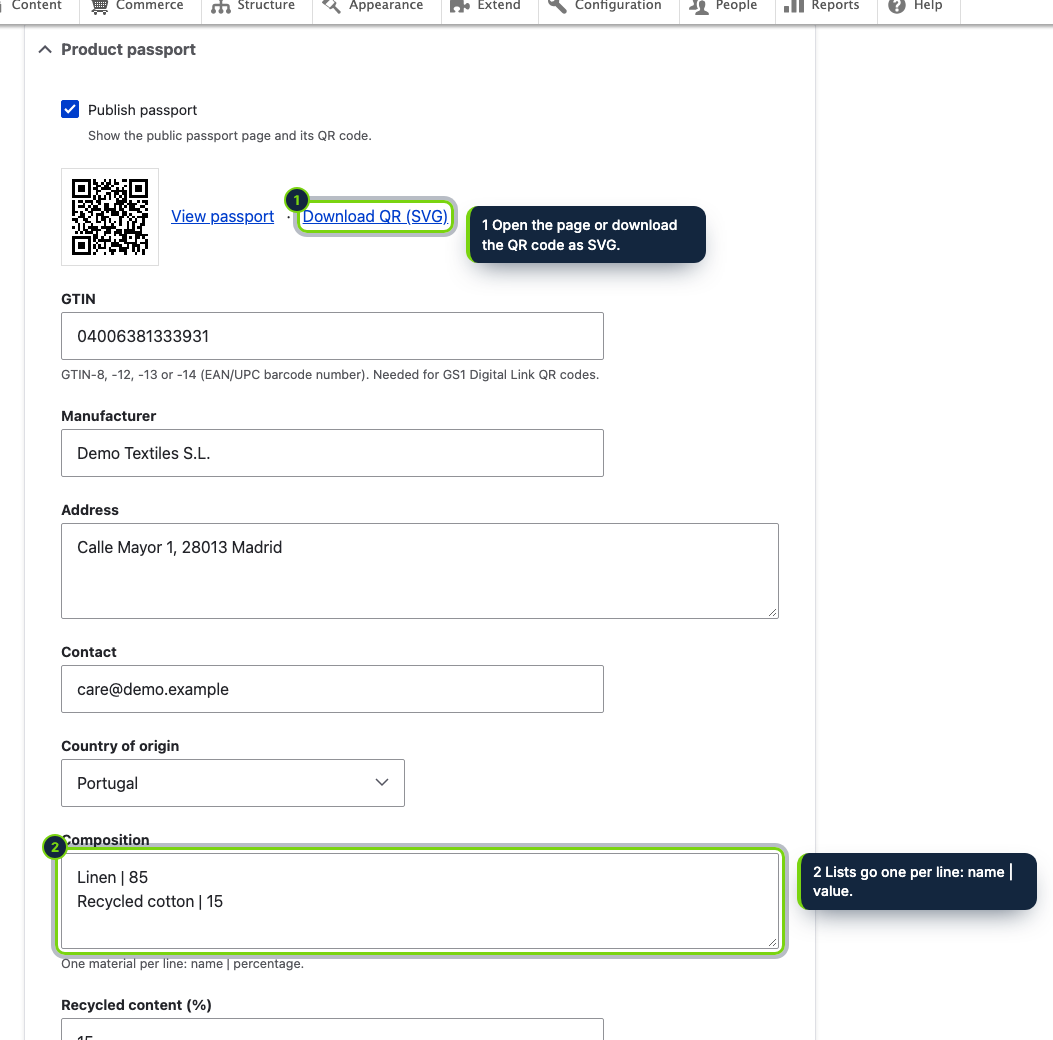
- A Product passport details element in the product edit form, shown only to roles granted the Administer product passports permission
- Settings at Commerce › Configuration › Product passport, kept in the ecom_addons_product_passport.settings configuration object
- A passport block appended to the full view mode of commerce products, with cache tags invalidated whenever a passport is saved
- Routes /product-passport/{commerce_product}, its qr.svg and /01/{GTIN}, served by the module’s controller and cached per interface language
- Built on Drupal 11 #[Hook] attribute classes and depends only on commerce_product
- Wrong GTIN check digits, invalid CAS numbers, compositions over 100 % and malformed links are refused on save, so that passport stays unpublished
- Interface translations for Spanish and French shipped as .po files with the module
Drupal Commerce lets you model products, variations and attributes in any shape you like, but out of the box there is nowhere to record where an item was made, its materials, the substances it contains or how to repair and recycle it, and nothing that turns those details into a page a QR code can open. This module adds both to your store.
How it fits into Drupal Commerce
- Product form
- Editing a product in Commerce › Products reveals a Product passport section, open by default. Users without the Administer product passports permission do not see it. When the passport is published, the section shows the QR code, a link to the public page and an SVG download.
- Configuration
- Commerce › Configuration › Product passport (
/admin/commerce/config/product-passport) holds two choices: where QR codes point (passport page or GS1 Digital Link) and whether the product page shows a Product passport block. Both are stored as simple configuration. - Rendering
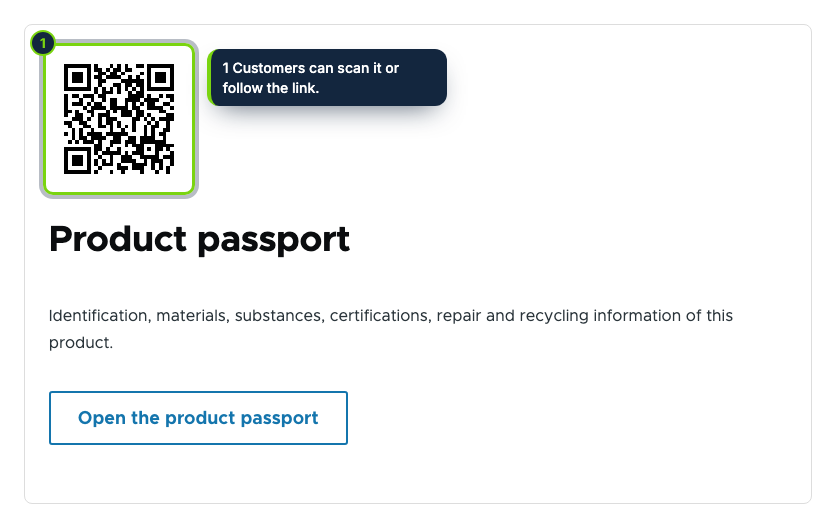
- The block is added when a product is displayed in its full view mode. Saving a passport invalidates that product’s cache tag, so changes appear immediately even with page caching on.
- Public routes
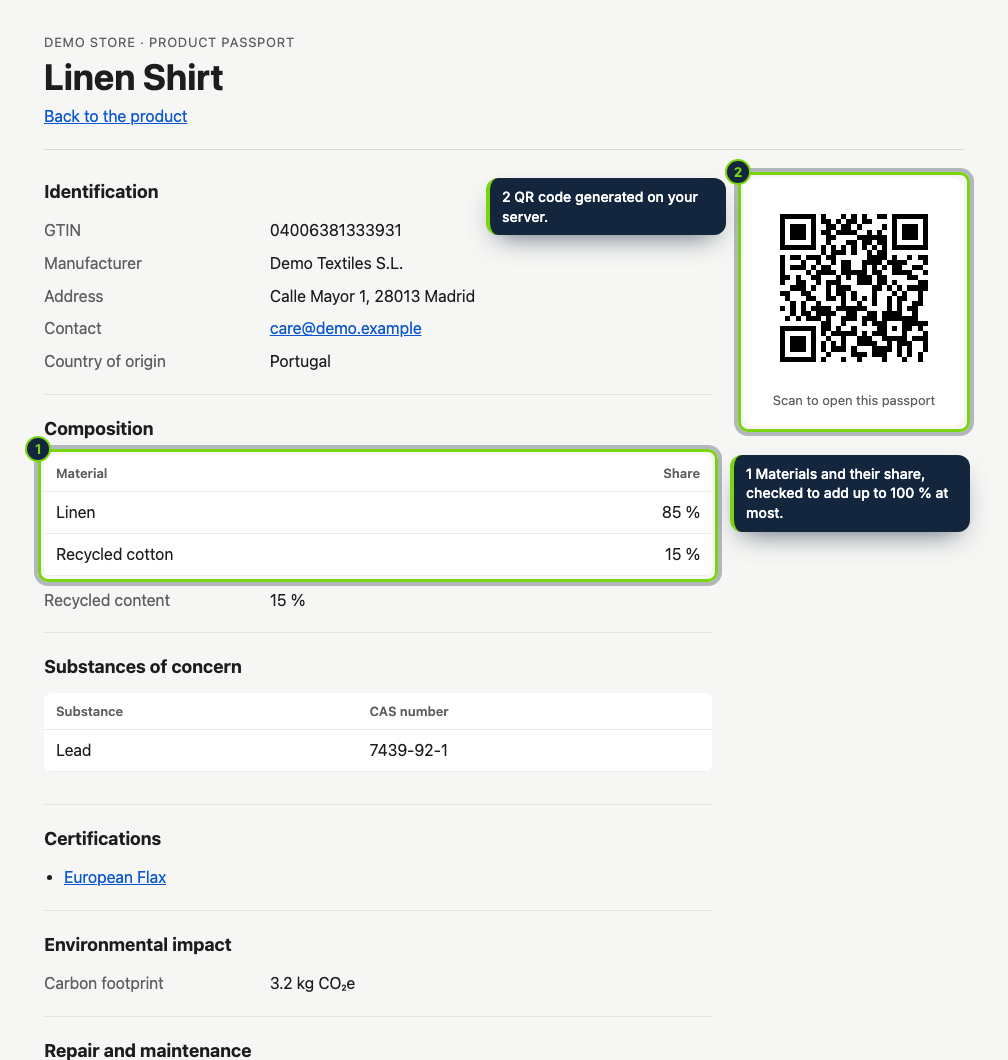
- The passport page and its QR code are served by the module’s own routes, with schema.org data and no JavaScript; the page follows the interface language, while QR codes always encode the default-language URL.
- Storage
- One row per product in the
ecom_addons_product_passporttable; uninstalling removes the table and the configuration. - Requirements
- Drupal 11.3, Commerce 3.x (Product), PHP 8.3 or later.
Under the ESPR, Regulation (EU) 2024/1781, the EU introduces digital product passports; for each product group a delegated act sets the required data. The module stores and publishes the information you enter, without telling you which of those acts covers your catalogue: that check remains yours.
Installation
- Step 1
Download the archive from My account › Downloads on ecom-addons.com.
- Step 2
Unpack it into
modules/custom/, so the module ends up inmodules/custom/ecom_addons_product_passport. - Step 3
Enable Product Passport & QR under Extend, or run
drush en ecom_addons_product_passport. - Step 4
Under People › Permissions, grant Administer product passports to the roles that edit the catalogue.
FAQ
Is the passport stored on the product or on each variation?
On the commerce product: all its variations share one passport page and one QR code.
Can the free-text fields be translated per language?
Not yet. The labels of the page follow the interface language, but the values you type are the same in every language.
Who can edit passports?
Only roles with the Administer product passports permission; the public page and QR code are visible to everyone once a passport is published.
Version history
- Loading…
Reviews
Loading…
Bought it? Leave a review from your account.